Daewoo DTQ 27U8SC Manuel utilisateur

INSTRUCTION MANUAL
Color Television
DTQ 27U8SC

CAUTION
RISK OF ELECTRIC SHOCK
DO NOT OPEN
CAUTION : TO REDUCE THE RISK OF ELECTRIC SHOCK,
DO NOT REMOVE COVER (OR BACK)
NO USER-SERVICEABLE PARTS INSIDE.
REFER SERVICING TO QUALIFIED SERVICE PERSONNEL.
The lightning flash with arrowhead symbol, within an equilateral triangle, is intended to
alert the user to the presence of uninsulated “dangerous voltage” within the product’s
enclosure that may be of sufficient magnitude to constitute a risk electric shock.
The exclamation point within an equilateral triangle is intended to alert the user to the
presence of important operating and servicing instructions in the literature accompanying
the appliance.
WARNING
TO REDUCE THE RISK OF FIRE OR SHOCK HAZARD, DO NOT EXPOSE THIS APPLIANCE TO RAIN OR
MOISTURE.
CAUTION
CHANGES OR MODIFICATIONS NOT EXPRESSLY APPROVED BY THE MANUFACTURER COULD VOID
THE USER’S AUTHORITY TO OPERATE THE EQUIPMENT.
NOTE TO CATV SYSTEM INSTALLER
THIS REMINDER IS PROVIDED TO CALL THE CATV SYSTEM INSTALLER'S ATTENTION TO ARTICLE
820-40 OF THE NEC THAT PROVIDES GUIDELINES FOR PROPER GROUNDING AND, IN PARTICULAR,
SPECIFIES THAT THE CABLE GROUND SHALL BE CONNECTED TO THE GROUNDING SYSTEM OF THE
BUILDING, AS CLOSE TO THE POINT OF CABLE ENTRY AS PRACTICAL.
CAUTION
The AC power cord provided with this product is polarized (one blade wider than the other).
To prevent electrical shock, match wide blade of plug to wide slot, fully insert the AC plug into a
standard 120V~, 60Hz polarized outlet.
NOTE
Never connect the plug to an electrical source other than one providing 120V~, 60Hz power. Use only the attached power
cord. If the polarized AC cord does not fit into a non-polarized outlet, do not cut or file the blade. You are responsible for
having the obsolete outlet replaced with a polarized outlet.
If you feel a static discharge when touching the unit, and the unit does not function, simply unplug the unit from the outlet.
When you plug the unit back in, it should work normally.
Do not install power cords near any heating element or cooking appliances.
Important Safeguards
SAFETY
IMPORTANT SAFEGUARDS
PLEASE READ ALL THESE INSTRUCTIONS REGARDING YOUR TELEVISION EQUIPMENT AND
RETAIN FOR FUTURE REFERENCE. FOLLOW ALL WARNINGS AND INSTRUCTIONS MARKED
ON THE TV RECEIVER.
1
Read all of these instructions.
2
Save these instructions for later use.
3
Unplug this television equipment from the wall
outlet before cleaning. Do not use liquid
cleaners or aerosol cleaners. Use a damp cloth
for cleaning.
4
Do not use attachments not recommended by
the television equipment manufacturer as they
may result in the risk of fire, electric shock or
other personal injury.
5
Do not use this television equipment near
water, for example, near a bathtub, washbowl,
kitchen sink, or laundry tub, in a wet basement,
or near a swimming pool, or the like.
6
Do not place this television equipment on an
unstable cart, stand, or table. The television
equipment may fall, causing serious injury to a
child or adult, and serious damage to the
equipment. Use only with a cart or stand
recommended by the manufacturer, or sold with
the television equipment. Wall or shelf
mounting should follow the manufacturer's
instructions, and should use a mounting kit
approved by the manufacturer.
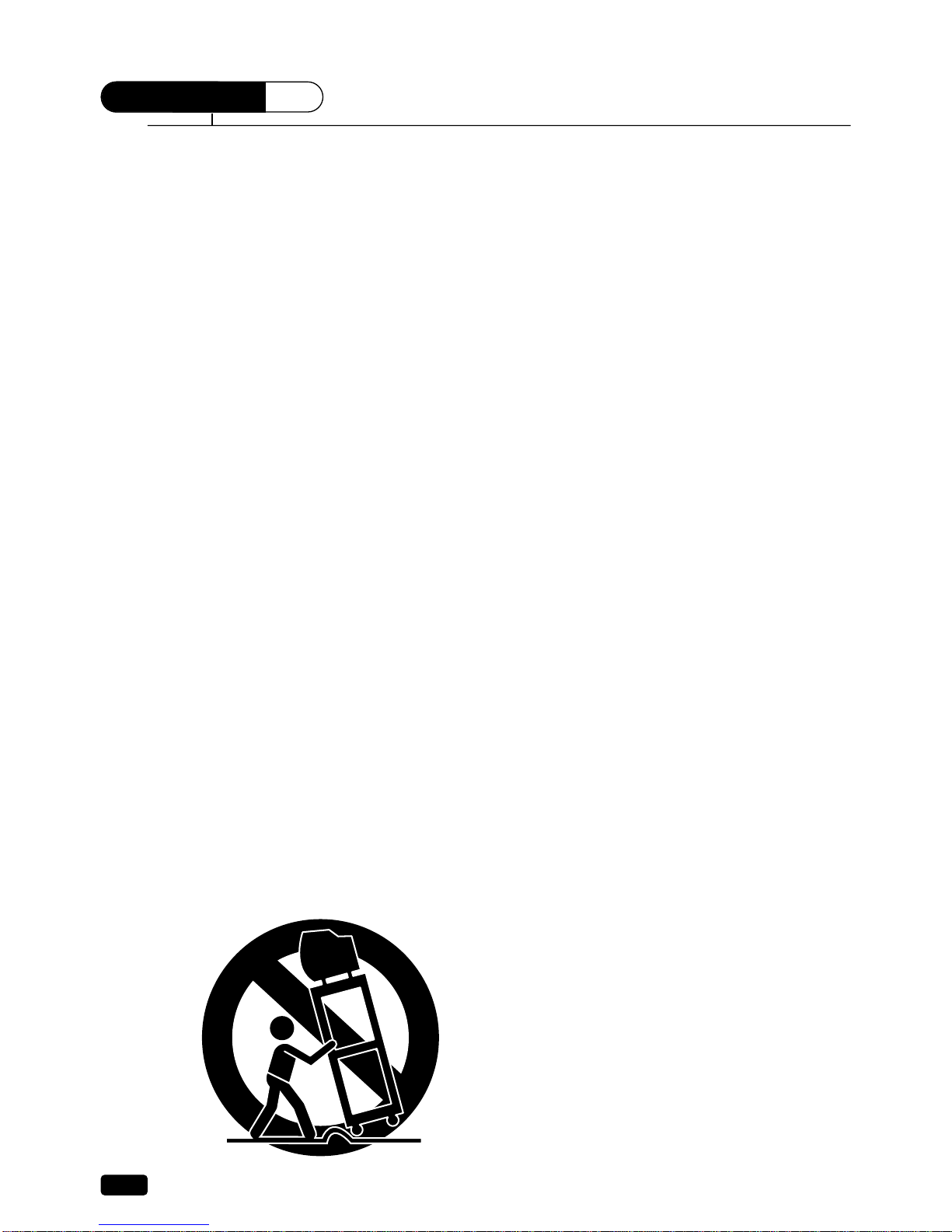
6A
An appliance and cart combination should be
moved with care. Quick stops, excessive force,
and uneven surfaces may cause the appliance
and cart combination to overturn.
7
Slots and openings in the cabinet and the back
or bottom are provided for ventilation and to
ensure reliable operation of the television
equipment; and to protect it from overheating,
these openings, must not be blocked or covered.
The openings should never be blocked by
placing the television equipment on a bed, sofa,
rug, or other similar surface. (This equipment
should never be placed near or over a radiator
or heat register.) This television equipment
should not be placed in a built-in installation,
such as a bookcase, unless proper ventilation is
provided.
8
This television equipment should be operated
only from the type of power source indicated on
the marking label. If you are not sure of the
type of power supplied to your home, consult
your television dealer or local power company.
9
This television equipment is equipped with a
polarized alternating current line plug (a plug
having one blade wider than the other). This
plug will fit into the power outlet only one way.
This is a safety feature. If you are unable to
insert the plug fully into the outlet, try reversing
the plug. If the plug should still fail to fit,
contact your electrician to replace your obsolete
outlet. Do not defeat the safety purpose of the
polarized plug.
10
Do not allow anything to rest on the power
cord. Do not locate this television equipment
where the cord will be abused by persons
walking on it.
11
Follow all warnings and instructions marked on
the television equipment.
12
For added protection for this television
equipment during a lightning storm, or when it
is left unattended and unused for long periods
of time, unplug it from the wall outlet and
disconnect the antenna or cable system. This
will prevent damage to the equipment due to
lightning and power-line surges.

Important Safeguards
13
An outside antenna system should not be
located in the vicinity of overhead power lines
or other electric light or power circuits, or where
it can fall into such power lines or circuits.
When installing an outside antenna system,
extreme care should be taken to keep from
touching such power lines or circuits, as contact
with them might be fatal.
14
Do not overload wall outlets and extension
cords, as this can result in fire or electric shock.
15
Never push objects of any kind into this
television equipment through openings, as they
may touch dangerous voltage points or short-out
parts that could result in a fire or electric shock.
Never spill liquid of any kind on the television
equipment.
16
Do not attempt to service this television
equipment yourself, as opening or removing
covers may expose you to dangerous voltage or
other hazards. Refer all servicing to qualified
service personnel.
17
Unplug this television equipment from the wall
outlet and refer servicing to qualified service
personnel under the following conditions:
(a) When the power-supply cord or plug is
damaged or frayed.
(b) If liquid has been spilled, or objects have
fallen into the television equipment.
(c) If the television equipment has been exposed
to rain or water.
(d) If the television equipment does not operate
normally by following the operating
instructions. Adjust only those controls that
are covered by the operating instructions as an
improper adjustment of other controls may
result in damage and will often require
extensive work by a qualified technician to
restore the TV receiver to its normal
operation.
(e) If the television equipment has been
dropped or the cabinet has been damaged.
(f) When the television equipment exhibits a
distinct change in performance - this
indicates a need for service.
18
When replacement parts are required, be sure
the service technician has used replacement
parts specified by the manufacturer that have
the same characteristics as the original part.
Unauthorized substitutions may result in fire,
electric shock or other hazards.
19
Upon completion of any service or repairs to
this television equipment, ask the service
technician to perform safety checks to
determine that the television is in a safe
operating condition.
20
If an outside antenna or cable system is
connected to the television receiver, be sure the
antenna or cable system is grounded so as to
provided some protection against voltage
surges and built-up static charges.
Section 810 of the National Electrical Code,
ANSI/NFPA N0.70-1984, provides information
with respect to proper grounding of the mast
and supporting structure, grounding of the
lead-in wire to an antenna discharge unit, size
of grounding conductors, location of
antenna-discharge unit, connection to
grounding electrodes, and requirements for the
grounding electrode.

Daewoo Electronics
Corporation of America
120 Chubb Avenue,
Lyndhurst, NJ 07071
1-800-DAEWOO8 (1-800-323-9668)
Fax:201-935-5284
Dear Customer :
Daewoo Electronics Corporation of America would like to thank you for choosing this color television
receiver. It incorporates a host of features designed to give you excellent performance for many years to
come.
We realize that you’re eager to turn it on and begin enjoying the high-quality pictures it delivers just as
quickly as possible, but we ask you to take a few minutes to read the instructions in the booklet to familiarize
yourself with the receiver, its functions and some features which may be new to you. If you follow the
instructions, this unit should give you many years of viewing pleasure.
If for any reason it does not, we want to hear about it. Please write to us at the address above. Daewoo
always welcomes comments and suggestions on this or any of our other products.
On the other hand, when you discover the enjoyment, reliability and ease of use that is built into it, we
hope that you will tell your friends, and consider Daewoo when you make your next purchase of home
entertainment equipment.
In addition to TV receivers, Daewoo produces a full line of audiovisual products built to the same high
design, engineering, and manufacturing standards as this unit.
Here are a few tips that will keep your TV receiver looking great and performing for years to come.
.Avoid putting it in excessively hot locations. Damage to the cabinet or premature component failures
can result.
.There are ventilation holes in the bottom and rear of the cabinet. Make sure that they remain
unobstructed. Do not place the receiver on top of a thick cloth.
.If you don’t plan to use the receiver for several days, it’s a good idea to unplug it from the power outlet.
.Many common household cleaning agents, sprays, solvents, and polishes will cause permanent damage to
the surface of the cabinet. The best cleaning agents are mild soap and a damp cloth.
Again, thank you for choosing this Daewoo product. We have employed advanced engineering techniques
in its design, and manufactured it in one of the world’s most up-to-date production facilities. The result is
a TV receiver that we know you will be as proud to own as we were to create.
Very truly yours,
DAEWOO ELECTRONICS
CORPORATION OF AMERICA

CONTENTS
1
Table of Contents
Table of Contents
Chapter 1: Overview of Your Equipment 2
Your TV's Front Panel 2
Your TV's Back Panel 3
Your Remote Control 4
Installing your remote control batteries 5
Notes 5
Chapter 2: Connecting an Antenna or Cable to Your TV 6
Connecting an Antenna 6
Connecting a Cable System 7
Connecting Other Pieces of Equipment 8
Safety Note 8
Chapter 3: Operating Your TV 9
Turning your TV On 9
Programming Your TV's Channel Memory 9
Changing Channels 10
Changing the Volume 10
Changing The TV's Channel Memory 11
Adding/Deleting a channel to memory 11
Displaying the Current Channel 11
Changing the TV’s Input 12
Adjusting Video Settings 13
Returning to the factory settings 14
Descriptions of video settings 14
Chapter 4: Using Timer Functions 15
Setting the Clock 15
Setting the Wake-up Time 15
Setting the Off Time 16
Canceling the Wake-up Time or Off Time 16
Setting the Sleep Timer 17
Chapter 5 : Using the Special Features 18
Changing the Language of the On-Screen Menus 18
Captioning 18
CC on Mute 19
Power Restore 19
Dynamic Sound, Ch Labels 20~21
Parental Control Settings, Description of Parental Control Settings 22~23
Chapter 6 : Adjusting the Sound 25
Selecting stereo/SAP 25
Listening to stereo sound 25
Listening to second Language 25
About AVC 26
Setting “SURROUND” function 26
Adjust Bass or Treble 26
Adjusting the Balance 26
Chapter 7 : Troubleshooting 27
Warranty 28

Overview of Your Equipment
Your TV comes with a remote control. The section below summarizes the buttons, controls, and
terminals that you will use with your TV.
Your TV's Front Panel
1 POWER
Use this button to turn your TV on or off.
2 VIDEO IN jack
Use this jack to receive a video signal from another A/V component.
3 AUDIO IN jack
This receiver uses this jack to receive an audio signal from another A/V component.
4 STAND-BY(red) indicator
This indicator lights up when the power is off.
5 Remote control receiver
This receiver receives a signal from your remote control. Do not block it.
6 MENU
Use this button to turn the TV's menu system on and off.
7 CVOLB
Use these buttons to change your TV's volume, to activate selections in the menu
system, or to change audio and video settings.
8WCHV
Use these buttons to change channels on your TV, or to select items in the menu
system.
2
Chapter 1 :
Overview of Your Equipment
CHAPTER
1
POWER

Your TV's Back Panel
1 Antenna terminal(ANT)
Use this terminal to attach an antenna or cable system to your TV.
2 VIDEO OUT
This terminal allows the TV to send a video signal to another component, such as a VCR.
3 AUDIO OUT
This terminal allows the TV to send an audio signal to another component, such as a VCR.
4 VIDEO IN
This terminal allows the TV to receive a video signal from another component, such as a VCR.
5 AUDIO IN
This terminal allows the TV to receive an audio signal from another component, such as a VCR.
6 Y Cb Cr IN
This terminal allows the TV to receive a Y Cb Cr signal from another component, such as DVD.
7 COMPONENT INPUT AUDIO IN
This terminal allows the TV to receive an audio signal from another component, such as a DVD.
3
Chapter 1 :
Overview of Your Equipment
VIDEO
AUDIO L
(MONO)
MONITOR
OUT
AUDIO R
AV1 IN VIDEO
COMPONENT INPUT
AUDIO
R
L
ANT

4
Chapter 1 :
Overview of Your Equipment
Your Remote Control
1. POWER
Use this button to turn your TV on or off.
2. MUTE
Use to turn the TV’s sound on and off.
3. WCHV
Use these buttons to change channels on your TV, or
select items in the menu system.
4. C
VOL
B
Use these buttons to change your TV's volume, to
activate selections in the menu system, or to change
audio and video settings.
5. MENU
Use this button to turn the TV’s menu system on and
off.
6. DISPLAY
Use this button to display the channel
number and status.
7. INPUT
Use this button to select the TV
’
s signal source.
8. VIDEO
Use this button to display video adjustment
items.
9. 0-9
Use these buttons to change channels.
10. SLEEP
Use this button to program the TV to turn off after a
certain time.
11. PREVIOUS
Use this button to return to the previous channel you
were watching.
4
1
8
7
11
3
9
10
2
6
3
4
5

5
Chapter 1 :
Overview of Your Equipment
Installing your remote control batteries
1
Open the battery compartment on the back of the remote control.
2
Install two AA-size batteries (not included) as shown. Make sure the “+” and “-” terminals are
oriented correctly.
3
Replace the cover.
Notes
Do not mix different types of batteries, or mix an old and a new battery.
Remove and replace weak batteries. Weak batteries can leak and damage your controller. Dispose
of batteries properly; never throw them into a fire.
Point your remote at the receiver on the center of the front of the TV. Make sure the receiver is not
blocked.
The remote control can operate up to 30 feet away from the TV, if you are directly facing the front
of the TV. Operating distance diminishes as you move to the sides of the TV.
Table des matières
Autres manuels Daewoo Téléviseur à écran plat