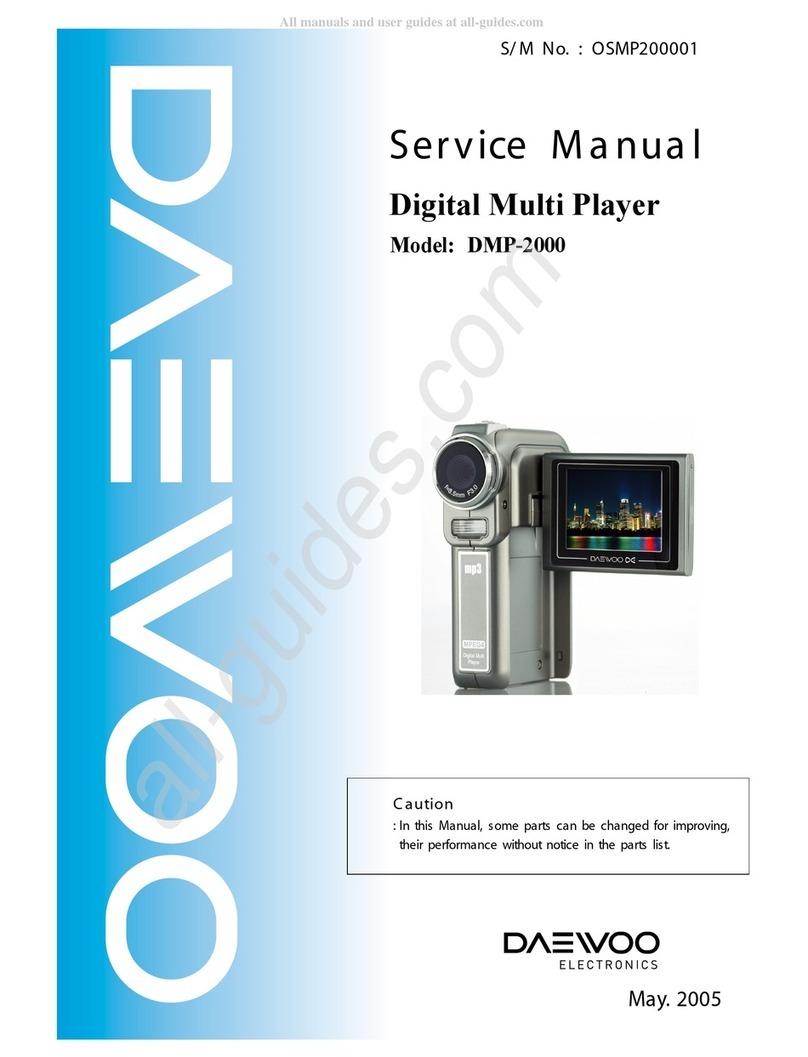
DAEWOO ELECTRONICS DC-B83D1D Manuel utilisateur

DVH-100A

1
SPECIFICATIONS...............................................................................................................2
ADVANTAGES OF THIS PRODUCT....................................................................................3
TROUBLE SHOOTING....................................................................................................................5
WAVEFORMS................................................................................................................................23
CIRCUIT DIAGRAM.......................................................................................................................26
PCB CIRCUIT BOARD..................................................................................................................36
INSTRUMENT DISASSEMBLY.....................................................................................................39
ELECTRICAL PARTSLIST............................................................................................................45
CONTENTS

2
SPECIFICATIONS
Disc type
DVD VIDEO-CD CD
Analogue Audio output 48/96KHz sampling 44.1KHz sampling 44.1KHz sampling
Digital Audio output 48KHz sampling 44.1KHz sampling 44.1KHz sampling
Optical digital audio output 48KHz sampling 44.1KHz sampling 44.1KHz sampling
Output
Power 200-240V~, 50/60Hz
Consumed electricity 22W
Weight 4.6kg
Dimension (W x H x D) 435mmx93mmx255mm
Operative temperature +5°C~40°C
Installation condition Horizontal / Relative humidity under 80%
Laser output 5mW (continuous wave max.)
Wave length 635nm (DVD), 730nm (CD)
Signal type PAL COLOR
Antenna Input/output U/V-mixed: 75Ωunbalanced
VIDEO input 1.0Vp-p (unbalanced, RCA JACK)
AUDIO input -8.8dBm, RCA JACK
VIDEO output
(common use of DVD and VCR)
VIDEO output terminal, 1.0 Vp-p unbalanced, RCA JACK, SCART JACK
VIDEO output (DVD only) RGB output (75ΩIn load R: 0.7Vp-p, G:0.7Vp-p, B:0.7Vp-p)
AUDIO output
(common use of DVD and VCR) Audio output terminal (2 kinds): -5.8dBm(VCR), 2Vrms(DVD), RCA JACK
AUDIO output (DVD only) Analogue AUDIO output : 2.0Vrms
Digital audio output (OPTICAL, COAXIAL)
Playable tape Very high dense tapes with VHS marks
Playable disc DVD, VIDEO-CD, CD (12cm), CD (8cm), MP3, CD-R, CD-RW
Tape speed SP: 23.39mm/s, LP: 11.70mm/s
Playtime SP: 3hrs, LP: 6hrs (use of E180tape)
Clock display 24 hrs
Time Recording 8 programs a month
Persistence in power failure 1min
VIDEO S/N (VCR) Over 43dB(Standard recording)
Resolution VCR Over 240 lines (Standard recording)
DVD Over 400 lines (Playback DVD)
AUDIO (VCR) Over 65dB
AUDIO (DVD) 90dB
AUDIO dynamic range 90dB
DVD Audio output standards

ADVANTAGES OF THIS PRODUCT
3
•DVD, VCD, CD, CD-R(MP3), CD-RW, VHS
•Watching DVD for recording broadcast
•Integrated remote control (VCR, DVD)
•VISS function
•Multiplex sound playback/record
•High Sound Quality of 6 head Hi-Fi
•Simple record function
•MP3 file playback function (CD-R disc having records of MP3 files)
•GUI (Graphical User Interface) through OSD (On Screen Display)
By using the [DISPLAY] button on the remote control, information on the DVD/VCD/CD player and disc, can be
displayed on the TV screen.
•Screensaver function (DVD)
•3D sound (3D sound effect using 2 speakers)
•High bit / High sampling with 27MHz / 10bit video encoder
•High bit / High sampling with 96MHz / 24bit Audio D/A Converter
•Coaxial, Optical digital Audio output (PCM, Dolby Digital, dts)
You can enjoy high-level digital audio by connecting with amp embedded with Dolby Digital / dts decoder.
•Built-in Dolby Digital decoder (DVD)
•Analog audio 2-channels output for DOWNMIX (x1)
•Composite video output (x1)
•Slow Forward / Reverse playback (DVD)
•Fast Forward / Reverse playback
•Search of title, chapter, and time in DVD disc, and search of time and track time in VCD.
•Various TV aspect (DVD)
4:3 for Pan and Scan, 4:3 for Letter Box, and 16:9 for Wide
•Repeat playback (title, chapter, and part for DVD/ track, disc, and part for VCD/CD)
•Selective Play (DVD/VCD/CD)
You can select and play the desired title / chapter of DVD and track of Video CD/CD in STOP mode.
•Parental Lock function (DVD)
This function can prevent playback of software that may be unsuitable for children.
•Multi Audio function (DVD)
The audio soundtrack can be heard in up to 8 languages. In the case of SVCD or VCD, it depends on the disc. (The
number of audio languages depends on the software.)

4
ADVANTAGES OF THIS PRODUCT
•Multi Subtitle function (DVD)
The subtitle can be seem in up to 32 languages. In the case of SVCD or VCD, it depends on the disc. (The number of
subtitle languages depends on the software.)
•Multi Angle function (DVD)
This function allows you to choose the viewing angle of scenes which were shot from a number of different angles.
(The number of angles depends on the software.)
•Screen zoom function (DVD/VCD)

5
TROUBLESHOOTING
1. POWER CIRCUIT
✓ CAUTION
You must use insulated transformer during the first part test of POWER circuit.
Check IC501, IC701
No power
POWER cord is ok?
Is 400V~200V voltage
obtained at C804 +?
Output voltage of 2nd
parts is normal?
Check
rectifier diode of 2nd parts ;
D821, D822, D823, D824,
D825, D826, D827
Switching
pulse of Q801 collector is
normal?
OK
Exchange POWER CORD
Check F801.
Exchange rectifier diode of 2nd
parts ; D821, D822, D823, D824,
D825, D826, D827.
Check Q801.
NO
YES
YES
YES
YES
YES
NO
NO
NO
NO

2. SYSTEM CIRCUIT
6
TROUBLESHOOTING
No LED display.
Is 5V obtained at IC701
pin #9, 25?
Oscillation at IC701pin #1?
SpecificGRID/SEGdoesntfunction.
Check R588, D857, L503, L860
Exchange IC701.
Check IC 701 pin #22~24, 27,
28, 30, 31.
Check IC 701 pin #10~12, 14~21.
NO
YES
YES
NO
NO
GRID output at PORT of IC701?
YES
SEGoutput at PORT of IC701?
ExchangeIC701.
YES
A. LED DISPLAY
NO

7
TROUBLESHOOTING
Noise appears on the
playback screen.
Is noise diminished by tracking
adjustment.
Noise band is trembled up and
down?
Re-adjust PATH.
IstheheightofCTLHEADnormal?
Nodust?
Is there problem in CTL Input
circuit and amplifier.
YES
NO
NO
NO
Is there CTL pulse at IC501
pin#97?
Check IC501.
Noise appears on the screen even
though changing tape.
Re-adjust the height of AC HEAD.
Remove the dust.
Check C510,R545~R547
IC 501 pin #91, 92, 98.
NO
Re-adjust PATH.
B-1. Bad playback quality (1)
YES
YES
YES
YES
Noise appears on the Full
playback screen.
Are SW pulse and HA SW normal?
Recheck step B-1
(Bad playback quallty (1)).
CheckHEADAMPconnector
andHEAD.
YES
YES
NO
NO
ENVE Wave at PT01 pin #4?
CheckVIDEOcircuit.
Are there SW, HA SW pulse at
IC501 pin #16, 18?
Check PCB Pattern.
CheckIC501.
B-2. Bad playback quality (2)
YES
NO
YES

8
TROUBLESHOOTING
No broadcasting signal
received
Is the output at IC501 pin# 61(CLK),
60 (DATA) normal?
Is SIF,Video output at TMI(RF101)
pin#16,19 normal?
Check IC 501.
Check IC301.
Check IC501.
YES
YES
NO
NO
NO
Is Video Signal input at IC501
pin#50?
Is there Video output at IC501
pin#52?
Check TMI (RF101) Block.
NO
Check Video Buffer Q670, Q671
C. No broadcasting signal received
YES
YES
YES

9
TROUBLESHOOTING
Cassette tape isn t inserted.
Is 5V voltage obtained at Loading
parts IC501 pin#2?
Is 14V voltage obtained at
Capstan Motor P501 pin#2?
Check at EVER 14V
Check Q850.
ConnectCapstanandLoadingMotor.
CheckconnectorandCapstanMotor.
YES
NO
NO
NO
Is 13VvoltageobtainedatEach
partsofLoadingMotor?
Replace Loading Motor.
Check D851 and POWER circuit.
D. No CASSETTE Loading
YES
YES
E.AUTO STOP in Playback mode
VCR stops automatically in
playback mode.
Check R544,C516 and P501
pin#11.
CheckS501,S502REELSensor.
Is D.PG/FG pulse at IC501
pin#90 normal ?
Is C. FG pulse at IC501 pin#87
normal ?
IsthereREELPulseatIC501
pin#79,80?
CheckandreplaceIC501.
NO
YES
YES
YES
NO
Check C.FG(R543,C517) and
P501 pin#1.
NO
Ce manuel convient aux modèles suivants
13
Table des matières
Autres manuels DAEWOO ELECTRONICS Lecteur multimédia