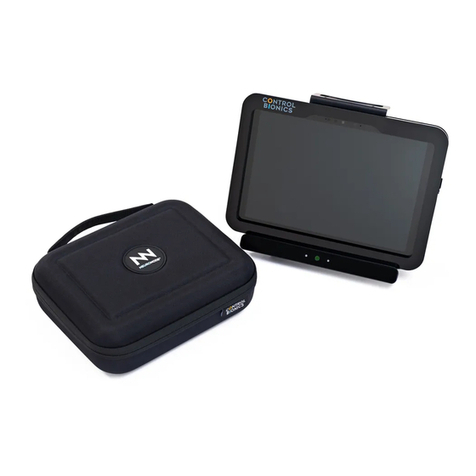
Control Bionics NeuroNode 3 Manuel utilisateur

NEURONODE3
USER GUIDE
Client Support
USA: (513) 453-4848
AUS: (03) 9897-3576

This page is intentionally left blank.

Catalog Number: 27-3500
User Guide, Revision E
Address comments, questions, or requests pertaining to this manual to:
Control Bionics US: (513) 453-4848
745 Center Street, Suite 303 US Toll-free: (855) 831-7521
Milford, Ohio 45150 US Fax: (513) 322-4678
www.controlbionics.com AUS: +61 3 9897 3576
neuronode@controlbionics.com
The NeuroNode is listed and registered with the FDA as a Powered Communication System and
a Powered Environmental Control System and certified by the Australian Government Depart-
ment of Health Therapeutic Goods Administration.
Copyright 2006 - 2019 Control Bionics Inc. All Rights Reserved.
NeuroEDUCATOR® and NeuroNode® are trademarks of Control Bionics Inc.
Anatomic images©CLIPAREA l Custom media/Shutterstock.
All other trademarks are the property of their respective owners.
Product design and specifications may be changed without notice.
Patent Pending.

Catalog Number: 27-3500
User Guide, Revision E
This device complies with part 15 of the FCC Rules. Operation is subject to the following two
conditions: (1) This device may not cause harmful interference, and (2) this device must accept
any interference received, including interference that may cause undesired operation.
NOTE: This equipment has been tested and found to comply with the limits for a Class B digital
device, pursuant to part 15 of the FCC Rules. These limits are designed to provide reasonable
protection against harmful interference in a residential installation. This equipment generates,
uses and can radiate radio frequency energy and, if not installed and used in accordance with
the instructions, may cause harmful interference to radio communications. However, there is no
guarantee that interference will not occur in a particular installation. If this equipment does
cause harmful interference to radio or television reception, which can be determined by turning
the equipment off and on, the user is encouraged to try to correct the interference by one or
more of the following measures:
• Reorient or relocate the receiving antenna.
• Increase the separation between the equipment and receiver.
• Connect the equipment into an outlet on a circuit different from that to which the receiver is
connected.
• Consult the dealer or an experienced radio/TV technician for help.
This device complies with Industry Canada licence-exempt RSS standard(s). Operation is subject
to the following two conditions: (1) this device may not cause interference, and (2) this device
must accept any interference, including interference that may cause undesired operation of the
device.
Le présent appareil est conforme aux CNR d'Industrie Canada applicables aux appareils radio
exempts de licence. L'exploitation est autorisée aux deux conditions suivantes : (1) l'appareil ne
doit pas produire de brouillage, et (2) l'utilisateur de l'appareil doit accepter tout brouillage
radioélectrique subi, même si le brouillage est susceptible d'en compromettre le fonctionne-
ment.

Contents
1.0 How it Works..................................................................................................
2.0 Overview of NeuroNode3...............................................................................
2.1 Overview of Accessories...................................................................
3.0 Getting Started..............................................................................................
3.1 NeuroNode3EMG Placement...........................................................
3.1.1 Connecting to the NeuroNode3Using EMG......................
3.2 NeuroNode33D Spatial Control........................................................
3.2.1 Connecting to the NeuroNode3Using 3D Spatial...........
3.3 Connecting the NeuroNode3...........................................................
3.4 Establishing a Good Signal..............................................................
3.4.1 Signal Indicator................................................................
3.4.2 Battery Management Signal Indicator.............................
4.0 Accessories...................................................................................................
4.1 Charging the Battery........................................................................
4.2 EMG Electrode Options..................................................................
4.3 NeuroNode Controller Application................................................
4.3.1 NeuroNode Controller Settings......................................
4.3.2 Graph Settings................................................................
5.0 Troubleshooting...........................................................................................
5.1 NeuroNode3Power Cycle Guide....................................................
5.2 Putting the NeuroNode3in Standby Mode......................................
5.3 Resuming a NeuroNode3Session...................................................
5.4 NeuroNode3Reset + Re-pair Guide...............................................
5.5 Saving the NeuroNode3 Settings....................................................
3
4
5
6
7
8
9
10
11
12
13
13
14
15
16
17
19
20
24
25
26
26
27
28
PAGE 2 | CONTENTS

This page is intentionally left blank.

PAGE 3 | HOW IT WORKS
The NEURONODE3uses the body’s bioelectrical EMG (electromyography)
signals or 3D Spatial awareness, giving complete control of a computer to
generate speech, browse the web, listen to music, and more.
It is alternative/augmentative communication (AAC) technology that is easy to
use and works for conditions like ALS, MND, SCI, or Cerebral Palsy.
The NeuroNode Controller Application, installed on the user’s iOS or
Windows device, is used to set the signaling parameters while simultaneously
graphing the user’s EMG/Spatial signals.
Welcome to NeuroNode3
Theabove are trademarks of their respective companies

Active Electrode Indicators
Charger Placement Guide
NeuroNode3Standby Button
Signal Indicator
PAGE 4 | OVERVIEW OF NEURONODE3

Item What It Does
NeuroNode3 The NeuroNode3is a wearable, wireless, EMG + 3D
Spatial Control device.
Leadwire Adapter The Leadwires connect to the Leadwire Adapter Base
Base of the NeuroNode3. The three Snap-leads on the other
end of the Leadwire attach to the electrodes on the
user’s skin.
Charger Kit The NeuroNode3Charging Base and included cords
allow for hassle free charging for 24+ hours of battery life.
NeuroBand The NeuroBand is an adjustable, adhesive free solution
for placement of the NeuroNode3on the user’s skin
Electrode Kit A starter electrode kit is included with the NeuroNode3.
This kit includes both adhesive and non-adhesive
solutions if required.
NeuroNode3
NeuroBand Electrode Kit
Leadwire Adapter
Base
Charger Kit
PAGE 5 | OVERVIEW OF NEURONODE3
Overview of Accessories

PAGE 6 | GETTING STARTED
Table des matières
Autres manuels Control Bionics Équipement médical