ComNav T300+CGSurvey Manuel utilisateur

USER GUIDE
COMNAV T300+CGSURVEY
Version 1.1
2014.07.10

ComNav T300 + CGSurvey User Guide
1
Copyright
Copyright 2014 ComNav. © 2013 ComNav Technology Ltd. All rights reserved.
The ComNav is trademark of ComNav Technology Ltd. All other trademarks are the
property of their respective owners.
Trademarks
All product and brand names mentioned in this publication are trademarks of their
respective holders.
FCC Notice
ComNav T300 receivers comply with the limits for a Class B digital device, pursuant to
the Part 15 of the FCC rules when it is used in the Portable Mode.
Operation is subject to the following two conditions:
(1) This device may not cause harmful interference and (2) this device must accept
any interference received, including interference that may cause undesired
operation.
Where to Find Information
This manual is designed to guide you through the basic T300 procedures and
operations.

ComNav T300 + CGSurvey User Guide
2
CONTENT
1 Introduction ...................................................................................................................................1
1.1 Technical Assistance ............................................................................................................1
1.2 Your Comments...................................................................................................................1
1.3 Safety Information...............................................................................................................1
1.3.1 Regulations and Safety .............................................................................................1
1.3.2 Use and Care ............................................................................................................1
2 General Information.......................................................................................................................2
2.1 Overview .............................................................................................................................2
2.2 Technical Specifications.......................................................................................................2
2.3 Product Basic Supply...........................................................................................................5
2.3.1 ComNav T300 GNSS Receiver Basic Supply Kit.........................................................5
2.3.2 Datalink Optional Supply Kit.....................................................................................6
2.3.3 Case and Pack...........................................................................................................7
3 Products View ................................................................................................................................9
3.1 Parts of Receiver..................................................................................................................9
3.2 Batteries ..............................................................................................................................9
3.3 Button and LED Operations...............................................................................................11
3.4 Power Supply.....................................................................................................................12
4 Static Mode ..................................................................................................................................14
4.1 Static Mode Configuration ................................................................................................14
4.2 Default Receiver Settings ..................................................................................................16
4.3 Field Static Data Collection................................................................................................17
4.4 Raw Data Download..........................................................................................................18
4.5 Convert to RINEX...............................................................................................................21
4.6 Memory Management ......................................................................................................23
5 Real-Time Kinematic Mode ..........................................................................................................24
5.1 Installation of CGSurvey Software.....................................................................................24
5.2 Radio Mode.......................................................................................................................25
5.2.1 Radio Mode Setting-Up..........................................................................................26
5.2.2 Start Base Station by CGSurvey..............................................................................26
5.2.3 Start Rover Station by CGSurvey ............................................................................32
5.2.4 Radio Signal Enhancement.....................................................................................33
5.3 PDA CORS Mode................................................................................................................34
5.3.1 PDA CORS Mode Setting-Up...................................................................................35
5.3.2 Start Rover by CGSurvey.........................................................................................35
6 Start New Project and coordinate Localization ............................................................................37
6.1 New Project.......................................................................................................................37
6.2 Localization-- Site Calibration and Reset Grid ...................................................................40
6.2.1 Site Calibration .......................................................................................................40
6.2.2 Reset Grid Function................................................................................................42

ComNav T300 + CGSurvey User Guide
3
7 CGSurvey Basic Function..............................................................................................................44
7.1 Measuring Points...............................................................................................................44
7.2 Continuous Topo ...............................................................................................................44
7.3 Staking out Points..............................................................................................................45
7.4 Cogo ..................................................................................................................................47
7.5 Export Points to PC............................................................................................................47
7.6 Import Points to Current Job.............................................................................................48
Appendix A 7 Pin Lemo Definition ..................................................................................................50
Appendix B Setting up of PDL..........................................................................................................51
Appendix C Set Controller Log on the Internet ...............................................................................54

ComNav T300 + CGSurvey User Guide
1
1 Introduction
Thank you for choosing ComNav T300 GNSS Receiver.
This manual is designed to help you to rapidly familiarize with T300, and start your
project with T300.
1.1 Technical Assistance
If you have any question and cannot find the information you need in the
documentation, contact your local Dealer. Alternatively, please request technical
support using the ComNav Website at (http://www.comnavtech.com/) or ( http://
1.2 Your Comments
Your feedback about the support documentation will help us to improve
1.3 Safety Information
This manual describes ComNav T300 GNSS Receiver. Before you use T300, please
make sure that you have read and understood this publication, as well as safety
requirements.
1.3.1 Regulations and Safety
The receiver contains integral Bluetooth® wireless technology and UHF. Regulations
regarding the use of the datalink vary greatly from country to country. In some
countries, the unit can be used without obtaining an end-user license. But in some
countries the administrative permissions are required. For license information,
please consult your local dealer. Bluetooth® operates in license-free bands.
1.3.2 Use and Care
The receiver can withstand the rough treatment that typically occurs in the field.
However, the receiver is high-precision electronic equipment and should be treated
with reasonable care.

ComNav T300 + CGSurvey User Guide
2
2 General Information
2.1 Overview
The ComNav T300 GNSS Receiver provides the following features:
Ultra small and super light
-Size (W × H): 15.8cm × 7.5cm
-Weight: 0.95kg (including 2 batteries)
256 channels with simultaneously tracked satellite signals
Increased measurement traceability with ComNav’s unique QUAN™
algorithm technology
Many user-friendly conveniences built in
Hot swap battery design: low power consumption with hot swap battery
design, when the warning sounds and LED flashes, put your second
battery in place
Bluetooth wireless technology for cable free
Simple keypad with on/off buttons and LED indicators for power, radio,
Bluetooth, and satellite tracking
IP67,Absolutely waterproof
Full base/rover interoperability
Operates within a VRS™ network for conventional base station-free rover
capability
Integrated receive and transmit radio
Support long baseline E-RTK™, namely Beidou B3 signal used in RTK
calculate engine; concern the current situation, this mode can be used in
south east Asia
2.2 Technical Specifications
Signal Tracking
256 channels with simultaneously tracked satellite signals
-GPS: L1 C/A, L1/L2 P, L5
-BeiDou: B1, B2, B3
-GLONASS: L1/L2
-SBAS: WASS, EGNOS, MASAS

ComNav T300 + CGSurvey User Guide
3
Performance Specifications
Cold start: < 50s
Warm start: < 30s
Initialization time: typically < 10s
Initialization reliability: typically > 99.9%
Signal reacquisition: < 2s
Positioning Specifications
Post Processing Static
-Horizontal: 2.5mm + 1ppm RMS
-Vertical: 5mm + 1ppm RMS
Real Time Kinematic (RTK)
-Horizontal: 10mm + 0.5ppm RMS
-Vertical: 20mm + 0.5ppm RMS
E-RTK(< 100km)
-Horizontal: 0.2m + 1ppm RMS
-Vertical: 0.4m + 1ppm RMS
Code differential GNSS positioning
-Horizontal: .0.25m + 1ppm RMS
-Vertical: 0.5mm + 1ppm RMS
SBAS: Typically < 1m 3D RMS
Standalone: < 1.5m RMS
Communications
1 Serial port(7 Pin Lemo), Baud rates up to 921600 bps
Radio modem: Tx/RX with full frequency range from 410-470 Mhz
-Transmit power: 0.5-2W adjustable
-Range: 1-4km
Position data out rates: 1Hz, 2Hz, 5Hz, 10Hz

ComNav T300 + CGSurvey User Guide
4
5 LED Indicating light (indicating Power, Satellite Tracking, Differential
Data an Data Recording)
Bluetooth: V 2.X protocol, compatible with windows 7, Windows Mobile
and Android
Data Format
Data inputs/outputs
-Correction data I/O: RTCM 2.x, 3.x, CMR (GPS only), CMR+ (GPS only)
Position data outputs
-ASCII: NMEA-0183 GSV, RMC, HDT, VHD, GGA, GSA, ZDA, VTG, GST,
PJK, PTNL
-ComNav Binary update to 20Hz
Physical
Size (W×H): 15.8cm×7.5cm
Weight: 0.95kg (include 2 batteries)
Environmental
Operating temperature: -40℃to +65℃
Storage temperature: -40℃to +85℃
Humidity: 100% condensation
Waterproof and dust proof: IP67 protected from temporary immersion
to depth of 1 meter, floats
Shock: survives a 2 meter drop on to concrete
Electrical
Input Voltage: 5-27 VDC
Power consumption: 2.85 W(3 constellations)
Li-ion battery capacity: 2×1800 mAh, up to 8 hours typically
Memory: 256 MB internal memory and 100MB for static data record
Software (optional)
ComNav CGSurvey field software
ComNav Compass Receiver Utility Office software (CRU)

ComNav T300 + CGSurvey User Guide
5
SurvCE or Field Genius(optional)
2.3 Product Basic Supply
The tables in this section provide an overview of the different items of basic supply.
Basic Supply is the standard accessories for each kit. We can also provide customized
supply according to your requirement.
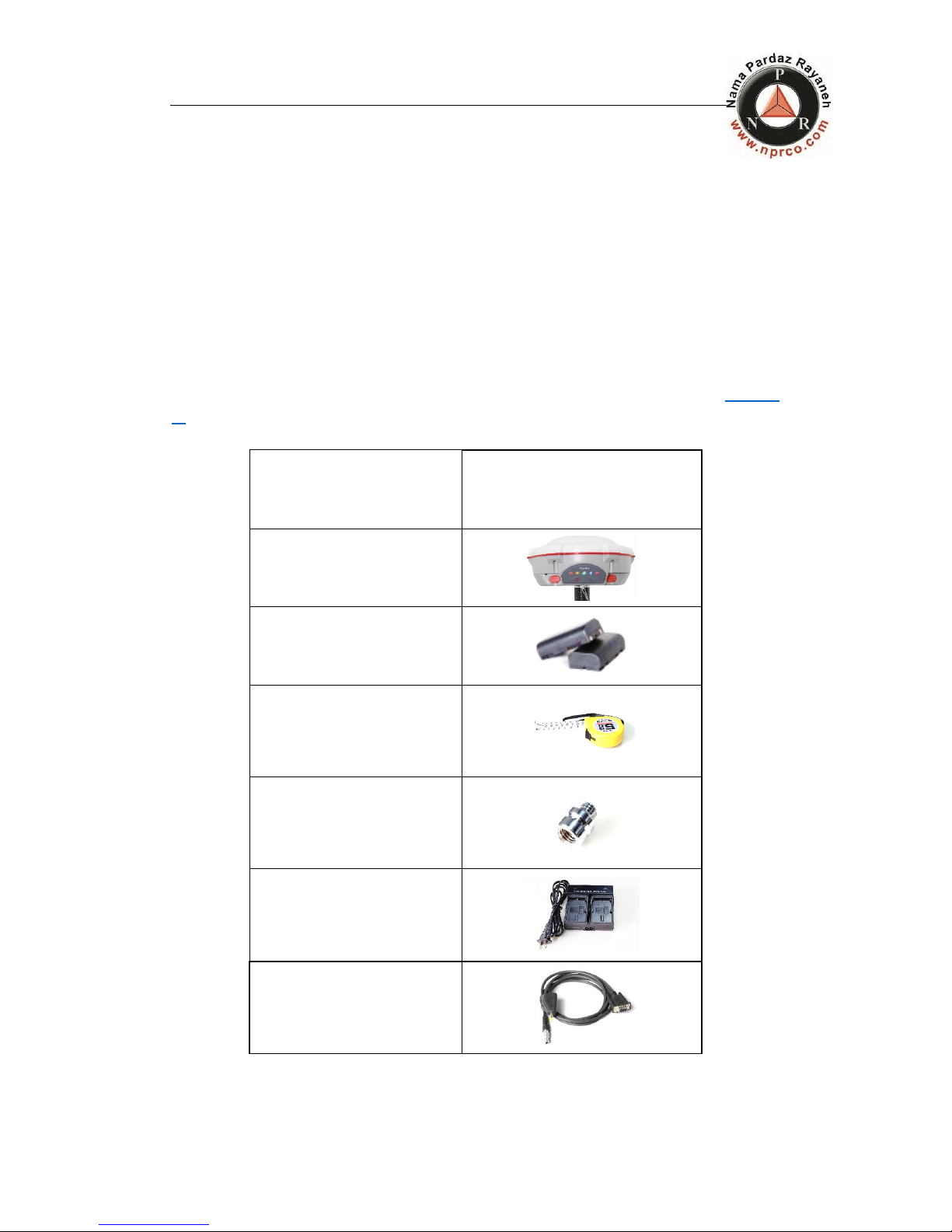
2.3.1 ComNav T300 GNSS Receiver Basic Supply Kit
ComNav T300 GNSS Receiver Basic Supply Kit contains two receivers and related
accessories. With this kit, you can perform basic radio mode as described in chapter
5.
Items
Picture
2* Kits T300 Receiver
4* Lithium Battery
H.I. Tape
2* Connector
2* Battery Charger
2* Lemo to RS232 Cable

ComNav T300 + CGSurvey User Guide
6
2* Lemo to USB Cable
2* Whip Antenna (UHF)
1*2M Range Pole
ALL STAR Controller (with
battery and TF card inside)
USB Data Cable of Controller
Charger
Double Bubbles Tribrach with
High Adapter
1* 30cm Extension bar
External Power Cable
2.3.2 Datalink Optional Supply Kit
For long distance radio communication, you may need this Datalink Kit.
Table des matières
Autres manuels ComNav Récepteur

ComNav
ComNav SinoGNSS M300 Mini(G) Manuel utilisateur

ComNav
ComNav SinoGNSS Z30 Manuel utilisateur

ComNav
ComNav M600 Manuel utilisateur

ComNav
ComNav SinoGNSS T300 Manuel utilisateur

ComNav
ComNav SinoGNSS T300 PLUS Manuel utilisateur

ComNav
ComNav SinoGNSS M300 Mini(G) Manuel utilisateur

ComNav
ComNav SinoGNSS M300 Pro Manuel utilisateur