Comdial DX-80 Manuel utilisateur
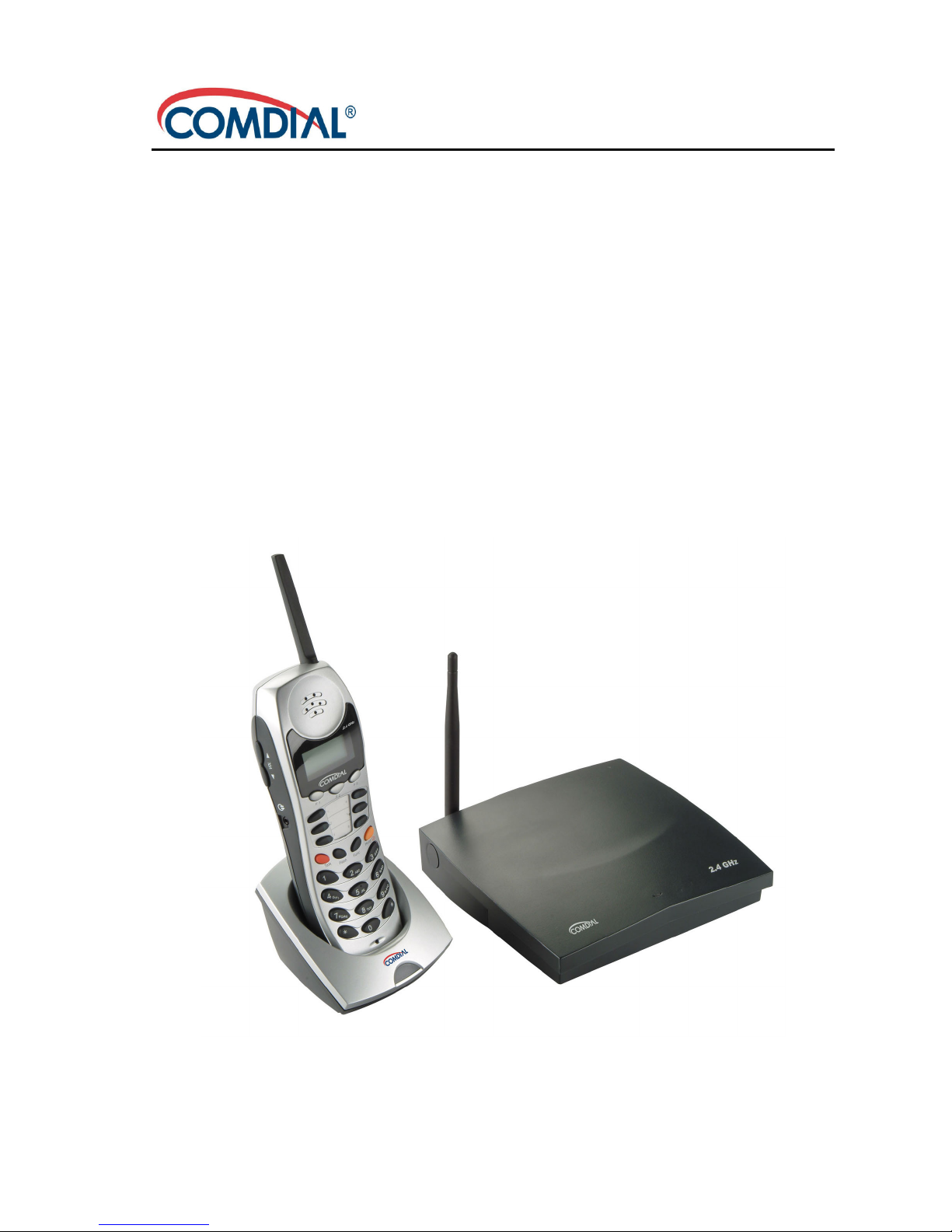
DX-80 Cordless Phone
User Guide

ii
DX-80 Cordless Phone
User Guide
This manual supports the 7265-HS model on the Comdial DX-80 system.
DX-80 and DX-80 Cordless Phone are trademarks of Comdial Corpora-
tion. All other product names are trademarks of their respective owners.
May, 2005
GCA70-413 May ‘05
Copyright © 2005 Comdial Corporation
All rights reserved. Unauthorized use of this
document is prohibited.
Comdial Corporation
106 Cattlemen Road, Sarasota, FL 34232
(941) 554-5000 or (800) 266-3425
-Notice-
Comdial reserves the right to make any
changes and improvements in the product
described in this document at any time and
without prior notice.

DX-80 Cordless User
May ‘05 Comdial iii
TABLE OF CONTENTS
INTRODUCTION ................................................................ XI
Audience Description ............................................................. xi
Related Publications ............................................................... xi
Conventions Used in this Manual ........................................... xi
1. OVERVIEW.......................................................................13
1.1 Handset Buttons................................................................14
1.2 Using the Display .............................................................16
1.3 Using a Headset ................................................................17
1.4 Positioning Your Phone ....................................................17
1.5 Registering Your Phone ....................................................18
1.5.1 Registration ................................................................18
1.5.2 De-Registration ........................................................21
1.5.2.1 Using the Base Only .......................................21
1.5.2.2 Using the Base and Handset ...........................21
1.6 Status Indicators................................................................24
1.6.1 Low Battery Power Status..........................................24
1.6.2 Out Of Range Status...................................................25
1.6.3 No Link to Base Status...............................................25
1.6.4 Ring and Vibrator Status ............................................26
1.6.5 Sleep Mode Status......................................................26
1.6.6 Key Lock Mode Status...............................................27
1.6.7 Power On/Off Mode Status........................................28
1.6.8 No Link to KSU Status ..............................................29

iv Comdial May ‘05
2. PROGRAMMING YOUR PHONE..................................31
2.1 System Programming Mode .............................................31
2.1.1 Changing Display Language......................................32
2.1.2 Controlling Volume Settings ......................................34
2.1.3 Setting Background Music.........................................35
2.1.4 Do Not Disturb...........................................................35
2.2 Function Key Programming .............................................37
2.2.1 Setting the Alarm Clock Feature................................37
2.2.2 Using Automatic Hold ...............................................38
2.2.3 Using Automatic Line Selection ................................39
2.2.4 Setting Your Busy Ring Options................................39
2.2.5 Setting Your Call Forwarding Options.......................40
2.2.5.1 All ...................................................................41
2.2.5.2 Busy ................................................................42
2.2.5.3 No Answer .....................................................43
2.2.5.4 External ..........................................................45
2.2.5.5 Follow Me Here (From Another Extension
To This Extension)..........................................46
2.2.5.6 Follow Me There (From This Extension
To Another Extension)....................................48
2.2.5.7 Deleting an Existing Call Forward .................50
2.2.6 Setting Up Personal Speed Dials ...............................50
2.2.7 Clearing Custom Phone Settings and Reverting to
Default Settings .............................................51
2.2.8 Dial Pad Touch Tones ................................................51
2.2.9 Distinctive Ringing ....................................................52
2.2.10 Checking Feature Settings for your Extension .......52
2.2.11 Changing Your Extension Password ........................53

DX-80 Cordless User
May ‘05 Comdial v
2.2.12 Programming Feature Buttons .................................55
2.2.13 Looking Up Feature Numbers..................................57
2.2.14 Resetting Flexible Feature Buttons to Default.........58
2.2.15 Hidden Codes...........................................................59
2.2.16 Hot Keys ..................................................................60
2.2.17 Hotline Speed Dialing..............................................61
2.2.18 Using Status Messages.............................................62
2.2.19 Enabling/Disabling Paging at Your Extension.........65
2.2.20 Inserting a Pause in Outgoing Calls (Speed Dials) ..66
2.2.21 Locking/Unlocking Your Phone...............................66
3. MAKING CALLS .............................................................69
3.1 Making Outside Calls .......................................................69
3.2 Making Intercom (Internal) Calls .....................................69
3.3 Using the Speakerphone ...................................................69
3.4 Using Call Back................................................................70
3.4.1 Call Back – CO Line..................................................70
3.4.2 Call Back – Extension................................................71
3.5 Using Speed Dial Numbers ..............................................73
3.6 Automatic Redialing.........................................................73
3.7 Last Number Redial..........................................................74
3.8 Creating Conference Calls................................................74
3.8.1 Conference Controller Privileges...............................75
4. ANSWERING CALLS .....................................................79
4.1 Answering Calls................................................................79
4.2 Caller ID ...........................................................................79

vi Comdial May ‘05
4.3 Retrieving Caller ID Information .....................................80
4.4 Picking Up Calls in your Group .......................................81
4.5 Answering Machine Emulation (Screening Incoming
Calls) ................................................................................82
5. PROCESSING CALLS ....................................................85
5.1 Placing Calls on Hold .......................................................85
5.1.1 System Hold...............................................................85
5.1.2 Hold – Exclusive.......................................................85
5.1.3 Hold Reminder...........................................................85
5.1.4 Holding Call Answer .................................................85
5.2 Transferring Calls .............................................................86
5.2.1 Making Supervised and Unsupervised Transfers.......86
5.2.2 Transfer and Answer Call ..........................................87
5.3 Parking Calls....................................................................88
5.4 Paging ...............................................................................89
5.5 Responding to a Page (Meet Me Paging) .........................89
5.6 Sending Messages.............................................................90
5.6.1 Sending a Call Me Message.......................................91
5.6.2 Sending a Text Message.............................................92
5.6.3 Sending a Voice Message...........................................96
5.6.4 Answering a Message ................................................97
5.6.5 Canceling a Sent Text Message or Call Me
Message ........................................................98
INDEX ....................................................................................99

DX-80 Cordless User
May ‘05 Comdial vii
This equipment has been tested and found to comply with the limits
for a Class B digital device, pursuant to Part 15 of the FCC Rules.
These limits are designed to provide reasonable protection against
harmful interference in a residential installation. This equipment gen-
erates, uses and can radiate radio frequency energy and, if not
installed in accordance with the instructions, may cause harmful
interference to radio communications. However, there is no guaran-
tee that interference will not occur in a particular installation. If this
equipment does cause interference to radio or television reception,
which can be determined by turning the equipment off and on, the
user is encouraged to try to correct the interference by one or more of
the following measures:
• Reorient or relocate the receiving antenna
• Increase the separation between the equipment and receiver
• Connect the equipment into an outlet on a circuit different from
that to which the receiver is connected
• Consult the dealer or an experienced radio/TV technician for
help

viii Comdial May ‘05
This Page Intentionally Left Blank

DX-80 Cordless User
May ‘05 Comdial ix
Revision History
Version Changes Date
01 Initial Release 5/9/05

x Comdial May ‘05
This Page Intentionally Left Blank
Autres manuels pour DX-80
8
Ce manuel convient aux modèles suivants
1
Table des matières
Autres manuels Comdial Téléphone sans fil