10
Operating instructions
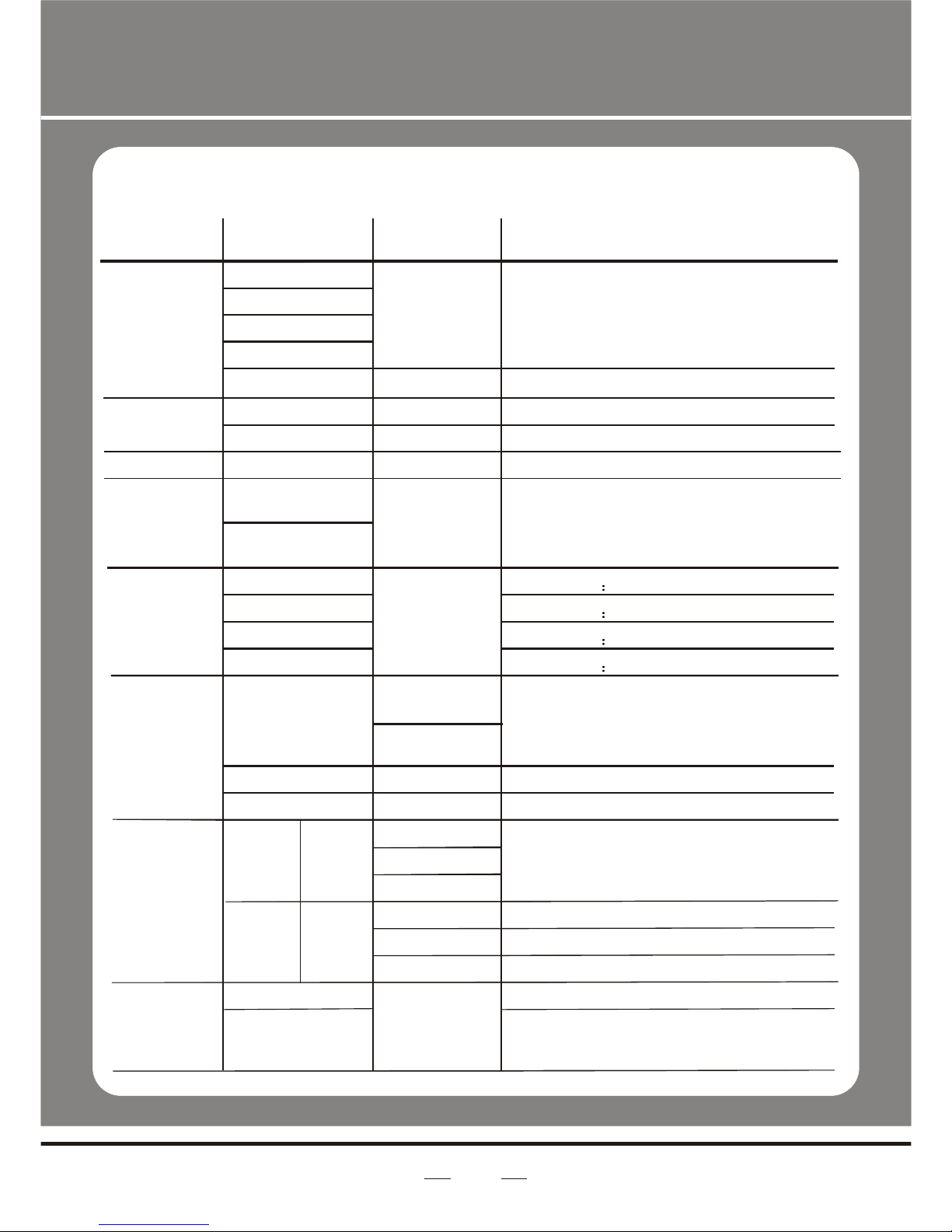
1 Factory reset
SET ÜREST Ü{UP UP DOWN DOWN}Ü{ENTER}
Note: The password is permanentlyset as {UP UP DOWN DOWN}
Then press ENTERbutton
1 Custom program
EDIT ÜPR01 ÜPSC01
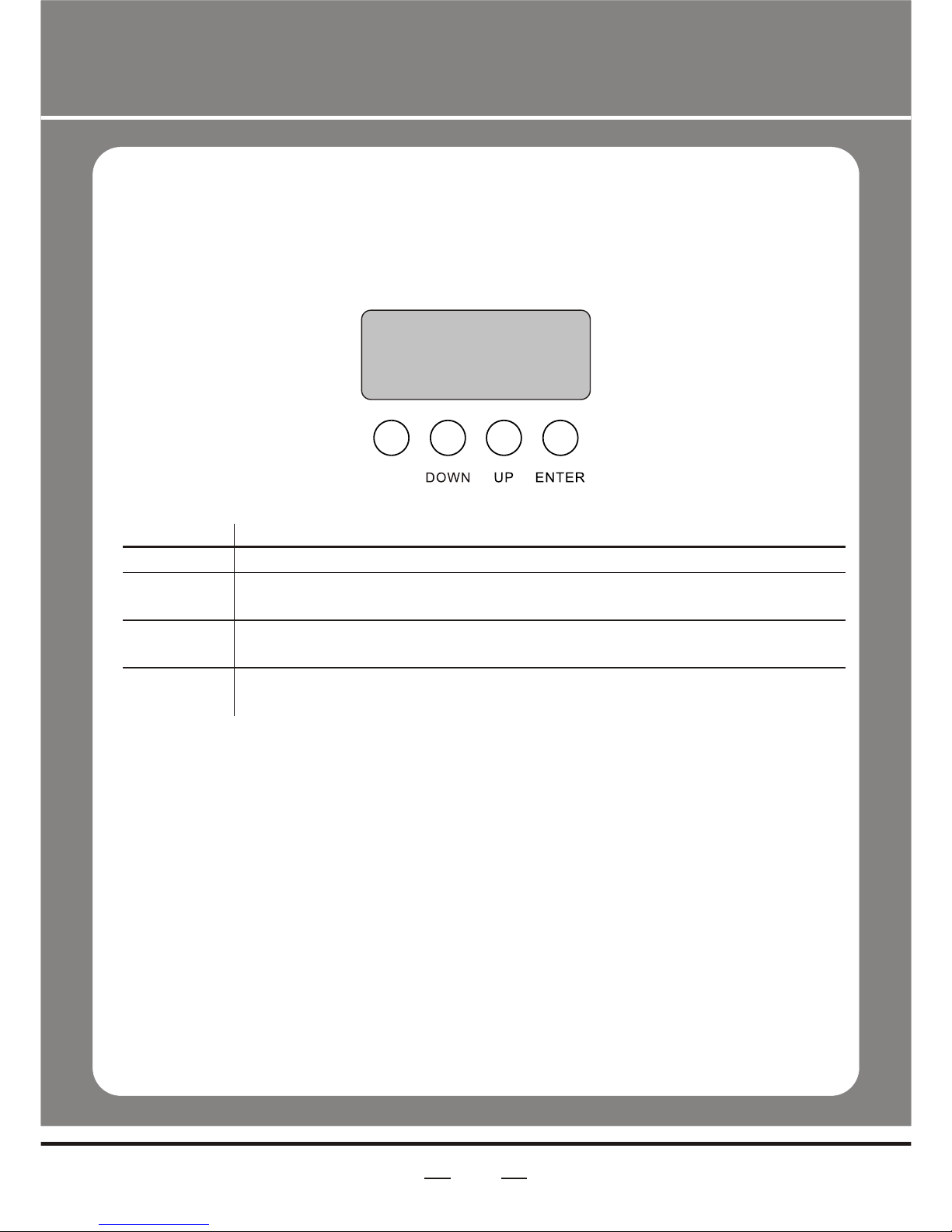
1Press MENU button until EDIT is displayed, pressENTER access programmode.
2Select the programyou'll edit by pressing UP/DOWN buttons. The available
range is o1-10.
3Select the stepyou'll edit by pressing UP/DOWN buttons, and then press
ENTER button accessprogram.
When 'R000' displayon the screen, press the UP/DOWN button to choose the value.
Repeat this stepto edit the value of 'G000', 'b000', 'S000', 'T000' and 'F000'.
Please pay attentionfor the 'S' is the rate of strobe. 'T' is the operating time of the
present step, thevalue is between 0 to 255. 'F' is the transitional time from previous
step to presentstep. The transitional time is the quickest when the FADE is 0.
Notice: Please operatethe program in turn, from the 01st step to the 30th step.
When the operatingprogram less than 30 steps, please set the final step value be 0
4Repeat step 3till complete programming.
5Exit program modeby pressing MENU buttons three times.
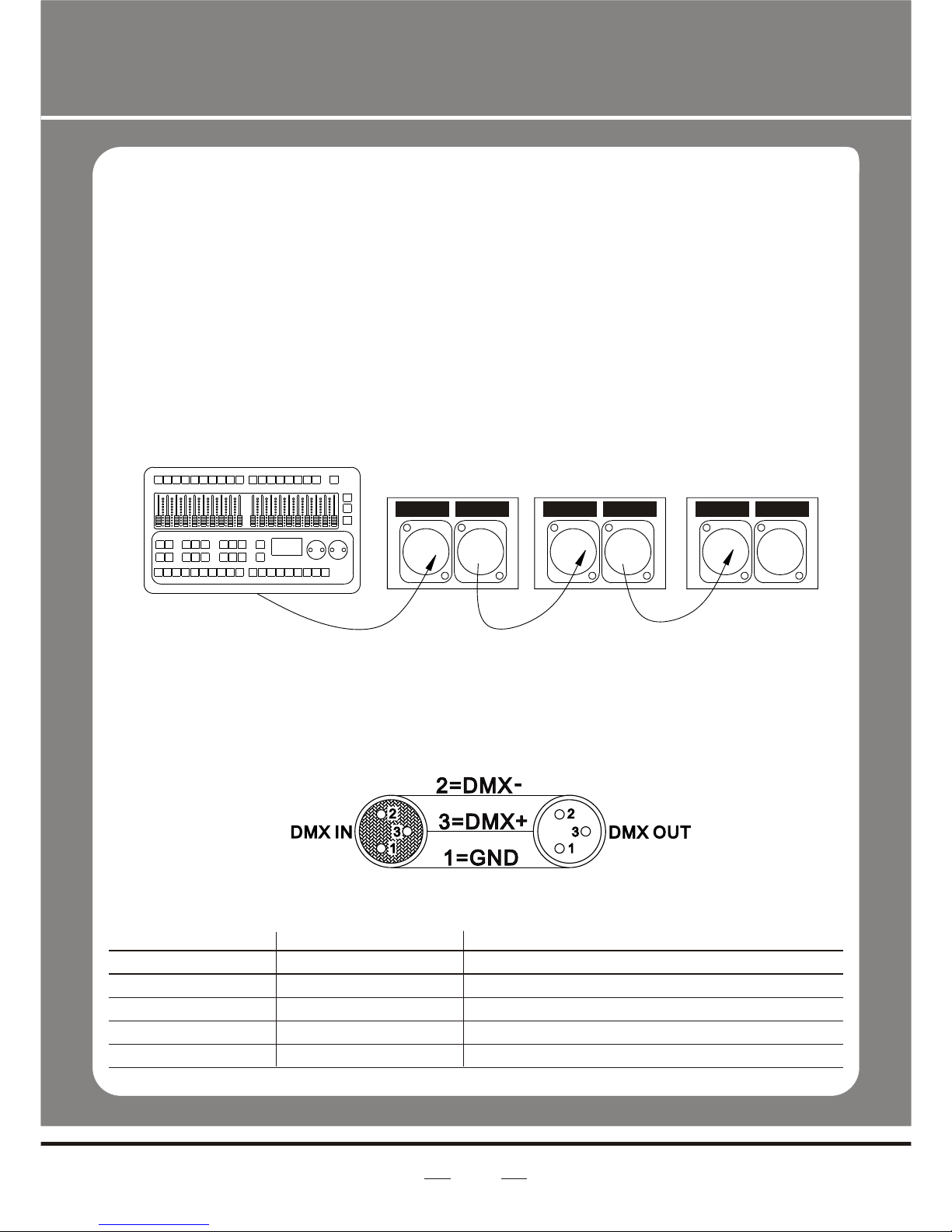
DMX512 Controller Mode
1 Setting DMX512 Address
DMX Ü001--512
Access control panelfunction by pressingMENU until DMX is displayed.
Press ENTER, addor reduce channelsby pressing UP/DOWNbetween 001 and 512.
Press MENU to exit.
2 Setting Channels
PERS Ü03CH 04CH 05CH 06CH
Access control panelfunction by prekssing MODE until PERS is displayed.