
CFW 80L Manuel utilisateur
COMMERCIAL DEHUMIDIFIER
MODEL: CFW 80L
INSTRUCTION MANUAL
SAVE THESE INSTRUCTIONS FOR
FUTURE REFERENCE

- 1 -
Packaging
Please DO NOT dispose of any packaging until
you have checked the appliance is operational.
After removing the packaging ensure the
contents are intact and complete. In the unlikely
event of missing parts; contact your retailer.
DO NOT leave children unattended with any of the
packaging since it is a potential source of danger.
Disposal of all packaging must be carried out
responsibly & safely and in accordance you’re
your local authority regulations.
ALWAYS recycle the packaging material where
possible.
When using any electrically powered product,
basic safety precautions should always be
followed.
PLEASE READ THE INSRUCTIONS
CAREFULLY AND IN FULL BEFORE USING
THE PRODUCT.

- 2 -
WARNING -to reduce the risk of fire, electrical
shock or injury to persons or property:
1 Always operate the product from a power
source of the same voltage, frequency and
rating as indicated on the product
identification plate.
2 Close supervision is necessary when any
product is used by or near children the elderly
or the infirm. Do not allow children to use the
appliance as a toy.
3 Do not operate any product with a damaged
power cord or plug, after the product
malfunctions, dropped or damaged in any
way. Return the complete product to the place
of purchase for inspection, repair or
replacement.
4 To reduce the risk of electric shock, do not
expose the unit or flexible cord to moisture of
any kind.
5 Switch off and unplug from the power socket
when not in use, before assembling or before
cleaning.
6 Do not place objects on the product or allow
objects to obstruct the inlet or outlet openings,
or operate in close proximity to walls or
curtains, etc.

- 3 -
7 The use of attachments or accessories not
recommended or sold by the product
distributor may cause injury to persons or
damage to property.
8 This product is intended for normal light
commercial use only.
9 Do not attempt to dismantle the appliance.
10 Do not operate the appliance on a metal
surface.
11 Do not use the appliance in artificially hot or
humid conditions or allow to be used in a
hazardous environment.
12 Do not clean the appliance with organic
solvent.
13 This appliance is not intended for use by
persons (including children) with reduced
physical, sensory or mental capabilities or
lack of experience and knowledge unless they
have been given supervision or instruction
concerning use of the appliance by a person
responsible for their safety.
14 Children should not be left unsupervised with
the appliance.
15 This instruction manual is an integral part of
the appliance and should be stored for safe
keeping and must always accompany the
appliance in the event of ownership transfer
or for reference to by a service engineer.
READ AND SAVE THESE

- 4 -
INSTRUCTIONS
1. Control Panel 6.Air Outlet
2. N/A 7. Power cord
fixed support
3. Air Filter 8.Wheel
4. Air Intake metal grill 9.Power Cord
5. Handle 10.Water pipe
- 5 -
SETTING UP THE DEHUMIDIFIER
WARNING
No not obstruct the air intake or air outlet
IMPORTANT
Place dehumidifier in the upright position. When
transporting a dehumidifier to site, allow the
dehumidifier to stand for 30 minutes before switching
ON. This is necessary to allow the refrigerant system to
stabilize and avoid system damage.
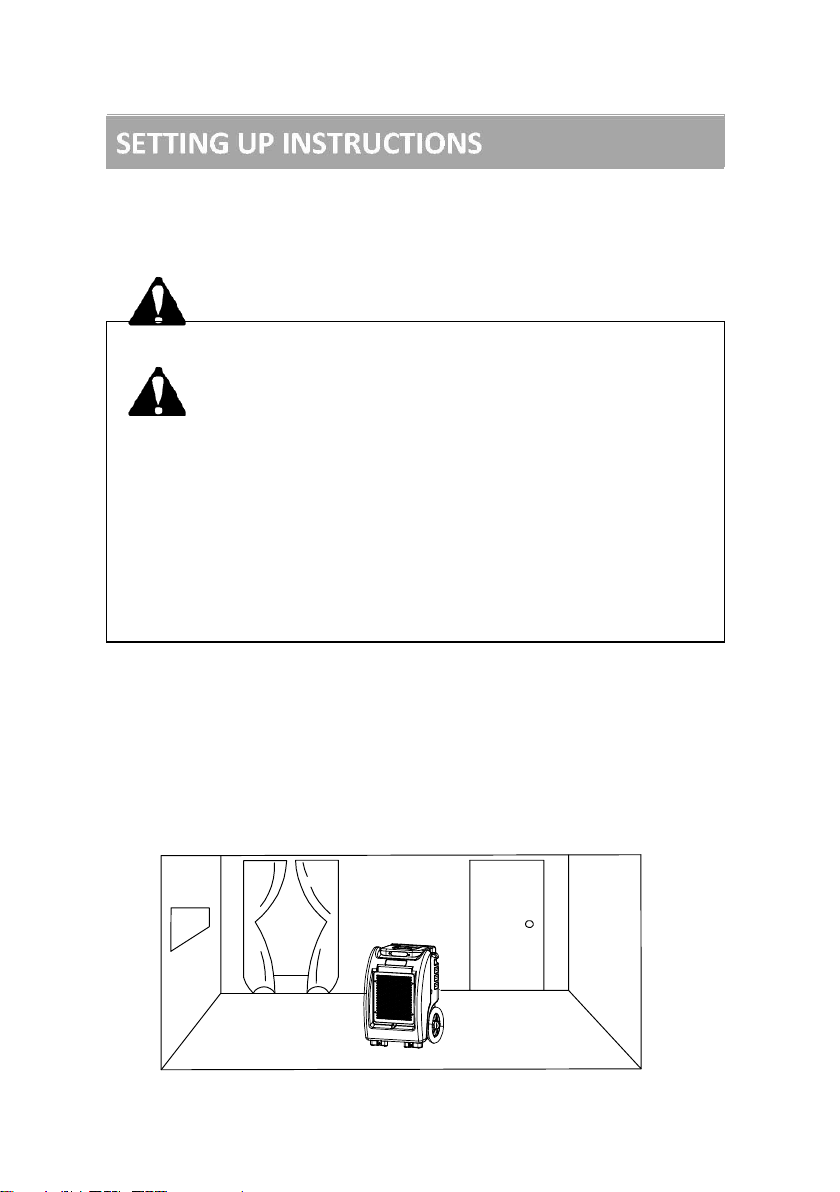
PLACE IN ENCLOSED AREA: For best results,
operate the dehumidifier in an enclosed area to create
a "drying chamber." Close all doors and windows that
open to external areas to maximize the dehumidifier’s
water removal efficiency. Keep traffic through the
drying chamber to a minimum. Place the dehumidifier
in the center of the room away from walls and
furnishings where airflow may be obstructed.

- 6 -
Air Outlet
KEEP CLEAR
Front Air
Intake Grill
To Drain
Illustration of correct positioning for best performance
PROPER AIR FLOW IS ESSENTIAL: Do not place
this dehumidifier in a position where the front Air
Intake Grill or rear Air Outlet is blocked by walls,
furniture or any other obstruction. Do not attach
ductwork to the unit as air flow restrictions will result.
ENSURE PROPER DRAINAGE: This dehumidifier
contains a built-in pump that connects to a drainage
hose which is stored in the back of the unit. Uncoil the
entire hose to ensure that there are no kinks or
restrictions and place the unattached end into a drain
or run to the outdoors. Ensure that water piped to the
outdoors does not create a slipping hazard. To avoid
damaging or overworking the pump, do not exceed a
3m vertical lift height between the pump and drain.
KEEP CLEAR
Do not attach ductwork
or duct air outside of
drying chamber.

- 7 -
Rear Drain
Hose Outlet
Front Air
Intake Grill
⚫Plug in electrical cord
This dehumidifier must be plugged into a grounded
polarized 230 VAC/50Hz outlet rated at least 16 amps.
Make sure the drain hose is connected and routed to
a safe location.
⚫Control panel
⚫Turn the unit ON
Press the “ON/OFF”to turn the Dehumidifier ON.
The screen will display main menu :
SH-setting humidity; AH- ambient humidity
oC - Ambient Temperature; JOB-This running/job time
1.Press can switch to fahrenheit.
2.Hold menu button for 10s, it will lock all button.
The lock icon will show on the main menu.
3m. MAXIMUM
DRAIN HEIGHT
SH AH oC JOB
CO% 50% 00 000h

- 8 -
IMPORTANT:
To avoid water spillage. Do not move the dehumidifier for at least
three minutes after turning the power off. Before transporting, be sure
to remove the external drain hose, drain it carefully, and return it to the
pocket provided on the back of the unit.
⚫Turn the unit OFF
Press the “ON/OFF”to turn the unit OFF. When the
unit turns OFF, The water pump will turn on automatically
for 40 seconds to drain the residual condensate water in
the dehumidifier. The screen will appear Draining……
⚫Humidity setting
The factory setting is continuous dehumidifier mode.
Press up/ down to setting the desired humidity level.
Increases or decreases are in increments of 5%.
Adjust humidity is between CO, 20% - 95%.
1. When the adjusting humidity is between 20% and
95%.the unit will stop working while reaching the setting
humidity, The fan will start up 1minute after every
30minutes, It can increase validity of the humidity
sensor. The unit will automate resume operation after
detecting the condition humidity above the setting
humidity.
2. When the adjust humidity is below 20% . the “CO” will
be displayed. The unit will entry to continuous
dehumidify mode .
⚫Information query menu
When the dehumidifier is running ON, Press menu
button once, The screen will display information query
menu :

- 9 -
T1- Coil temperature
TOTAL- Total running hour
The menu will return to main menu if there is no other
operation within next 5 secs.
⚫Timer OFF
When the dehumidifier is running ON, Press menu
button twice to enter timer off, The screen will display :
Press up/ down to setting the desired time between
1-24.
This is 24 hour simple timer, so the unit can be set to turn
off within next 24 hours.
⚫Timer ON
When the dehumidifier is running ON, Press menu
button once to enter timer on, The screen will display :
Press up/ down to setting the desired time between
1-24.
⚫Calibration inlet sensor
When the dehumidifier is running ON, Press menu
T1 TOTAL
00 99999h
TIMER OFF
00h
TIMER ON
00h
Table des matières


