
CARD CP1 Manuel utilisateur
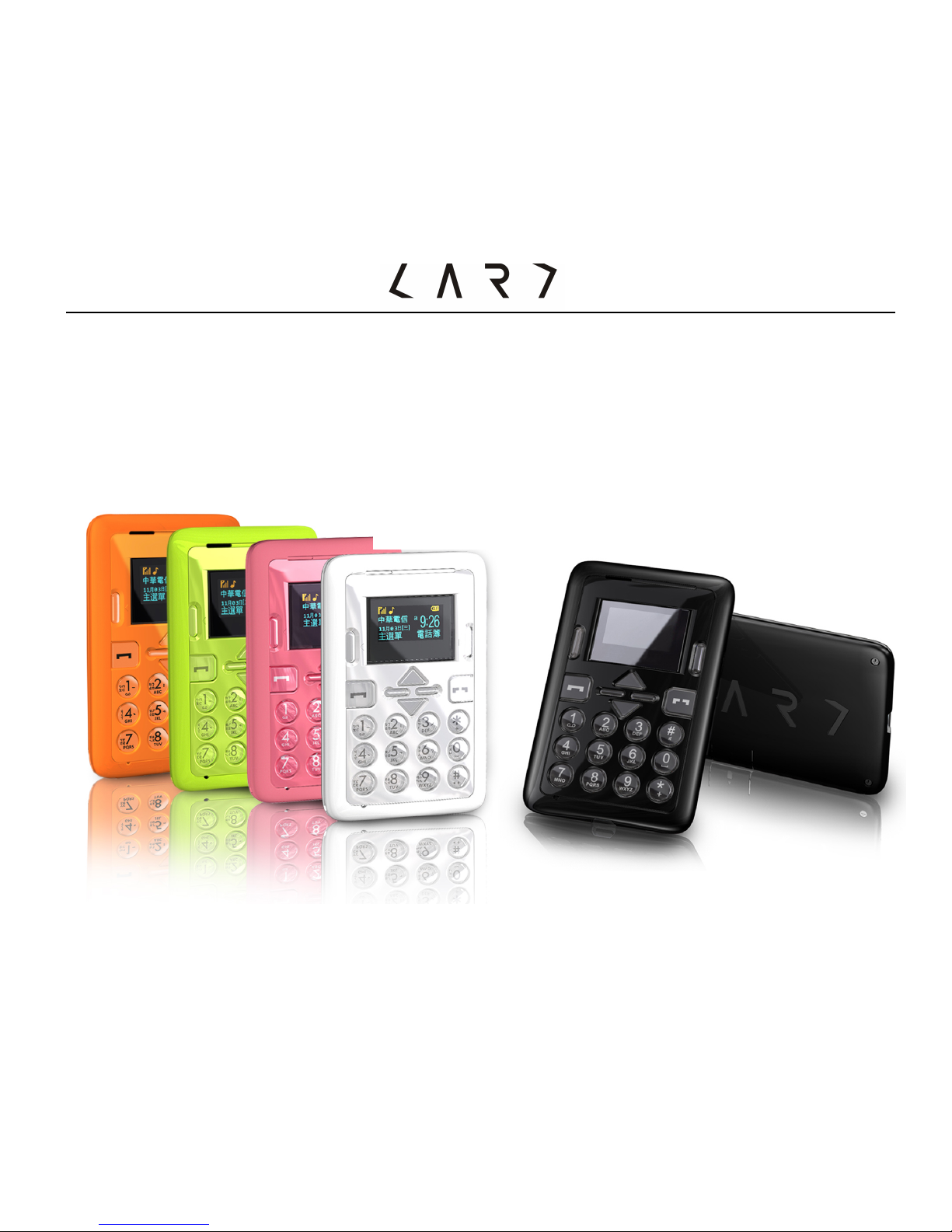
-0-
Card Phone
www.card-tec.com
CARDPHONECM1
UserManual
CP1
http://dtechgizmos-pro.weebly.com/

-1-
Contents
Safety notice..............................................................................................6
Maintenance and safety guidelines ...........................................................8
Introduction to appearance .......................................................................11
Screen icons................................................................................................ 14
Get Started ..............................................................................................15
1. Switch on the main power ....................................................................15
2. Installing the SIM card .........................................................................16
3. Set up password ....................................................................................17
4. Phone password .................................................................................... 17
5. PIN code................................................................................................. 18
6. PIN2 code .............................................................................................. 18
7. PUK code ................................................................................................18
8. PUK2 code..............................................................................................18
9. Barring code........................................................................................... 19
10. Connect the network............................................................................ 19
11. Charge the Battery ...............................................................................19
12. Switch on/off........................................................................................20
13. Headset ................................................................................................. 20

-2-
General Function .....................................................................................21
1. Dialing calls............................................................................................ 21
2. Volume control ......................................................................................22
3. Answer calls...........................................................................................22
4. Calling options ....................................................................................... 22
Input methods .........................................................................................22
Introduction to functions ........................................................................28
Phonebook ...............................................................................................28
1. Quick search .......................................................................................... 28
2. Search contact ....................................................................................... 29
3. Add new contact ....................................................................................29
4. Copy all...................................................................................................29
5. Delete .....................................................................................................29
6. Caller groups..........................................................................................29
7. Extra numbers ....................................................................................... 29
8. Settings ..................................................................................................29
Messages .................................................................................................30
1. Write message ....................................................................................... 30
2. Inbox......................................................................................................30
3. Outbox....................................................................................................30

-3-
4. Templates ..............................................................................................30
5. SMS settings .......................................................................................... 31
6. Voice mail server ...................................................................................31
7. Broadcast message................................................................................31
Call Center ...............................................................................................32
1. Call history..............................................................................................32
1.1 Missed calls........................................................................................... 32
1.2 Dialed calls............................................................................................32
1.3 Received calls ....................................................................................... 32
1.4 Delete call log .......................................................................................32
1.5 Call time................................................................................................ 33
1.6 Call cost................................................................................................. 32
1.7 SMS counter.......................................................................................... 32
2. General call settings...............................................................................33
2.1 Caller ID................................................................................................ 33
2.2 Call waiting ...........................................................................................33
2.3 Call divert..............................................................................................33
2.4 Call barring ........................................................................................... 34
2.5 Auto redial ............................................................................................35
2.6 Speed dial .............................................................................................36
2.7 IP Dial ...................................................................................................36

-4-
2.8 More ...................................................................................................... 36
Settings....................................................................................................37
1. Phone setup ............................................................................................ 37
1.1 Time and Date ......................................................................................37
1.2 Schedule power On/Off .......................................................................37
1.3 Language .............................................................................................. 37
1.4 Default encoding type ..........................................................................37
1.5 Dedicated Key....................................................................................... 37
1.6 Flight mode .................................................................................. 37
2. User profile .............................................................................................38
2.1 General .................................................................................................38
2.2 Meeting mode....................................................................................... 38
2.3 Outdoormode........................................................................................ 38
2.4 Indoor mode .........................................................................................38
2.5 Headset mode....................................................................................... 38
2.6 School silent mode ....................................................................... 39
3. Network Setup........................................................................................ 39
3.1 Network selection ................................................................................ 39
3.2 Preferred ..................................................................................... 39

-5-
4. Security setup......................................................................................... 39
4.1.SIM Lock .............................................................................................. 39
4.2.Phone lock ........................................................................................... 39
4.3.Auto Keypad lock.................................................................................39
4.4 Fixed dial...............................................................................................40
4.5 Barred dial ............................................................................................40
4.6 Change.Password .................................................................................40
5. Restore.to.factory.settings ....................................................................40
Organizer ................................................................................................. 41
1. Alarm..................................................................................................... 41
2. Time announcer .................................................................................... 41
3. Calendar ...............................................................................................41
4. Calculator ............................................................................................. 41
5. To do......................................................................................................42
Appendix..................................................................................................43

-6-
Brief Introduction to Card Phone
Thank you for buying Card Phone. This user manual includes all the important
information to operate the phone. Please read carefully before using so as to
achieve maximum efficiency. To avoid any inappropriate operation cause phone
damaged.
Do not try to make any modification that is not specified in this user manual.
If do not abide by the principle, it will lead to loss of warranty rights.
Safety Notice
CAUTION!
•Please switch off power of your mobile phone before boarding.
•Do not hold a mobile phone while driving.
•Please switch off your mobile phone in a potentially explosive area such as
chemical plants, gas stations, or oil deports.
•Please do not use well-moisturized hands to operate the mobile phone, which
may cause serious danger to you or damage on the mobile phone.
NOTE:
•Switch off your phone, should you not require its use for long periods of time.
•Please switch off your phone in places under any specific provisions and

-7-
regulations. For example: Please do not use the mobile phone in a hospital to
avoid affecting sensitive medical equipment.
•Avoid using your mobile phone under extreme conditions such as rainfall,
thunderstorms, high temperature...etc.
•Not every mobile network provides emergency phone service. Therefore,
please do not rely solely on your phone to dial an emergency call.
•All radio transceivers may obstruct nearby electronic devices. Mobile phones
may cause slight interference to television, radio, and computer.
•Please do not attempt to disassemble your device. In doing so, the warranty is
immediately revoked.
Please read the following notice. Should you not abide by these
regulations, you may violate terms and conditions or cause danger.
Radio waves radiation and electromagnetic energy absorption ratio (SAR)
information:
The CM1device meets guidelines for exposure to radio waves.
It is designed not to exceed the limits for exposure to radio waves recommended
by international guidelines. These guidelines were developed by the independent
scientific organization ICNIRP and include safety margins designed to assure the
protection of all persons, regardless of age and health.

-8-
The exposure guidelines for mobile devices employ a unit of measurement known
as the Specific Absorption Rate or SAR. The SAR limit stated in the ICNIRP
guidelines is 2.0 (W/kg) 10g.
After the eligible laboratory certification, the SAR measured value under the
ICNIRP guidelines for use of theCM1 devicewas0.519 W/Kg (10g).
When possible, your phone reduces your overall exposure to RF energy.
Please position at least 1.5cm away from the body.
Maintenance and Safety Guidelines
•Do not attempt to open the device other than as instructed in this guide.
•Keep the device dry. Precipitation, humidity, and all types of liquids or moisture
can contain minerals that will corrode electronic circuits.
•Do not use or store the device in dusty, dirty areas. Its moving parts and
electronic components can be damaged.
•Do not store the device in high or cold temperature. High temperatures can
shorten the life of electronic devices, damage batteries, and warp or melt
certain plastics. When the device warms to its normal temperature from a cold
temperature, moisture can form inside the device and damage electronic circuit
boards.
•Do not drop, knock, or shake the device. Rough handling can break internal

-9-
circuit boards and fine mechanics.
•Do not use harsh chemicals, cleaning solvents or strong detergents to lean the
device. Only use a soft, clean, dry cloth to clean the surface of the device.
•Do not paint the device. Paint can clog the moving parts and prevent proper
operation.
•Use chargers indoors.
•The device may be damaged by exposure to magnetic fields. Do not use
carrying cases or accessories with magnetic closures or allow your phone to
come in contact with magnetic fields for extended periods of time.
Avoid interference with other electronic devices
Your phone emits radio frequency (RF) signals that may interfere with unshielded
or improperly shielded electronic equipment such as pacemakers, hearing aids,
medical devices, and other electronic devices in home or vehicles.
Turn off the phone near medical equipment
Your phone can interfere with medical equipment in hospitals or health care
facilities, and directions form medical personnel.
Road Safety Guidelines
Avoid using your phone while driving and obey all regulations that res
Avoid damage to your hearing
Table des matières
Autres manuels CARD Téléphone portable


