BPS C-100 Manuel utilisateur

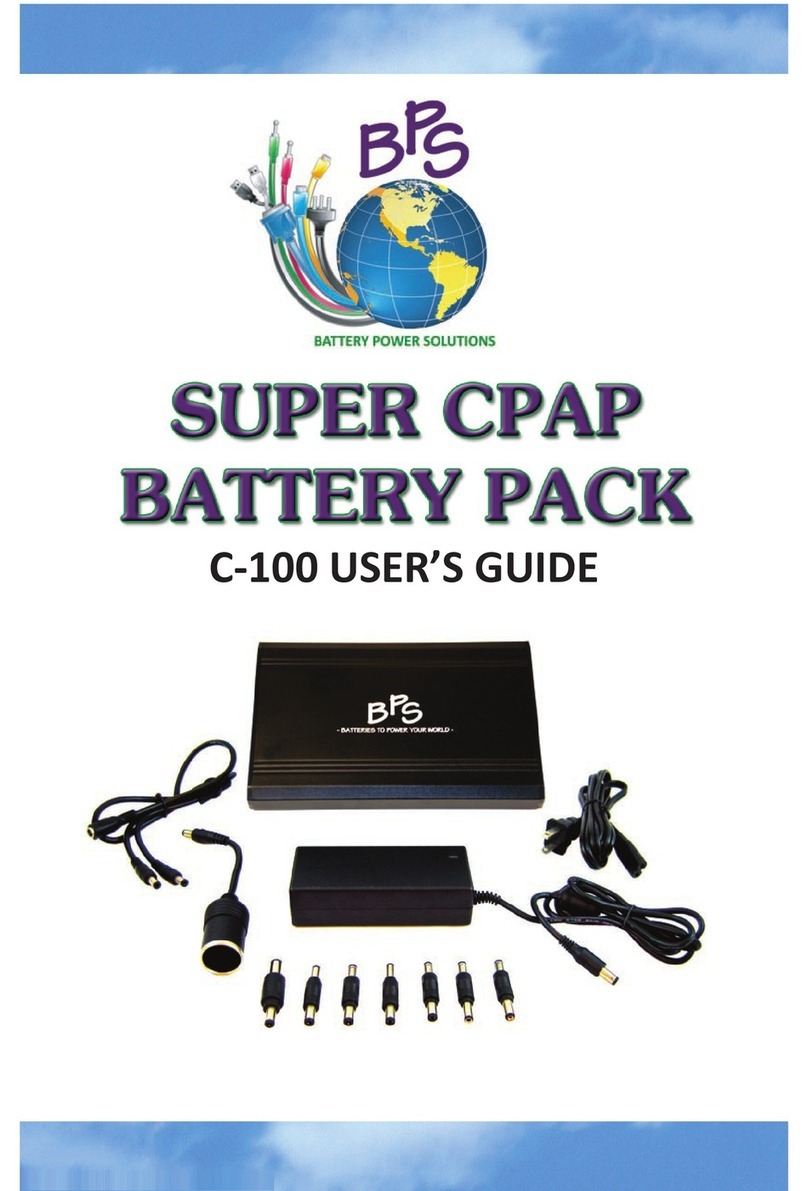
USER’S GUIDE


1
Table Of Contents
Package Contents
Accessories: Sold Separately
Product Specifications
Intended Use
Compatibility
ResMed Device Warning
Battery Pack Run Times
Power Backup Usage
Getting Started
Turning the Battery Pack On/Off
Initial Battery Pack Usage
Using the Battery Pack Inside the Carrying Case
Control Board Identification
The Power Meter
Charging the Battery Pack with AC Power
Charging the Battery Pack in a Foreign Country
Charging the Battery Pack in a Vehicle
Powering Your PAP Device
Introduction
Connector Tips
Respironics Devices
ResMed S9 Series Devices
ResMed S8 Series Devices
Fisher & Paykel Devices
DeVilbiss Devices
Powering Other Devices
Accessories
150W Sine Wave Power Inverter
24V Power Converter
Auto Charge DC Cable
Battery Pack Care Instructions
Safety Warnings
Disclaimer
Disposal of Lithium-Ion Batteries
2
2
3
4
4
4
5
6
6
6
6
7
7
8
8
9-11
12
12-13
14
15
16
17
18
19
20-21
22
22
23
24
24
24

2
Package Contents
DC POWER PIGTAIL CORD DC INPUT CORD
AC POWER SUPPLY
BATTERY PACK(S)
Battery Pack is sold in a single or dual
battery configuration package.
CARRYING CASE CONNECTOR TIPS
The C-100 Battery Pack comes with the items listed below. If you are missing
any of these items, please contact the company from whom you purchased
the Battery Pack.
Accessories: Sold Separately
The items listed below are accessories to the C-100 Battery Pack and are
not included with the Battery Pack.
24V POWER CONVERTER
For use with
ResMed S9 devices only.
150W MODIFIED
SINE WAVE INVERTER
AUTO CHARGE DC CABLE

3
Product Specifications
DIMENSIONS
Size: 7.5” x 4.25” x 0.75” (L x W x H)
Weight: 1.6 lbs
ELECTRICAL
Cell Type: Industrial grade rechargeable lithium-ion
Capacity: 100 Wh
Output Voltage Range: 9 - 12.6 V
Output Current Range: 0 - 4.5 A (8A maximum)
Power Gauge: Four stage LED display
SAFETY FEATURES
Protective Circuit Board (PCB) provides internal protection against
thermal runaway (overheating), over charging and discharging,
over voltage, over current, and short circuiting.
Aluminum alloy scratch resistant shell provides maximum durability.
RECHARGE TIME
4-5 hours (per Battery Pack when fully discharged)
LIFE SPAN
Under normal conditions the average life span of the Battery Pack is
generally around 400-500 charge/discharge cycles.
The amount of charge the Battery Pack will hold will gradually decrease
due to usage and aging. This gradual decrease in charge capacity is true
for all rechargeable lithium-ion batteries. See page 23 for more information.
WARRANTY
The C-100 Battery Pack, components and accessories are under warranty
for manufacturing and quality defects for one (1) year.

4
The C-100 Battery Pack is compatible with most makes and models of PAP
devices; however, some devices will require the use of a power converter
or power inverter in conjunction with the Battery Pack.
The components included with the Battery Pack kit may not be compatible
with your PAP device as some manufacturers require the use of a specific
DC cable with built-in fuses or other special connection types. When in
doubt, please contact the manufacturer of your device.
Compatibility
ResMed Device Warning
If you are using any device manufactured by ResMed you must use
either a power converter or power inverter to complete the connection
between the device and the C-100 Battery Pack as newer ResMed devices
operate from a 24V direct current and the input plugs on older ResMed
devices run opposite polarity from other manufacturer devices.
DO NOT connect the Battery Pack directly to any ResMed model
device as doing so will damage the ResMed device. See pages 15-16
for connection instructions.
Intended Use
The C-100 Battery Pack is intended to provide external battery power to
PAP (positive airway pressure) devices.
The Battery Pack may also be used to power other small electronic
devices such as smartphones, iPods, laptops, and iPads (use of a sine
wave power inverter may be required). See page 19 for more information.
Please note that use of the C-100 Battery Pack with a device that requires
higher amperage requirements (over 8A) may cause the internal circuitry
of the Battery Pack to shut off to protect from overrun.

5
Battery Pack Run Times
Multiple factors will affect how long the Battery Pack will power a PAP
device, including, but not limited to device type (CPAP, BiLevel, AutoPAP,
etc.), pressure setting, altitude, humidifier usage, and if a power inverter
or power converter is required in conjunction with the Battery Pack.
BiLevel and AutoPAP/APAP devices will generally have lower run times as
the pressure setting is not constant and changes throughout the night
requiring more power to operate the device.
IMPORTANT NOTES ON HUMIDIFIER USAGE
The use of heated humidification or heated tubing will significantly
reduce expected run times and could prevent the Battery Pack from
being able to power the PAP device. To obtain optimal Battery Pack
performance we recommend you forgo the use of heated humidification.
Using cool or “passover” humidification will not reduce expected run times.
AVERAGE RUN TIMES
Run times listed below are based on Respironics System One and ResMed
S9 Series CPAP devices with no heated humidification or heated tubing.
RESPIRONICS AND OTHER 12V DEVICES
Single Battery Configuration: 1-3 nights
Dual Battery Configuration: 3-5 nights
RESMED AND OTHER 24V DEVICES
Use of a power converter or power inverter in conjunction with the
Battery Pack is required for ResMed and other 24V devices.
Single Battery Configuration with Power Inverter: 1 night
Single Battery Configuration with Power Converter: 2 nights
Dual Battery Configuration with Power Inverter: 2 nights
Dual Battery Configuration with Power Converter: 4 nights

6
Getting Started
TURNING THE BATTERY PACK ON/OFF
The Battery Pack turns on or off automatically when a device is plugged
into or disconnected from it. If the Battery Pack stops functioning, plug
the AC power supply into a wall outlet and then into the Battery Pack to
reset the internal circuitry.
INITIAL BATTERY PACK USAGE
Before using your Battery Pack for the first time be sure to charge it fully
using AC power (a wall outlet). During the initial charge, the Battery Pack
may indicate that charging is complete after just 10 or 15 minutes as the
Battery Pack is already charged before it leaves the factory.
USING THE BATTERY PACK INSIDE THE CARRYING CASE
The Battery Pack carrying case is designed with a clear access window
which allows the Battery Pack(s) to be used and/or charged while still
inside of the carrying case.
Simply place the Battery Pack in the carrying case with the control board
facing toward the clear access window and pull open the flap to insert the
appropriate connection cord into the Battery Pack.
Power Backup Usage
Standard smart chargers keep the Battery Pack topped off and ready to go
as an emergency power backup during power outages. If a power outage
is immenint or probable, you may connect the PAP device to the Battery
Pack and plug the Battery Pack into a wall outlet. In the event power is
lost the Battery Pack will automatically begin powering the device.
Do not consistently use the Battery Pack as a power backup option as
this will reduce its overall life as the Battery Pack will continue to
charge and recharge (charge cycles). Only use the Battery Pack in this
manner when a power outage is probable or imminent.

7
Getting Started
CONTROL BOARD IDENTIFICATION
The control board includes the DC in and DC out jacks, charge lights and
the power meter, which indicates the remaining power level.
4 green lights = > 85%
3 green lights = 50-85%
2 green lights = 15-50%
1 green light = < 15%
POWER METER BUTTON
POWER METER
ADC In Jack B Power Meter Button C Full Charged Light
DDC Out Jack E Charging Light F On Light
GPower Meter
On Light (F) will be green when a device is plugged into the DC Out
Jack (D) of the Battery Pack.
Charging Light (E) will be red when the Battery Pack is being charged.
Full Charged Light (C) will be green when the Battery Pack has
completed charging.
THE POWER METER
The LED display power meter indicates the remaining power level of the
Battery Pack. The power meter may be activated after the first time the
Battery Pack has been charged. Press the power meter button and the
number of LED lights displayed on the power meter will show the current
power level of the Battery Pack.
EF
CBAD
G

8
Charging the Battery Pack with AC Power
Connect the AC power cord to the AC power supply.
Insert the AC power supply into the DC in jack of the Battery Pack.
DUAL BATTERY PACK CHARGING:
Insert the AC power supply into the DC power pigtail cord.
Insert the DC power pigtail cord into the DC in jacks of
both Battery Packs.
Plug the AC power supply into a wall outlet.
When charging is complete disconnect the AC power supply from the
wall outlet and the Battery Pack.
Note: It is normal for the AC power supply and the Battery Pack(s) to be
warm to the touch during the charging process.
AC POWER SUPPLY
AC POWER CORD
DC IN JACK
The AC power supply of the Battery Pack will operate on any AC current
from 100 V to 240 V and 50/60 Hz without any adjustment.
An international electrical adapter plug is the only additional component
that is required to charge the Battery Pack in a foreign country.
Charging the Battery Pack in a Foreign Country
Autres manuels pour C-100
2
Table des matières
Autres manuels BPS Bloc de piles
Manuels Bloc de piles populaires d'autres marques

IOGear
IOGear GBP24V Series Manuel utilisateur

Inventus Power
Inventus Power PROTRXion S-12V100-TRX-HD Manuel utilisateur

Clas Ohlson
Clas Ohlson PW-290A Manuel utilisateur

EINHELL
EINHELL MULTI-Ah Power X-Change Plus Manuel utilisateur

Samsung
Samsung EB-U3300 Manuel utilisateur

ECTIVE
ECTIVE LC Series Manuel utilisateur


