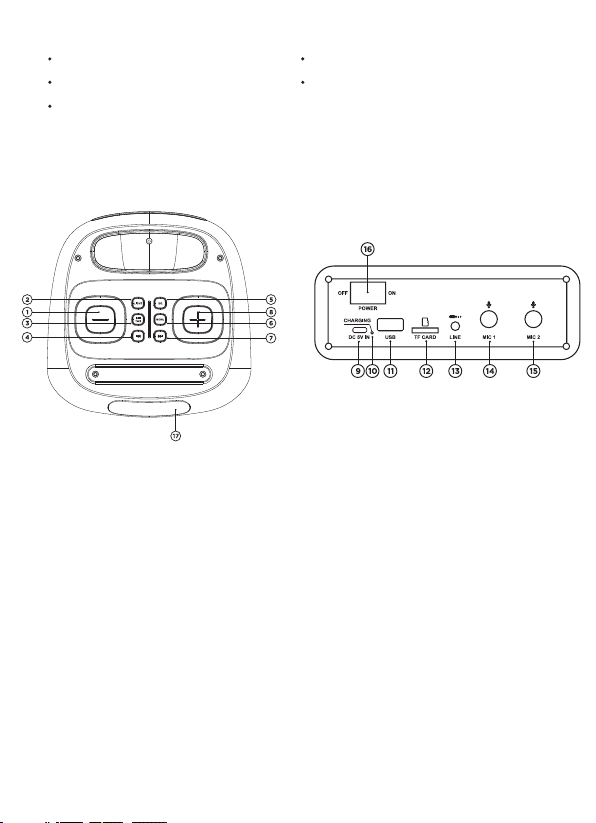
USB/MICROSD FUNCTION
TWS function activation (how to associate two Party Pal 185 together)
•Make sure the speakers are not paired with any external devices.
•Turn on the two speakers and select Bluetooth mode (BLUE on the display) .
•Long press the “Play/Pause/TWS” button on the speaker to start the TWS
pairing, a sound will confirm the pairing.
•Once paired, the speakers will automatically pair with each other if turned on at
the same time.
•To deactivate the TWS function and unpair the speakers, long press the
"Play/Pause/TWS" button on the speaker after pairing.
Insert a USB stick/MicroSD card (containing songs in MP3 format) into the slot
after turning on the speaker, playback will start automatically.
Short Press “Play/Pause” button to pause/resume playback.
Short Press the “Forward” / “Backward” button to go to the next track / return
to the previous track.
Long press the “Fast Forward” or “Fast Reverse” buttons on the product to fast
forward / fast reverse through the currently playing song.
Note: Compatibility with all commercially available storage devices cannot be
guaranteed.
External USB devices that require a voltage rating greater than 5V and a current
rating greater than 200mA are not supported.
If you use a USB extension cable, the connected storage device may not be
recognized or function properly.
Use only storage devices formatted with FAT16/FAT32 file system.
AUX FUNCTION
To play audio via the AUX input connect one end of the appropriate cable to the
3.5mm AUX input of the speaker and the other to the external device. Select the
correct source by pressing the MODE button several times then start playback
directly from the connected external device.
NOTE: in AUX mode it is not possible to pass to the next/previous track with
the "Next Track" / "Previous Track" buttons but it is necessary to carry out the
operation directly from the connected external device.