
Black Diamond Equipment MP6000 Manuel utilisateur
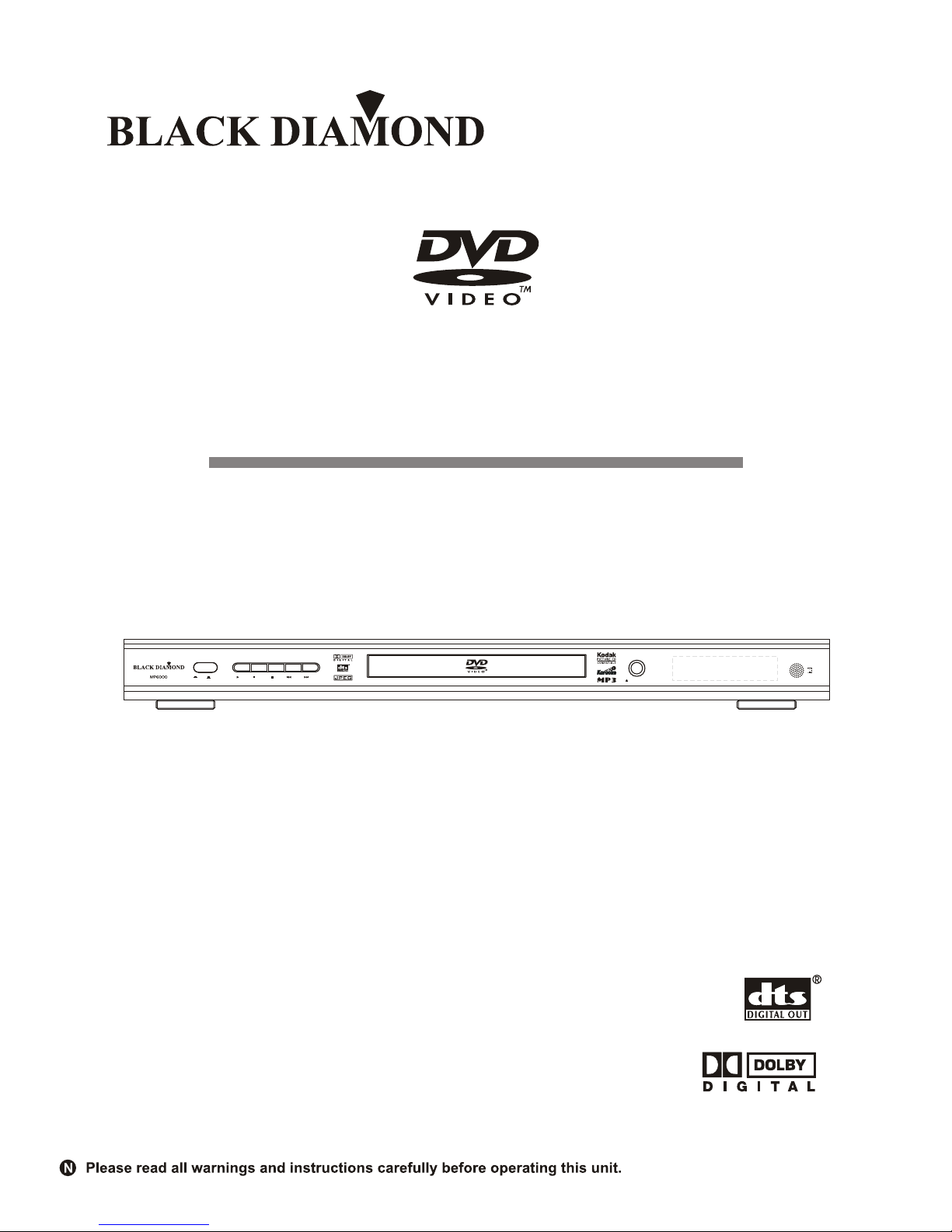
MODEL: MP6000
OWNER'S MANUAL
ON OFF
POWER
STOPPLAY PAUSE PREV
OPEN/CLOSE
NEXT
DVD/CD/MP3/CD-R/CD-RW PLAYER
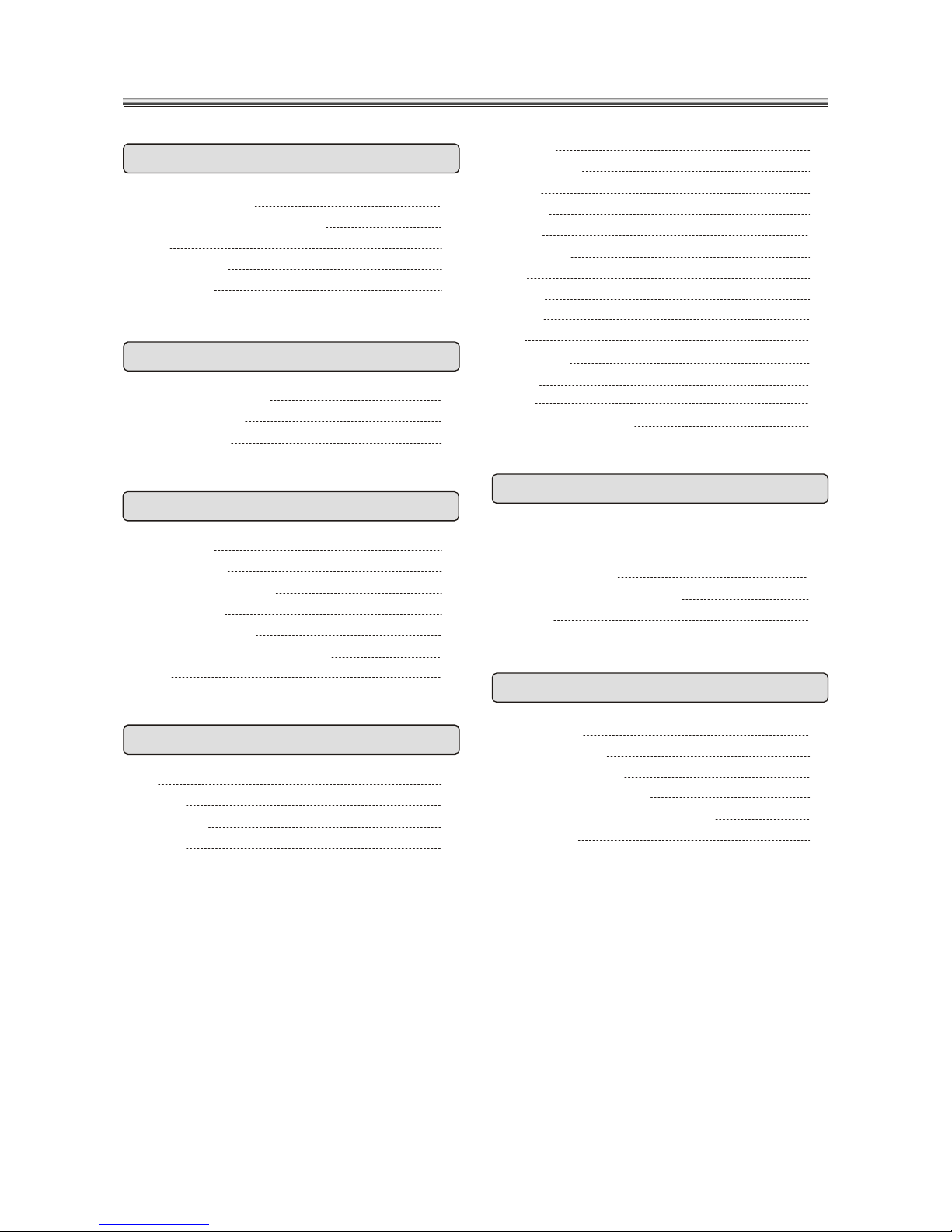
TABLE OF CONTENTS
BASIC PLAYBACK
Preparations
Basic Playback
Pause/Step Playback
Stop Playback
Previous and Next
Fast forward and Fast reverse
SLOW
SPECIAL FUNCTION
OSD
V.MODE
PROGRAM
SEARCH
Safety Precautions
Important Safety Instructions
Notice
Playable Discs
Accessories
Front Panel and VFD
Basic connection
Remote control
JPEG Disc Playback
MP3 Playback
Progressive scan
Kodak Picture CD Function
Karaoke
BEFORE USE
Advanced Playback
CONTROL and CONNECTION
01
02
03
04
04
05
06
08
09
09
09
09
09
09
09
REPEAT
A-B REPEAT
ZOOM
ANGLE
INTRO
SUBTITLE
DSP
CLEAR
AUDIO
EQU
PAL/NTSC
MENU
TITLE
VOLUME and MUTE
10
10
10
10
10
10
10
10
10
10
10
10
10
11
11
11
11
11
11
11
11
12
12
System Setup
Trouble Shooting
Supported by DVD Discs
Specification
DVD Characteristics
Special Function of DVD
Function
REFERENCE
13
18
19
20
20
21
TO REDUCE THE RISK OF FIRE OR ELECTRIC SHOCK, DO NOT EXPOSE THIS
APPLIANCE TO RAIN OR MOISTURE, DANGEROUS HIGH VOLTAGES ARE
PRESENT INSIDE THE ENCLOSURE. DO NOT OPEN THE CABINET, REFER
SERVICING TO QUALIFIED PERSONNEL ONLY.
When replace the direct plug in power supply or a separable, cord-connected power
supply, the replacement must be exact duplicate, or one recommended by the manu-
facturer.
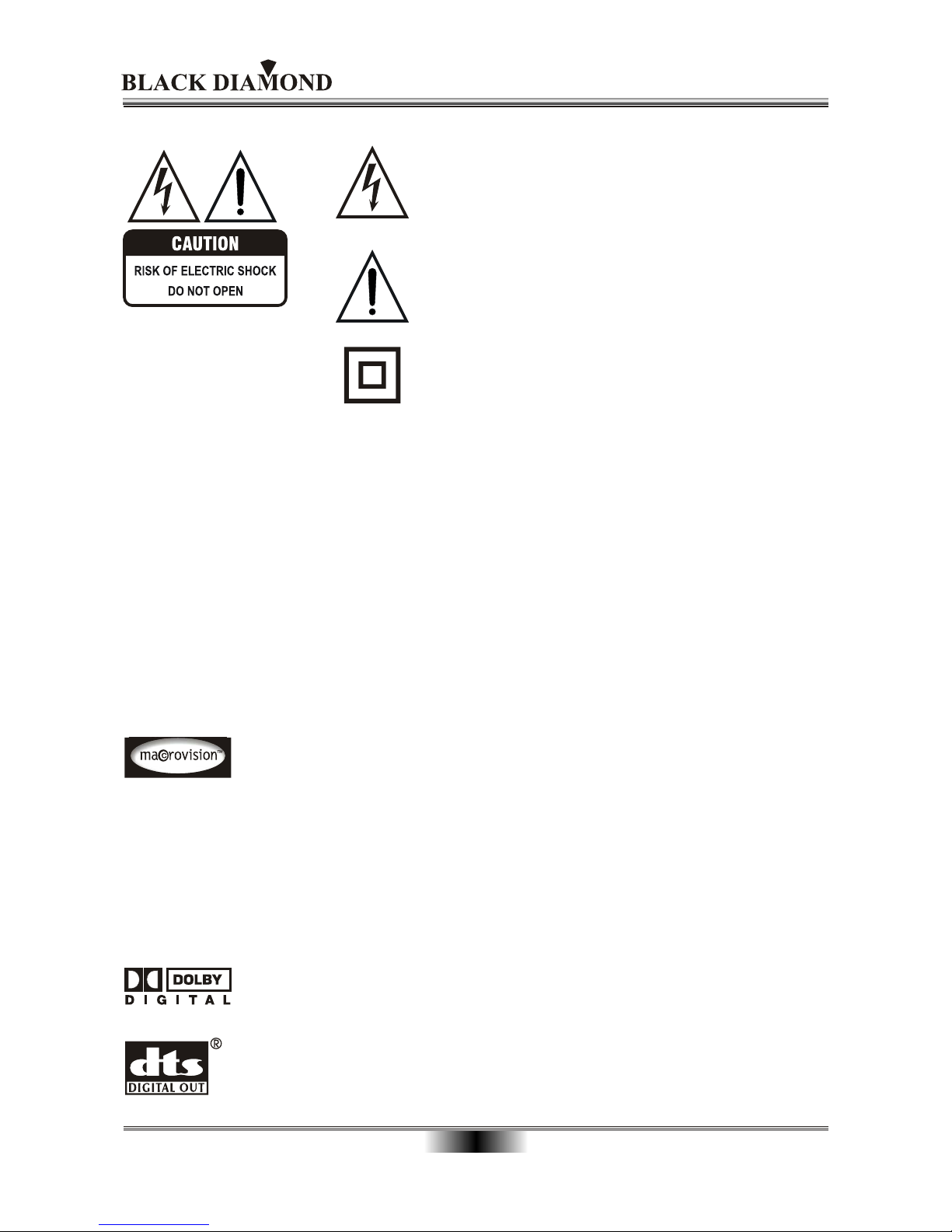
The lighting flash with arrowhead symbol, within an equila-
teral triangle, is intended to alert the user to the presence
of uninsulated "dangerous voltage " within the product's en-
closure that may be of sufficient magnitude to constitute a
risk of electric shock to persons.
The exclamation point within an equilateral triangle is
intended to alert the user to the presence of important
operating and maintenance (servicing) instructions in the
literature accompanying the appliance.
TO PREVENT ELECTRIC SHOCK, MATCH WIDE BLADE OF PLUG TO WIDE
SLOT, FULLY INSERT.
This Digital Video Disc player employs a laser System.
SAFETY PRECAUTIONS
The symbol for CLASS II (Double Insulation).
Use of controls, adjustments or the performance of procedures other than those
specified may result herein hazardous radiation exposure. To prevent direct expo-
sure to laser beam, do not try to open the enclosure. Visible laser radiation when
open and interlocks defeated.
DO NOT STARE INTO BEAM.
WARNING:
CAUTION:
01
"DTS" and "DTS Digital Out" are trademarks of Digital Theater Systems, Inc.
Manufactured under license from Dolby Laboratories. " Dolby " and the double-D
symbol are trademarks of Dolby Laboratories. Confidential unpublished works.
Copyright 1992-1997 Dolby Laboratories. All rights reserved.
This product incorporates copyright protection technology that is protected by
method claims of certain U. S. Patents and other intellectual property rights owned
by Macrovision Corporation and other rights owners. Use of this copyright protection
technology must be authorized by Macrovision Corporation, and is intended for
home and other limited viewing uses only unless otherwise authorized by Macrovision
Corporation. Reverse engineering or disassembly is prohibited.
Consumers should note that not all high definition television sets are fully compatible
with this product and may cause artifacts to be displayed in the picture.
In case of 525 or 625 progressive scan picture problems, it is recommended that he
used switch the connection to the "standard definition" output. If there are questions
regarding your TV set compatibility with this model 525p and 625p DVD player, please
contact our customer service centre.
02
CAUTION: PLEASE READ AND OBSERVE ALL WARNINGS AND INSTRUCTIONS GIVEN IN THIS MANUAL AND
THOSE MARKED ON THE UNIT. RETAIN THIS BOOKLET FOR FUTURE REFERENCE.
This set has been designed and manufactured to assure personal safety. Improper use can result in electric shock or fire
hazard. The safeguards incorporated in this unit will protect you if you observe the following procedures for installation,
use and servicing. This unit is fully transistorized and does not contain any parts that can be repaired by the user.
DO NOT REMOVE THE CABINET COVER OR YOU MAY BE EXPOSED TO DANGEROUS VOLTAGE. REFER
SERVICING TO QUALIFIED SERVICE PERSONNEL ONLY.
03
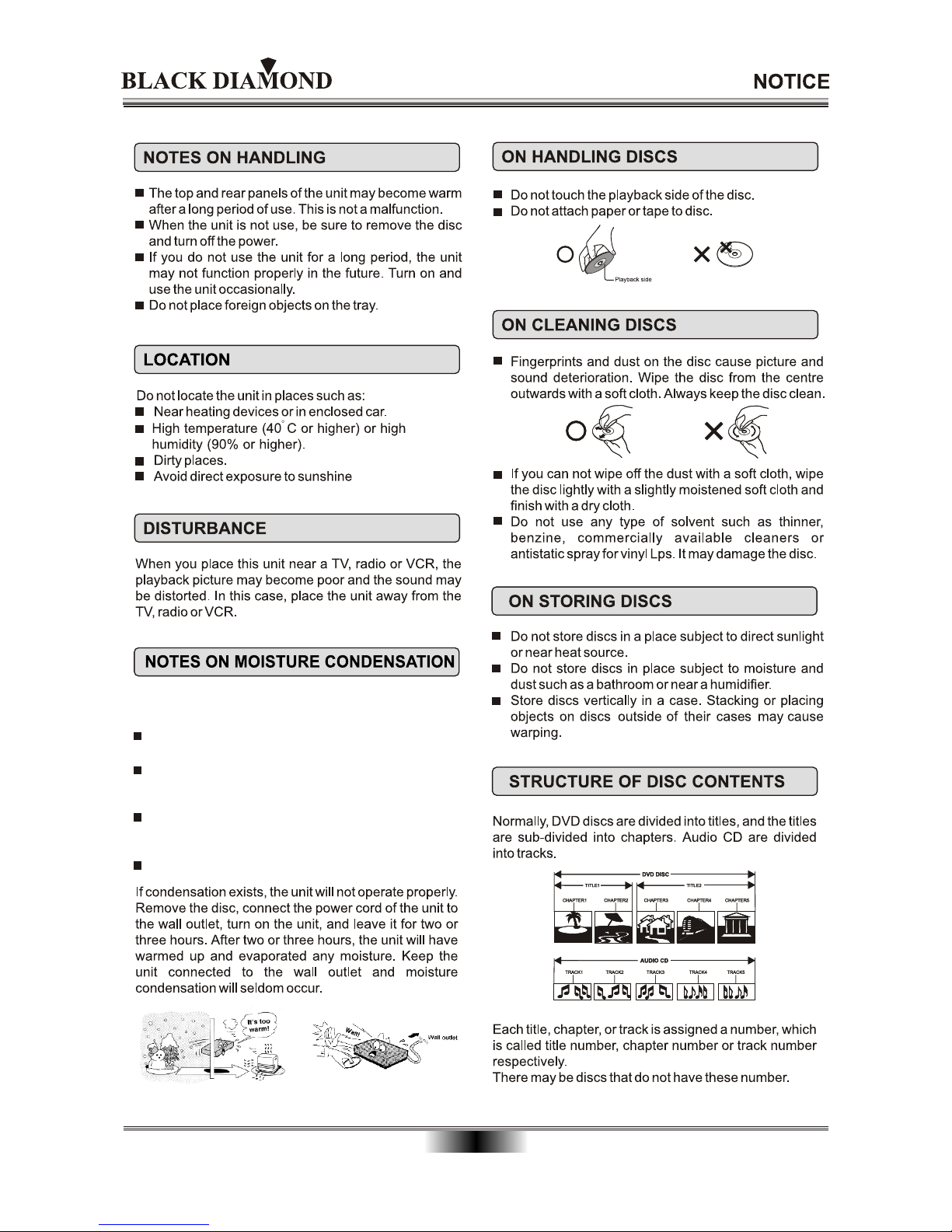
The pickup may be condensed with water under the
following situation.
When you bring the unit directly from a cold place
to a warm place.
When you use the unit in a room where you just
turned on the heater, or a place where the cold air
from the air conditioner directly hits the unit.
During the summer, when you use the unit in a hot
and humid place just after you move the unit from
an air conditioned room.
The room is vaporous or damp.
PLAYABLE DISCS
04
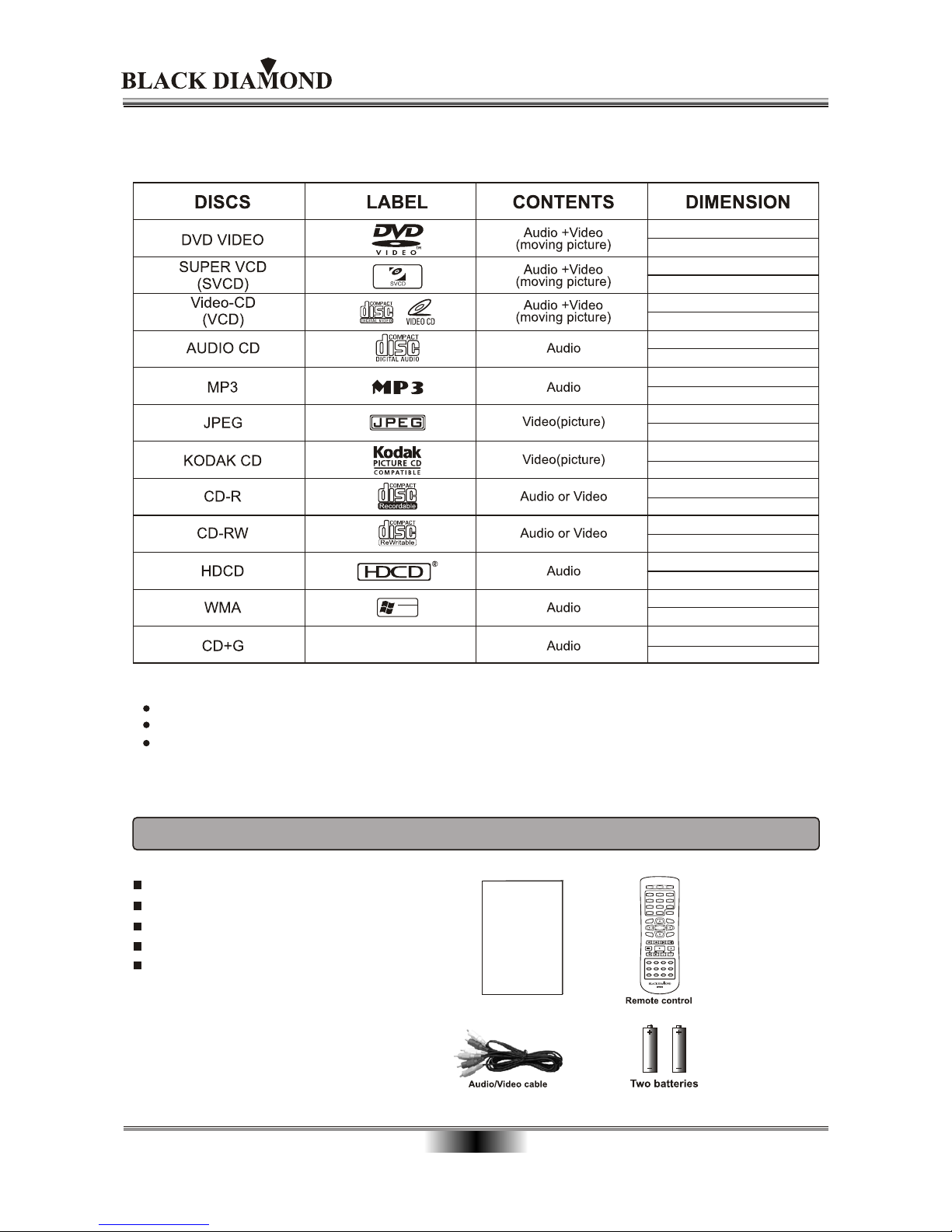
The following discs can be playback:
ACCESSORIES
Audio/Video cable ....................
Remote control ........................
Owner's manual .......................
Batteries....................................
Guarantee..................................
1
1
1
2
1
Owner's manual
Discs other than those listed above can not be played.
Non-standardized discs, even if they may be labeled as above can not be played.
The performance of a recorded disc depends on the method and quality of disc-burning. In some cases,
the disc may not play or play poorly.
CD+G
TM
Designed for
TM
Windows
Media
12cm
8cm
12cm
8cm
12cm
8cm
12cm
8cm
12cm
8cm
12cm
8cm
12cm
8cm
12cm
8cm
12cm
8cm
12cm
8cm
12cm
8cm
12cm
8cm
OWNER'S
MANUAL
OPEN/CLOSE V.MODE
PREV
PROG
NEXT
VOLUME
AUDIO
ENTER/PLAY STOP
SLOW
PAUSE/STEP
INTRO
TITLE
SUBTITLE
ANGLE
MUTE DSP
ZOOM PAL/NTSC
MENU
REPEAT A-BRPT
STANDBY
F.RE V
EQU
CLEAR
OSD
F.FW D
SETUP
123
456
789
10+0SEARCH
05
FRONT PANEL and VFD
FRONT PANEL
12
487
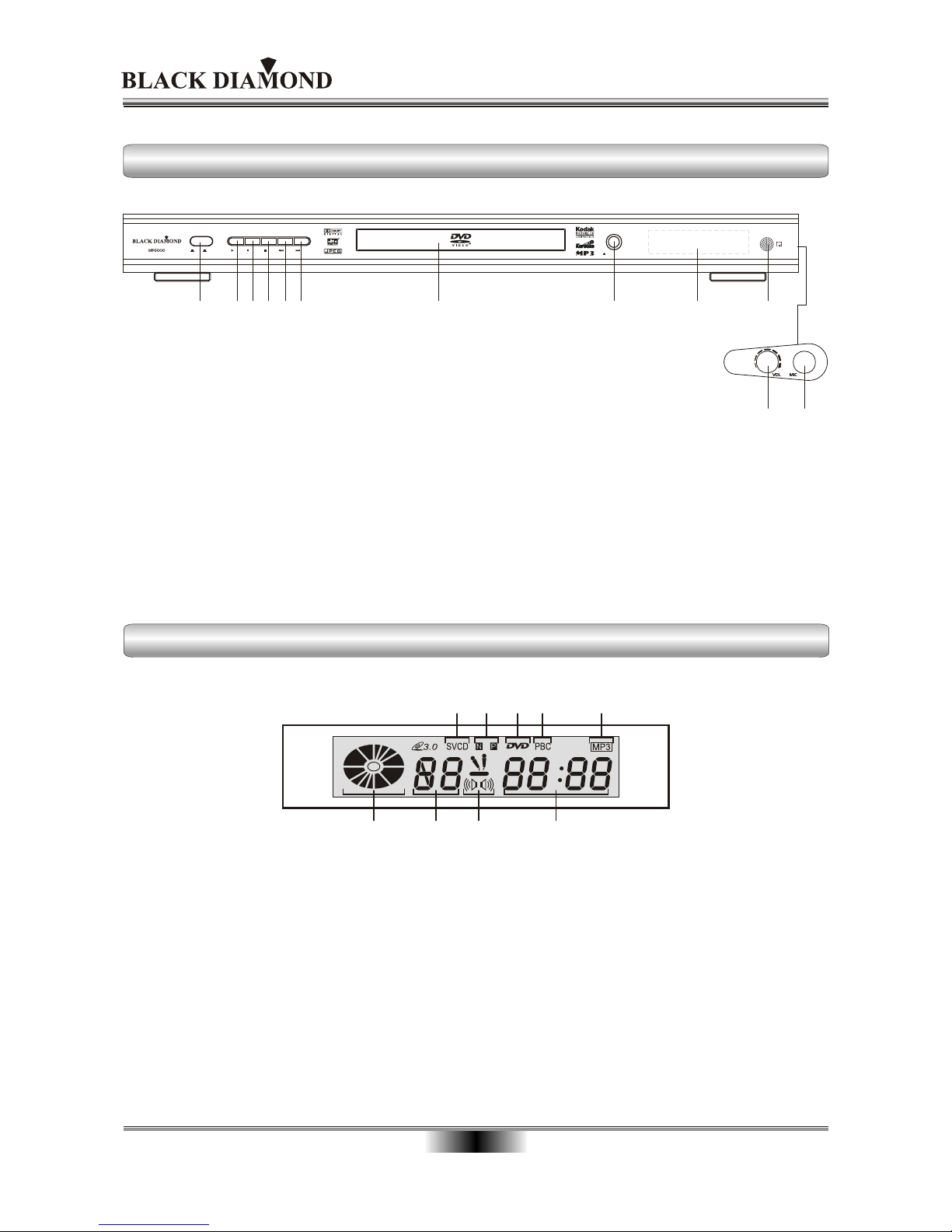
1. POWER SWITCH
2. PLAY
3. PAUSE
4. STOP
5. PREVIOUS
6. NEXT
7. TRAY
8. OPEN/CLOSE
9. VFD SCREEN
10. REMOTE CONTROL SENSOR
11. MIC VOLUME
12. MIC SOCKETS
11 12
ON OFF
POWER
STOPPLAY PAUSE PREV
OPEN/CLOSE
NEXT
DVD/CD/MP3/CD-R/CD-RW PLAYER
35 6 910
VFD DISPLAY of DVD
1. SVCD/VCD/CD disc indicator
2. NTSC/PAL indicator
3. DVD disc indicator
4. PBC on or off indicator
5. MP3 disc indicator
6. Rotate playback indicator
7. Multi-functional indicator
(indicates operating status
or messages, etc.)
8. Audio output indicator
12 34 5
678 7
LEFT
RIGHT
COAXIAL
OPTICAL S-VIDEO
Y
VIDEO
VIDEO OUT
DIGITAL AUDIO OUT
2CH AUDIO OUT
AC IN:
110V-240V~ 50/60Hz
110V-240V~ 50/60Hz, 20W
C /PBB
C /PRR
Apparatus Claims of U.S. Patent Nos 4,631,603; 4,577,216; 4,819,098 and 4,907,093
licensed limited viewing usesfor only.
THIS PRODUCT COMPLIES WITH FDA RADIATION PERFORMANCE STANDARDS
21 CFR SUBCHAPTER J.
Manufactured under license from Dolby Laboratories. "Dolby" and the double-D
symbol are trademarks of Dolby Laboratories. Confidential unpublished works.
1992-1997 Dolby Laboratories,Inc. All rights reserved.
4
CLASS 1 LASER
PRODUCT TO IEC 825
LASER KLASSE 1
NACH IEC 825
"DTS" and "DTS
Digital Out" are
trademarks of
Digital Theater
Systems, Inc.
RISK OF ELECTRIC SHOCK
DO NOT OPEN
NE PAS OUVRIR
ACHTUNG
ELECTROSCHOCK GEFAHR
NICH OEFFNEN
ATTENTION
RISQUE DE CHOC LECTRIQUE
CAUTION
http://www.bdt.co.nz
MADE IN CHINA
MP6000-40200001
Z004
21 6
43
REAR PANEL OUTPUT
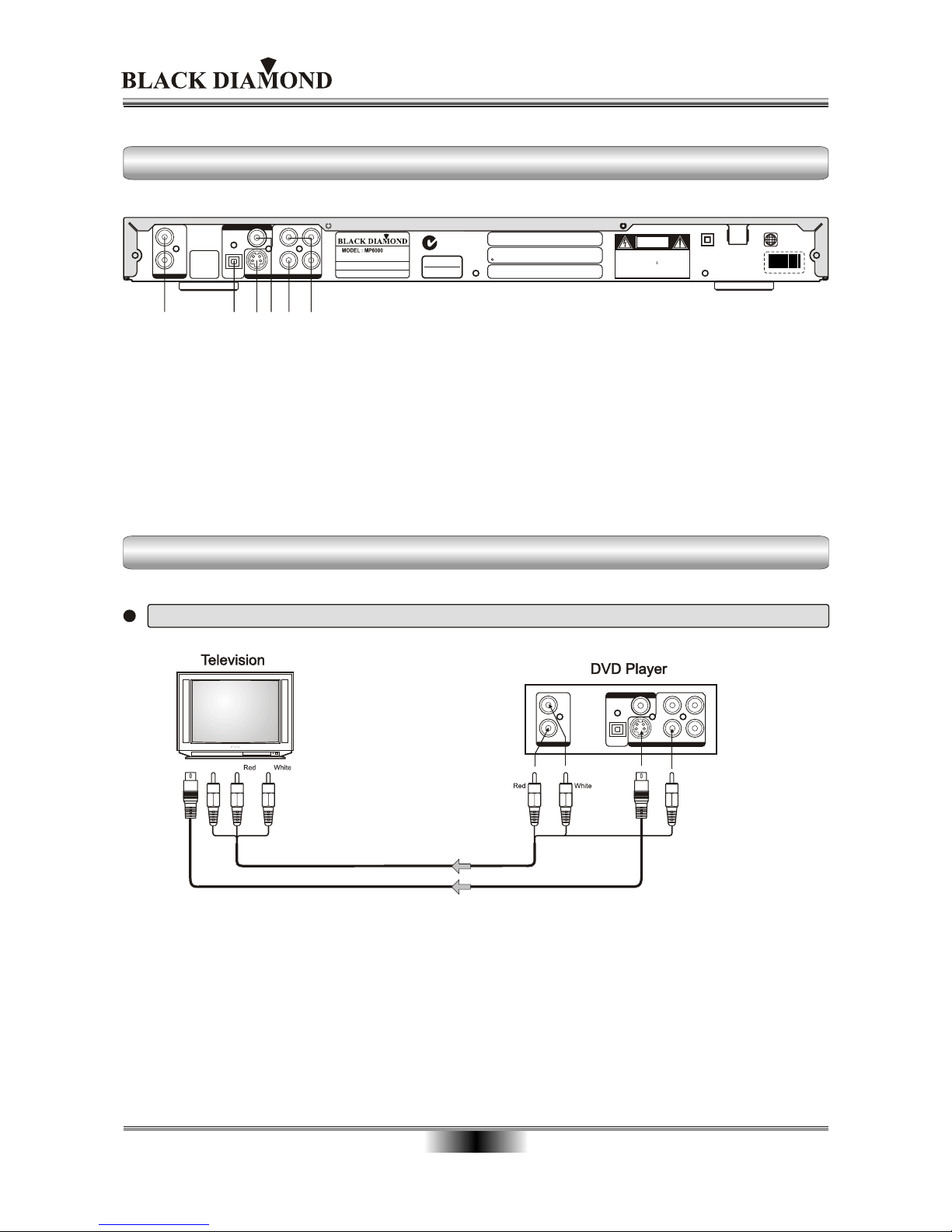
1. 2 CHANNELS OUTPUT
2. OPTICAL FIBRE OUTPUT
3. S-VIDEO OUTPUT
4. COAXIAL OUTPUT
5. VIDEO OUTPUT
6. Y, CB/PB, CR/PR OUTPUT
5
06
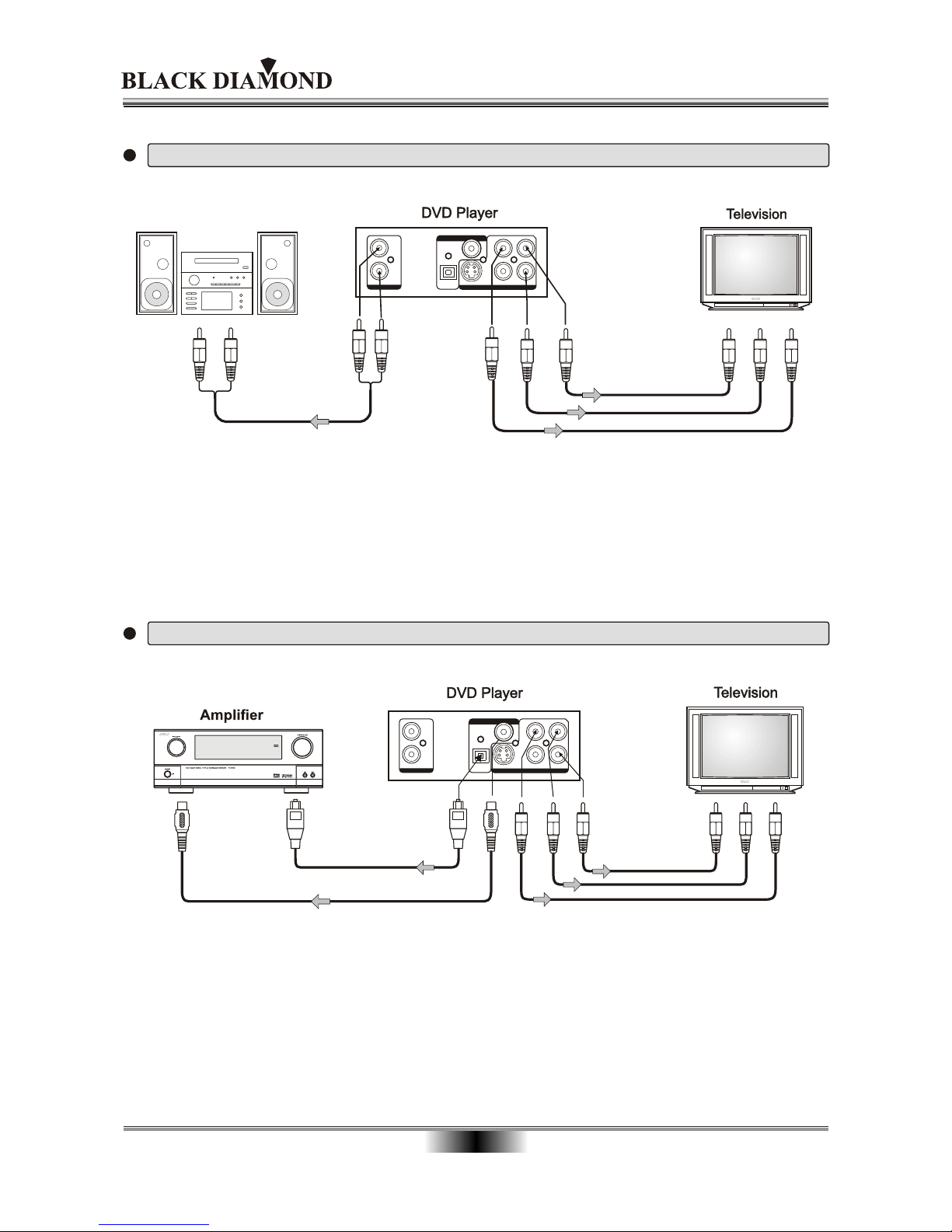
BASIC CONNECTION
BASIC CONNECTION
To audio inputs(red, white)
To S-video input
To S-video output
Connecting to a TV with Audio/Video cable
If the TV has an S-video input, connect the DVD player with an S-video cable.
When using an S-video cable, do not connect the yellow video cable.
Yellow
Yellow
LEFT
RIGHT
COAXIAL
OPTICAL S-VIDEO
Y
VIDEO
VIDEO OUT
DIGITAL AUDIO OUT
2CH AUDIO OUT
C /PBB
C /PRR
BASIC CONNECTION
07
Connecting to an amplifier equipped with a digital audio input and TV
Coaxial cable
To COAXIAL
type digital
audio input
To Y video input
To CB/PB video input
To CR/PR video input
To Y video output
To CB/PB video output
To CR/PR video output
To OPTICAL
type digital
audio input
Optical digital cable
To Y video input
To CB/PB video input
To CR/PR video input
To Y video output
To CB/PB video output
To CR/PR video output
Connecting to a audio system and TV equipped
To audio inputs of the amplifier
Red
Red
White
White
Audio system
Connect either
LEFT
RIGHT
COAXIAL
OPTICAL S-VIDEO
Y
VIDEO
VIDEO OUT
DIGITAL AUDIO OUT
2CH AUDIO OUT
C /PBB
C /PRR
LEFT
RIGHT
COAXIAL
OPTICAL S-VIDEO
Y
VIDEO
VIDEO OUT
DIGITAL AUDIO OUT
2CH AUDIO OUT
C /PBB
C /PRR
OPEN/CLOSE V.MODE
PREV
PROG
NEXT
VOLUME
AUDIO
ENTER/PLAY STOP
SLOW
PAUSE/STEP
INTRO
TITLE
SUBTITLE
ANGLE
MUTE DSP
ZOOM PAL/NTSC
MENU
REPEAT A-B RPT
STANDBY
F.R E V
EQU
CLEAR
OSD
F.FWD
SETUP
123
456
789
10+0 SEARCH
ON OFF
POWER
STOPPLAY PAUSE PREV
OPEN/CLOSE
NEXT
DVD/CD/MP3/CD-R/CD-RW PLAYER
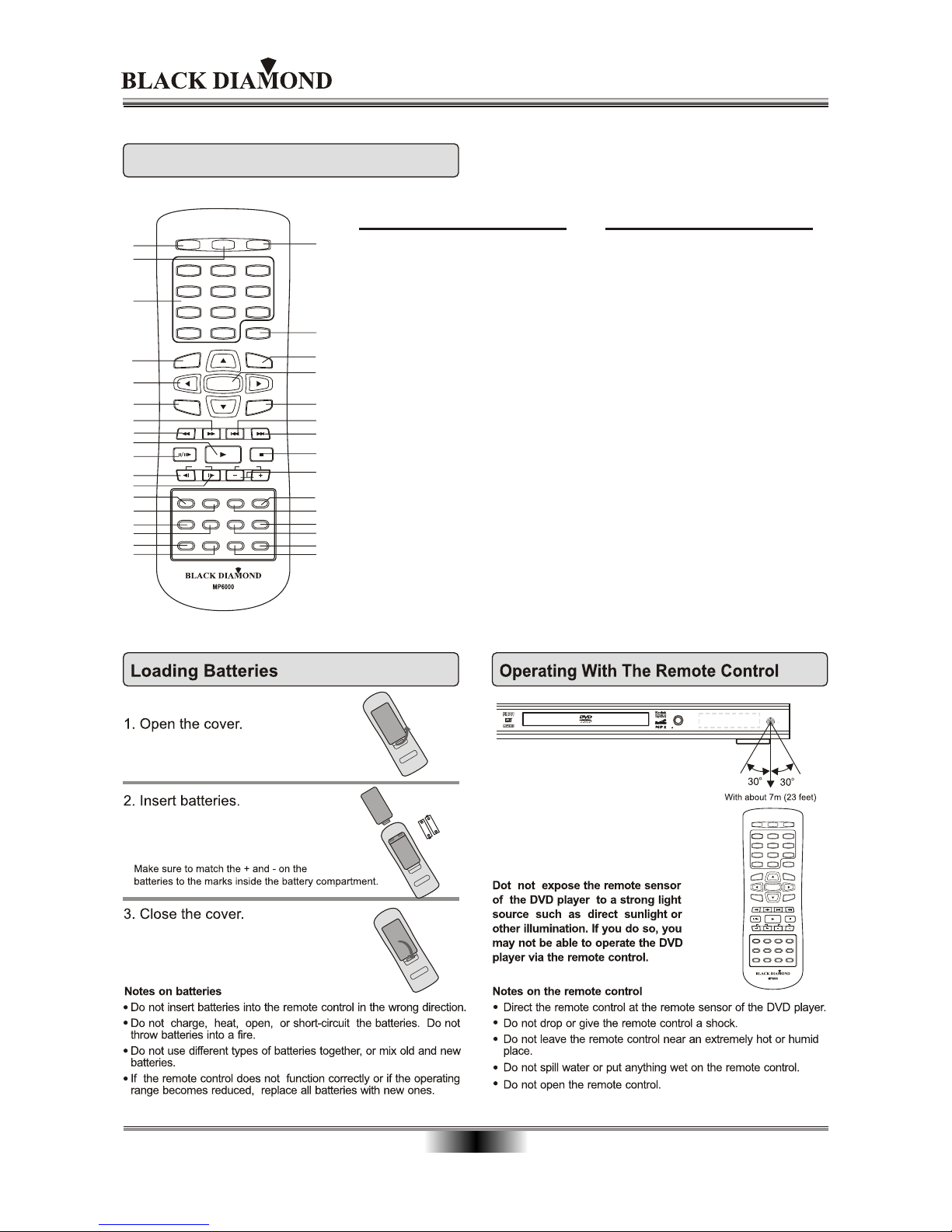
REMOTE CONTROL
REMOTE CONTROL
08
Distance: About 7m (23 feet) from the
front of the remote sensor.
0
Angle: About 30 in each direction
of the front of the remote
sensor.
Function See pageFunction See page
18. DSP
19. STANDBY
20. SEARCH
21. EQU
22. SETUP
23. INTRO
24. PREVIOUS
25. NEXT
26. STOP
27. VOLUME+/-(Volume Control)
28. MENU
29. TITLE
30. A-B REPEAT
31. REPEAT
32. AUDIO
33. ANGLE
1.OPEN/CLOSE DISC TRAY
2. V.MODE
3. DIGITS AND 10+ BUTTONS
4. OSD
5. CURSOR
6. CLEAR
7. FAST FORWARD
8. FAST REVERSE
9. ENTER/PLAY
10. PAUSE/STEP
11. SLOW BACKWARD
12. SLOW FORWARD
13. PROGRAM
14. SUBTITLE
15. ZOOM
16. PAL/NTSC
17. MUTE
19
21
20
22
26
27
28
29
30
31
33
32
23
24
25
1
3
7
2
4
5
6
8
9
10
12
11
13
15
16
17
18
14
9
10
- -
10
- -
10
9
9
9
9
9
9
10
10
10
11
11
10
9
10
11
13
10
9
9
9
11
11
11
10
10
10
10
OPEN/CLOSE V.MO DE
PREV
PROG
NEXT
VOLUME
AUDIO
ENTER/PLAY STOP
SLOW
PAUSE/STEP
INTRO
TITLE
SUBTITLE
ANGLE
MUTE DSP
ZOOM PAL/NTSC
MENU
REPEAT A-BRPT
STANDBY
F.R EV
EQU
CLEAR
OSD
F.F WD
SETUP
123
456
789
10+0SEARCH
Table des matières


