Bittium Tough Mobile Quick start guide 5
Getting started
To start using the Tough Mobile first remove
the battery cover and insert the SIM card(s).
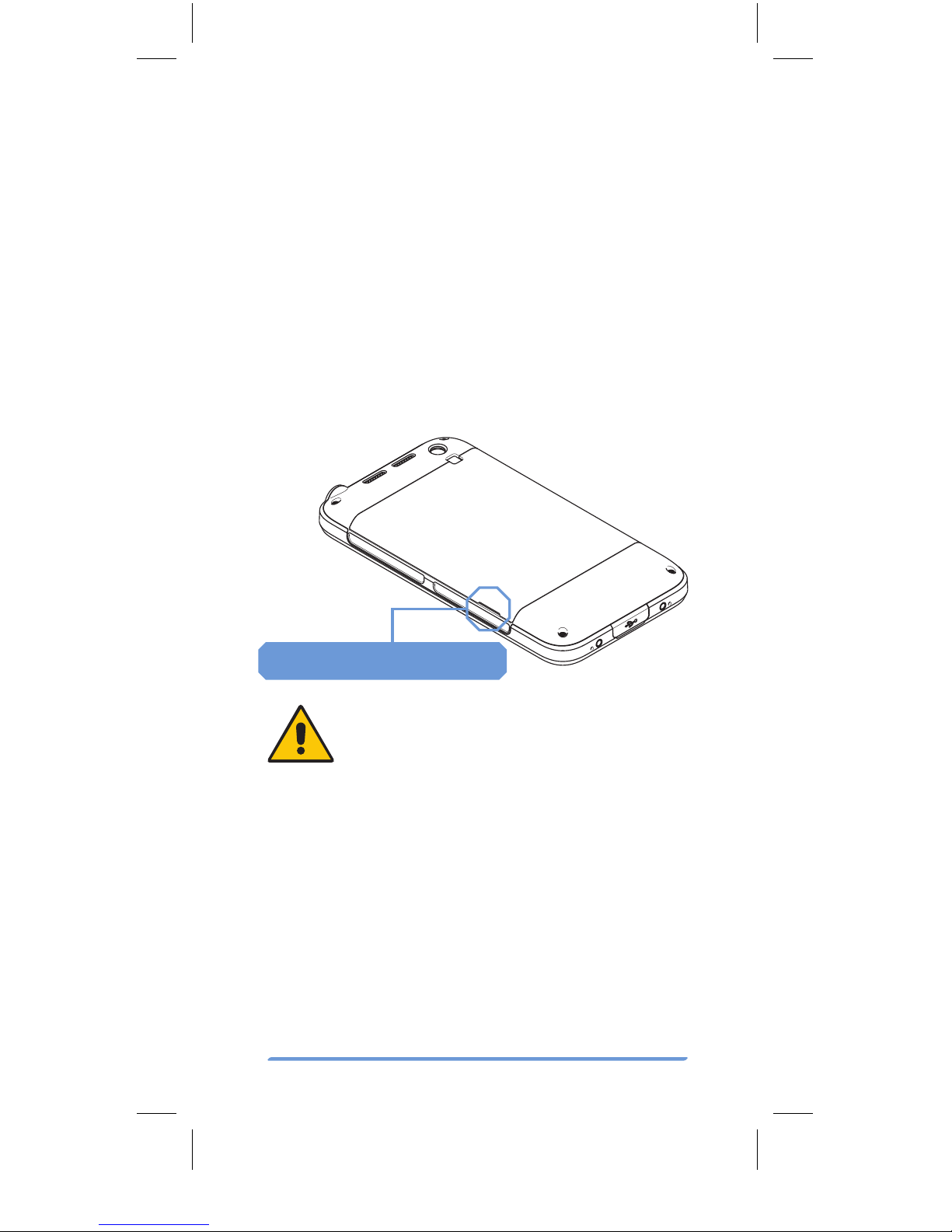
To open the Tough Mobile battery cover
insert a thin plastic wedge to the slot be-
tween the battery cover and the body at the
lower left and pry the cover open. The back
cover of the Tough Mobile should “pop-up”
with a moderate level of force.
Battery cover opening slot
The Battery Cover of the Tough
Mobile is intentionally tight to meet
IP67 requirements.
Use only micro SIM cards in the Tough
Mobile.
Insert your primary micro SIM card into the
SIM card slot 1. If you have a secondary micro
SIM card, insert it into the SIM card slot 2. In-
sert your micro SD card into the SD card slot.
After the SIM and SD cards are inserted, insert
the battery. Close the battery cover and push
the power key to power the Tough Mobile.