8
6. 1-On-1 Intercom Headset Pairing and Usage
Two SALUT headsets must be paired for 1-on-1 intercom.
Each SALUT can connect to 3 (at most) other SALUT headsets for 1-on-1
intercom. The three SALUT headsets will be defined, according to the
reverse time order they were paired, as: (i.e., the most recently paired has
the highest priority)
first priority: “Comm A1”, second priority: “Comm A2”, and third priority:
“Comm A3”。
6.1 1-on-1 Intercom Pairing
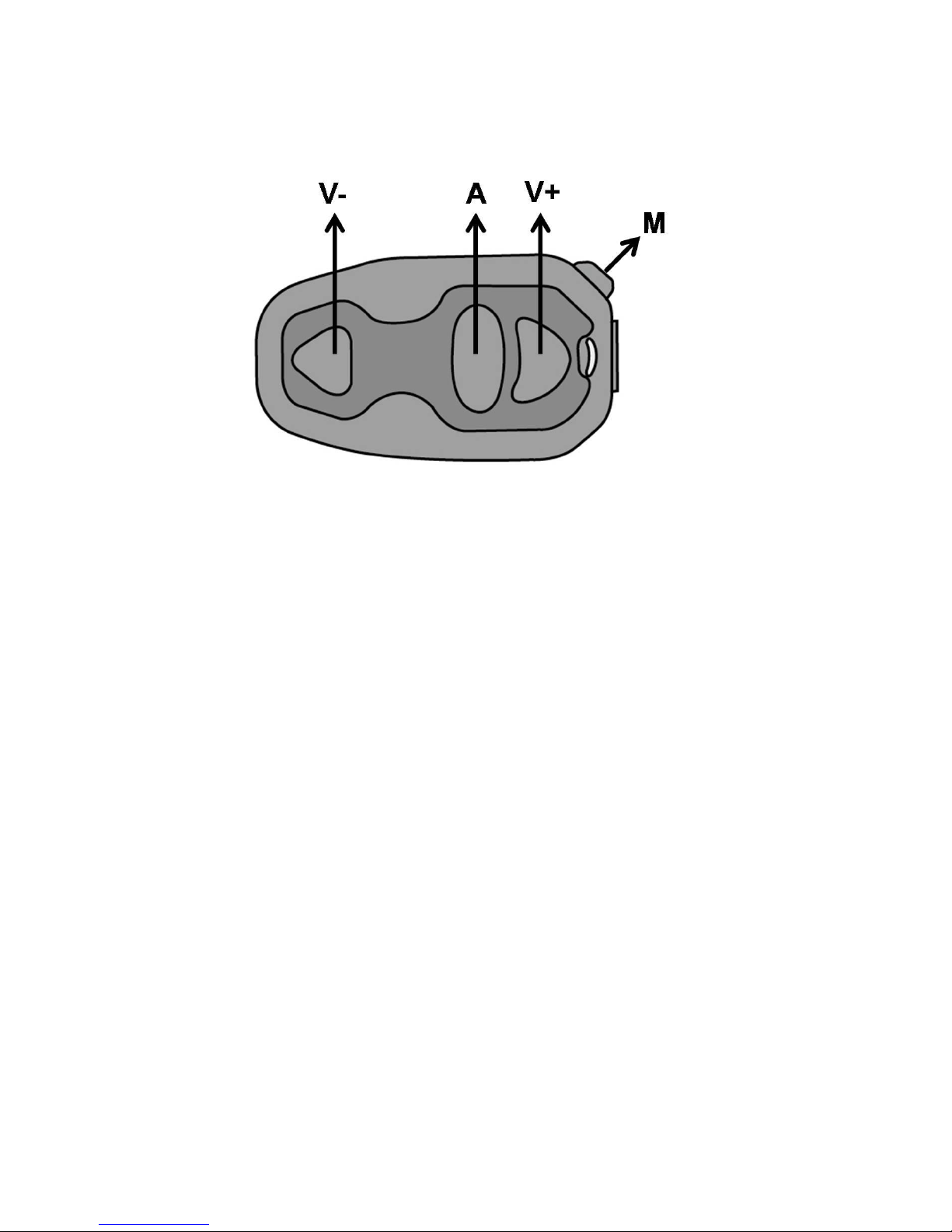
1. SALUT headset#1 is turned on, pressed A until the LED flashes blue rapidly.
2. SALUT headset#2 is turned on, press M until the LED flashes red/blue
alternatingly and rapidly.
After the above two steps, the two headsets will automatically pair with each
other until the LED on both headsets flashes blue At this point, two headsets
can intercom with each other directly and both headsets can hear a voice
notification <headset A pairing completed>.
3. After pairing, SALUT #1 places SALUT#2 as its first priority (A1). If
SALUT#1 paired with other headsets earlier, the previously A1 will be
pushed back as A2, and previouslyA2 becomes A3 and the previouslyA3
will no longer be recorded.
4. Also, after pairing, ALHOA#2 places SALUT#1 as its first priority (A1). If
SALUT #2 paired with other headsets earlier, the previously A1 will be