
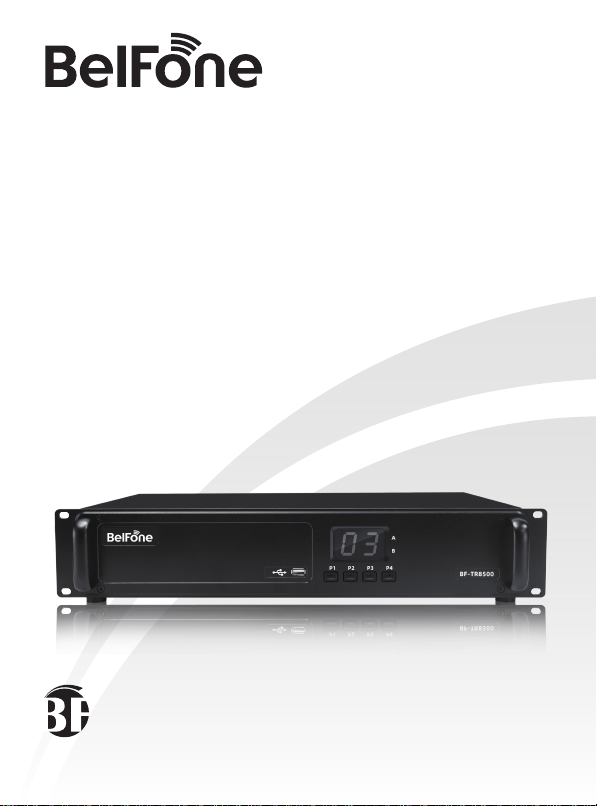
BelFone BF-TR8500 Manuel utilisateur
www.belfone.com
-TR8500
Professional DMR Repeater


Acknowledgement!
Notice to the user
Thank you for choosing BelFone series professional radio communication
products!
Since 1989, BelFone has been dedicated to research and exploration in the
field of radio communication technology throughout the decades, and has
developed leading smart technology in the industry. Underpinned by research,
development and design geared towards modern complicated and
changeable communication environment, it is capable of tailoring specific
communication solutions to your needs based on features of your industry.
Superior products with outstanding performance may help you control the
overall situation, while providing you with the best choice for smart scheduling
and instructions communicating.
This User Manual is applicable to:
BF-TR8500 Series all of frequency band
Government law prohibits the operation of unlicensed radio transmitters
within the territories under government control.
Illegal operation is punishable by fine or imprisonment or both.

Instructions before Use
Following the safety precautions below may prevent damage to this
product and personal injuries. To avoid potential risks, please read these
instructions carefully before using the product, and operate the product
as instructed.
◆ The repeater shall be protected from long-time direct exposure to the sun,
kept in a place away from high temperature, high humidity, high dustiness or
water splashes, and put on a stable surface;
◆ Where use of the repeater is prohibited or use of intercommunication may
cause interference or danger, the repeater shall have its power turned off as
required by relevant regulations;
◆ If you find any fault of the product, please turn off the power directly, and
then contact the local distributor of BelFone; unless otherwise specified in this
Manual, maintenance shall not be performed by any person other than a
maintenance worker authorized by BelFone Company;
◆ If this product is needed for further development, please contact BelFone
Company or BelFone's distributor;
◆ Do maintain the product surface clean and dry; for cleaning, use a piece of
soft cloth dipped with mild detergent or clear water (without water dripping) to
wipe the product surface.

Content
Unpacking and Device Inspection .............................................. 01
Standard Accessory....................................................................... 01
Optional Accessory........................................................................ 01
Features ....................................................................................... 01
Get Familiar with the Device........................................................ 02
Front Panel View ........................................................................... 02
Indicator Status.............................................................................. 03
Back Panel view ............................................................................ 04
Basic Operations ......................................................................... 05
Power on/off .................................................................................. 05
Button Configuration ...................................................................... 05
Functions and operation instructions......................................... 07
Digital Mode .................................................................................. 07
Analog Mode Function................................................................... 09
Smart Digital-Analog Switch........................................................... 09
Back-to-Back Function................................................................... 09
Simulcast Function ........................................................................ 09

Positioning Service ........................................................................ 09
Technical Specifications ............................................................. 10
Statement..................................................................................... 12

Unpacking and Device Inspection
Note: The following instructions regarding unpacking are only for BelFone’s
distributors, and service agencies or factories authorized by BelFone.
Be careful when taking the device out of the packing box. You’d better count the
accessories against the following list before discarding the packaging. If you find
any item is missing or damaged, please contact the local distributor of BelFone or
directly contact BelFone Communication immediately.
Standard Accessory
Quantity
1
1
1
1
1
Item
Main Equipment
Power Cord
Operationing Manual
Warranty Card
Conformity Certificate
Optional Accessory
Quantity
1
1
1
1
Item
Duplexer
DC Power Cord
Position Antenna
programming Cord
Features
●Dual Mode(Analog & Digital) Repeater Function
●Support digital, analog and analog digital auto-switch
●Support customization, work with BelFone Intelligent IP interconnection system
●Support customization, IP Multi-site Connect
●Support customization, work as Simulcast Base Station
●Support GPS+BD Satellite Positioning
●Over voltage, over temperature alarm and protection
●Switching High, Middle and Low TX power. 01

Front Panel View
Get Familiar with the Device
123
4568
7
LCD
A Indicator: Timeslot 1 working
state indication
B Indicator: Timeslot 2 working
state indication
USB Port
1
2
3
4
5
6
7
8
P1: Short press to decrease the channel
number, long press to display IP address;
(programming supported)
P2: Short press to increase the channel
number, long press to display version
(programming supported)
P3: Short press to display TX frequency,
long press to display IP internet site type;
(programming supported)
P4: Short press to display RX frequency,
long press to display IP interconnection
status. (programming supported)
02

Indicator Status
LED Indication
A Indicator
Normally on
in orange
Green light
flickers (1s)
Orange light
flickers (1s)
Orange light
flickers (1s)
Red light flickers
quickly (0.5s)
Red light flickers
slowly (2s)
Orange light
flickers (1s)
Orange light
flickers (1s)
Green light
flashes quickly
(0.5s)
Green light
flickers slowly (2s)
Normally on
in orange
Flashing in
red (1s)
Channel Number
Channel Number
Channel Number
Channel Number
Timeslot 1 emission
Analog receiving
Timeslot 2 emission
Analog transmission
/
/
E0
E1
E2
E3
E4
E5
E6
PLL receiving
abnormality
PLL transmitting
abnormality
Excessively
high voltage
Excessively
low voltage
Excessively
high temperature
Fan working
abnormality
The network is
unconnected or
abnormal
/
/
/
/
/
/
/
/
B Indicator
LCD Display Device State
03

9
10 11 12 1413 15 16
Back Panel view
Power Switch
AC Power Input Port
GPS Antenna Port
DC Power Input Port
Network Port
ACC Accessory Unit Port
RX RF Input Port
TX RF Output Port
9
10
11
12
14
13
15
16
04
Table des matières


