Baracoda KEmul RS232 for PC – User Guide v3.36.3 - 7 -
Data Capture
for Workforce
in Motion
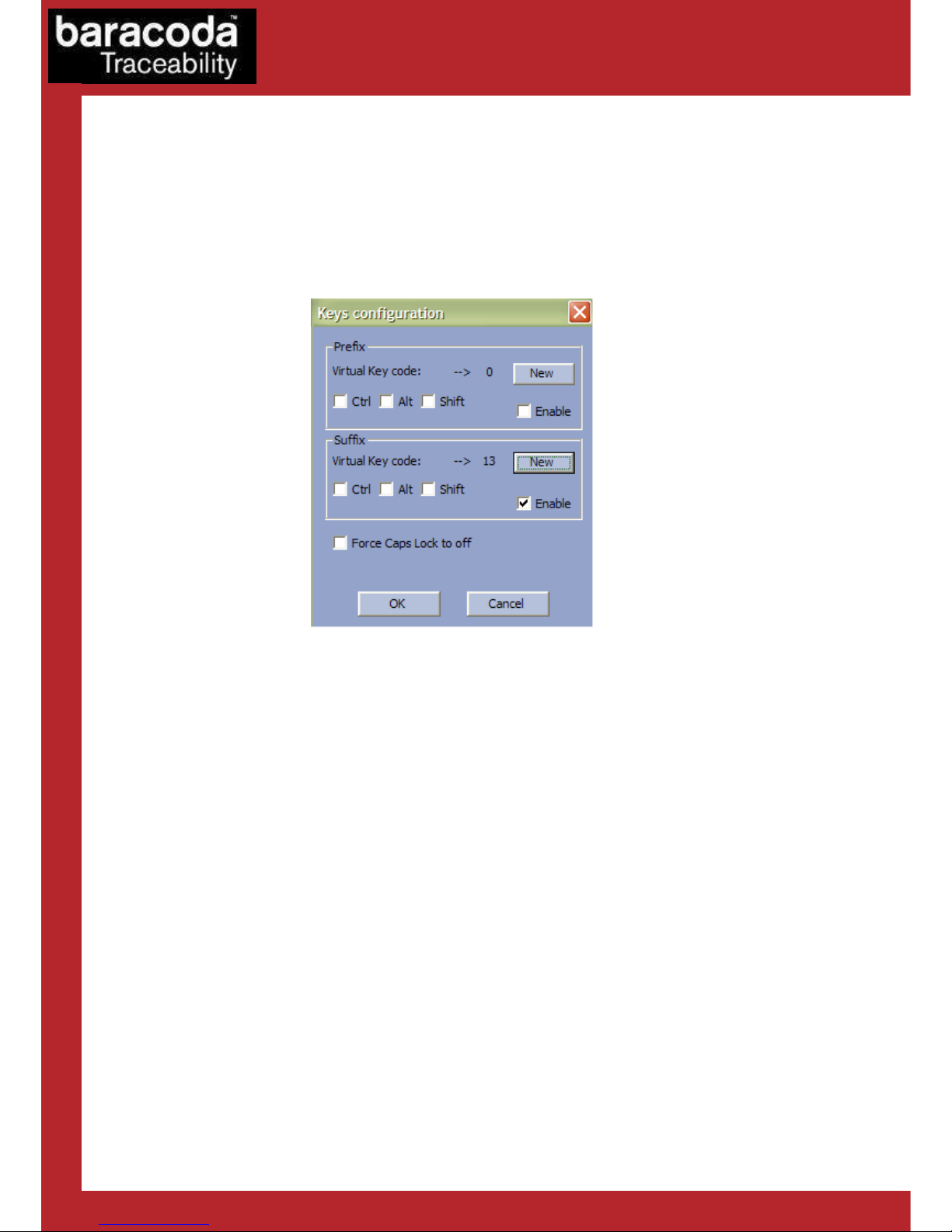
The RS232 Kemul is preset to default settin s that reflect typical serial applications. These settin s should be
modified to fit the current application parameters.
1. COM Port
The COM Port is the communication port that the RS232 don le is attached to on the host computer.
The default serial port on a computer is usually COM Port 1. If the serial port on the user’s PC is not
COM Port 1, they will need to chan e this settin of the RS232 KEmul pro ram to match the serial
COM Port the RS232 don le is attached to.
2. Baud Rate
The baud rate is the data transmission rate of the serial port. The RS232 don le has a default baud
rate of 9600 bits/s. The baud rate of the RS232 KEmul has to match the baud rate of the RS232 don le.
3. Parity
Parity is an error checkin al orithm that counts the number of “ones” durin data transmission. Even
parity means there is an even number of “ones” in the data transfer. Odd parity means there is an odd
number of “ones” in the data transfer. The default value is none because the RS232 don le is capable
of transferrin data without checkin the parity of the data transfer.
4. Data Bits
The data bits specify the size of the data transfer sent by the RS232 don le. The only selection for this
option is 8 because the RS232 don le can only transfer 8 bits of data at a time.
5. Stop Bits
The stop bits are bits that indicate the data transfer is over. The default is one stop bit. However the
RS232 don le can be pro rammed to send 2 stop bits if necessary.