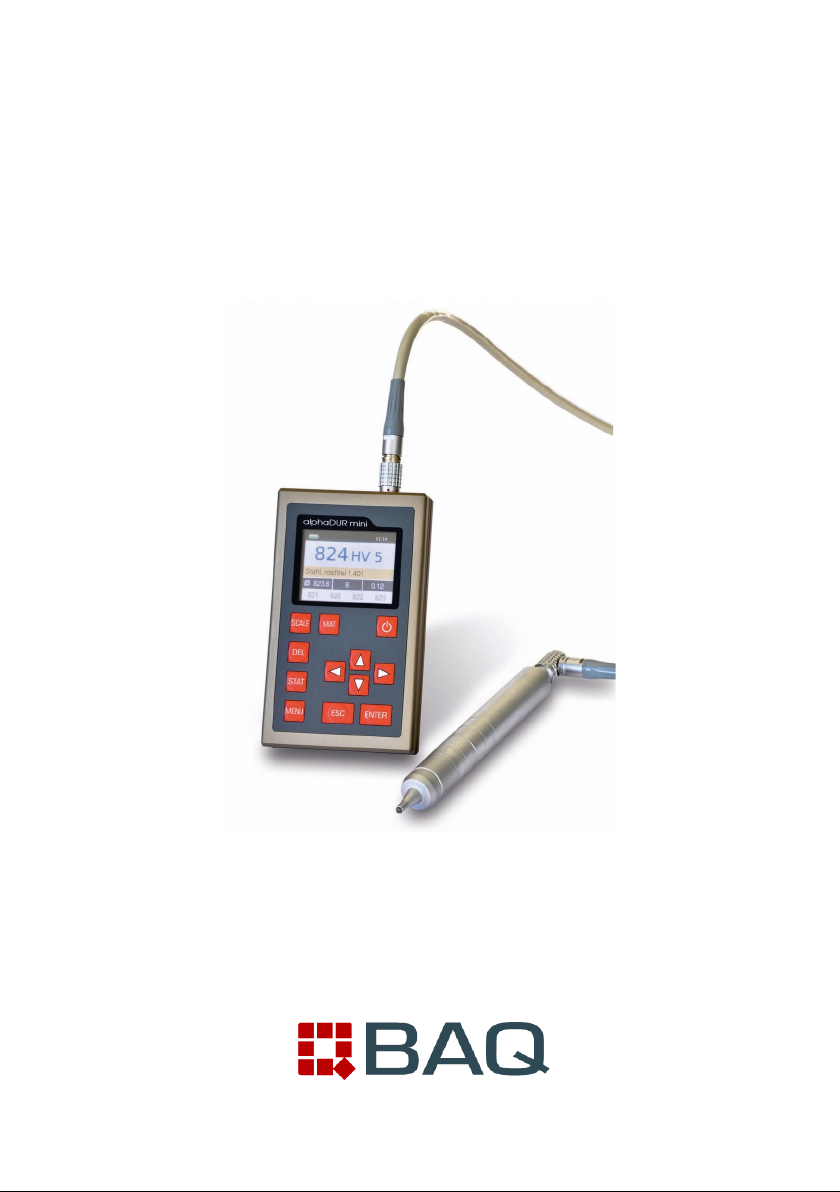
BAQ alphaDUR mini Manuel utilisateur

alphaDUR mini
Manual
Version 1.5


Contents
1 Introduction.......................................................................................................5
2 Manual.............................................................................................................. 6
2.1 Lettering.....................................................................................................6
2.2 Text boxes..................................................................................................6
3 Information on the probes................................................................................7
3.1 robe selection..........................................................................................7
3.2 robe handling...........................................................................................7
4 General working instructions............................................................................9
4.1 Key functions..............................................................................................9
4.2 Status bar.................................................................................................10
4.3 The menus...............................................................................................10
4.4 Text entry.................................................................................................10
4.5 The number field......................................................................................12
5 Measurement..................................................................................................13
5.1 Specimen requirements...........................................................................13
5.2 Measuring parameter...............................................................................14
5.3 Measuring procedure...............................................................................15
5.4 Measuring window...................................................................................15
5.4.1 Key assignment of the measuring window........................................17
5.5 Statistics...................................................................................................17
5.5.1 Display of statistics............................................................................17
5.6 Instant printout.........................................................................................19
6 Measuring parameter.....................................................................................20
6.1 Description...............................................................................................20
6.2 Managing sets of measuring parameter..................................................21
6.2.1 Editing measuring parameter............................................................21
6.2.2 Saving measuring parameter............................................................21
6.2.3 Loading measuring parameter...........................................................22
6.2.4 Deleting a set of measuring parameter.............................................22
7 Conversion of hardness values......................................................................23
7.1 Selection of the conversion standard to be used.....................................24
8 Material calibration.........................................................................................25
9 Memory functions...........................................................................................28

9.1 Creating a new series..............................................................................29
9.2 Continuing a series..................................................................................29
9.3 New serial measurements.......................................................................30
9.4 Continuing a serial measurement............................................................30
9.5 Deleting a series......................................................................................30
9.6 Displaying a series...................................................................................30
9.7 Copying of series to an USB flash drive..................................................31
9.7.1 CSV file format...................................................................................31
9.7.1.1 Single series and subordinated series of a serial measurement....31
9.7.1.2 Summary serial measurements......................................................32
10 System settings............................................................................................34
10.1 Language...............................................................................................34
10.2 Time.......................................................................................................34
10.3 Date........................................................................................................34
10.4 Configuration..........................................................................................34
10.4.1 Date format......................................................................................34
10.4.2 Key SCALE......................................................................................34
10.4.3 Key MAT..........................................................................................35
10.4.4 Query whether the values should be saved in a series...................35
10.4.5 Query whether the values should be printed...................................35
10.4.6 Tensile strength unit........................................................................35
10.5 Factory defaults.....................................................................................36
10.6 System information................................................................................36
11 Maintenance and inspection.........................................................................37
12 The UCI method...........................................................................................38
13 roper disposal............................................................................................40
13.1 Deutsch..................................................................................................40
13.2 Français.................................................................................................40
13.3 Italiano....................................................................................................40
13.4 Español..................................................................................................41
14 Technical Data..............................................................................................42
15 Appendix 1: Hardness conversion validity ranges........................................44
15.1 DIN EN ISO 18265 - Feb.2014..............................................................44
15.2 ASTM E140 - 12b (2019).......................................................................46
16 Appendix 2: License information..................................................................48

INTRODUCTION
1 Introduction
The alphaDUR mini is a portable hardness tester. Vickers hardness is
measured according to the UCI (Ultrasonic Contact Impedance) method.
The alphaDUR mini offers the opportunity to convert the measured Vickers
hardness according to DIN EN ISO 18265 or ASTM E140 to other hardness
scales.
Up to 100,000 readings including hardness, date, time and measuring
parameter can be stored to the internal memory of the alphaDUR mini.
The readings are arranged in series of measurements. A series of
measurements is an aggregation of several readings. In addition to ordinary
measurement series, serial measurement series which consists of multiple
subordinate measurement series, can be recorded. Saved series of
measurements, including statistics, can be displayed, printed or copied to a
USB flash drive at any time.
5

MANUAL
2 Manual
2.1 Lettering
Operating elements Operating elements
KEY Keys
Standard text Descriptions and explanations in text form
Important notes Important notes and remarks
2.2 Text boxes
Operating elements
Explanations of functions and operating
elements are framed in blue.
Entry fields
Green fields describe user inputs and
parameters
Information
Information and notes are provided with yellow
background
Important notes
Important notes and warnings are represented
in red boxes
6

INFORMATION ON THE ROBES
Information on the probes
.1 Probe selection
alphaDUR UCI probes are available with test loads of 10, 20, 30, 49 and 98 N.
This corresponds to the Vickers test loads HV1, HV2, HV3, HV5 and HV10 (1,
2, 3, 5 and 10 kg). Like that the optimal test load for a particular test task can
be chosen.
For rough surfaces higher test loads are
recommended to create greater
indentations. If many measurements follow
one another, tests could be difficult without
using a bench stand to apply test loads like
10 kg steadily and vertically.
.2 Probe handling
The protective sleeve serves two purposes:
It protects the UCI rod against damages (as
distortion). Furthermore, during the
measurements, it functions as a mechanical
stop for the deflection of the rod.
To carry out a measurement, the probe must
be held perpendicular to the specimen
surface. (The alphaDUR mini has to be
calibrated to the material and must be in
measuring mode.) The Vickers diamond
may touch the surface slightly, but not for
too long (otherwise an error occurs). Then
the probe is pressed to the specimen until the protective sleeve hits the
surface. An acoustic signal indicates the completion of the measurement. To
7
Cable
connector
rotective
sleeve
Oscillating rod with
Vickers diamond
Fig. 1

INFORMATION ON THE ROBES
achieve an accurate measurement, the probe must be pressed steadily and
vertically onto the specimen.
To facilitate the pressing, probe supports (separately available) can be
screwed instead of the protective sleeve onto the probe. These probe supports
are available for flat and convex surfaces.
Especially for tests with frequent measurements or larger test loads, a high
precision stand is available in which the probe can be clamped.
8

GENERAL WORKING INSTRUCTIONS
4 General working instructions
4.1 Key functions
Switches on/off the device.
Changes the hardness scale.
Changes the material.
Deletes last measurement point
Displays statistics
Opens the main menu
Cursor keys
With these keys, menu items are selected and the re-
quired values in input fields are set.
In drop-down lists, subordinate entries (marked with a
previous '+') can be opened by pressing the right cursor
key.
With this key, the current function is ended. The higher-
level menu item is selected.
By pressing this key, the field’s editing is completed or a
subordinated menu item is selected.
9

GENERAL WORKING INSTRUCTIONS
4.2 Status bar
The rechargeable battery status, the time and the selected revaluation standard
are displayed in the status bar at the top of the window.
4. The menus
A menu consists of a list of available menu items and a bar which identifies the
active menu item. This bar can be moved in the
menu with the aid of the cursor keys ▲ and ▼.
After pressing ENTER the marked menu item is
selected. Either a window or a sub-menu are
now opened.
ress ESC to return to the previous menu.
4.4 Text entry
When saving measurement data and measurement parameters, entries must
be made in plain text. In these cases, the text entry window is opened.
In the upper field (designated as text field in the following) the entered text is
displayed. In the rows below are the characters represented, which can be
selected. The blank is identified with [ ].
Below the characters is a bar with buttons for control. These buttons are
allocated as follows:
10
Fig. 2: Main menu
Fig. 3 : Text entry
Autres manuels pour alphaDUR mini
1
Table des matières
Autres manuels BAQ Équipement de test
Manuels Équipement de test populaires d'autres marques

SMART
SMART KANAAD SBT XTREME 3G Series Manuel utilisateur

Agilent Technologies
Agilent Technologies BERT Serial Manuel utilisateur

Agilent Technologies
Agilent Technologies N3280A Manuel utilisateur

Vernier
Vernier Go Direct Voltage Manuel utilisateur

Lifeloc
Lifeloc R.A.D.A.R. Manuel utilisateur

Fluke
Fluke T5-600 Instructions d'utilisation et d'installation