
B&G Triton2 Manuel utilisateur

ENGLISH
Triton2
Operator Manual
www.bandg.com


Preface
Disclaimer
As Navico is continuously improving this product, we retain the
right to make changes to the product at any time which may not be
reflected in this version of the manual. Please contact your nearest
distributor if you require any further assistance.
It is the owner’s sole responsibility to install and use the equipment
in a manner that will not cause accidents, personal injury or
property damage. The user of this product is solely responsible for
observing safe boating practices.
NAVICO HOLDING AS AND ITS SUBSIDIARIES, BRANCHES AND
AFFILIATES DISCLAIM ALL LIABILITY FOR ANY USE OF THIS PRODUCT
IN A WAY THAT MAY CAUSE ACCIDENTS, DAMAGE OR THAT MAY
VIOLATE THE LAW.
Governing Language: This statement, any instruction manuals, user
guides and other information relating to the product
(Documentation) may be translated to, or has been translated from,
another language (Translation). In the event of any conflict between
any Translation of the Documentation, the English language version
of the Documentation will be the official version of the
Documentation.
This manual represents the product as at the time of printing.
Navico Holding AS and its subsidiaries, branches and affiliates
reserve the right to make changes to specifications without notice.
Trademarks
NMEA®and NMEA 2000®are registered trademarks of the National
Marine Electronics Association.
Copyright
Copyright © 2016 Navico Holding AS.
Warranty
The warranty card is supplied as a separate document.
In case of any queries, refer to the brand website of your display or
system: www.bandg.com.
Preface | Triton2 Operator manual 3

Compliance statements
This equipment complies with:
•CE under EMC directive 2014/30/EU
•The requirements of level 2 devices of the Radio communications
(Electromagnetic Compatibility) standard 2008
The relevant Declaration of conformity is available in the product's
section at the following website: www.bandg.com.
About this manual
This manual is a reference guide for operating the Triton2. It
assumes that all equipment is installed and configured, and that the
system is ready to use.
The manual assumes that the user has basic knowledge of
navigation, nautical terminology and practices.
Important text that requires special attention from the reader is
emphasized as follows:
ÚNote: Used to draw the reader’s attention to a comment or
some important information.
Warning: Used when it is necessary to warn
personnel that they should proceed carefully to
prevent risk of injury and/or damage to equipment/
personnel.
Manual version
This manual is written for software version 1.0. The manual is
continually updated to match new software releases. The latest
available manual version can be downloaded from
www.bandg.com.
4Preface | Triton2 Operator manual

Contents
7 Introduction
7 Manuals
8 Front panel and keys
9 Basic operation
9 Turning the unit on and off
9 Operating the menu system
10 Display setup
11 Display mode
12 Selecting a data page
13 Man Over Board (MOB)
15 Pages
15 Enabling/disabling a page
15 Automatic scrolling pages
16 Predefined pages and template pages
25 Configuring data pages
27 Missing or faulty data
28 Race timer and Trip log
28 Race timer
29 Trip log
31 AIS
31 The AIS page
31 AIS target symbols
32 Selecting a target
32 AIS page display options
33 Displaying target information
33 AIS messages
34 AIS SART
34 Vessel alarms
36 AIS settings
38 Autopilot
38 Safe operation with the autopilot
39 Autopilot controller
Contents | Triton2 Operator manual 5

40 The autopilot page
40 Autopilot modes
47 Using the autopilot in an EVC system
47 Autopilot alarms
47 Autopilot settings
57 Alarms
57 Alarm indication
57 Acknowledging the alarms
58 Enabling the alarm system and the alarm siren
58 Alarm history
59 Alarm limits on analog pages
60 Software setup
60 Remote displays
61 Calibration
69 Damping
69 System settings
75 Maintenance
75 Preventive maintenance
75 Cleaning the display unit
75 Checking the connectors
75 Software update
78 Menu flow chart
78 Page menus
78 Settings menu
82 Technical specification
83 Dimensional drawing
84 Terms and abbreviations
86 Supported data
86 NMEA 2000 PGN (transmit)
86 NMEA 2000 PGN (receive)
6Contents | Triton2 Operator manual

Introduction
The Triton2is a networked multifunction instrument. The display
shows data measured by sensors and other equipment connected
to the system.
The unit calculates speed, wind, trip distance and time, average
speed, set and drift. A race timer is also included.
If a compatible autopilot computer is connected to the network, the
Triton2will also display autopilot status.
The autopilot can be controlled by the optional Triton2Pilot
controller. The Triton2can then be used as the autopilot display, and
full autopilot functionality will be available.
Manuals
The following documentation is available for the Triton2system:
•Triton2Operator manual (988-11214-00n) - this manual
•Triton2Quick guide (988-11219-00n)
•Triton2Pilot controller User Guide (988-11224-00n)
•AP44/IS42/Triton2Installation guide (988-11229-00n)
•AP44/IS42/Triton2Mounting template (988-11230-00n)
•OP12/Triton2Autopilot controller Mounting template
(988-11231-00n)
•H5000 Installation manual (988-10635-00n)
•NAC-2/NAC-3 Autopilot computer Commissioning manual
(988-11233-00n)
•AC12N/AC42N Installation manual (988-10276-00n)
ÚNote: The last digit in the part numbers is the document's
revision code. The latest version of all documents can be
downloaded from the product website on www.bandg.com.
1
Introduction | Triton2 Operator manual 7

Front panel and keys
1 2 3 2 4
1 Pages key
With no menu active:
•Press to scroll through the enabled data pages
•Press and hold to display a list of enabled pages from
where you can select directly the page to display
Menu and dialog operation: Press to return to previous
menu level or to exit a dialog.
2 Arrow keys
Press to move up and down in menus and dialogs.
Press to adjust a value.
3 Enter key
Press to select a menu option and to enter the next menu
level.
Press to activate/deactivate a menu/dialog option.
4 MENU/Backlight key
Press once to display the page menu.
Double-press to display the Settings menu.
Press and hold to display the Display setup dialog from
where you can adjust the display backlight.
8Introduction | Triton2 Operator manual

Basic operation
Turning the unit on and off
The unit has no power key, and it will be running as long as power is
connected to the NMEA 2000 network backbone.
First time startup
When the unit is started for the first time and after a factory reset,
the unit displays a setup wizard. Respond to the setup wizard
prompts to select some fundamental setup options. These settings
can later be changed and further configuration made as described
in "Softwaresetup" on page 60.
Sleep mode
In Sleep mode, the backlight for screen and keys are turned off to
save power. The system continues to run in the background.
You select Sleep mode from the Display setup dialog, activated by
pressing and holding the MENU key. Switch from Sleep mode to
normal operation by a short press on the MENU key.
Operating the menu system
All functions and settings in the unit are available from the menu
system, activated by pressing the MENU key from any page.
Not all pages have a page specific menu, but all page menus give
access to the Race timer and to the Settings menu.
You can also access the Settings menu by double-pressing the
MENU key.
Pagemenu Settingsmenu
2
Basic operation | Triton2 Operator manual 9

•Use the arrow keys to move up and down in the menus and in
the dialogs
•Confirm a selection by pressing the Enter key
•Return to previous menu level by pressing the Pages key
Edit a numeric value
1. Use the arrow keys to select the entry field
2. Press the Enter key to turn the field into edit mode
- The left digit starts flashing
3. Use the arrow keys to set the value for the flashing digit
4. Press the Enter key to move focus to the next digit
5. Repeat step 3 and 4 until all digits are set
6. Press the Enter key to leave edit mode for the selected field
7. Use the arrow keys to select the Cancel or Save buttons, then
press the Enter key to confirm your selection and to close the
dialog
Selectedfield Fieldineditmode
ÚNote: You can at any time press the Pages key to leave a dialog
without saving the entries.
Display setup
10 Basic operation | Triton2 Operator manual
Table des matières
Autres manuels B&G Moniteur

B&G
B&G Zeus3 S Glass Helm Manuel utilisateur

B&G
B&G H5000 Pilot Manuel utilisateur

B&G
B&G Zeus Touch Manuel utilisateur

B&G
B&G ZEUS S Manuel utilisateur

B&G
B&G ZM Series Manuel utilisateur

B&G
B&G h1000 CND Manuel utilisateur

B&G
B&G Zeus Touch Manuel utilisateur

B&G
B&G 3fd Manuel utilisateur
B&G
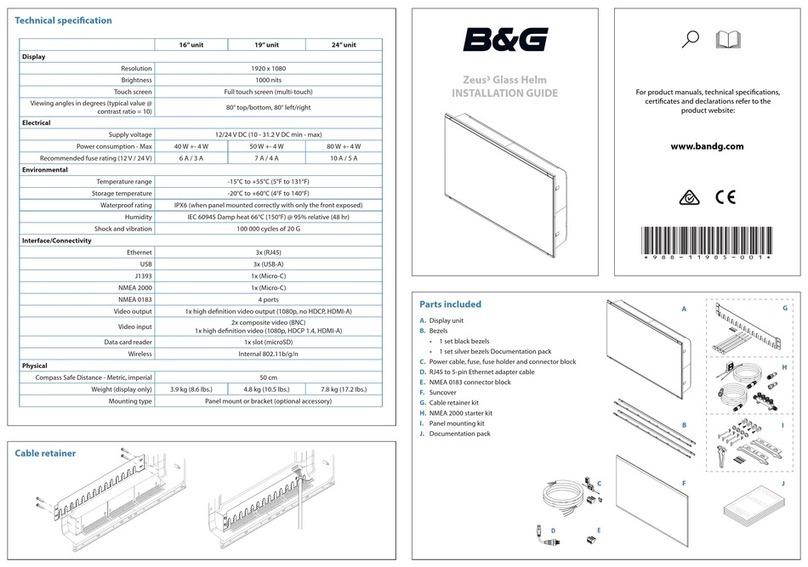
B&G Zeus3 Glass Helm Manuel utilisateur


