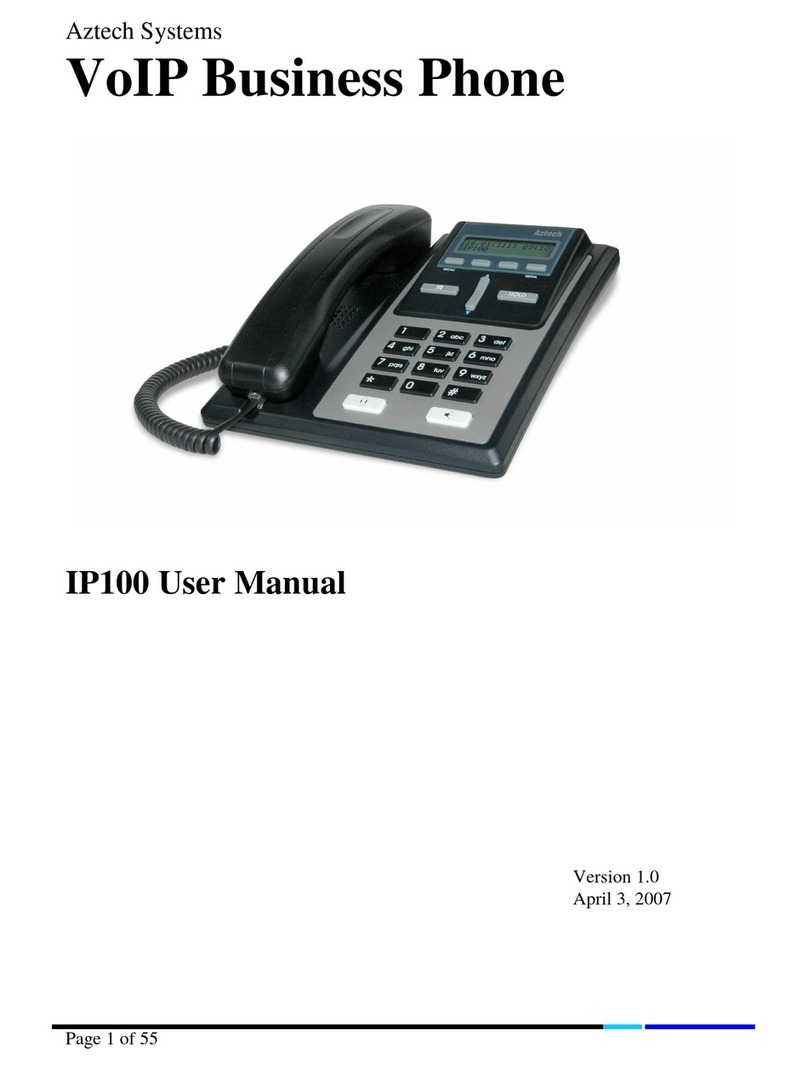
Aztech IP150 Manuel utilisateur

IP150 Phone
User Manual
VERSION 1.0

User Manual
Page 2 of 120
Safety Precautions
Do not open, service, or change any component.
Only qualified technical specialists are allowed to service the equipment.
Observe safety precautions to avoid electric shock.
Check voltage before connecting to the power supply. Connecting to the wrong
voltage will damage the equipment.
© 2006 Aztech Systems
All rights reserved. No part of this document may be reproduced, republished, or retransmitted in any form
or by any means whatsoever, whether electronically or mechanically, including, but not limited to, by way
of photocopying, recording, information recording, or through retrieval systems without the express written
permission of Aztech Systems Ltd. Aztech Systems Ltd reserves the right to revise this document at any
time without the obligation to notify any person and/or entity of such revisions and/or changes.
All other company or product names mentioned are used for identification purposes only and may be
trademarks of their respective owners.

User Manual
Page 3 of 120
Contents
About this Manual......................................... 8
Target Audience ......................................................................8
Document Structure ................................................................8
About the Product ......................................... 9
Package Contents ....................................................................9
Keypad ...................................................................................10
Function Key Defaults ......................................................................................12
Getting Started............................................ 13
Phone Assembly....................................................................14
Wall Mounting the Phone .....................................................15
Connecting the Phone...........................................................16
Initialization ...........................................................................17
Accessing the Web Interface ................................................19
TCP/IP Settings .................................................................................................20
Phone Interface........................................... 21
Navigation .............................................................................21
Menus ....................................................................................21
Call Forwarding Menu ......................................................................................22

User Manual
Page 4 of 120
Forwarding all calls .............................................................................................................22
Forward when Busy ............................................................................................................23
Forward when not answered .............................................................................................23
Phone Behavior Menu......................................................................................24
Call Waiting Indicator/Message .........................................................................................24
Function Keys.......................................................................................................................24
General Settings Menu.....................................................................................26
Contrast................................................................................................................................26
Lang......................................................................................................................................26
Headset Device Menu ......................................................................................27
Volume Settings Menu.....................................................................................27
Other Settings Menu ........................................................................................28
Timezone .............................................................................................................................28
Dial Tone ..............................................................................................................................29
Web Interface Menu.........................................................................................29
VLAN Settings Menu.........................................................................................30
System Info Menu ............................................................................................31
Configuration Menu..........................................................................................32
Reg .......................................................................................................................................32
Reset ....................................................................................................................................33
Reboot..................................................................................................................................33
DHCP.....................................................................................................................................33
SW Update Menu..............................................................................................34
Information Menu ............................................................................................35
IPAdr.....................................................................................................................................35
MAC ......................................................................................................................................35
Version .................................................................................................................................35
Address Book.........................................................................36
Add Entries........................................................................................................36
Edit Entries ........................................................................................................37
Call Lists.............................................................................................................38
Speed Dial.........................................................................................................39

User Manual
Page 5 of 120
Call Hold.................................................................................39
Call Transfer ...........................................................................39
Blind Transfer....................................................................................................39
Consultation Transfer........................................................................................40
Dialing....................................................................................40
Input Modes......................................................................................................40
Dialing a Phone Number..................................................................................40
Dialing an SIP address......................................................................................41
Dialing an IP address........................................................................................41
Number guessing .............................................................................................42
Terminating a call..................................................................42
Incoming Call .........................................................................42
Accepting a call ................................................................................................42
Blocking a call...................................................................................................43
Volume...................................................................................43
Mute.......................................................................................43
Handsfree...............................................................................43
Web Interface.............................................. 44
Accessing the Web Interface ...........................................................................44
Navigation.........................................................................................................45
Menus................................................................................................................45
Operation Menu.....................................................................46
Home.................................................................................................................46
Address Book ....................................................................................................46
Contact Types.......................................................................................................................46

User Manual
Page 6 of 120
Outgoing Identity ................................................................................................................47
Accessing the Address Book ...............................................................................................47
Add Entries...........................................................................................................................48
Edit Entries ...........................................................................................................................49
Delete Entries ......................................................................................................................50
Delete Address Book...........................................................................................................51
Export Address Book ...........................................................................................................52
Import Address Book...........................................................................................................53
Setup Menu............................................................................55
Preferences.......................................................................................................55
General Information............................................................................................................56
Redirection...........................................................................................................................58
DND ......................................................................................................................................60
Ringtones.............................................................................................................................61
Auto Answer ........................................................................................................................62
Privacy Settings ...................................................................................................................63
Lock Keyboard .....................................................................................................................64
Speed Dial.........................................................................................................65
Function Keys....................................................................................................66
Function Types.....................................................................................................................66
Editing Function Keys ..........................................................................................................74
Identities ...........................................................................................................75
Login Information................................................................................................................76
SIP Settings ..........................................................................................................................78
NAT Settings ........................................................................................................................81
RTP Settings .........................................................................................................................82
Action URLs .......................................................................................................83
Format..................................................................................................................................84
Trusted Certificates...........................................................................................85
Software Update...............................................................................................86
Firmware..............................................................................................................................86
Advanced Settings............................................................................................87
Network ...............................................................................................................................87
DNS.......................................................................................................................................88
Time .....................................................................................................................................89
HTTP......................................................................................................................................90

User Manual
Page 7 of 120
Phone Behavior ...................................................................................................................92
Keys......................................................................................................................................96
Logon/Logoff.......................................................................................................................97
Preselection .........................................................................................................................97
Audio....................................................................................................................................98
Advanced Network........................................................................................................... 100
LDAP .................................................................................................................................. 103
Update............................................................................................................................... 104
VLAN.................................................................................................................................. 105
Ethernet Ports................................................................................................................... 105
Debug................................................................................................................................ 107
SNMP................................................................................................................................. 107
Security ............................................................................................................................. 108
Upload Server Certificate ................................................................................................. 108
Upload Setting File manually........................................................................................... 109
Status Menu........................................................................ 110
System Information....................................................................................... 111
Log.................................................................................................................. 112
SIP Trace......................................................................................................... 114
DNS Cache...................................................................................................... 115
PCAP Trace ..................................................................................................... 116
Memory.......................................................................................................... 117
Settings .......................................................................................................... 118
Index......................................................... 119

User Manual
Page 8 of 120
About this Manual
This manual provides the installation procedure, operating instructions, and advanced
configuration options of the device.
Target Audience
This manual is designed and developed for users who are required to install and maintain
the device. It assumes the user of this manual has basic knowledge and experience in
configuring IP phones, telephone exchange networks, and computer systems.
Document Structure
The manual is divided into the following sections:
Chapter About
2 About the product
3 Getting Started
4 About the Phone Interface
5 About the Web Interface
6 Index

User Manual
Page 9 of 120
About the Product
IP 150 is a communication device designed to take full advantage of VoIP technology
while offering the convenience and ease of use expected from a business phone.
Package Contents
The package contains the following items:
Base unit
Handset
Handset cable
Footstand
Power supply
Drill template

User Manual
Page 10 of 120
Keypad
Key Name Function
Navigation Key Used for navigating the display and phone book menus
Enter Confirms an action, selection, or input
Cancel Cancels an action or input
Message Indicates unread messages
Volume Adjusts the volume
Speaker Turns the speaker on or off
Keys to , , and are used to enter digits and letters. Different results occur
depending on the operating mode:
Entry of digits only when dialing a phone number)
Entry of letters and digits when the keys are pressed repeatedly (similar to a
cellular phone)
Table des matières
Autres manuels Aztech Téléphone IP