Avid Technology Pro Tools S6 Master Post Module Manuel utilisateur

S6 Automation Module

Legal Notices
© 2013 Avid Technology, Inc., (“Avid”), all rights reserved. This guide may not
be duplicated in whole or in part without the written consent of Avid.
003, 192 Digital I/O, 192 I/O, 96 I/O, 96i I/O, Adrenaline, AirSpeed, ALEX,
Alienbrain, AME, AniMatte, Archive, Archive II, Assistant Station, AudioPages,
AudioStation, AutoLoop, AutoSync, Avid, Avid Active, Avid Advanced
Response, Avid DNA, Avid DNxcel, Avid DNxHD, Avid DS Assist Station,
Avid Ignite, Avid Liquid, Avid Media Engine, Avid Media Processor,
Avid MEDIArray, Avid Mojo, Avid Remote Response, Avid Unity, Avid Unity
ISIS, Avid VideoRAID, AvidRAID, AvidShare, AVIDstripe, AVX, Beat Detective,
Beauty Without The Bandwidth,Beyond Reality,BF Essentials,Bomb Factory,
Bruno, C|24, CaptureManager, ChromaCurve, ChromaWheel,
Cineractive Engine, Cineractive Player, Cineractive Viewer, Color Conductor,
Command|8, Control|24, Cosmonaut Voice, CountDown, d2, d3, DAE,
D-Command, D-Control, Deko, DekoCast, D-Fi, D-fx, Digi 002, Digi 003,
DigiBase, Digidesign, Digidesign Audio Engine, Digidesign Development
Partners, Digidesign Intelligent Noise Reduction, Digidesign TDM Bus,
DigiLink, DigiMeter, DigiPanner, DigiProNet, DigiRack, DigiSerial, DigiSnake,
DigiSystem, Digital Choreography, Digital Nonlinear Accelerator, DigiTest,
DigiTranslator, DigiWear, DINR, DNxchange, Do More, DPP-1, D-Show,
DSP Manager, DS-StorageCalc, DV Toolkit, DVD Complete, D-Verb, Eleven,
EM, Euphonix, EUCON, EveryPhase, Expander, ExpertRender, Fairchild,
FastBreak, Fast Track, Film Cutter, FilmScribe, Flexevent, FluidMotion,
Frame Chase, FXDeko, HD Core, HD Process, HDpack, Home-to-Hollywood,
HyperSPACE, HyperSPACE HDCAM, iKnowledge, Impact, Improv, iNEWS,
iNEWS Assign, iNEWS ControlAir, InGame, Instantwrite, Instinct,
Intelligent Content Management, Intelligent Digital Actor Technology,
IntelliRender, Intelli-Sat, Intelli-Sat Broadcasting Recording Manager, InterFX,
Interplay, inTONE, Intraframe, iS Expander, iS9, iS18, iS23, iS36, ISIS,
IsoSync, LaunchPad, LeaderPlus, LFX, Lightning, Link & Sync, ListSync,
LKT-200, Lo-Fi, MachineControl, Magic Mask, Make Anything Hollywood,
make manage move|media,Marquee,MassivePack,MassivePackPro,Maxim,
Mbox, Media Composer, MediaFlow, MediaLog, MediaMix, Media Reader,
Media Recorder,MEDIArray,MediaServer,MediaShare,MetaFuze,MetaSync,
MIDI I/O, Mix Rack, Moviestar, MultiShell, NaturalMatch, NewsCutter,
NewsView, NewsVision, Nitris, NL3D, NLP, NSDOS, NSWIN, OMF,
OMF Interchange, OMM, OnDVD, Open Media Framework,
Open Media Management, Painterly Effects, Palladium, Personal Q, PET,
Podcast Factory, PowerSwap, PRE, ProControl, ProEncode, Profiler,
Pro Tools, Pro Tools|HD, Pro Tools LE, Pro Tools M-Powered, Pro Transfer,
QuickPunch, QuietDrive, Realtime Motion Synthesis, Recti-Fi,
Reel Tape Delay, Reel Tape Flanger, Reel Tape Saturation, Reprise,
Res Rocket Surfer, Reso, RetroLoop, Reverb One, ReVibe, Revolution, rS9,
rS18, RTAS, Salesview, Sci-Fi, Scorch, ScriptSync,
SecureProductionEnvironment, Shape-to-Shape, ShuttleCase, Sibelius,
SimulPlay, SimulRecord, Slightly Rude Compressor, Smack!, Soft SampleCell,
Soft-Clip Limiter, SoundReplacer, SPACE, SPACEShift, SpectraGraph,
SpectraMatte, SteadyGlide, Streamfactory, Streamgenie, StreamRAID,
SubCap,Sundance,Sundance Digital,SurroundScope,Symphony,SYNC HD,
SYNC I/O, Synchronic, SynchroScope, Syntax, TDM FlexCable, TechFlix,
Tel-Ray, Thunder, TimeLiner, Titansync, Titan, TL Aggro, TL AutoPan,
TL Drum Rehab, TL Everyphase, TL Fauxlder, TL In Tune, TL MasterMeter,
TL Metro, TL Space, TL Utilities, tools for storytellers, Transit, TransJammer,
Trillium Lane Labs, TruTouch, UnityRAID, Vari-Fi, Video the Web Way,
VideoRAID, VideoSPACE, VTEM, Work-N-Play, Xdeck, X-Form, and XMON
are either registered trademarks or trademarks of Avid Technology, Inc. in the
United States and/or other countries.
Bonjour, the Bonjour logo, and the Bonjour symbol are trademarks of Apple
Computer, Inc.
Thunderbolt and the Thunderbolt logo are trademarks of Intel Corporation in the
U.S. and/or other countries.
This product may be protected by one or more U.S. and non-U.S. patents.
Details are available at www.avid.com/patents.
Product features, specifications, system requirements, and availability are
subject to change without notice..
Guide Part Number 9329-65270-00 REV A 12/13

S6 Automation Module iii
Chapter 1. Introduction . . . . . . . . . . . . . . . . . . . . . . . . . . . . . . . . . . . . . . . . . . . . . . . . . . . . . . . . . . . . . . . . . . . . . . . . . . . . . . 1
Module Capabilities and Features . . . . . . . . . . . . . . . . . . . . . . . . . . . . . . . . . . . . . . . . . . . . . . . . . . . . . . . . . . . . . . . . . 1
System Requirements and Compatibility. . . . . . . . . . . . . . . . . . . . . . . . . . . . . . . . . . . . . . . . . . . . . . . . . . . . . . . . . . . . . 2
Registration. . . . . . . . . . . . . . . . . . . . . . . . . . . . . . . . . . . . . . . . . . . . . . . . . . . . . . . . . . . . . . . . . . . . . . . . . . . . . . . . . . 2
About www.avid.com. . . . . . . . . . . . . . . . . . . . . . . . . . . . . . . . . . . . . . . . . . . . . . . . . . . . . . . . . . . . . . . . . . . . . . . . . . . 2
Chapter 2. S6 Automation Module Connections. . . . . . . . . . . . . . . . . . . . . . . . . . . . . . . . . . . . . . . . . . . . . . . . . . . . . . . . . . 3
Connecting a Single Module . . . . . . . . . . . . . . . . . . . . . . . . . . . . . . . . . . . . . . . . . . . . . . . . . . . . . . . . . . . . . . . . . . . . . 3
Chapter 3. S6 Automation Module Overview . . . . . . . . . . . . . . . . . . . . . . . . . . . . . . . . . . . . . . . . . . . . . . . . . . . . . . . . . . . . 4
Top Panel Controls and Displays . . . . . . . . . . . . . . . . . . . . . . . . . . . . . . . . . . . . . . . . . . . . . . . . . . . . . . . . . . . . . . . . . . 5
Appendix A. Specifications. . . . . . . . . . . . . . . . . . . . . . . . . . . . . . . . . . . . . . . . . . . . . . . . . . . . . . . . . . . . . . . . . . . . . . . . . . 11
Mechanical . . . . . . . . . . . . . . . . . . . . . . . . . . . . . . . . . . . . . . . . . . . . . . . . . . . . . . . . . . . . . . . . . . . . . . . . . . . . . . . . . 11
Environmental. . . . . . . . . . . . . . . . . . . . . . . . . . . . . . . . . . . . . . . . . . . . . . . . . . . . . . . . . . . . . . . . . . . . . . . . . . . . . . . 11
Dimensions. . . . . . . . . . . . . . . . . . . . . . . . . . . . . . . . . . . . . . . . . . . . . . . . . . . . . . . . . . . . . . . . . . . . . . . . . . . . . . . . . 12
Appendix B. Compliance Information . . . . . . . . . . . . . . . . . . . . . . . . . . . . . . . . . . . . . . . . . . . . . . . . . . . . . . . . . . . . . . . . . 13
Environmental Compliance . . . . . . . . . . . . . . . . . . . . . . . . . . . . . . . . . . . . . . . . . . . . . . . . . . . . . . . . . . . . . . . . . . . . . 13
EMC (Electromagnetic Compliance). . . . . . . . . . . . . . . . . . . . . . . . . . . . . . . . . . . . . . . . . . . . . . . . . . . . . . . . . . . . . . . 14
Safety Compliance . . . . . . . . . . . . . . . . . . . . . . . . . . . . . . . . . . . . . . . . . . . . . . . . . . . . . . . . . . . . . . . . . . . . . . . . . . . 15
Contents

Chapter 1: Introduction 1
Chapter 1: Introduction
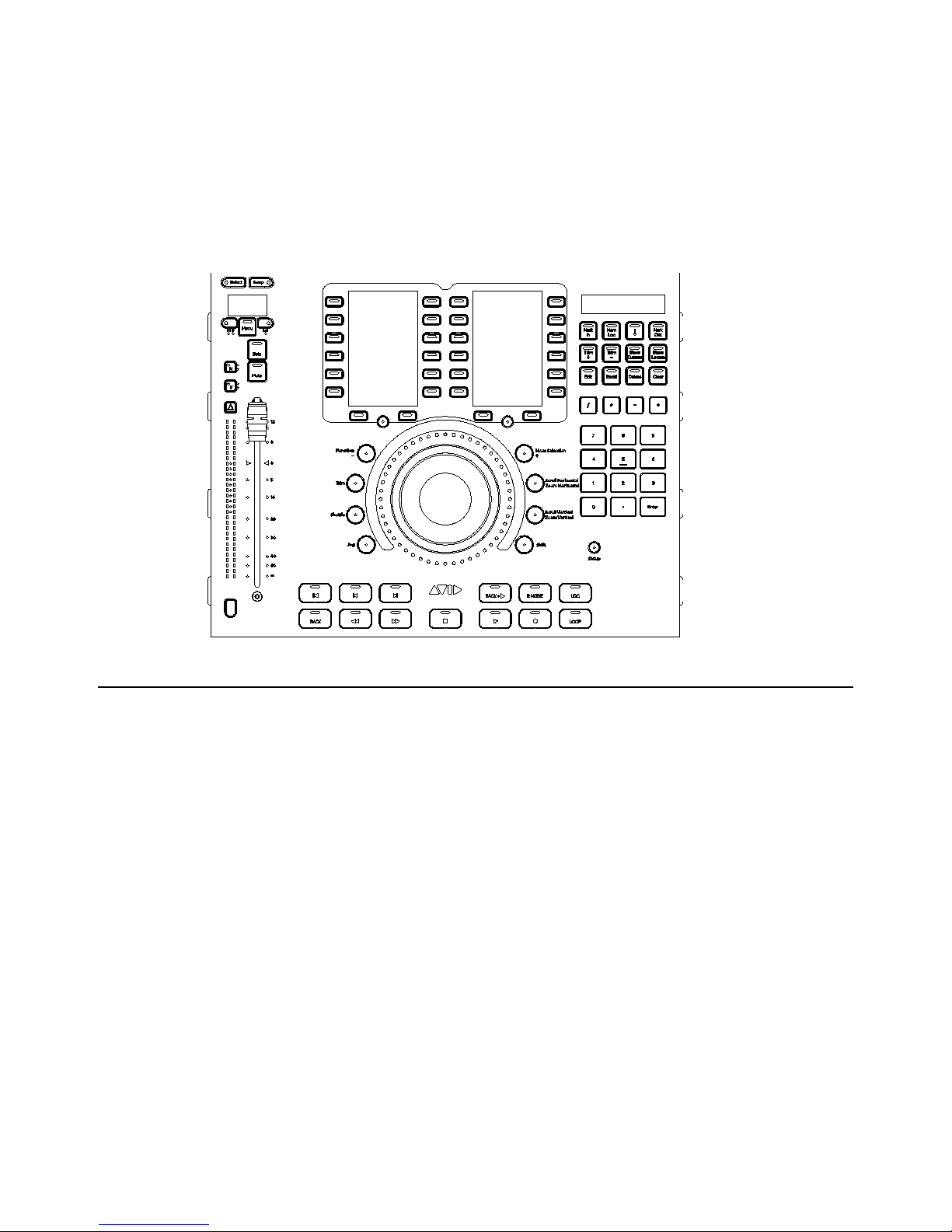
The Avid®S6 Automation Module is the transport and automation master section module. It provides switches for time code and
transport operations, a Jog wheel, a numeric keypad, two banks of Soft Keys, and a fader strip.
Module Capabilities and Features
• 1 (one) fader strip
• 1 (one) Jog/Shuttle Wheel with Wheel mode switches
• Transport switches
• Numeric Keypad
• 2 (two) banks of Soft Key, each with high resolution TFT display
• Setup switch
• Timecode and Locate display and controls
• 2-pin 12V Power
• 1000-BaseT (Gigabit) Ethernet RJ45 connector
Automation Module

Chapter 1: Introduction 2
System Requirements and Compatibility
Avid can only assure compatibility and provide support for hardware and software it has tested and approved.
For complete system requirements and a list of qualified computers, operating systems, hard drives, and third-party devices, visit:
www.avid.com/compatibility
Registration
Review the enclosed Registration Information Card and follow the instructions on it to register your purchase online.
By registering, you become eligible to receive the following:
• Technical support information
• Software update and upgrade notices
• Hardware warranty information
About www.avid.com
The Avid website (www.avid.com) is your best online source for information to help you get the most out of your Pro Tools
system. The following are just a few of the services and features available.
Product Registration
Register your purchase online.
Support and Downloads
Contact Avid Customer Success (technical support); download software updates and the latest online
manuals; browse the Compatibility documents for system requirements; search the online Knowledge Base or join the worldwide
Pro Tools community on the User Conference.
Training and Education
Study on your own using courses available online or find out how you can learn in a classroom setting at
a certified Pro Tools training center.
Products and Developers
Learn about Avid products; download demo software or learn about our Development Partners and their
plug-ins, applications, and hardware.
News and Events
Get the latest news from Avid or sign up for a demo.

Chapter 2: S6 Automation Module Connections 3
Chapter 2: S6 Automation Module Connections
Connecting a Single Module
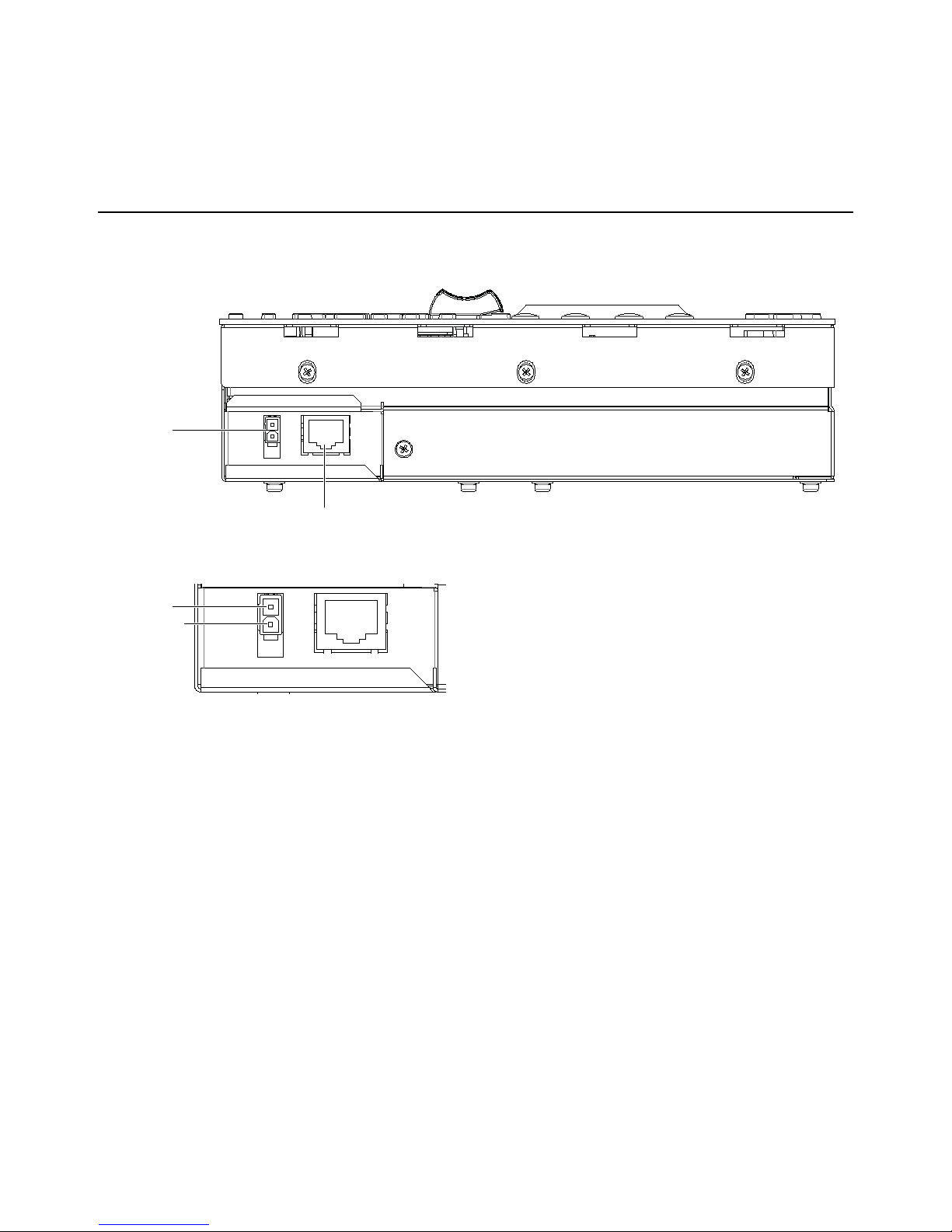
Connectors for power and Ethernet are located along the side of the module.
The Automation Module is powered by 12 V DC. The power input connector is a 2-conductor Molex.
Power
Gigabit Ethernet RJ45
+12V
0V

Chapter 3: S6 Automation Module Overview 4
Chapter 3: S6 Automation Module Overview
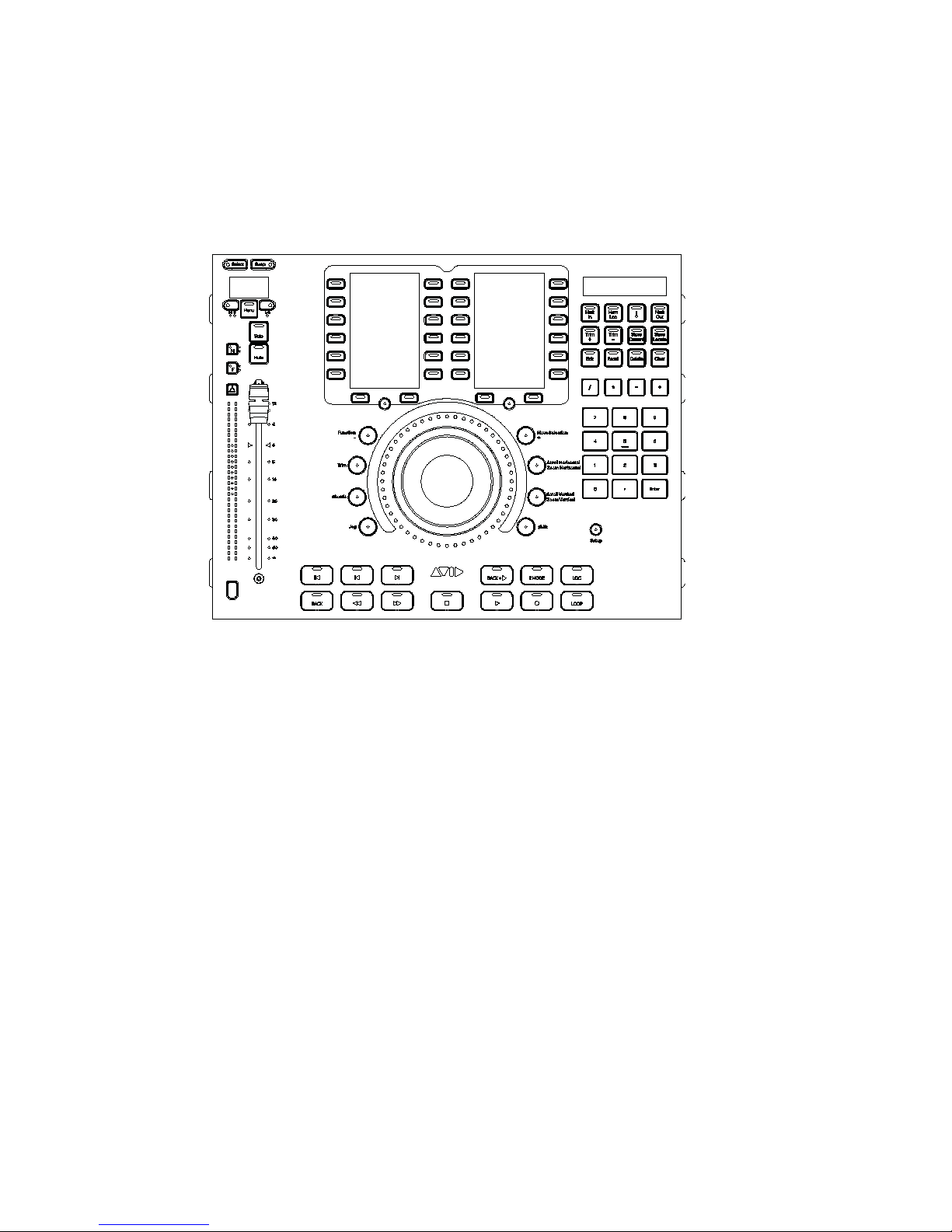
This chapter identifies the hardware features on the Automation Module.
Automation Module

Chapter 3: S6 Automation Module Overview 5
Top Panel Controls and Displays
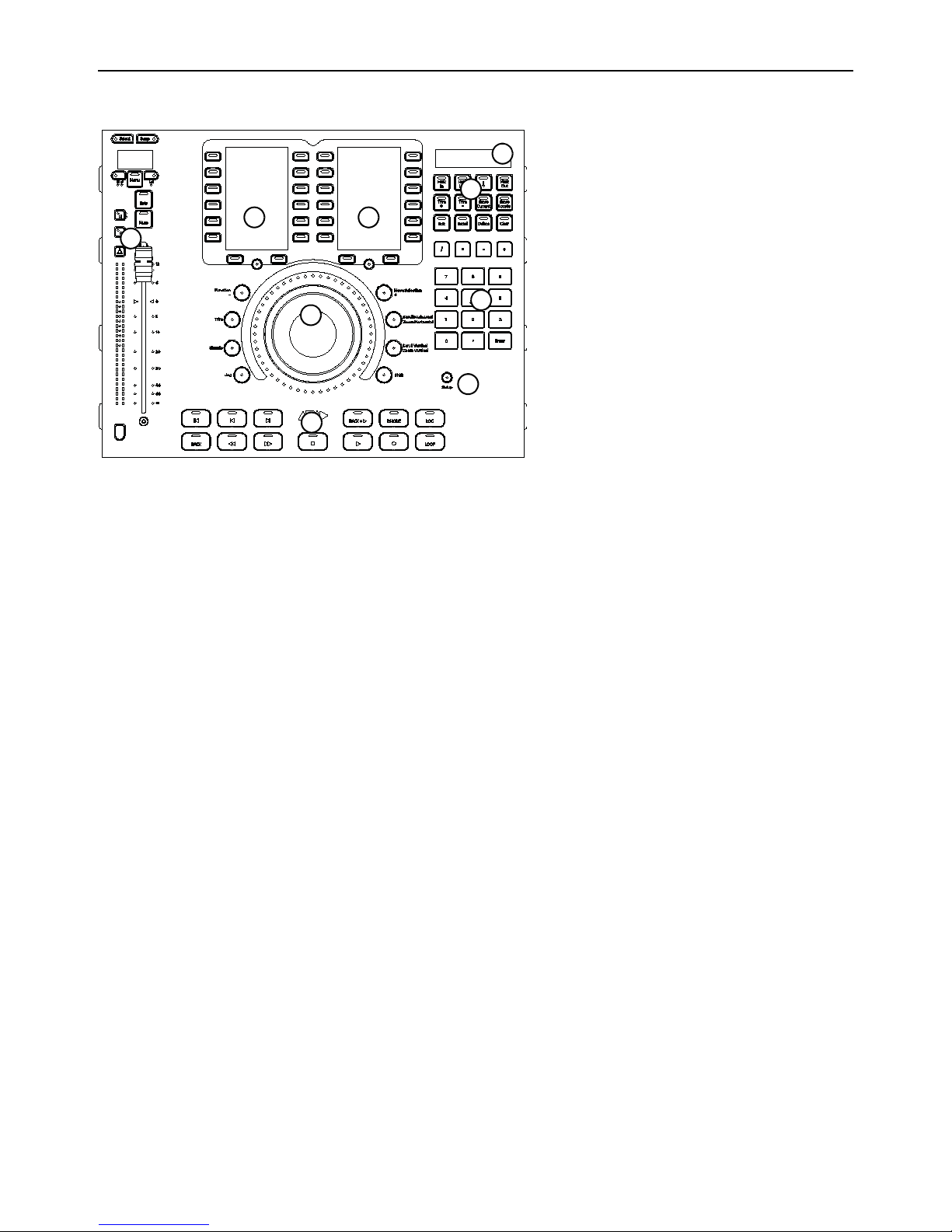
Main Sections
1. Attention Track Fader
2. Soft Keys
3. Jog Wheel
4. Locate Controls
5. Timecode Display
6. Transport Controls
7. Numeric Keypad
8. Setup
Automation Module
1
2
3
4
5
6
7
8
2

Chapter 3: S6 Automation Module Overview 6
1. Attention Track Fader
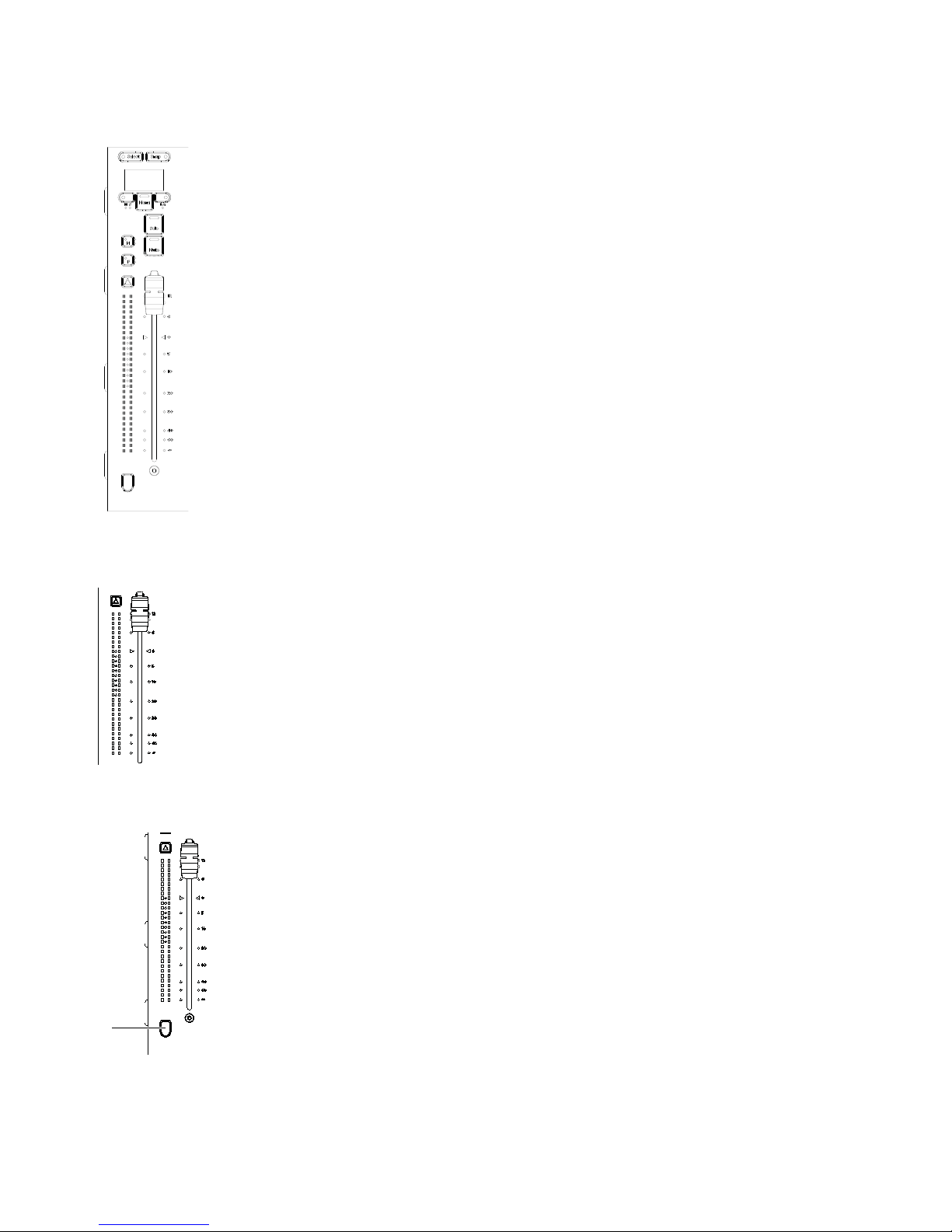
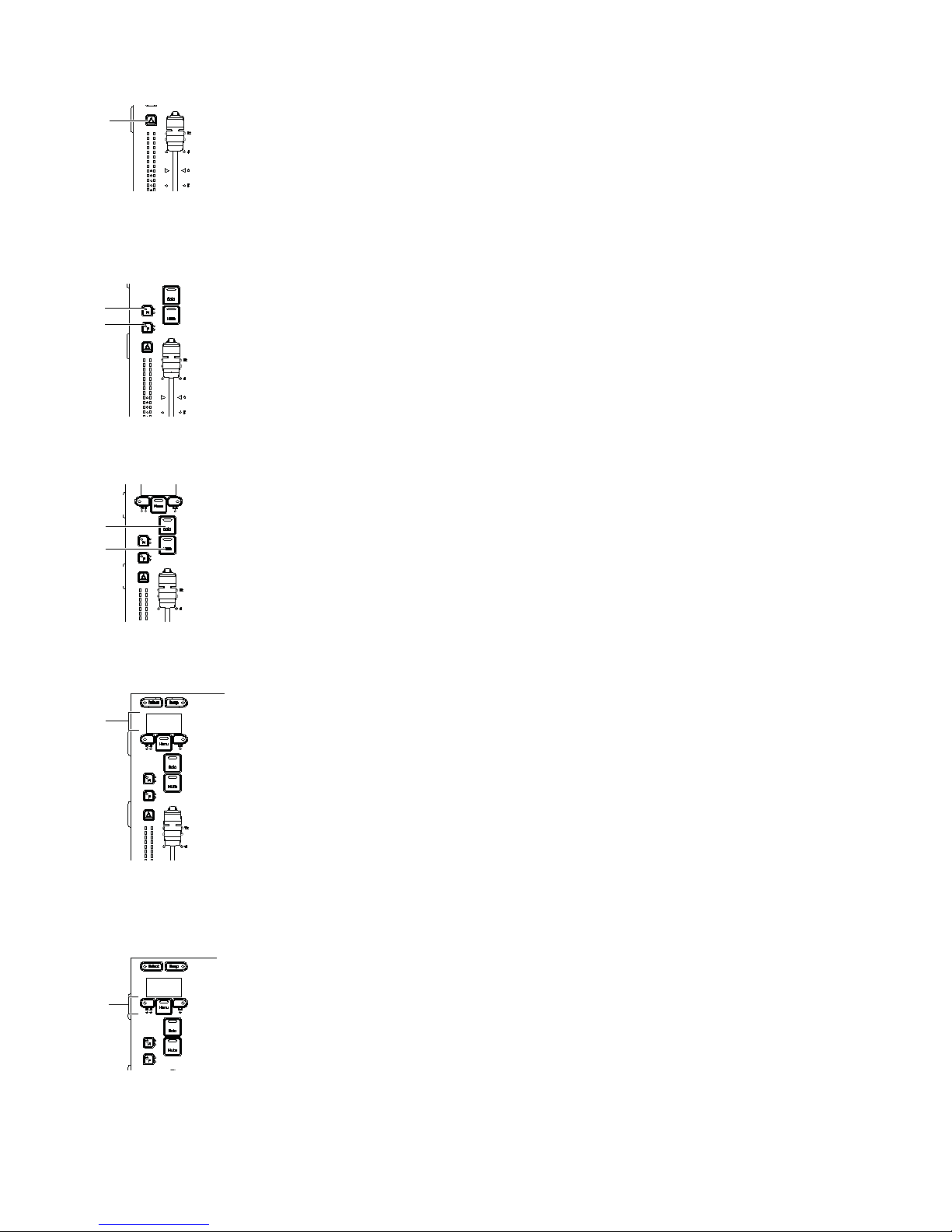
The Attention Fader provides a fader strip with dual LED meters, controls and displays.
Channel Fader and Meters
Track Color/Modifier Switch

Chapter 3: S6 Automation Module Overview 7
Attention Key
Automation Punch
The Attention Track provides two Automation Punch switches Fand M, each with two Automation Indicator LEDs.
Mute and Solo Switches
OLED (Display)
Menu Switches
Menu switches include Menu Left, Menu, and Menu Down.
Autres manuels pour Pro Tools S6 Master Post Module
7
Table des matières
Autres manuels Avid Technology Matériel de musique

Avid Technology
Avid Technology SC263 Manuel utilisateur

Avid Technology
Avid Technology DF70 Manuel utilisateur

Avid Technology
Avid Technology Pro Tools S6 Master Post Module Manuel utilisateur

Avid Technology
Avid Technology SC264 Manuel utilisateur

Avid Technology
Avid Technology Pro Tools S6 Master Post Module Manuel utilisateur

Avid Technology
Avid Technology Personal Q Manuel utilisateur

Avid Technology
Avid Technology Pro Tools Quartet Manuel utilisateur