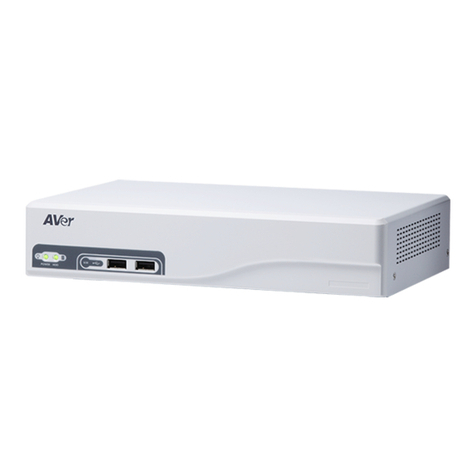
AVer EXR6004 Mini Manuel d'instructions

EXR6004 Mini
4 CH Pure NVR
Quick User Guide


COPYRIGHT
© 2011 AVer Information Inc. All rights reserved.
No part of this document may be reproduced or transmitted in any form, or by any means without the
prior written permission of AVer Information Inc. AVer Information Inc. reserves the rights to modify its
models, including their characteristics, specifications, accessories and any other information stated
herein without notice. The official printout of any information shall prevail should there be any
discrepancy between the information contained herein and the information contained in that printout.
TRADEMARKS
“AVer” is a trademark owned by AVer Information Inc. Other trademarks used herein for description
purpose only belong to each of their companies.
NOTICE
SPECIFICATIONS ARE SUBJECT TO CHANGE WITHOUT PRIOR NOTICE.
THE INFORMATION CONTAINED HEREIN IS TO BE CONSIDERED FOR REFERENCE ONLY.
WARNING
TO REDUCE RISK OF FIRE OR ELECTRIC SHOCK. DO NOT EXPOSE THIS APPLIANCE TO RAIN
OR MOISTURE.
WARRANTY VOID FOR ANY UNAUTHORIZED PRODUCT MODIFICATION.
INFORMATION
For more information, please refer to the user manual in the software CD.


Table of Contents
Package Contents............................................................................................English-1
Hardware Installation .......................................................................................English-2
A. Install Hard Disk........................................................................................English-2
B. Device Connection....................................................................................English-3
For the First Time Using the DVR Unit.............................................................English-4
Familiarizing the Buttons in Preview Mode ......................................................English-5
Familiarizing the Buttons in Playback Mode.....................................................English-7
包裝內容物.................................................................................................... 繁體中文-1
硬體安裝..........................................................................................................................繁體中文-2
A. 安裝硬碟................................................................................................ 繁體中文-2
B. 連接相關裝置 ........................................................................................ 繁體中文-3
首次使用監控系統 ......................................................................................... 繁體中文-4
監控模式功能介紹 ......................................................................................... 繁體中文-5
回放模式功能介紹 ......................................................................................... 繁體中文-7
Contenu du carton............................................................................................French-1
Installation du matériel .....................................................................................French-2
A. Installation du disque dur..........................................................................French-2
B. Branchement de l’appareil ........................................................................French-3
Première utilisation du magnétoscope numérique DVR...................................French-4
Identification des boutons en mode prévisualisation........................................French-5
Identification des boutons en mode lecture......................................................French-7
Packungsinhalt................................................................................................German-1
Hardware Installation ......................................................................................German-2
A. Installieren einer Festplatte......................................................................German-2
B. Geräteanschluss......................................................................................German-3
Erste Benutzung des DVR- EXR6004.............................................................German-4
Kennenlernen der Funktionen im Vorschau-Modus........................................German-5
Kennenlernen der Funktionen im Wiedergabe-Modus....................................German-7
Contenuto della confezione................................................................................Italian-1
Installazione dell’hardware .................................................................................Italian-2
A. Installazione del disco rigido.......................................................................Italian-2
B. Collegamento dispositivi.............................................................................Italian-3
Primo utilizzo dell'unità DVR..............................................................................Italian-4
Introduzione ai tasti della modalità anteprima....................................................Italian-5
Introduzione ai tasti della modalità riproduzione................................................Italian-7

パッケージの内容物..............................................................................................日本語-1
ハードウェアの取り付け..........................................................................................日本語-2
A. ハードディスクの取り付け ...............................................................................日本語-2
B. デバイスの接続............................................................................................日本語-3
DVR ユニットを初めて使う場合 ..............................................................................日本語-4
プレビューモードのボタン操作について ......................................................................日本語-5
再生モードのボタン操作について ............................................................................日本語-7
Conteúdo da embalagem.......................................................................... Portuguese-1
Instalação do hardware............................................................................. Portuguese-2
A. Instalação da unidade de disco rígido................................................ Portuguese-2
B. Ligação do dispositivo ....................................................................... Portuguese-3
Ao usar o DVR pela primeira vez.............................................................. Portuguese-4
Conheça os botões no modo de pré-visualização .................................... Portuguese-5
Conheça os botões no modo de reprodução............................................ Portuguese-7
Contenido del paquete....................................................................................Spanish-1
Instalar el hardware.........................................................................................Spanish-2
A. Instalar el disco duro................................................................................Spanish-2
B. Conexión de dispositivos.........................................................................Spanish-3
Primer uso de la unidad DVR..........................................................................Spanish-4
Familiarizarse con los botones del modo de vista previa................................Spanish-5
Familiarizarse con los botones en el modo de reproducción ..........................Spanish-7

English-1
ENGLISH
NOTICE
SPECIFICATIONS ARE SUBJECT TO CHANGE WITHOUT PRIOR NOTICE.
THE INFORMATION CONTAINED HEREIN IS TO BE CONSIDERED FOR REFERENCE ONLY.
WARNING
TO REDUCE RISK OF FIRE OR ELECTRIC SHOCK. DO NOT EXPOSE THIS APPLIANCE TO
RAIN OR MOISTURE.
WARRANTY VOID FOR ANY UNAUTHORIZED PRODUCT MODIFICATION.
Package Contents
(1)
(2)
(3)
(4)
(5)
(6)
(7)
(1) AVerTM EXR6004 Mini unit
(2) Quick Installation Guide
(3) Software CD (Manual is included)
(4) USB optical mouse
(5) Power Adaptor
(6) Power Cord (*The power cord may vary according
to the local electricity system.)
(7) HDD holder (including 8 screws)
i
If there is any damage, shortage or inappropriate item in the package contents, please
contact with local dealer

English-2
Hardware Installation
A. Install the hard disk
i
The DVR unit may include hard disk that depends on the model user has purchased. If the
model user has purchased is included hard disk, user doesn’t need to install the hard disk by
yourself.
Follow the steps to install the hard disk:
1. Loosen all screws
2. Push the cover backward and lift
3. Secure the HDD holder on the hard disk.
The position to screw the HDD holder on
hard disk must same as figure shown.
Otherwise, the hard disk won’t be able to fit
into inside the DVR unit.
4. Connect the SATA cable and the power
connector to the hard disk
5. Secure the hard disk inside the unit then
place unit cover
6. Push the cover forward and secure the
cover
7. You may now connect all the cables. When the power is connected, the Power LED light
turns on.

English-3
ENGLISH
B. Device Connection
The back panel of the DVR unit, user can connect the 4 sensor devices, 1 alarm device, audio
input/output device and an external HDD storage device. Through the dual Gigabit LAN ports can
connect with the IP cameras and allows user to remote access the DVR server. The USB ports can
connect the mouse and keyboard for more easily to operate DVR server.
Follow the illustration below to make the connection:
i
Both two LAN ports can be connecting with IP camera and for remote accessing.

English-4
For the First Time Using the DVR Unit
i
The DVR system starts up will take a while, please be patient and wait.
Step 1. Connect the mouse to DVR unit(through USB interface).
Step 2. Power on the DVR unit. The preview UI will appear on the surveillance screen.
i
For security purpose, the DVR system would require you to enter User ID and Password
before it can be accessed. (If this is the first time, enter the default ID [admin] and password
[admin]).
Step 3. Formatting hard disk
i
If the hard disk has been format, skip this step.
a. Click Setup and enter the password
b. Click System → Add
c. Select the hard disk from device list and select Format type
d. Click Format button to start formatting
e. When formatting is done, click OK.
Step 4. Setup the date and time in order to have correct recording time and date.
a. Click Setup and enter the password
b. In Time section, click Setting button of System Time.
c. Select the date and adjust the time, and then, click OK.
Step 5. Connecting IP Camera
a. Click Setup → Camera
b. Select camera channel and type of camera –IP Camera
c. Then, enable the camera
d. Click IP Setting
Table des matières
Langues :
Autres manuels AVer DVR

AVer
AVer IWH5416 Touch II SB-51A05 Manuel utilisateur

AVer
AVer EH6108H Manuel utilisateur

AVer
AVer EH1116H-4 Nano Manuel utilisateur

AVer
AVer EH1000H-4 Nano+ Mode d’emploi

AVer
AVer IWH5000 Series Manuel utilisateur

AVer
AVer EH6108H Manuel d'instructions

AVer
AVer EH1000H-4 Nano+ Manuel utilisateur

AVer
AVer EH1000H-4 Nano+ Manuel utilisateur

AVer
AVer EH1004 Manuel utilisateur

AVer
AVer E1000 Series Manuel utilisateur