
Avalla S-80 Manuel utilisateur
Air Conditioner
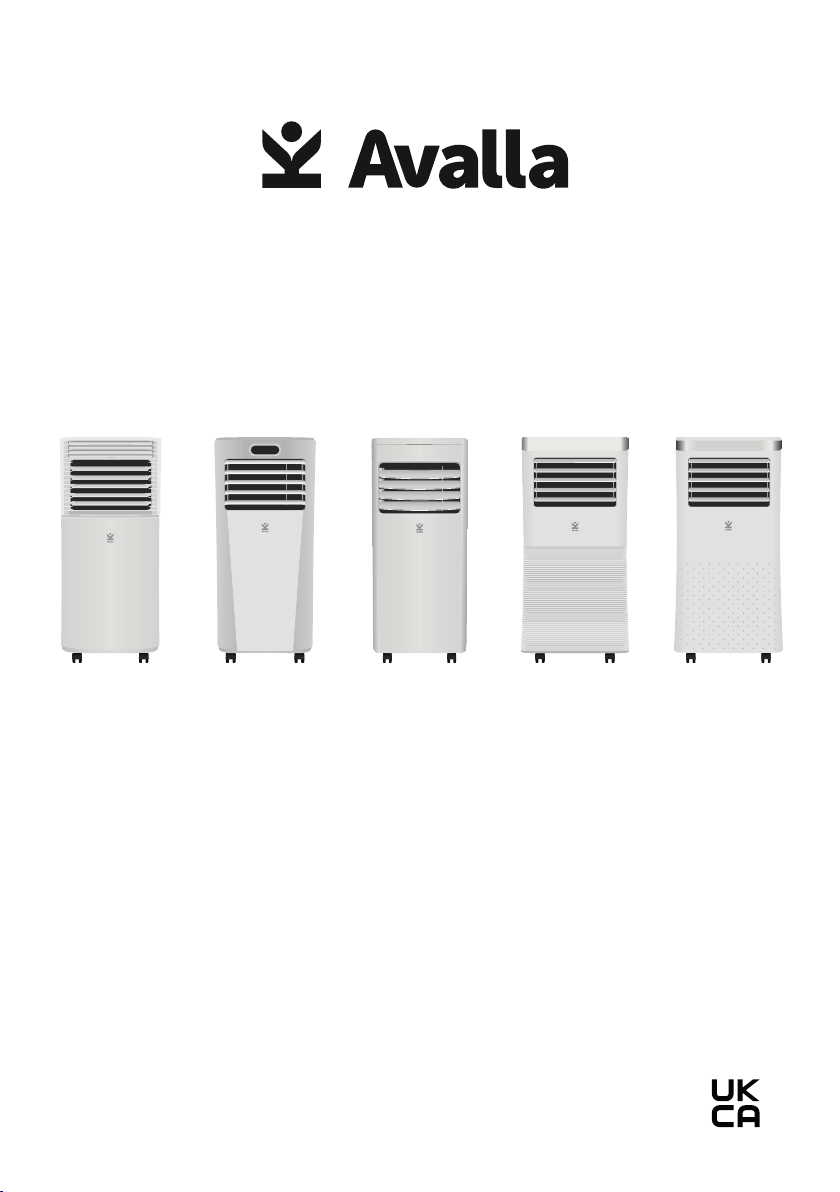
S-80 S-95 S-150 S-200 S-290
Read this manual carefully before use and keep it for future
reference. Failure to do so may result in injury, property
damage and may void the warranty.

02
Contents
02 Contents
03 Quick start guide
• Hose connection and setup
04 Parts guide: S-80
05 Parts guide: S-95
06 Parts guide: S-150
07 Parts guide: S-200
08 Parts guide: S-290
09 Features and guidance
• Settings
10 • Remote Control
• Timer function
11 • Built-in automatic protections
•
•
12 • Drainage
• Storage
• Disposal
13 Troubleshooting
13 Symbols from the unit
14 Health and safety
• General safety instructions
15 • Servicing safety precautions
16 • Connection to the power supply
03
Quick start guide
Hose connection and setup
Place the unit on a level surface with at least 50cm of free space
around it, to allow good air circulation. Allow the unit to stand
upright for at least 24 hours after delivery or being stored on its side.
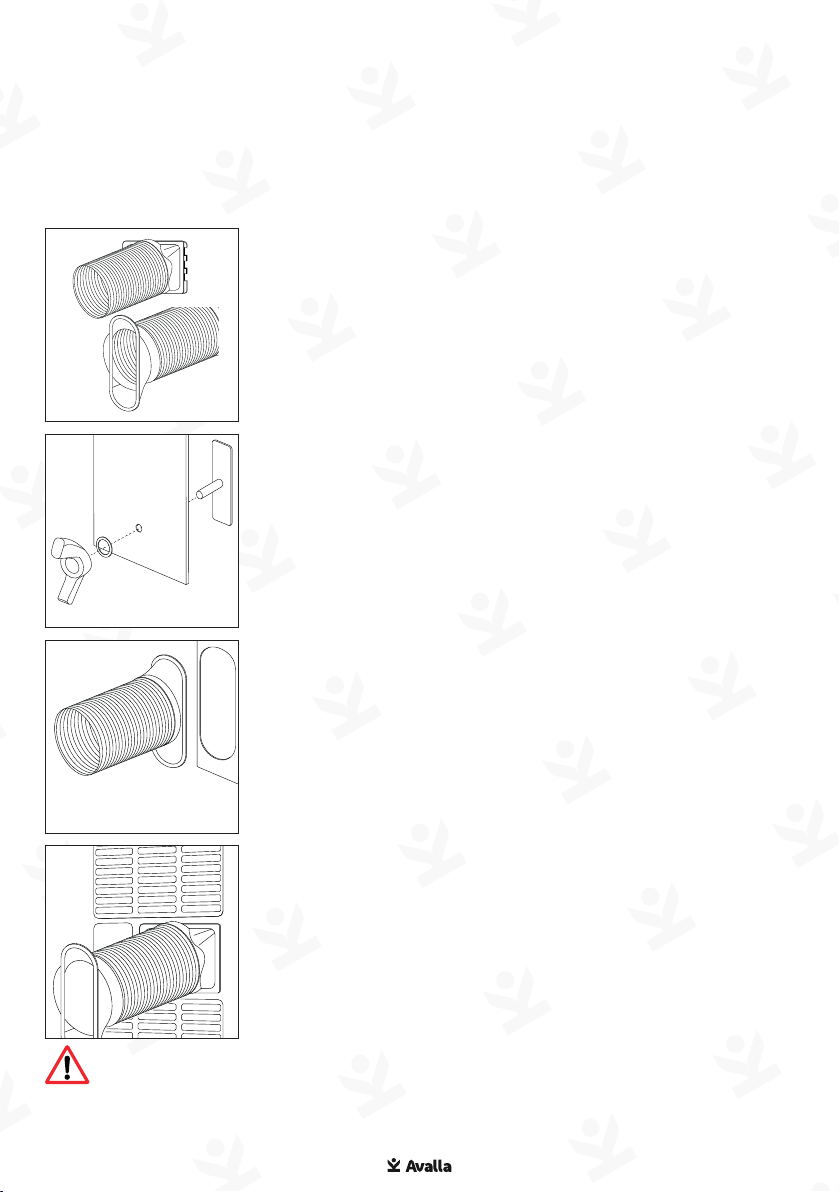
Attach the hose connector to one end of the
exhaust hose.
If using the window kit, attach the windows kit
adapter to the other end of the exhaust hose.
Extend the window kit to the height of your
window. Attach the exhaust hose to the
window kit.
Close your window to secure the window kit in
place.
Insert the fastening clasp into the window kit
and secure with washer and wingnut.
Attach the hose connector to the air exhaust
on the unit, then connect to a mains power
supply and turn the unit on.
Warning: Do not operate near combustible or explosive
materials, heat sources, or any objects that may block air inlet
and outlet. Keep the air inlet and outlet free of obstacles. Only use
in rooms that exceed the size stated on the unit rating plate.
04
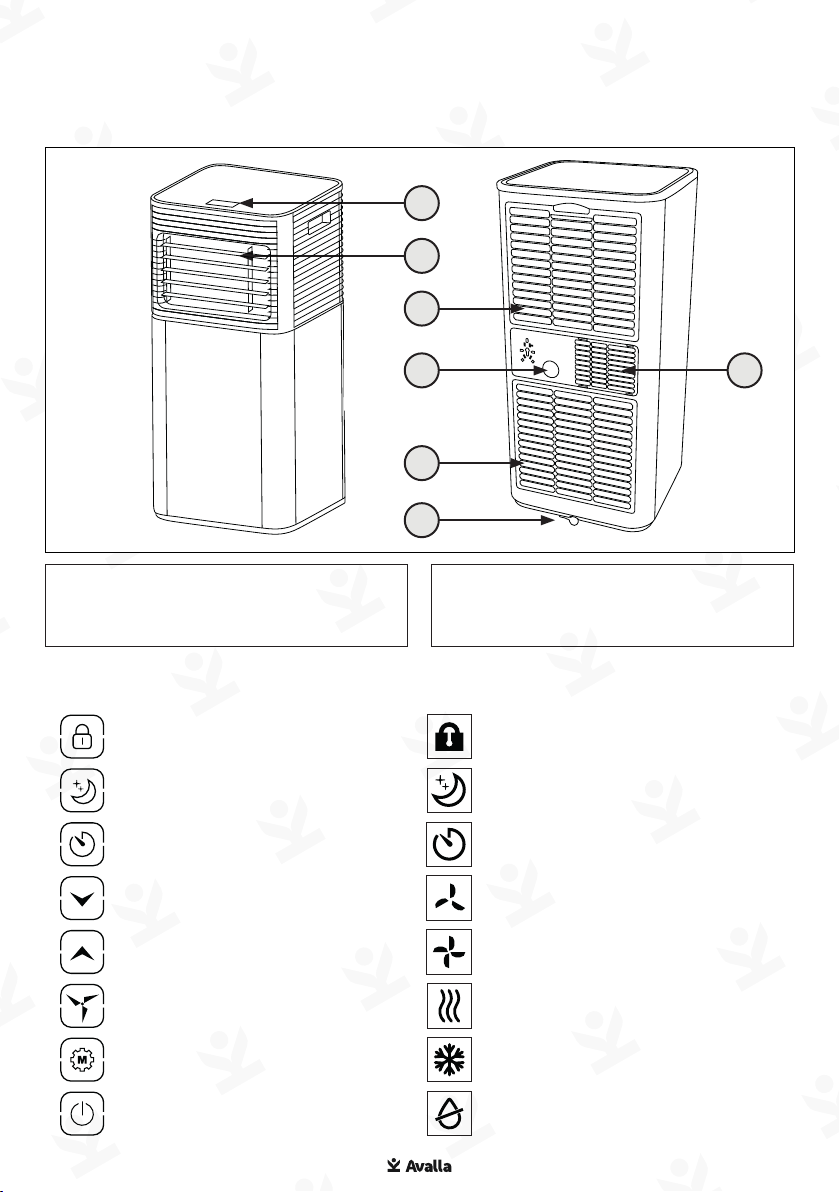
Parts guide: S-80
Touch controls Display
01. Control panel
02. Adjustable cool air outlet
03. Filtered air inlet
04. Continuous drain outlet
05. Air exhaust
06. Drain outlet
Lock
Sleep
Timer
Up
Down
Speed
Mode
Power
Lock active
Sleep active
Timer active
Low speed
High speed
Fan mode
Cool mode
01
02
03
03
06
04 05

05
Touch controls Display
Parts guide: S-95
01. Control panel
02. Adjustable cool air outlet
03. Filtered air inlet
04. Continuous drain outlet
05. Air exhaust
06. Drain outlet
Timer
Down
Up
Speed
Mode
Power
Timer active
Low speed
High speed
Cool mode
Fan mode
Power on
01
02
03
03
06
04 05
06
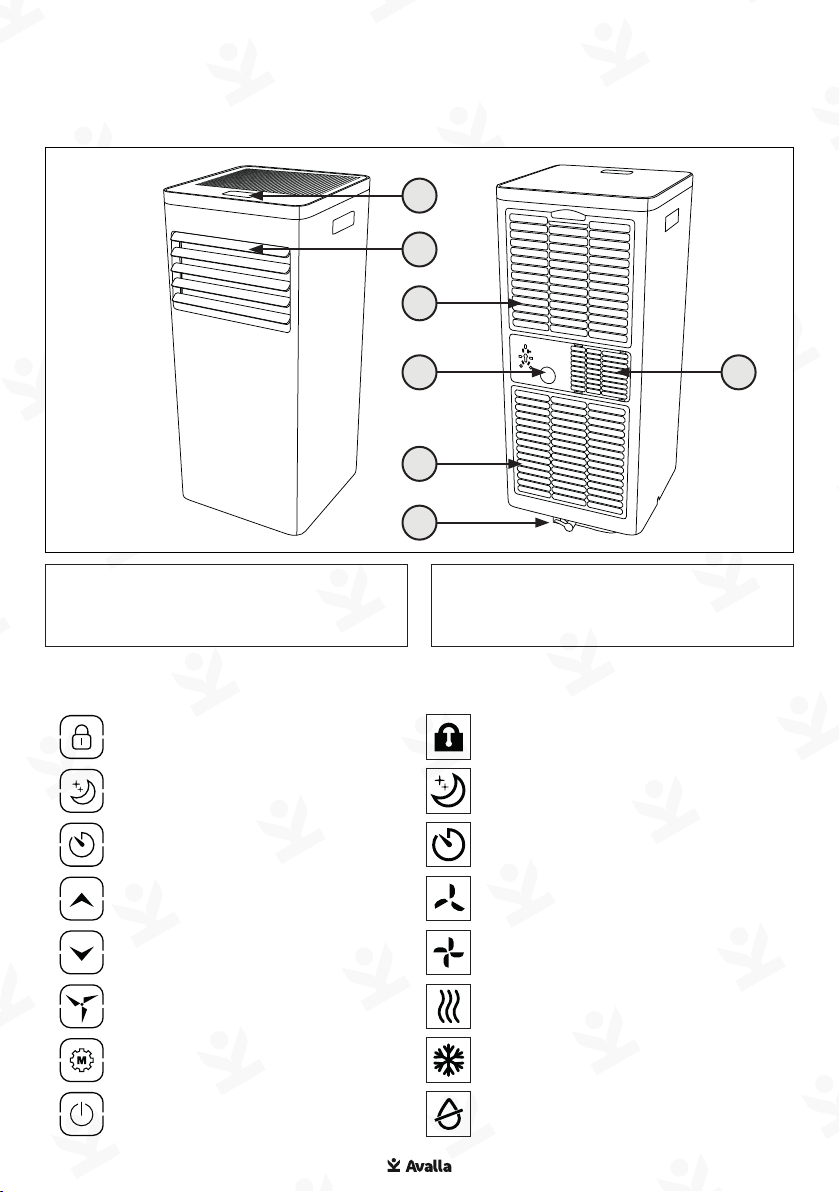
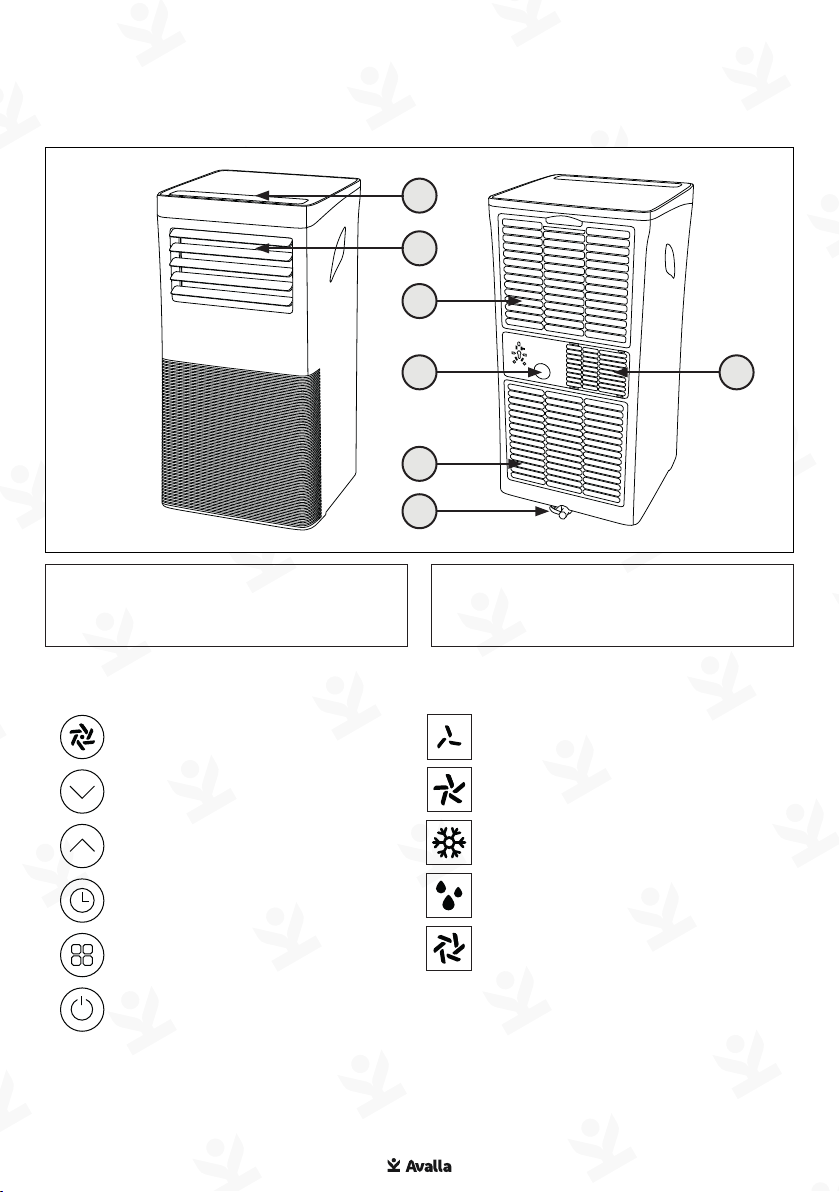
Parts guide: S-150
01. Control panel
02. Adjustable cool air outlet
03.
04. Continuous drain outlet
05. Air exhaust
06. Drain outlet
Touch controls Display
Lock
Sleep
Timer
Up
Down
Speed
Mode
Power
Lock active
Sleep active
Timer active
Low speed
High speed
Fan mode
Cool mode
06
01
04 05
02
03
03
07
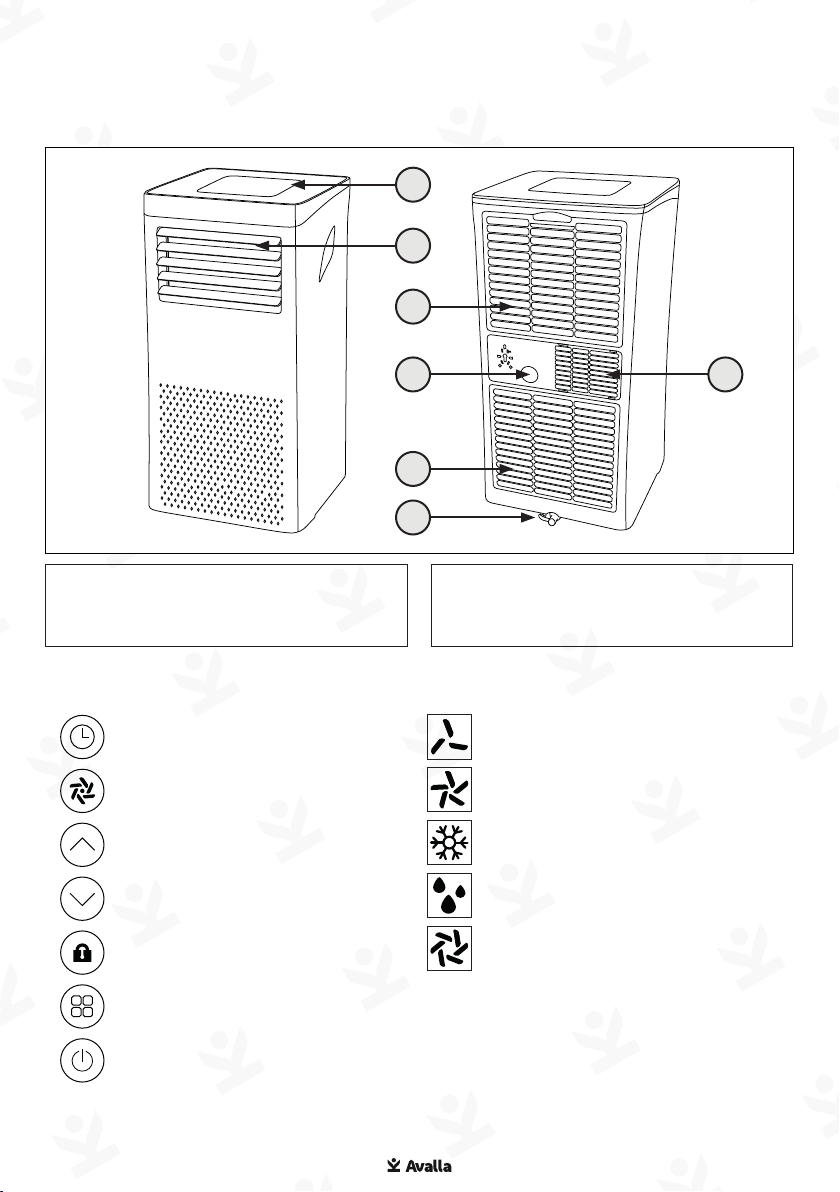
Parts guide: S-200
01. Control panel
02. Adjustable cool air outlet
03.
04. Continuous drain outlet
05. Air exhaust
06. Drain outlet
Touch controls Display
Speed
Down
Up
Timer
Mode
Power
Low speed
High speed
Cooling mode
Fan mode
01
02
03
03
04 05
06
08
Parts guide: S-290
01. Control panel
02. Adjustable cool air outlet
03.
04. Continuous drain outlet
05. Air exhaust
06. Drain outlet
Touch controls Display
Timer
Speed
Up
Down
Lock
Mode
Power
Low speed
High speed
Cooling mode
Fan mode
01
0504
03
03
02
06

09
Features and guidance
Settings
Cooling Mode – lowers the temperature of your room.
• Press Mode until the cooling light illuminates.
• Press Up / Down to adjust the temperature.
• Press Speed until the desired fan speed light illuminates.
• Press Sleep, if required, to enable sleep mode. Each hour the
preset temperature will increase by 1°C. The air conditioner
will stop when the room temperature is lower than selected
temperature.
Fan Mode – circulates the air in your room.
• Press Mode until the Fan mode light illuminates.
• Press Speed until the desired fan speed light illuminates.
Dehumidifying Mode – reduces the humidity level of your room.
• Whilst the unit is off, connect the drain hose to the continuous
drain outlet.
• Place the outlet of the drain hose into a bucket or drain,
ensuring that the end is not submerged in water as this may
cause an air lock. Make sure the hose is at an angle steeper than
20
• Turn the unit on and then press Mode
light illuminates.
•
Note: Auto-shut off will occur when tank (0.6L) is full and ‘FT’ will
show in the display.
Child lock (S-80, S-150 models) - Disables button use when
enabled
• Press and hold Lock until the lock symbol lights up.
• Press and hold again to disable lock feature.
10
Timer function
The timer has two ways of operating:
To turn the air conditioner on (when power is off)
Press the Timer button
Press Up / Down repeatedly to set the delay ON time.
To turn the air conditioner off (when power is on)
Press the Timer button
Press Up / Down repeatedly to set the delay OFF time.
To cancel timer, press Up / Down repeatedly until display shows ‘0’
Note: Units represent hours. Eg ‘01’ equals 1 hour.
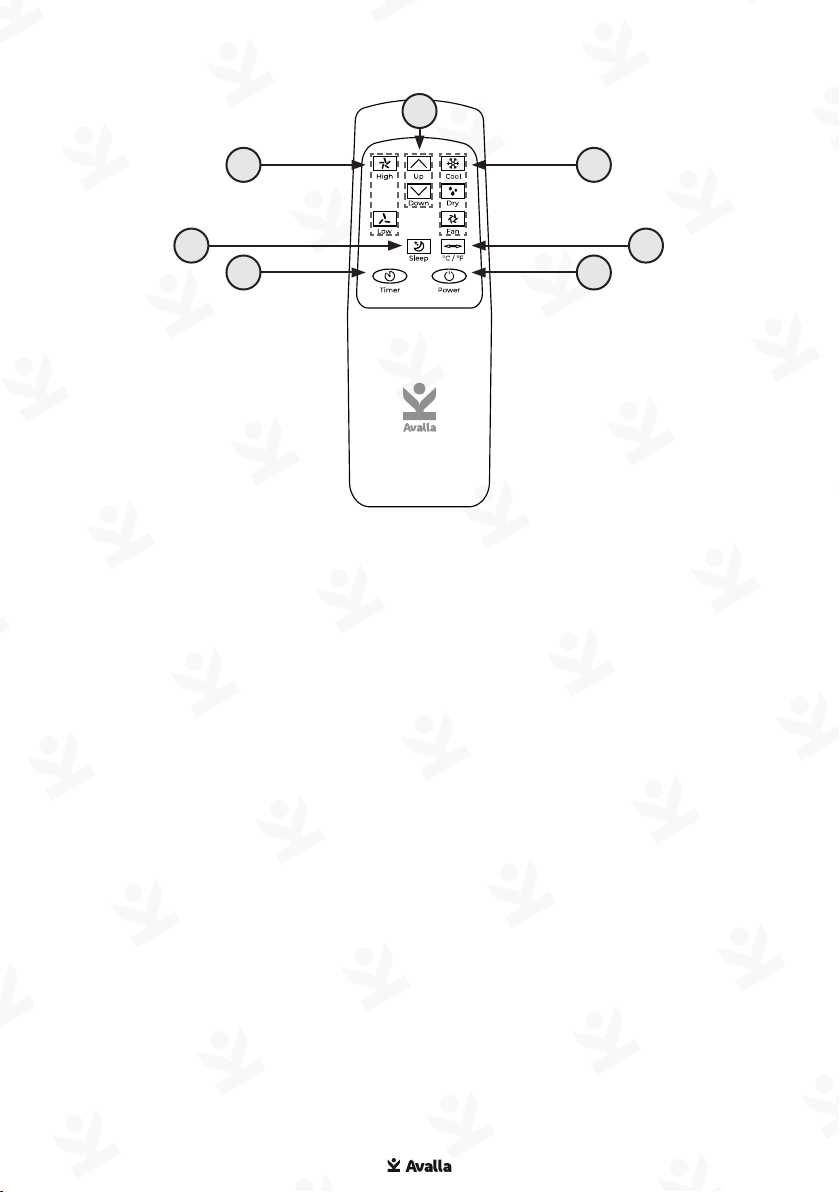
Remote Control
05
01
04
02
03 07
06
The remote control doubles up the functions of the control panel
for convenient operation at a distance.
01. Fan speed - high to low
02. Sleep active - on/off
03. Timer - on/off
04. Mode - up/down
05. Mode select
06. Celsius / Fahrenheit display
toggle
07. Power - on/off
Ce manuel convient aux modèles suivants
4
Table des matières
Autres manuels Avalla Climatiseur


