AU Optronics PFSDM32 Series Manuel utilisateur

USER MANUAL
PFSDM32 Series
PFSDM43 Series
PFSDM50 Series
PFSDM55 Series
V1.4

2 | « Table Of Contents »
Table Of Contents
SAFETY INSTRUCTIONS ...................................................... 4
Warnings ............................................................................................. 5
Power Management .......................................................................... 6
Recommended Use .......................................................................... 7
Declarations ....................................................................................... 8
WHAT’S IN THE BOX .......................................................... 10
Package Contents ............................................................................ 10
MOVING THE DISPLAY ....................................................... 11
Unpacking the Display .................................................................... 11
Carrying the Display ....................................................................... 15
Placing the Display .......................................................................... 15
Setting Down the Display .............................................................. 15
MOUNTING THE DISPLAY ................................................. 16
Adjusting Directions ....................................................................... 16
Wall Mount Specifications ............................................................. 17
Flat Wall Installation ........................................................................ 20
SETTING UP THE DISPLAY ................................................. 21
Main Components ........................................................................... 21
Control Buttons .............................................................................. 25
Connecting the Power Cable ....................................................... 27
CONNECTING THE DISPLAY ........................................... 28
Using the DisplayPort ..................................................................... 28
Using the HDMI Port ..................................................................... 29
Using the DVI Port ......................................................................... 30
Using the VGA Port ........................................................................ 31
Using the RS232 Port ..................................................................... 32
Connecting Speakers ...................................................................... 32
THE REMOTE CONTROL................................................... 33
Remote Control Overview .......................................................... 33
Setting Up the IR Sensor ............................................................... 34

« Table Of Contents » | 3
Using the Remote Control ........................................................... 35
ON SCREEN DISPLAY (OSD) MENU ............................... 36
Navigating the OSD Menu ............................................................ 36
OSD Menu Overview .................................................................... 37
SETTING UP A SCHEDULE ................................................ 42
MAINTENANCE .................................................................... 43
Reducing Image Burn-in ................................................................. 43
TROUBLESHOOTING ......................................................... 45
APPENDIX A: COMMANDS LIST ...................................... 46
APPENDIX B: SUPPORTED TIMING ................................. 48
APPENDIX C: SPECIFICATIONS ....................................... 49
APPENDICE D: PROTECTION FROM OVERHEATING 50
APPENDIX E: SAFETY INFORMATION ........................... 51
Consignes de sécurité .................................................................... 52
Avertissements ................................................................................ 53
APPENDICE F: MONTAGE DE L'AFFICHAGE ................ 54
Réglage des directions .................................................................... 54
Spécifications de montage mural ................................................. 55
Installation sur mur plat ................................................................. 58

4 | « SAFETY INSTRUCTIONS »
SAFETY INSTRUCTIONS
Please carefully read through and keep the following instructions for future reference before using
the display.
Please follow the display’s user manual’s instructions.
Make sure to check that the local power supply complies with the display’s power requirements
Do not block the ventilation holes on the rear of display and ensure there is enough space around the display to
allow for heat dissipation.
Do not open the rear cover. Damage caused by improper use is not covered by warranty.
Our company’s software products are copyrighted. Do not copy without authorization.
Overexposure to direct sunlight can cause damage over time and a strong reflection will disturb the user’s
experience when viewing content on the display.
Do not install near any heat source, such as radiators, heaters, stoves or any other products that may generate
heat (including sound amplifiers).
Do not install the display on platforms or carts that are unstable, slanted or shaky. It may cause the display to fall,
injuring people around it and damaging the display itself. We suggest consulting with professionals in the securing
of the display.
Always comply with all warnings and instructions labels on the display.
Do not install the display in a confined environment.
If you want to mount the display in a recessed TV wall mount, make sure to leave enough space around the
display to ensure good ventilation and to avoid operation at an abnormal temperature.
Avoid excessive pressure or temperature changes as special liquid-crystal material in the display may result in
cracks, scratches or damage.
When the display’s power is on, do not cover or block any of the display’s ventilation pores. It is suggested to
periodically clean the display’s ventilation pores to ensure heat dissipation.
Keep candles or other flammable items away from the display to avoid risks of fire.
Do not stick your finger or other objects in-between the display and its stand base or its neighboring area in
order to avoid harming yourself or damaging the display.
Do not press upon the display with too great a force so as to avoid damaging the product.
ONLY USE accessories specified by the manufacturer.
Never attempt to repair or open the display by yourself. Opening and removing the covers may expose you to
dangerous voltage or other hazards. Failure to follow this WARNING may result in death or serious injury.
Please contact your dealer or a service technician for assistance.
Hold the display by the sides firmly with two people when carrying the display out of the box.
Disconnect all power sources before removing the rear cover for repairs.

« SAFETY INSTRUCTIONS » | 5
Warnings
This symbol warns user that uninsulated voltage within the unit may have sufficient
magnitude to cause electric shock. Therefore, it is dangerous to make any kind of
contact with any part inside this unit.
This symbol alerts the user
that important literature concerning the operation and
maintenance of this unit has been included. Therefore, it should be read carefully in
order to avoid any problems.
WARNING
To prevent fire or shock hazards, do not expose this unit to rain or moisture.
WARNING
Do not use this unit’s polarized plug with an extension cord receptacle or other outlets unless the
prongs can be fully inserted.
WARNING
Refrain from opening the display cabinet as there are high voltage components inside. Refer
servicing to qualified service personnel.
CAUTION
To reduce the risk of electric shock, make sure power cord is unplugged from wall socket. To
fully disengage the power to the unit, please disconnect the power cord from the ac outlet. Do
not remove cover (or back). No user serviceable parts inside. Refer servicing to qualified service
personnel.
CAUTION
Please use the power cord provided with this monitor in accordance with the table below. If a
power cord is not supplied with this equipment, please contact your supplier. For all other cases,
please use a power cord that matches the AC voltage of the power outlet and has been approved
by and complies with the safety standard of your particular country.
North America
(USA/Canada/Taiwan) European Union
UK China Japan
Plug Shape
Voltage
120 (110 in Taiwan)
230
230
220
100
When operating a display which requires an AC 125-240V power supply, make sure to use a
power supply cord that matches the power supply voltage of the AC power outlet being used.
The power supply cord should be connected to an outlet with a grounded connection.

6 | « NOTE: For safety information in French refer to APPENDICE D: PROTECTION FROM
OVERHEATING »
NOTE:
For safety information in
French refer to APPENDICE D:
PROTECTION FROM
OVERHEATING
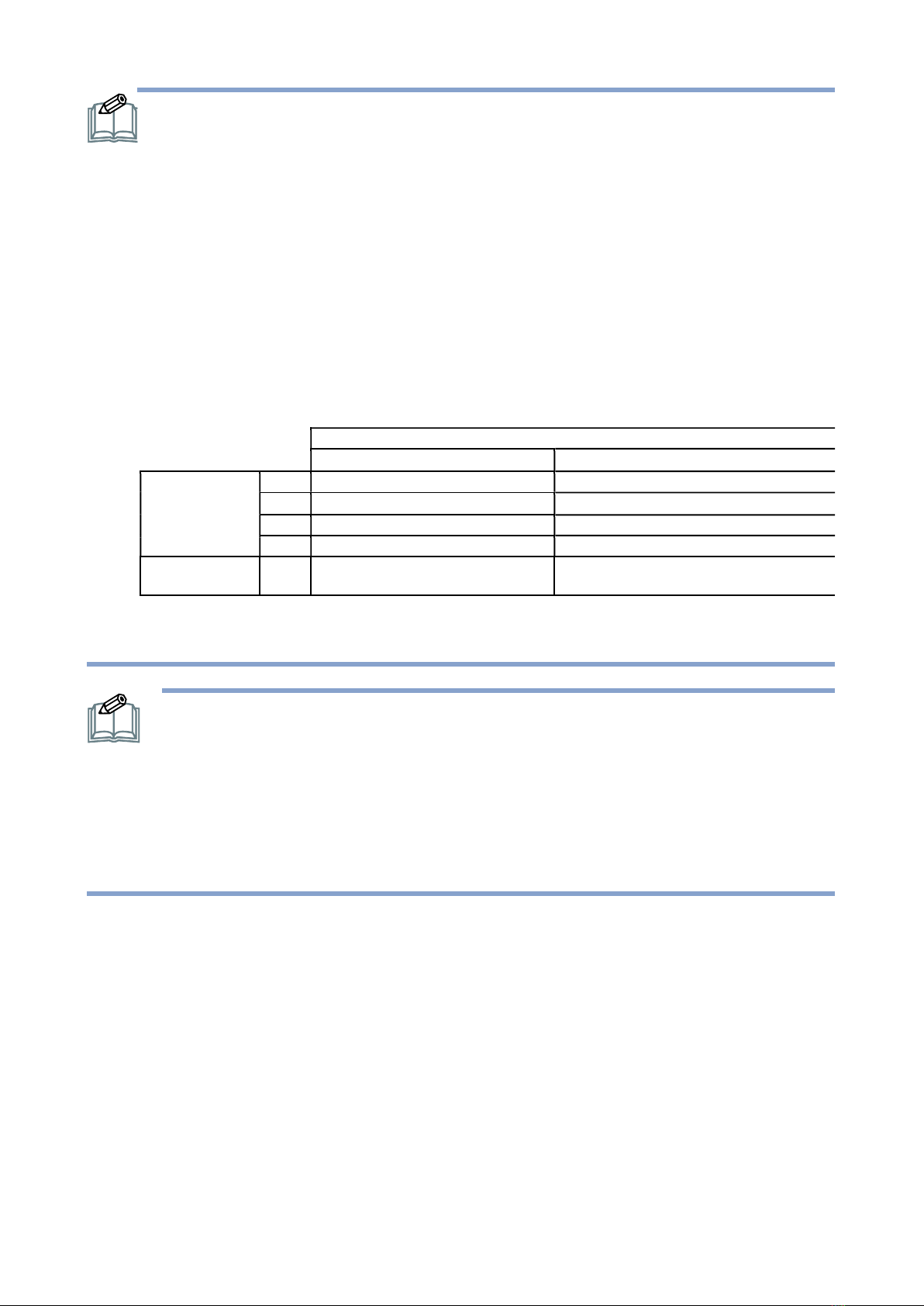
Protection from Overheating
When the display is close to overheating a warning code will show up at the top-right corner of the
screen and the display will automatically behave in the following way:
Warning Code Displayed on Screen
H1
H2
Ambient
Temperature
32"
>= °58C
>= °56°C
43"
>= °59°C
>= °57°C
50"
>= °61°C
>= °59°C
55"
>= °64°C
>= °62°C
Behavior
/ Adjustment
The BLU brightness will decrease to a
level no greater than 70%.
30
seconds after the H2 warning code is
displayed, the BLU brightness will be turn off
The user must check and ensure that there is enough space around the display for heat dissipation …etc.
APPENDIX E: SAFETY INFORMATION on page 51.
NOTE: This product can only be serviced in the country where it was purchased. Use
the power cord which has BSMI mark at both ends when you use this monitor in
Taiwan.
The intended primary use of this product is as an Information Technical Equipment
in an office or domestic environment.
The product is intended to be connected to an external device and is not intended
for the display of television broadcast signals.
Power Management
To reduce power the display supports various power-off methods.
When Power Saving is set to On (its default setting), the display will switch to standby after 30
seconds if it has no signal input from the current signal source.
When SDM/DP Power and Schedule are both set to Off (the default settings), the display will
switch to standby after 30 seconds if it has no signal input from the current signal source.
When SDM/DP Power is set to Keep or Schedule is set to On, the display backlight will turn off
after 30 seconds if it has no signal input from the current signal source.

« NOTE: For safety information in French refer to APPENDICE D: PROTECTION FROM
OVERHEATING » | 7
NOTE:
When SDM/DP Power and Schedule are set to Off the display will meet the
ENERGY STAR® energy efficiency requirements.
When Power Saving is set to On the display will meet the ENERGY STAR energy
efficiency requirements.
If the display is connected via HDMI / DVI / DP / VGA, the display will power on
automatically if the signal from the current source returns.
Recommended Use
For optimum performance, allow 20 minutes for warm-up.
Position the display at a 90° angle to windows and other light sources to minimize glare and
reflections.
Clean the display surface with a lint-free, non-abrasive cloth. Avoid using any cleaning solution
or glass cleaner.
Adjust the display’s brightness and contrast to enhance readability.
Avoid displaying fixed patterns on the monitor for long periods of time to avoid image
persistence (after image effects).
Ergonomics
To realize the maximum ergonomic benefits, the following is recommended:
Use the preset Size and Position controls with standard signals.
Use the preset Color Setting.
Use non-interlaced signals.
Do not use primary color blue on a dark background, as it is difficult to see and may produce
eye fatigue due to insufficient contrast.
Suitable for entertainment purposes at controlled luminous environments, to avoid disturbing
reflections from the screen.
Cleaning the LCD Panel
When the liquid crystal panel is dusty, please gently wipe with a soft cloth.
Do not rub the LCD panel with hard material.
Do not apply pressure to the LCD surface.
Do not use oleic acid cleaner as it will cause deterioration or discolor on the LCD surface.
Cleaning the Cabinet
Unplug the power supply
Gently wipe the cabinet with a soft cloth
To clean the cabinet, dampen the cloth with a neutral detergent and water, wipe the cabinet
and follow with a dry cloth.

8 | « NOTE: For safety information in French refer to APPENDICE D: PROTECTION FROM
OVERHEATING »
NOTE: DO NOT clean with benzene thinner, alkaline detergent, alcoholic system
detergent, glass cleaner, wax, polish cleaner, soap powder, or insecticide. Rubber or
vinyl should not be in contact with the cabinet for an extended period of time. These
types of fluids and materials can cause the paint to deteriorate, crack or peel.
Declarations
FCC Declaration of Conformity
47 CFR § 2.1077 Compliance Information
Name of Responsible Party:
AU
Optronics Corp. America
Address of Responsible Party:
37085 Grand River Ave.
Farmington, MI 48335
U. S. A.
Contact Person:
Company Representative
Phone No.:
Fax No.:
FCC Compliance Statement
This device complies with Part 15 of the FCC Rules. Operation is subject to the following two
conditions: (1) this device may not cause harmful interference, and (2) this device must accept any
interference received, including interference that may cause undesired operation.

« NOTE: For safety information in French refer to APPENDICE D: PROTECTION FROM
OVERHEATING » | 9
FCC Information
This equipment has been tested and found to comply with the limits for a Class A digital device,
pursuant to Part 15 of the FCC Rules. These limits are designed to provide reasonable protection
against harmful interference when the equipment is operated in a commercial environment. This
equipment generates, uses, and can radiate radio frequency energy and, if not installed and used in
accordance with the instructions manual, may cause harmful interference to radio
communications. Operation of this equipment in a residential area is likely to cause harmful
interference in which case the user will be required to correct the interference at his own
expense.
CE Declaration of Conformity
Hereby, AUO Inc., declares that this LCD monitor is in compliance with the essential
requirements and other relevant provisions of EMC Directive 2014/30/EU, Low Voltage Directive
2014/35/EU, and RoHS Directive 2011/65/EU and Directive 2009/125/EC with regard to
establishing a framework for the setting of eco-design requirements for energy-related product.
Notice: Shielded cables
All connections to other computing devices must be made using shielded cables to maintain
compliance with EMC regulations.
Caution
Changes or modifications not expressly approved by the manufacturer could void the user
authority, which is granted by the Federal Communications Commission, to operate this product.
Notice: Canadian users
This Class A digital apparatus complies with Canadian ICES-003.
Cet appareil numérique de la classe A est conforme à la norme NMB-003 du Canada.
As an ENERGY STAR Partner, we have determin
ed that this product meets the
ENERGY STAR guidelines for energy efficiency.

10 | « WHAT’S IN THE BOX »
WHAT’S IN THE BOX
Package Contents
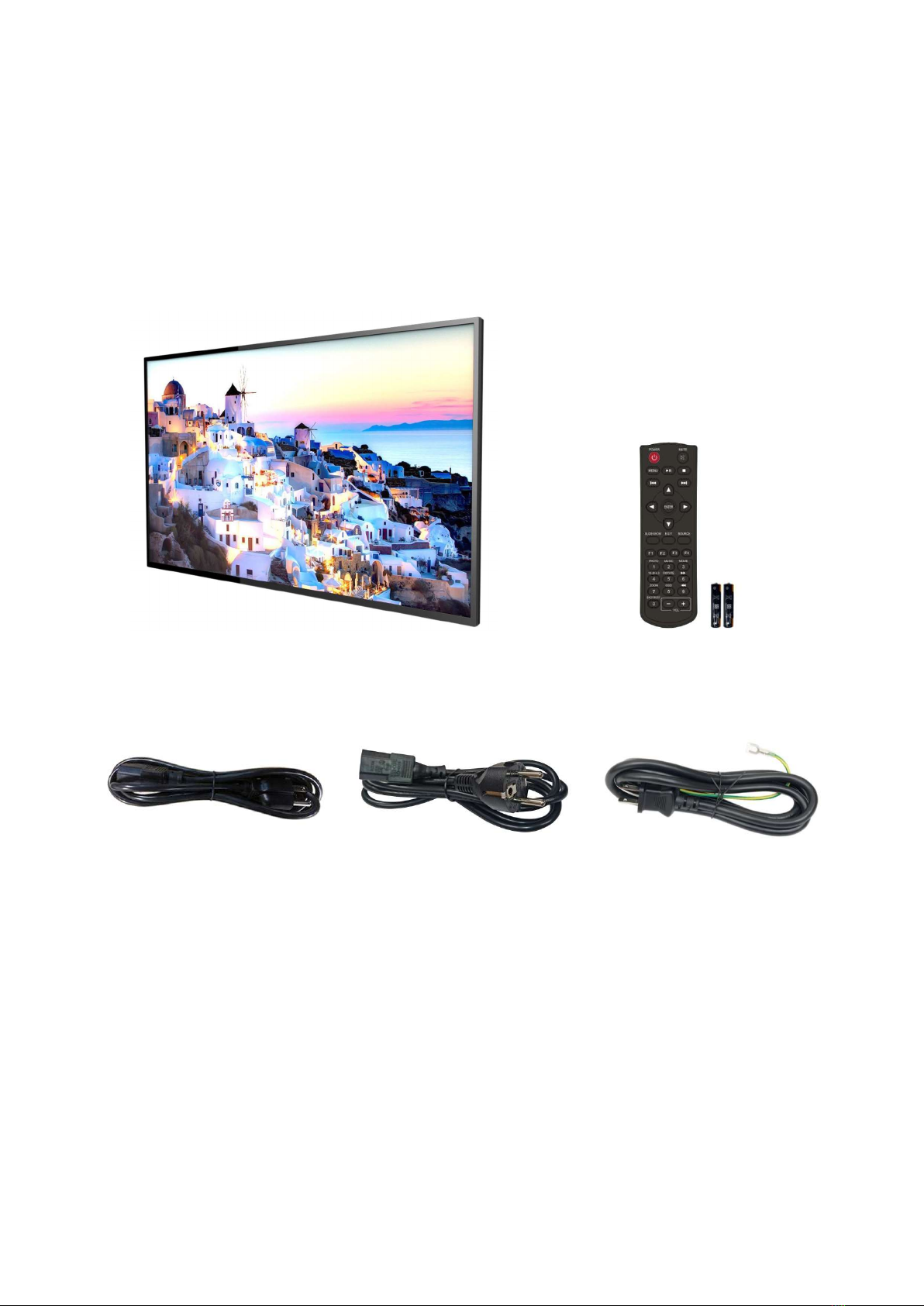
Check your product box for the following items. If there are any missing accessories, contact the
local dealer where you purchased your display. The illustrations in this manual may differ from the
actual product and items.
Display
Remote Control and
AAA Batteries
Power Cord (USA/Taiwan)
(By Regional Request)
Power Cord (Europe/Korea)
(By Regional Request)
Power Cord (Japan)
(By Regional Request)
Ce manuel convient aux modèles suivants
3
Table des matières
Manuels TV populaires d'autres marques

Philips
Philips Colour Television Manuel utilisateur

Toshiba
Toshiba 27A10 Manuel utilisateur

Philips
Philips 42PF9630A/37 Manuel utilisateur

Hitachi
Hitachi 32FX48B Manuel utilisateur

DAEWOO ELECTRONICS
DAEWOO ELECTRONICS DTQ-14V1FC Manuel utilisateur

Changhong Electric
Changhong Electric uhd55b6000is Manuel utilisateur