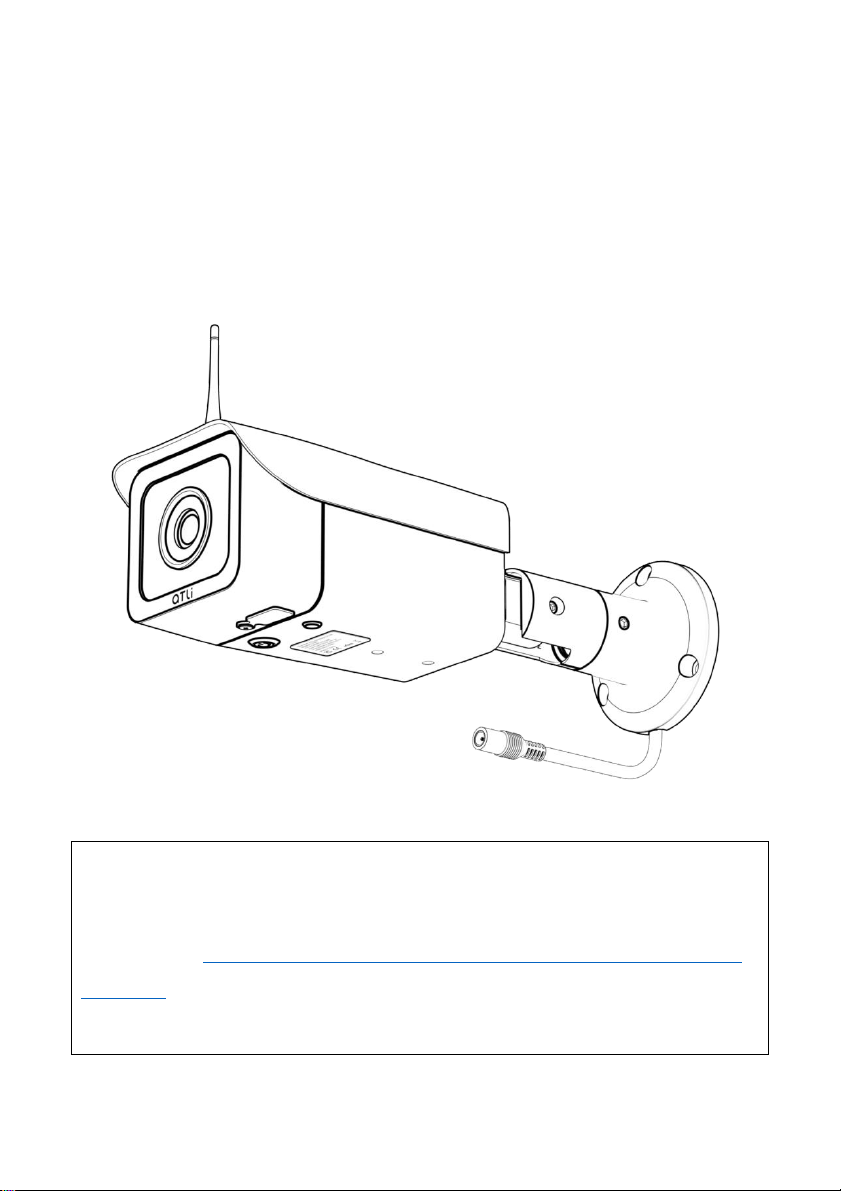
aTli ATL3500 Manuel utilisateur

Content Index
Welcoming Notes....................................................................................................3
Safety Precautions & Warnings.......................................................................3
Installation................................................................................................................3
Electrical Safety.................................................................................................... 4
Transportation Security...................................................................................4
Repair..........................................................................................................................4
Environment...........................................................................................................5
Operation and Maintenance........................................................................ 5
Product Introduction.............................................................................................6
Overview....................................................................................................................6
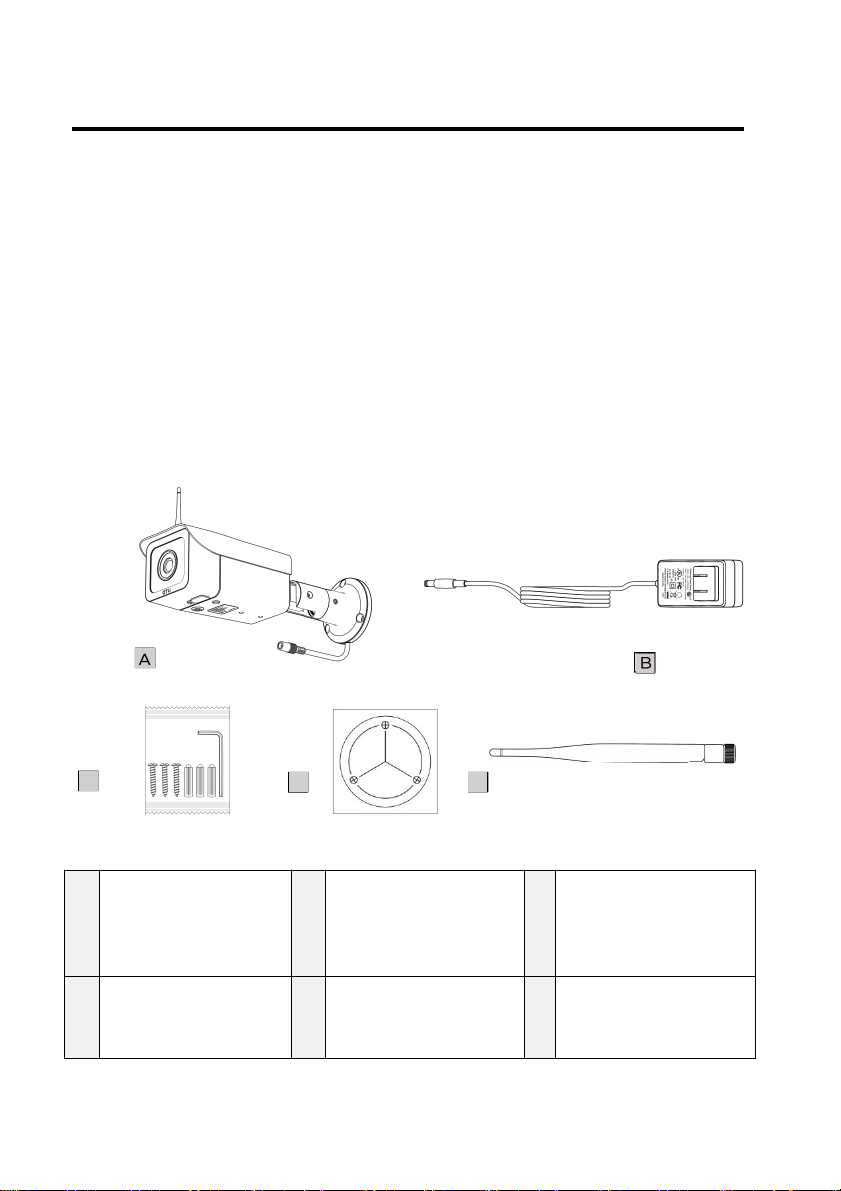
Package Content.................................................................................................6
Name of Camera Parts.....................................................................................7
Installation....................................................................................................................8
Wi-Fi Antenna........................................................................................................8
Camera.......................................................................................................................8
Power........................................................................................................................ 10
Quick Setup.................................................................................................................11
Installing ATLI Cam App................................................................................. 11
Remote access.....................................................................................................12
Camera Status.......................................................................................................... 13
Troubleshooting......................................................................................................15
Hard restart................................................................................................................ 17
Reset to factory settings.................................................................................... 17
Specifications............................................................................................................18
Warranty.....................................................................................................................20


Welcoming Notes
Thank you for purchasing ATL3500.
Please read this manual for proper usage before using the
camera.
Please read and understand the Safety Precautions and
Warnings in this manual before using the camera.
Please keep this manual for future references.
Safety Precautions & Warnings
Please read the following safety precautions and warnings
carefully below before using the camera.
They are important to avoid personal injury and damage.
Installation
Handle the camera with care and avoid dropping it which
could cause internal hardware damage.
Keep the camera clean, especially the front protective glass.
Do not connect the camera to a third-party power adaptor.
Do not place any objects on top of the camera.

Electrical Safety
This camera is designed to connect to a 12V-DC power
source ONLY. It is recommended to use the power
adaptor that is included in the package. Incompatible
third party power adaptor may damage the hardware
permanently.
Installation must conform to your local electrical safety
codes.
We assume no liability or responsibility for any fires,
electrical shock, and damage caused by improper
handling or installation.
WARNING: DO NOT CONNECT THE CAMERA TO AC
POWER SOURCE DIRECTLY WITHOUT USING AN AC
POWER ADAPTOR.
Doing so may cause electric shock, fire, damage to the
camera, or personal injury. Always use the AC power
adaptor that is compatible with the camera and the
voltage of your region.
Transportation Security
Avoid heavy stress, violent vibrations, and excess moisture
during transportation, storage, and installation of the
camera.
Repair
Disassemble the camera will automatically void the
warranty.
We are not liable for any problems or damage caused by
unauthorized modifications or user-attempted repair.

Contact us via email service@atliview.com for any
technical issues.
Environment
The recommended operating temperature is between
0°C/32°F to 50°C/122°F.
Avoid aiming the camera lens directly to the sun to avoid
pictures from overexposure and may possibly damage
the camera image sensor in the long run.
Installing the camera under a roof or shelter could help to
improve the camera’s life and bring extra benefits to the
quality of the recorded video/photo footage.
Operation and Maintenance
The camera is designed and manufactured for
weatherproof (IP65 standard compliance).
This product is NOT waterproof and shall not be used
under water.
To avoid scratches on the front protective glass, use only
an air blower or a microfiber cloth for cleaning.

Product Introduction
Overview
ATL3500 is an app-control 1080P time lapse camera which is
specifically designed for capturing high-resolution outdoor
time-lapse video.
With an IP65 water resistance rating and its durable housing
made from aircraft-grade aluminum alloy, the camera is able
to withstand even the extreme weather conditions.
Package Content
A
A
B
C
C
D
D
E
E
A
ATL3500 with
128GB storage
card
B
12V⎓2A AC
Power Adaptor
C
Screw*3, Wall
Plug*3, Hex key
D
Installation
Position Sticker
E
Wi-Fi Antenna

Name of Camera Parts
1
Protective Glass
6
Wi-Fi Antenna
2
Storage Card Slot
Cover
7
¼” Tripod Mount
3
Power Source
Indicating LED
8
Camera Roof
4
Power Button with
Status Indicating LED
9
Power Connector
5
Safety Label
10
Wall Mounting Bracket

Installation
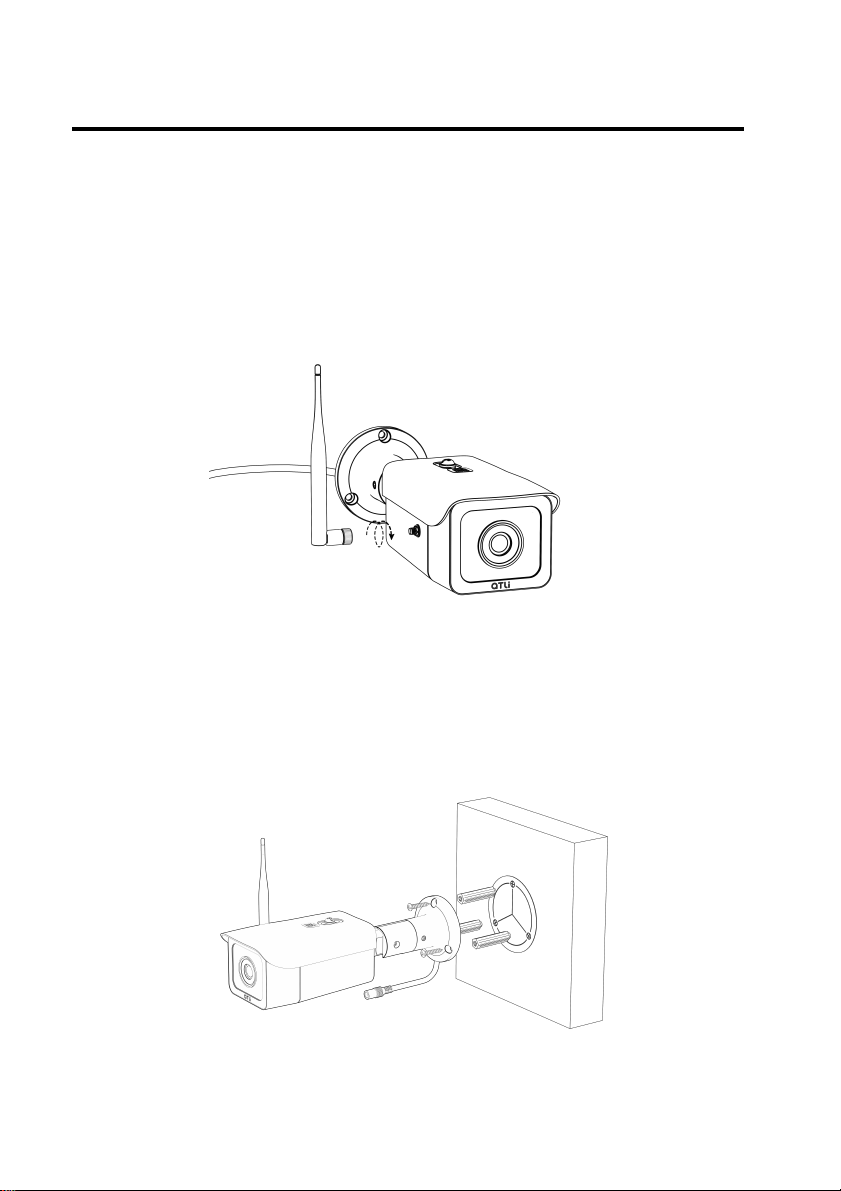
Wi-Fi Antenna
Assemble the Wi-Fi antenna to the camera by turning the
base ring clockwise against the base mount on the camera
body by hand ONLY until tightened.
Do not use excess force or a tool to over-tighten the antenna.
Camera
The camera comes with a standard wall mount and should be
installed as shown below.
Please make sure that the wall is sturdy, and the mounting
surface is rigid to withstand strong wind.
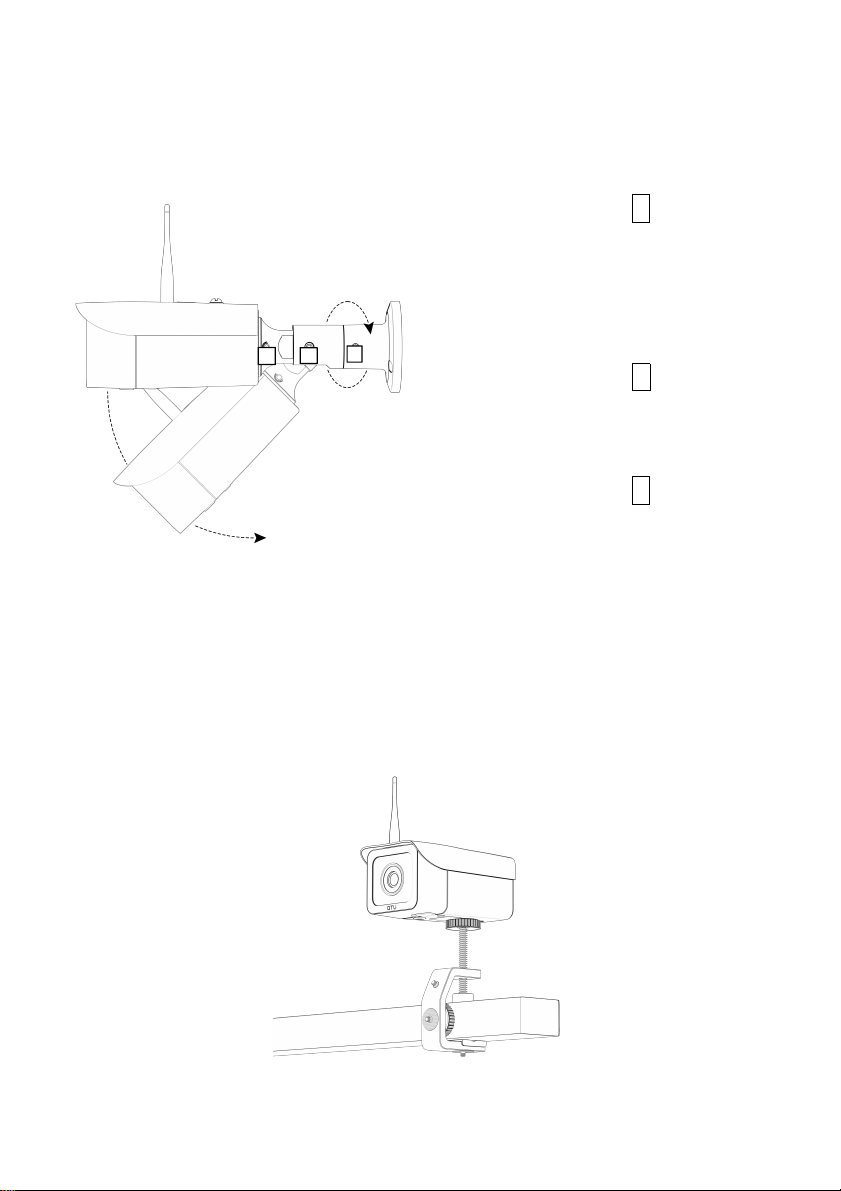
Wall Mount (Standard)

The wall mount bracket is adjustable with 360 degrees swivel
on the base, 90 degrees tilting angle, and 360 degrees swivel
on the camera body. This offers more flexibility when installing
the camera.
The other mounting option is to remove the wall mount, then
mount a c-clamp (not included) to the ¼” mounting point
located at the bottom of the camera.
Mounting with a c-clamp (Available for purchase separately)
A
B
1. Loosen the bolt C to swivel
the camera so that it is
pointing to the direction of
the scene desired and then
tighten it back.
2. Loosen the bolt B to adjust
the tilting angle as desired
and then tighten it back.
3. Loosen the bolt A to swivel
the camera to adjust the
orientation of the scene
desired and then tighten it
back.
C

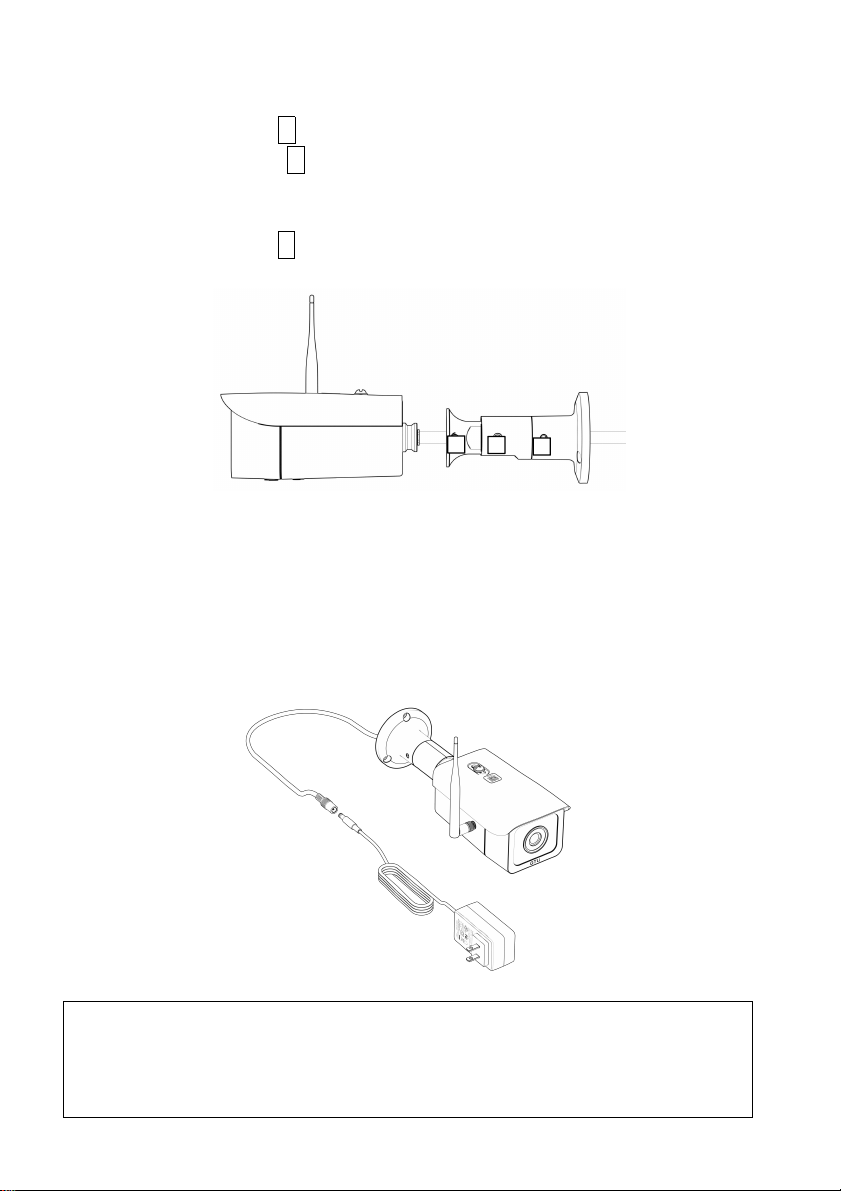
To remove the wall mount arm from the camera:
1. Loosen the bolt C to remove the wall mount base,
2. Remote the bolt B to disconnect the middle arm from the
camera mount. This is necessary so that the power cable
can be separated from the arm.
3. Loosen the bolt A so that the camera mount can be
disconnected from the camera body.
Power
Use the power adaptor provided to connect to the camera
power plug. Incompatible third-party power adaptor may
damage the camera permanently.
WARNING: Do not connect AC power source to the 12V-DC
female plug as this will damage the camera and cause fire,
electric shock, and other serious hazards. In addition, the
product warranty is voided automatically.
A
B
C
Table des matières