Ather Dot Instructions de montage

1
Home Charging Point
TM

1
2
Manuals might be boring, but
do ip through every page.
We have cut the fa to keep
this manual to the point, so
that it’s easy to read.
USER
MANUAL
& GUIDE

32
All about the Ather Dot™
What’s in the box? 2
Specifications 3
01
02
03
04
05
Installation
Pre-checks 5
How to install? 6
Connecting the Ather Dot™ to your meter 11
Safety instructions 15
How to take care of the Ather Dot™ ?
The PRCD 18
The Dos & Don’ts 19
Cleaning 20
Learn its language 21
Other safety instructions
Warnings! 23
Cautions 24
Troubleshoot 24

21
What’s in the box?
The package contains 6 items in total -
01
All about the
Ather Dot
Ather Dot™ is a home charging point
for your Ather 450. The step-by-step
installation process has been jotted
down clearly here, along with the dos
& don’ts, warnings and cautions.
™
Charger 6A Three Pin Plug
Wall Inserts
C-clamp with Screws
Mounting Screws
Stencil

43
02
Installation
We have detailed out every
step here to ensure a smooth
installation. Pre-checks are a
must, so flip the page and go
through each one of them.
Specifications
Input
Operating voltage and wiring
185V AC - 275V AC single-phase
Frequency
50 Hz
Current
3.5A maximum
Output
59V 12A
Weight including bracket
3.6 kgs
Cable length
1 meter input cable
2 meter output cable
Operating temperature
0�C - 45�C
Dimensions
(D)363.5 mm X (W)233 mm X (H)98 mm

65
Make sure that your home has proper earthing.
If the voltage between Neutral-Earth terminals
of any socket in your home is less than 25V, the
earthing qualifies to be healthy.
Installation pre-checks
Ensure that the electric source is close by.
The Ather Dot™ comes with 1 meter of input
cable. The open terminals of the input cable
must be connected to the circuit breaker that is
next to the utility energy meter of your home, as
explained in the “How to install?” section (pg. 11).
Note: Do assess beforehand, just in case you need
a longer wire, as we do not recommend using
extension cords.
You can also use a 6A socket, by connecting the
3 pin plug to the open terminals of the input
cable, incase you do not have access to the
energy meter of your home.
Note: Get your local electrician to check the voltage
or DIY using the multimeter in case you want to
check the health of the socket’s earth connection.
Drill machine with M6 wall drilling attachment and hammer
Multimeter
Screwdriver
Cables and conduit (For wire extension to the meter)
4 things you need
How to install?
Steps to set-up the Ather Dot™
Use the stencil to precisely mark all the 4
screws’ position on the wall. The arrow mark
on stencil should be pointing upwards for an
accurate marking.
Recommended height: 1.5 m from the ground.
Step 1
Note - In case of uneven surface or obstacles at the
recommended height, you can mount the
Ather Dot™ at your convenient height. Just that, it
should not be too low for it to get affected by water
clogging or splashing.
Earth
Neutral
Healthy Earthing
< 25V

87
Clear any clutter around the Ather Dot™
-100mm on the docking side for an easy
access to the charging connector.
Step 2
Drill holes with an M6 drill attachment and
install the wall inserts in the drilled holes.
Step 3
Unscrew the 3 bolts present on the
face of the home charger.
Step 4
Pick the body of the charger, align the holes
on the outer area of the charger to the
marking on the wall.
Step 6
Detach the wire that’s connecting the face
and the body to separate them.
Step 5

109
Make sure the charging wire passes from
above, through the center of the Ather Dot™.
Now fix all the 4 wall mounting screws.
Step 7
Step 8
Take the face of the Ather Dot™, connect the
wire that’s hanging from its face to the wire
that’s hanging loose from its body.
Adjust the face to fit the body perfectly and bolt
in the 3 screws.
Step 9
Step 10

1211
How to connect your Ather Dot™ to the meter
There are two ways to connect the Ather Dot™
to your meter. Read through to understand
what suits you better.
Direct connection (the preferred one)
Via 6A socket
Direct connection
Caution: Before attempting the instructions
given below, make sure that the electrical
mains switch is turned OFF to avoid any
accidental electric shocks. Use a multimeter to
make sure you have no voltage between line
and neutral terminals.
PRCD
Earth
Ather Dot™
Circuit Breaker
Electric Meter
Line
Neutral
Earth
Line
Neutral
Step 1
Connect the three open terminals of the
Ather Dot™ to the energy meter of your home.
Make sure that the brown wire is connected
to the Live terminal, blue wire is connected to
the Neutral terminal and yellow-green wire is
connected to the Earth terminal of the
energy meter.

1413
Step 2
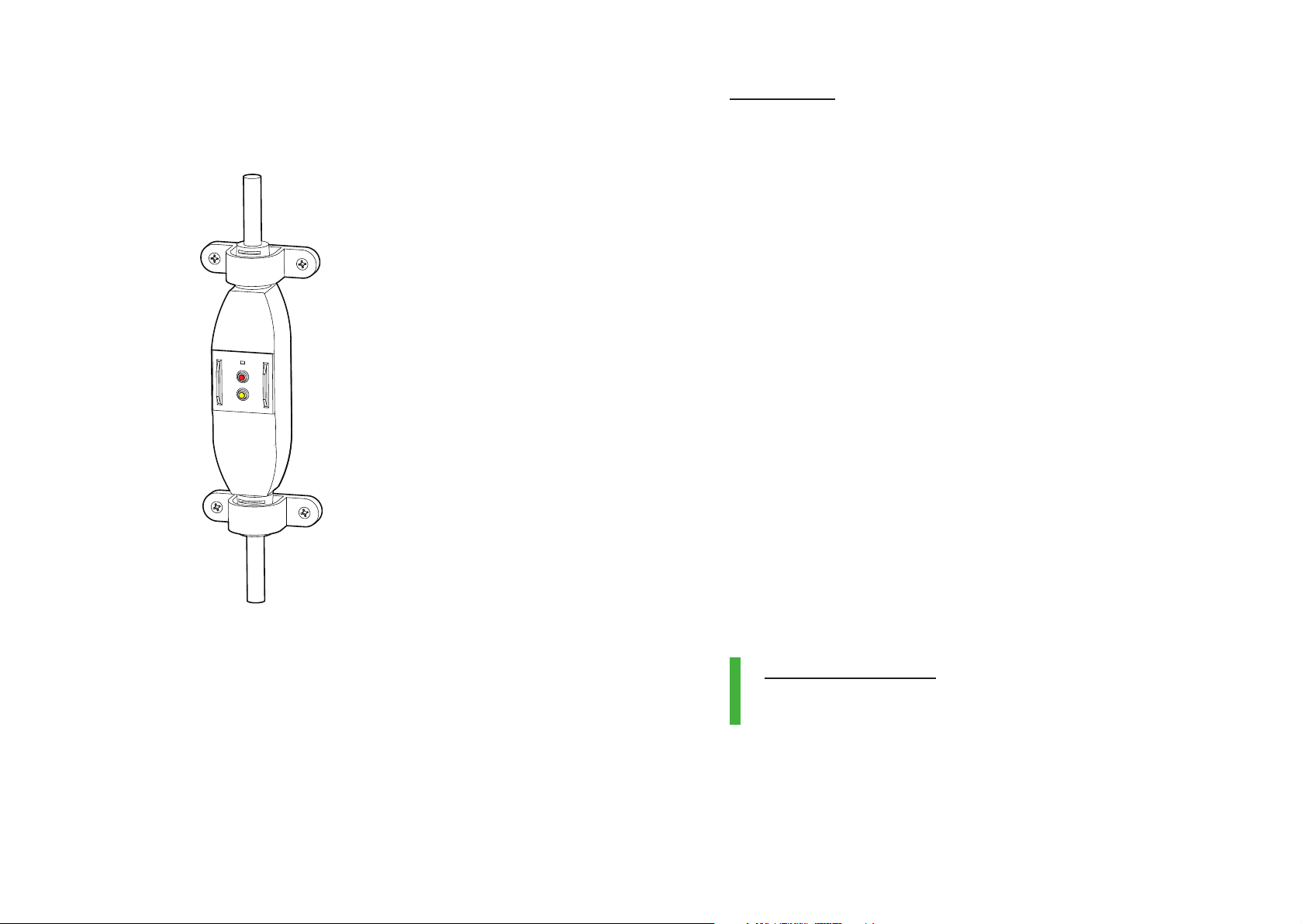
Use the C-clamps to fix the Portable Residual
Current Device (PRCD) intact over the
wall surface.
Step 3
Switch ON the mains power.
Via 6A socket
Step 1
Connect the 3 pin plug to the 3 open terminals
of Ather Dot™.
Step 2
Use the C-clamps to hold the PRCD intact over
the wall surface.
Step 3
Plug the charger into the socket using the
connected 3 pin plug and power it ON. An
earthed 3 pin 6A socket is a must for smooth
and safe charging at all times.
Note: In case you would like to install Ather
Dot™ in a shared parking space in apartment
complexes etc., it is advised to install a utility
energy meter and connect the Ather Dot™
through the meter. This will help you to bill the
power consumed by Ather Dot™ and pay back
your apartment society. Alternatively, you could
connect the socket directly to your dedicated
utility meter.
Ideal state of the charger
Solid Green LED- It signifies that the charger is
healthy and is available for charging.
Table des matières