
Ascot GT-WS-07s Manuel utilisateur
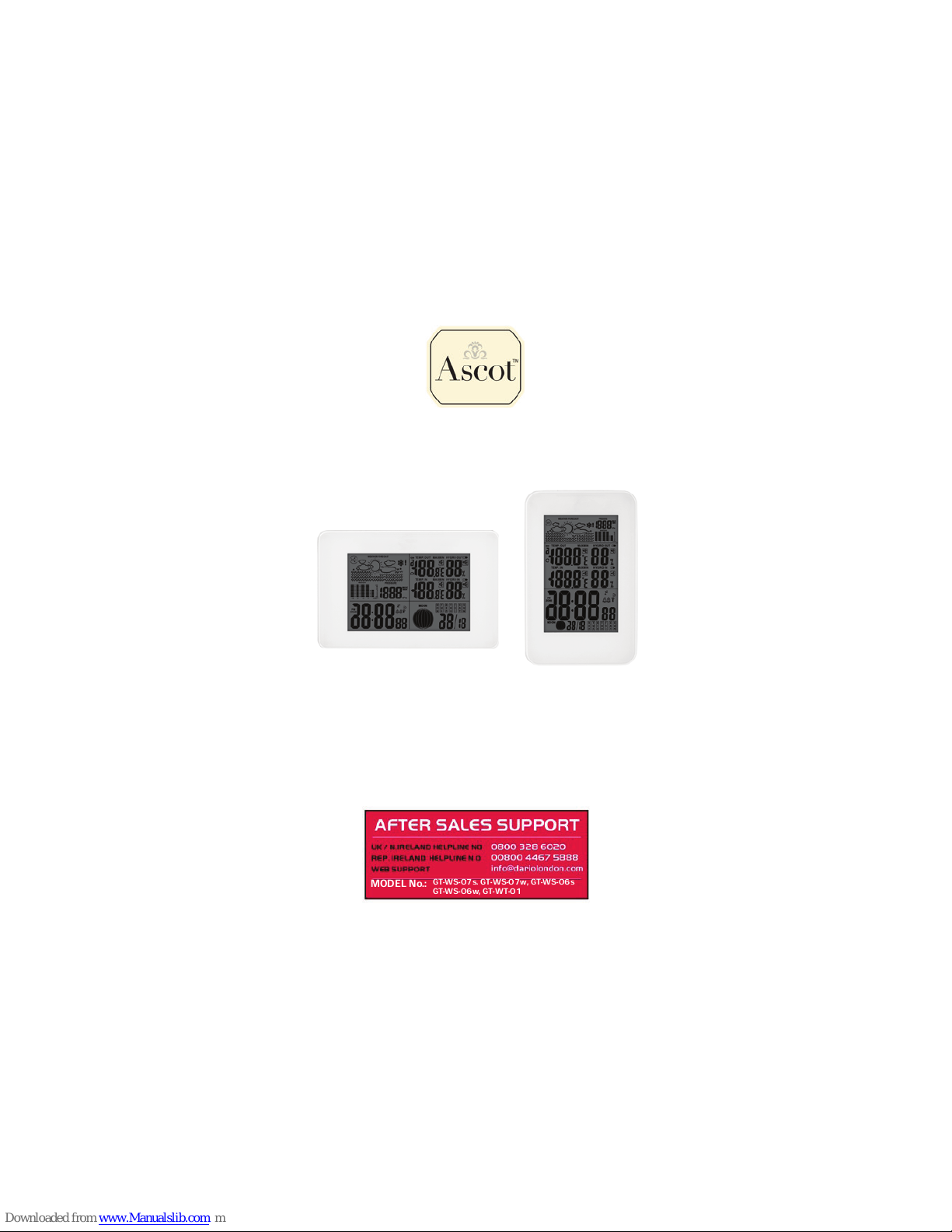
Digital Radio-controlled weather station
User´s Guide
Now you have purchased an Ascot product.
After Sales Support
Now you have purchased a Ascot product you can rest
assured in the knowledge that as well as your 3 year parts
and labour warranty you have the added peace of mind of
dedicated helplines and web support.
MODEL No.: GT-WS-07s. GT-WS-07w, GT-WS-06s
GT-WS-06w, GT-WT-01
Contents
HELPLINE No. U K / N.IRELAND 0800 328 60 20 REP. IRELAND 00 800 44 67 58 88
WEB SUPPORT info@dariolondon.com
2
3Introduction
3Safety
6This is what the weather station offers
7Overview of weather station
10 Initial use
13 About the time signal
16 Select location
21 Displays
23 Time functions
25 Weather data
31 Moon phases
32 Other functions
35 Cleaning
36 Faults and rectification
37 Technical data
38 Conformity declaration
38 Disposal
39 Warranty card
HELPLINE No. U K / N.IRELAND 0800 328 60 20 REP. IRELAND 00 800 44 67 58 88
WEB SUPPORT info@dariolondon.com 3
Introduction
Safety
Please read carefully through the following information
and keep these instructions, in case you need to refer to
them later. If you pass the product on to someone else,
please also include these instructions.
Designated use
The weather station - comprised of the base station and radio sensor
- displays various weather data (air pressure, temperature, etc.) from
the vicinity. From the measured weather data, the weather station
determines a weather forecast. The weather station also displays the
date, time and moon phases and also has an alarm function.
The weather station is unsuitable for commercial use in weather
forecasting or in weather data measurement.
Congratulations on choosing to buy a Ascot product. By doing
so you now have the assurance an peace of mind that comes
with purchasing a product made by one of Europe´s leading
manufacturer.
All products brought to you by Ascot are manufactured to the
highest standards of performance and safety, an, as part of our
philosophy of customer service and satisfaction, are backed by
our comprehensive 3 Year Warranty.
Please fill in an return the Warranty Card to the adress provid-
ed. We hope you will enjoy using youy purchase for many years
to come.
HELPLINE No. U K / N.IRELAND 0800 328 60 20 REP. IRELAND 00 800 44 67 58 88
WEB SUPPORT info@dariolondon.com
4
Hazards for children
!Batteries can be life-endangering if swallowed. Therefore, keep
the weather station, radio sensor and batteries out of reach of
small children. If a battery has been swallowed, medical assist-
ance must immediately be sought.
!Keep children away from packaging material and the small parts
in the scope of delivery. Suffocation hazard if swallowed.
Injury hazard
!Caution: Explosion hazard with improper handling of batteries.
Batteries must not be charged, reactivated with other means,
dismantled, thrown into fire or short-circuited.
!Avoid contact with skin, eyes and mucous membranes. When
coming into contact with battery acid, immediately rinse the
affected areas with plenty of clear water and immediately
contact a doctor.
Caution – property damage
!Protect the base station and radio sensor from dust, impact,
extreme temperatures and direct sunshine.
!Protect the base station from moisture. Exclusively position base
station in a dry, enclosed space.
!The radio sensor is protected from moisture, but must be
protected from direct moisture, e.g. rain.
!Rubberized feet to prevent slipping are located on the bottom of
the base station. As the furniture/floor surfaces are made of
diverse materials and are treated with diverse care products, it
cannot be entirely ruled out that some of these materials contain
components, which could attack and soften the rubber lining. If
necessary, place a non-slip base under the base station.
HELPLINE No. U K / N.IRELAND 0800 328 60 20 REP. IRELAND 00 800 44 67 58 88
WEB SUPPORT info@dariolondon.com 5
!Remove the batteries from the base station and radio sensor, if
they become depleted or if you are not using the weather station
for a longer period of time. This way, you avoid damage that
could result from leakage.
!Do not expose the batteries to any extreme conditions by e.g.
laying them on a radiator or under direct sunlight. Increased
leakage hazard!
!Clean the battery and appliance contacts prior to insertion, if
required.
!Only use batteries of the same type, do not use different types or
used and new batteries together.
!Do not carry out any changes to the device. Only allow repairs to
be carried out by a professional workshop and pay attention to
the guarantee conditions.
!Do not use harsh or abrasive detergents for cleaning the weather
station. This could scratch the surfaces.
Contents of delivery
!Weather station, comprised of the base station and radio sensor
!2 batteries type LR6 (AA) / 1.5 V (base station)
!2 batteries type R03 (AAA) / 1.5 V (radio sensor)
!Operating instructions with guarantee
!Quick Reference Guide
HELPLINE No. U K / N.IRELAND 0800 328 60 20 REP. IRELAND 00 800 44 67 58 88
WEB SUPPORT info@dariolondon.com
6
This is what the weather station offers
Weather station
!Precise time through reception of a time indicator signal
!12-hour or 24-hour display for two time zones
!Date and day of week display
!Inside temperature display in °C/°F
!Outside temperature display in °C/°F with up to three sensors at
various measuring points
!Inside and outside humidity display
!Minimum/maximum display for temperature, atmospheric
humidity and barometric pressure
!Weather trend display and temperature trend display
!Current and historical air pressure trend display
!Symbols for the weather forecast
!Moon phase display
!Battery control display
Sensor
!Temperature display in °C/°F
!Humidity display
!Range of up to 100 metres (in open space)
HELPLINE No. U K / N.IRELAND 0800 328 60 20 REP. IRELAND 00 800 44 67 58 88
WEB SUPPORT info@dariolondon.com 7
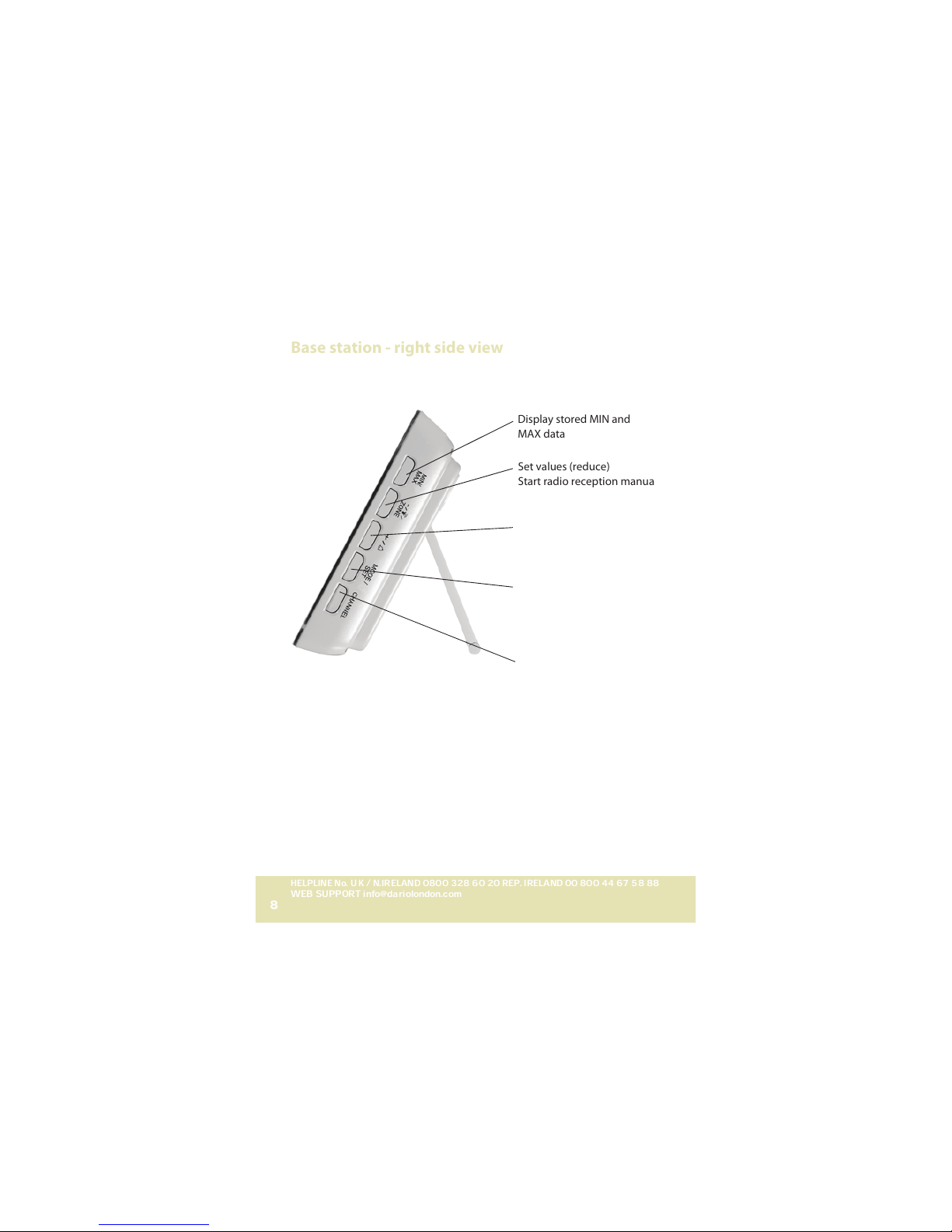
Overview of weather station
Base station - view from front and top
Display, see page 21
Illuminate display / activate alarm repeat function
HELPLINE No. U K / N.IRELAND 0800 328 60 20 REP. IRELAND 00 800 44 67 58 88
WEB SUPPORT info@dariolondon.com
8
Base station - right side view
Display stored MIN and
MAX data
Set values (reduce)
Start radio reception manuall
Set values (increase)
Switch alarm function on
and off
Activate setting mode
Save entered settings
Query weather data from
the existing radio sensors
HELPLINE No. U K / N.IRELAND 0800 328 60 20 REP. IRELAND 00 800 44 67 58 88
WEB SUPPORT info@dariolondon.com 9
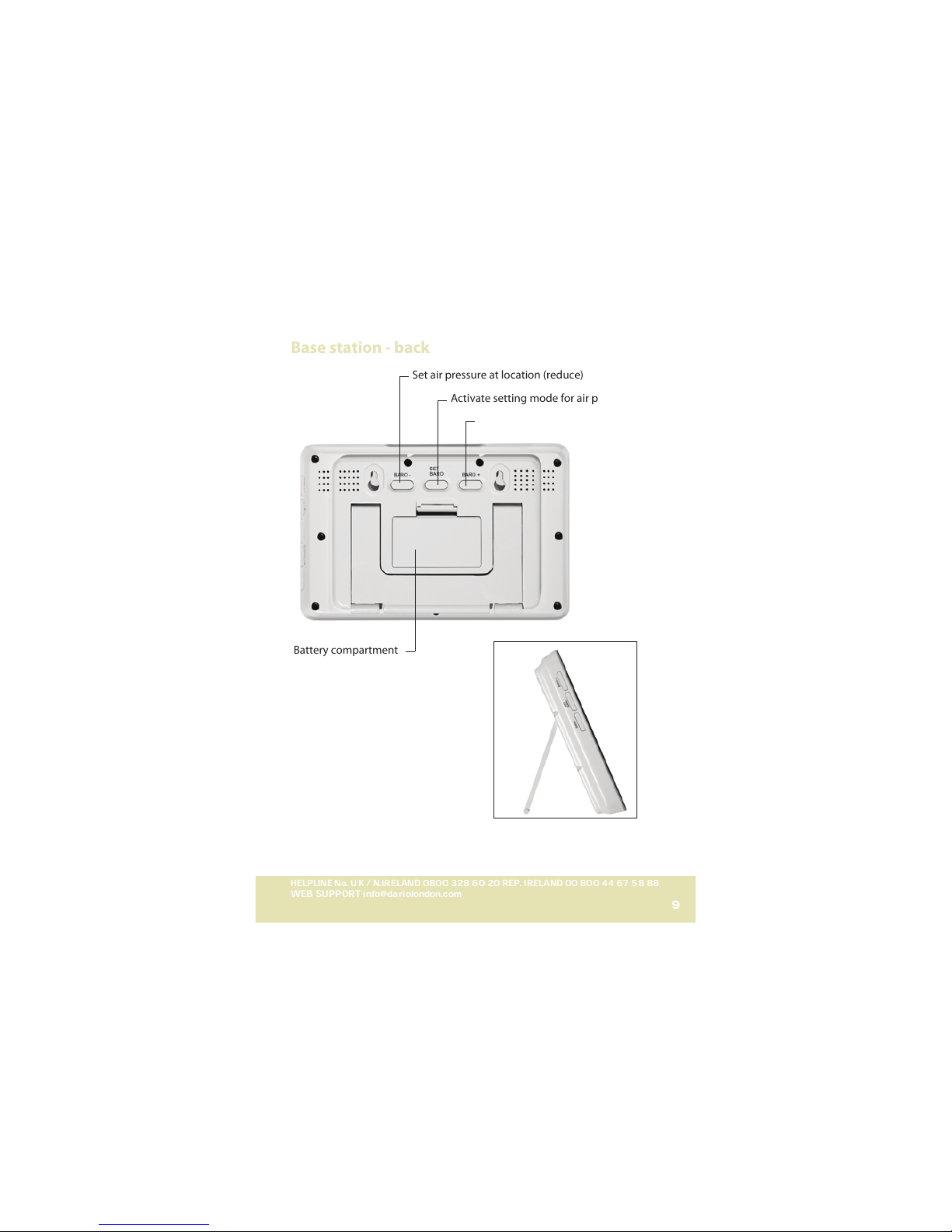
Base station - back
Battery compartment
Set air pressure at location (reduce)
Activate setting mode for air pressure
Set air pressure at location (increase)
With the other type of weather station,
the BARO buttons are on the left side.
HELPLINE No. U K / N.IRELAND 0800 328 60 20 REP. IRELAND 00 800 44 67 58 88
WEB SUPPORT info@dariolondon.com
10
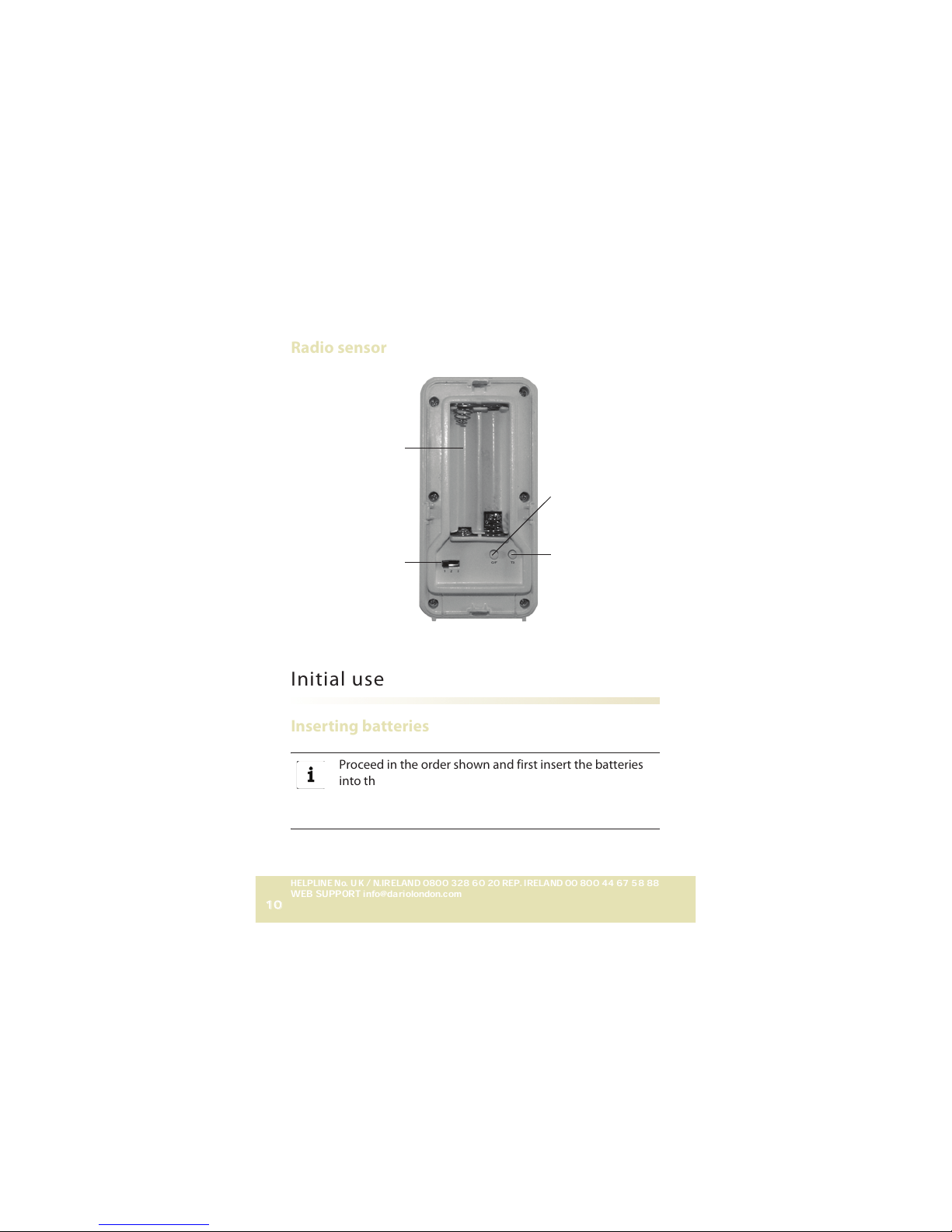
Radio sensor
Initial use
Inserting batteries
Proceed in the order shown and first insert the batteries
into the radio sensor and only afterwards into the base
station. Only this way, can the weather station function
faultlessly.
Battery compartment
Accelerate radio
transmission to
base station
manually
Change degree of
measurement for
temperature
Set sensor number
(transmission channel)
Ce manuel convient aux modèles suivants
4
Table des matières


