4
Contents
~~~~<MFZ>
ue02_af20_9e.fm
[4/5]
Preface............................................................ ii
Safety Precautions.......................................... ii
Before Using an au Phone.............................. ii
Cell Phone Etiquette ...............................................1
Accessories.............................................................1
Illustrations and Descriptions in This Manual..........2
Security Code and PIN Code ..................................2
Security Code and Passwords................................2
PIN Code.................................................................3
Precautions for Viewing 3D Images ........................3
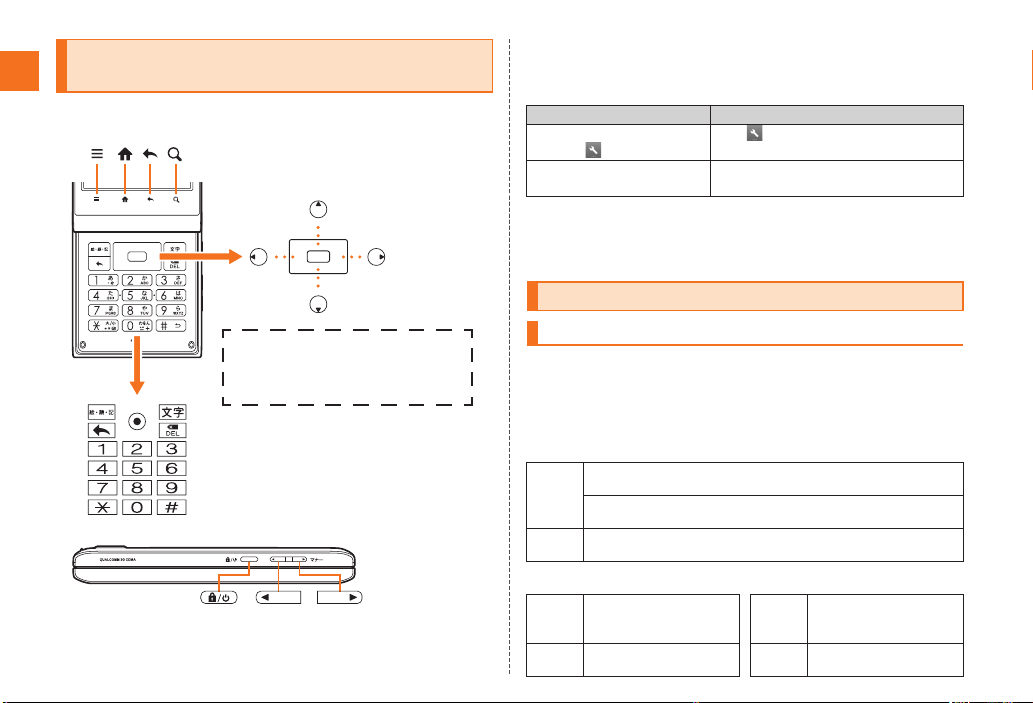
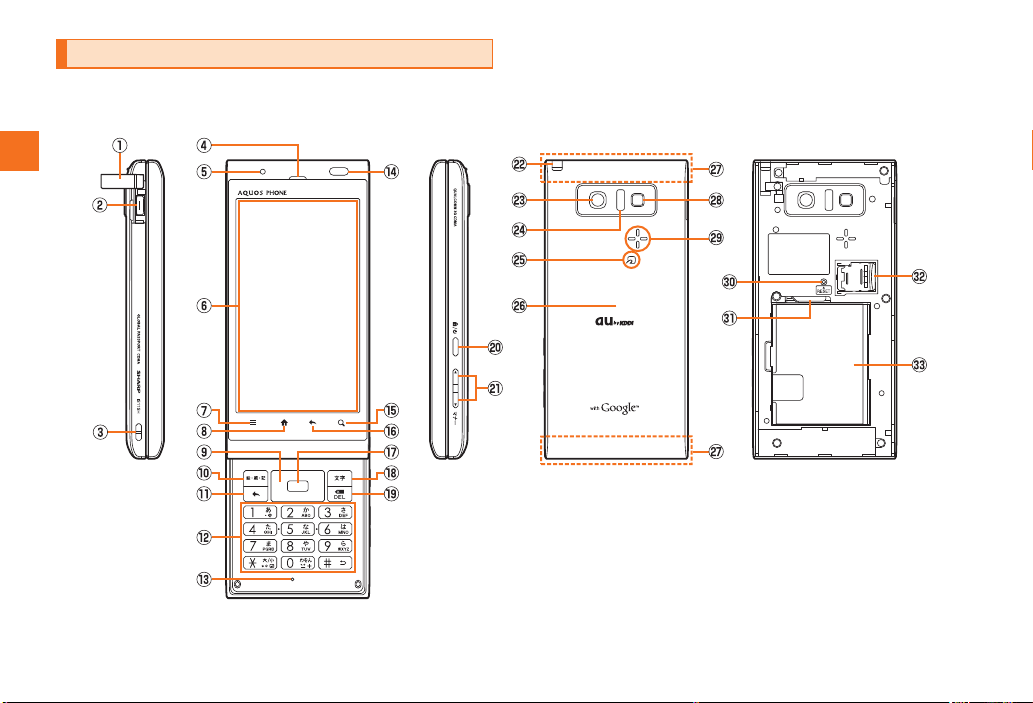
Names and Functions of Parts................................6
Opening the IS11SH ...............................................8
Charging the Battery Pack ......................................8
Turning the Power On/Off .....................................10
Turning the Power On ...........................................10
Turning the Power Off ...........................................10
Restarting the IS11SH...........................................10
Sleep Mode...........................................................10
Switching the Display Language to English ..........10
Initial Setup ...........................................................11
Removing/Attaching the Battery Pack...................11
Removing the Battery Pack...................................11
Attaching the Battery Pack ...................................12
au IC-Card.............................................................12
Removing au IC-Card ...........................................12
Inserting au IC-Card .............................................13
Using microSD Memory Card ...............................13
Removing microSD Memory Card ........................14
Inserting microSD Memory Card ..........................15
Operating the Touch Panel................................... 16
Viewing the Home Screen .................................... 17
Using Status Bar................................................... 17
Using the Home Screen........................................ 20
Moving/Removing Shortcuts/Widgets/Folders ..... 20
Adding Shortcuts/Widgets/Folders....................... 20
Switching the Home Screen ................................. 20
Using Main Menu.................................................. 20
Switching Orientation............................................ 23
Displaying Available Menu.................................... 23
Character Input (Software Keyboard) ................... 25
Switching Software Keyboards............................. 25
Viewing the Character Entry Screen..................... 25
Switching Character Entry Modes ........................ 27
Entering Emoji/D-Emoji/Symbol/Facemark ........... 27
Switching Input Software ...................................... 27
Character Input (Hardware Keyboard).................. 27
Switching Character Entry Modes ........................ 28
Entering Emoji/D-Emoji/Symbol/Facemark ........... 28
Making a Call ........................................................ 29
Making an International Call (001 International Call
Service)................................................................. 30
Answering a Call................................................... 30
Putting the Call on Hold........................................ 30
Answering with the Message of Answering Memo
.............................................................................. 30
Returning a Call (Outgoing History/Incoming
History) ................................................................. 31
Turning On Manner Mode..................................... 31
Turning On the Answering Memo ......................... 32
Playing a Message in Answering Memo............... 32
Adding an Address Book Entry............................. 33
Using an Address Book ........................................ 33
Using Phone Number............................................33
Using Mail Address...............................................34
Using E-mail/C-mail...............................................35
Sending E-mail Messages.....................................35
Sending C-mail Messages ....................................35
Receiving E-mail/C-mail Messages.......................36
Reading E-mail/C-mail Messages .........................36
Setting Mail Filters.................................................37
Rejecting Spam C-mail Messages ........................38
Using PC-mail .......................................................39
Registering Another PC-mail Account...................39
Sending PC-mail Messages ..................................40
Receiving PC-mail Messages................................40
Using Gmail...........................................................40
Sending Gmail.......................................................41
Receiving Gmail ....................................................41
Replying/Forwarding Gmail...................................41
Viewing Sites with Browser ...................................42
Using Bookmarks/History ......................................42
Bookmarking a Web Page ....................................42
Using the Camera .................................................43
Cautions for Using the Camera .............................43
Taking Photos .......................................................43
Recording Movies..................................................44
Using Gallery.........................................................44
Using Contents Manager.......................................45
Playing/Displaying Data ........................................45
Using Menu in the Contents Screen .....................45
Cautions for Using TV (1Seg) ...............................46
Contents
Introduction
Getting Ready
Learning the Basics
Phone
Address Book
Mail
Internet
Multimedia
TV (1Seg)
af20_ue.book 4 ページ 2011年7月18日 月曜日 午前8時37分