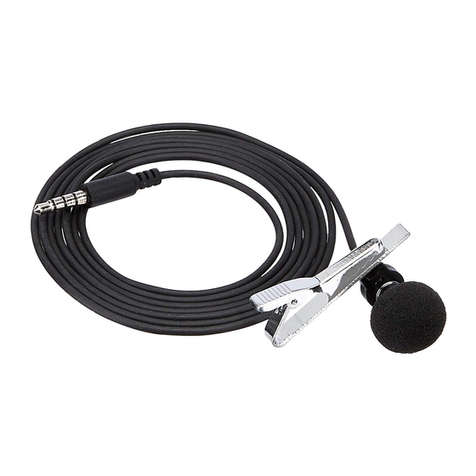
AmazonBasics B076ZVZWC4 Manuel utilisateur
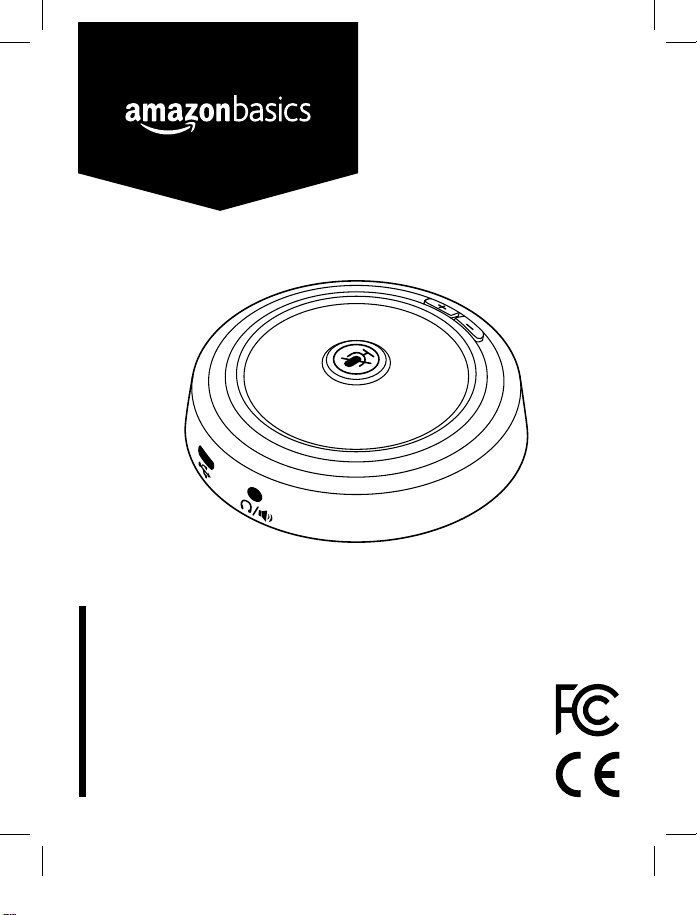
created by: Impala Services Ltd.Page size: 139.7 x 107.95 mm
B076ZVZWC4
USB Conference Microphone
Microphone De Conférence USB
USB-Konferenz-Mikrofon
Microfono USB da Conferenza
Micrófono USB Para Conferencias
USB 会議用マイクロホン
USB 会议麦克风
67904-B076ZVZWC4-USB_Web_Conference_Microphone-IM-V02 (GLO).indb 1 18/3/16 ��3:47

English ..................................... 3
Français ................................. 13
Deutsch.................................. 23
Italiano ................................... 32
Español .................................. 41
..................................... 50
........................................ 59
67904-B076ZVZWC4-USB_Web_Conference_Microphone-IM-V02 (GLO).indb 2 18/3/16 ��3:47

3
Welcome Guide •English
USB Conference Microphone
Contents
Before getting started, ensure the package contains the following components:
USB Cable
Mute Key
with LED
Indicator Volume Control
(Headphones/Speaker)
3.5-mm
Headphones Jack
Micro-USB Port Microphone
67904-B076ZVZWC4-USB_Web_Conference_Microphone-IM-V02 (GLO).indb 3 18/3/16 ��3:47

4
Before First Use
• Carefully remove all packaging materials and retain for future use.
• Check for transport damages.
• Warning! Risk of suffocation! Keep any packaging materials away from children – these
materials are a potential source of danger, e.g. suffocation.
Setup
• Connect the Micro-USB plug of the cable to the microphone and the USB-A plug to your
computer.
Configuration on Windows®
Installation
• Note: This product its a Plug-and-Play device and does not require any driver installation.
• A pop-up notification will appear to signal that your computer is installing the drivers for the
microphone.
67904-B076ZVZWC4-USB_Web_Conference_Microphone-IM-V02 (GLO).indb 4 18/3/16 ��3:47

5
Setup
Configuration on Windows®
Headphones/speaker settings
• Go to Control Panel > Hardware and sound > Sound > Playback and make sure that a green
tick appears next to Speaker.
• If the green tick does not appear next to Speakers, select Speakers and then press Set Default.
Note: The microphone is not equipped with a built-in speaker. In order to output the sound, an
external speaker or headphones must be connected to the microphone via the 3.5 mm jack.
67904-B076ZVZWC4-USB_Web_Conference_Microphone-IM-V02 (GLO).indb 5 18/3/16 ��3:47

6
Setup
Configuration on Windows®
Microphone settings
• Go to Recording (same window) and make sure that a green tick appears next to Microphone.
• If the green tick does not appear next to Microphone, select Microphone and then press Set
Default.
67904-B076ZVZWC4-USB_Web_Conference_Microphone-IM-V02 (GLO).indb 6 18/3/16 ��3:47

7
Setup
Configuration on Mac OS®
• Note: This product its a Plug-and-Play device and does not require any driver installation.
Microphone settings
• Go to System Preferences > Sound > Input and select AmazonBasics USB Conference Mic.
Headphones/speaker settings
• Go to System Preferences > Sound > Output and select AmazonBasics USB Conference Mic.
67904-B076ZVZWC4-USB_Web_Conference_Microphone-IM-V02 (GLO).indb 7 18/3/16 ��3:47

8
Operation
Mute Key and LED indicator
• Press the key to stop audio recording.
The LED Indicator lights up red when the microphone is muted and blue when it is active.
Audio Playback
This microphone features a 3.5-mm headphones jack that allows you to plug your
headphones/speaker.
Warning! Turn the VOLUME control down before plugging in headphones/speaker.
Tips
• Place the microphone as close as practical to the desired sound source.
• Work close to the microphone for extra bass response.
• Place microphones as far as possible from reflective surfaces.
• Do not cover any part of the microphone grille with your hand, as this will adversely affect
microphone performance.
Safety and Compliance
• Please read these instructions carefully and retain them for future use. If this product is passed
to a third party, then these instructions manual must be included.
• The product is not a toy. Keep it out of the reach of children and pets.
• For indoor use only.
• Do not attempt to repair the appliance yourself. In case of malfunction, repairs are to be
conducted by qualified personnel only.
• Lay out the cable in such a way that no unintentional pulling or tripping over it is possible.
• The product is suitable for moderate climates only.
• Naked flame sources, such as candles, must not be placed near the product.
• Unplug the product while it is not in use.
• Make sure not to squeeze, bend or in any way damage the cable.
• The maximum ambient temperature during use of the product must not exceed 35°C.
• Warning! During cleaning or operation do not immerse the electrical parts of the product in
water or other liquids. Never hold the product under running water.
• Warning! Listening to audio at excessive volumes can cause permanent hearing damage. Use
as low a volume as possible.
67904-B076ZVZWC4-USB_Web_Conference_Microphone-IM-V02 (GLO).indb 8 18/3/16 ��3:47

9
FCC Information
This equipment has been tested and found to comply with the limits for a Class B digital device,
pursuant to Part 15 of the FCC Rules. These limits are designed to provide reasonable protection
against harmful interference in a residential installation. This equipment generates, uses and can
radiate radio frequency energy and, if not installed and used in accordance with the instructions,
may cause harmful interference to radio communications. However, there is no guarantee that
interference will not occur in a particular installation.
If this equipment does cause harmful interference to radio or television reception, which can be
deter-mined by turning the equipment off and on, the user is encouraged to try to correct the
interference by one or more of the following measures:
• Reorient or relocate the receiving antenna.
• Increase the separation between the equipment and receiver.
• Connect the equipment into an outlet on a circuit different from that to which the receiver is
connected.
• Consult the dealer or an experienced radio/TV technician for help.
Changes or modifications not expressly approved by the party responsible for compliance may
cause interference and void the user’s authority to operate the equipment. This device complies
with Part 15 of the FCC Rules. Operation is subject to the following two conditions: (1) This device
may not cause harmful interference, and (2) this device must accept any interference received,
including interference that may cause undesired operation.
IC Regulatory Statement
This Class B digital apparatus complies with Canadian ICES-3(B)/NMB-3(B).
67904-B076ZVZWC4-USB_Web_Conference_Microphone-IM-V02 (GLO).indb 9 18/3/16 ��3:47

10
Cleaning and Maintenance
• Disconnect the product from power source before cleaning.
• During cleaning do not immerse the product in water or other liquids. Never hold the product
under running water.
• Clean the product with a dry lint-free cloth. Do not allow any water or other liquids enter the
product’s interior.
• Do not use abrasives, harsh cleaning solutions or hard brushes for cleaning.
Storage
• Store in a cool and dry conditions away from children and pets, ideally in original packaging.
• Avoid any vibrations and shocks.
Disposal
Electronic devices are recyclable waste and must not be disposed of in the
household waste.
Dispose of this equipment using a designated collection point for the recycling of
electrical and electronic equipment.
WEEE
Regulatory information: Disposal of Waste Electrical and Electronic Equipment
(WEEE) The Waste Electrical and Electronic Equipment (WEEE) Directive aims
to minimize the impact of electrical and electronic goods on the environment,
by increasing re-use and recycling and by reducing the amount of WEEE
going to landfill. The symbol on this product or its packaging signifies that this
product must be disposed separately from ordinary household wastes at its
end of life. Be aware that this is your responsibility to dispose of electronic
equipment at recycling centers in order to conserve natural resources.
Each country should have its collection centers for electrical and electronic
equipment recycling. For information about your recycling drop off area, please
contact your related electrical and electronic equipment waste management
authority, your local city office, or your house hold waste disposal service.
67904-B076ZVZWC4-USB_Web_Conference_Microphone-IM-V02 (GLO).indb 10 18/3/16 ��3:47
Table des matières
Langues :
Autres manuels AmazonBasics Microphone