
AIRVERSA Humelle AH1 Manuel utilisateur
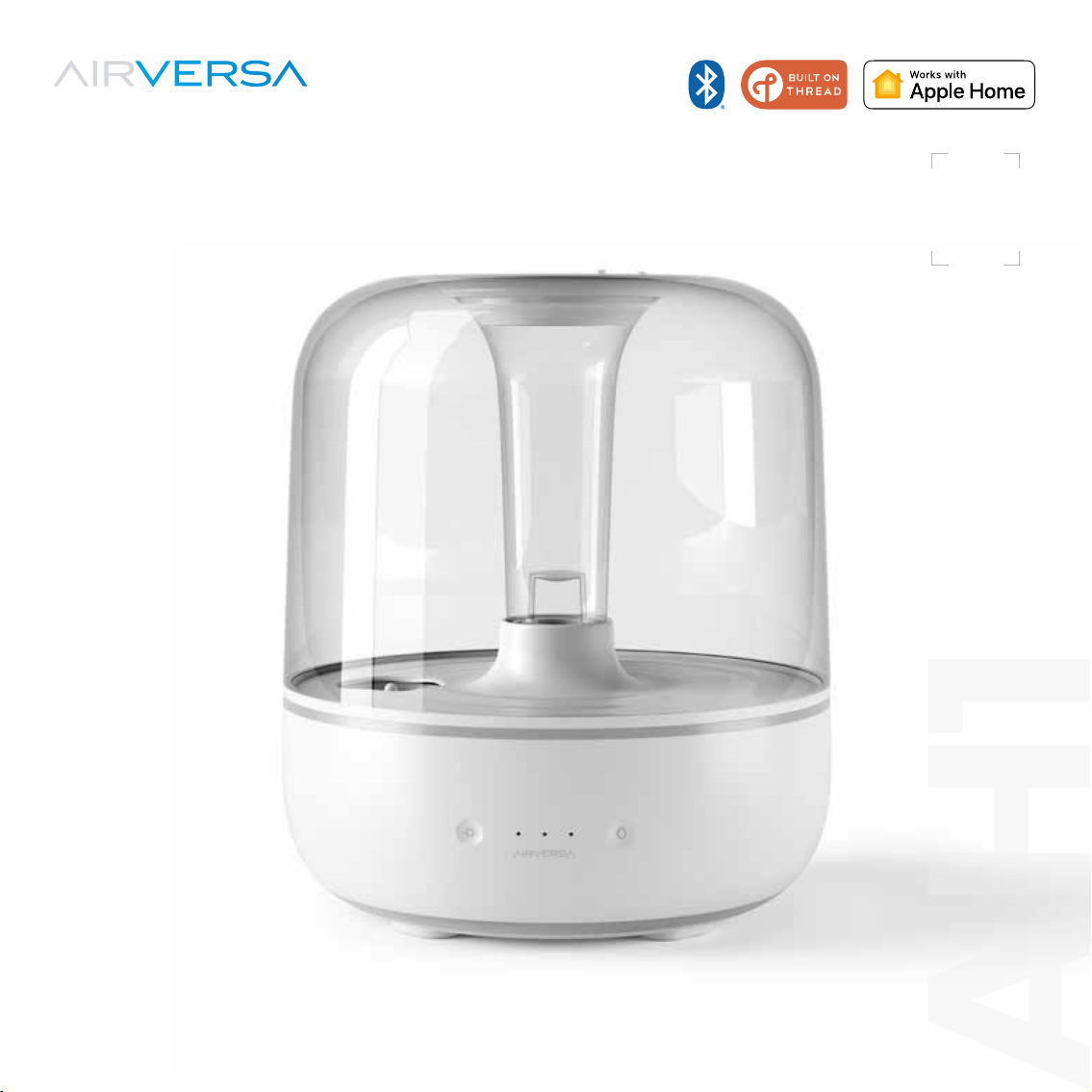
User Manual
AH1
Model: AH1
Humelle
Smart Humidifier
AH1
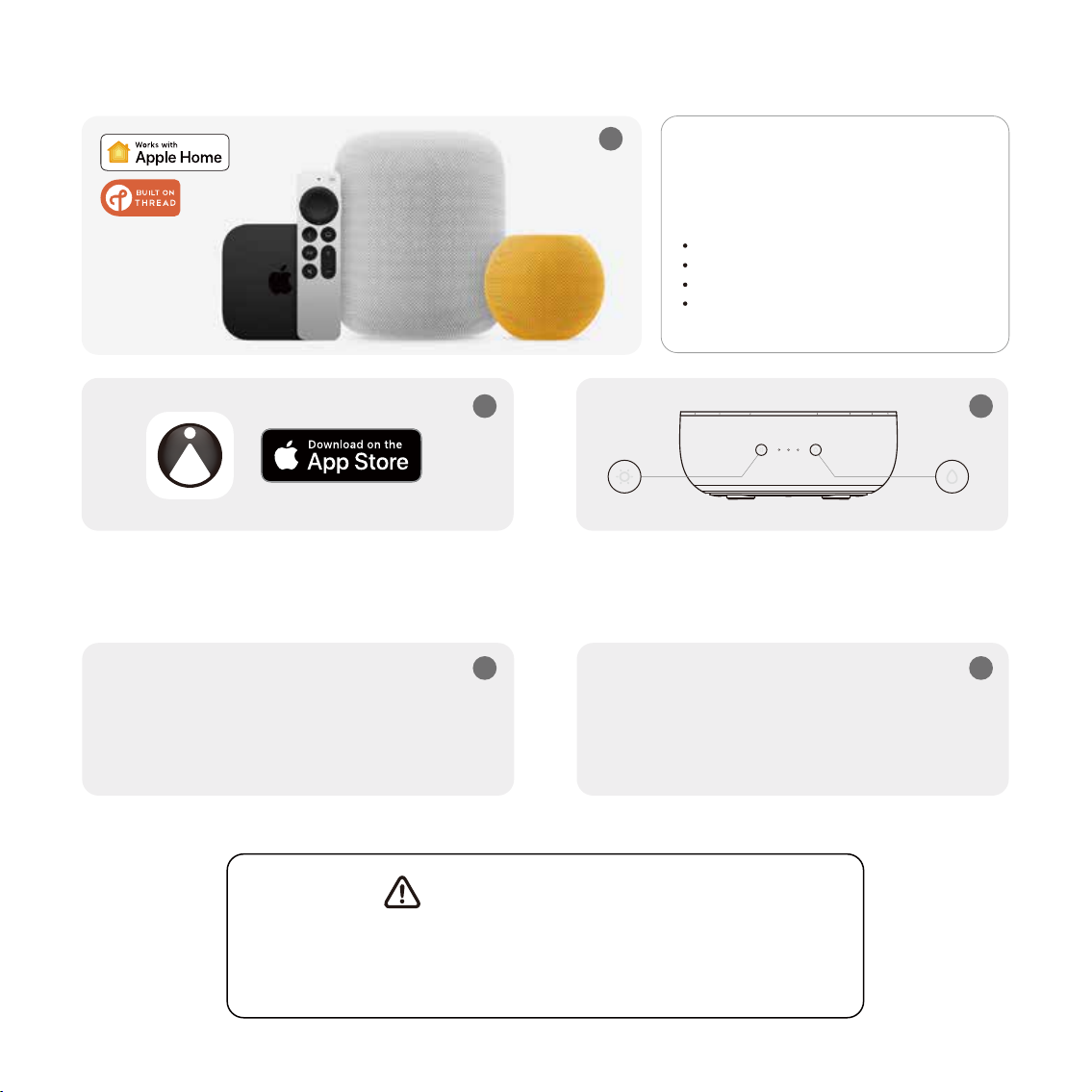
APPLE HOME (THREAD) SETUP
Download the Sleekpoint App from the Apple App
Store, open it and create an account, or open the
Apple Home App.
Simultaneously press and hold Power and Light
Buttons for approx. 5s to enter pairing mode untill
you hear a long beep.
3
45
Add the accessory to the app following
the on-screen instructions. As soon as it
is added successfully, it will automatically
connect to your Thread network.
Make sure your iOS device is close to your
accessory (less than 3m/10ft. away) and
Bluetooth is turned on in your iPhone settings.
Make sure one of your Apple Home Hub is close
to your accessory (less than 10m/30ft. away).
When an accessory is added successfully for the FIRST TIME, it usually takes
approx. 5-10 minutes to be able to connect to the Thread network. However,
if it is still not able to connect to Thread after a while, reboot your iOS device
or your Apple Home Hub and then check again.
Important Notice
Make sure you have one of
the Thread-enabled Apple Home
Hubs already setup.
HomePod 2nd Gen
HomePod mini
Apple TV 4K 2nd Gen
Apple TV 4K 3rd Gen (Wi-Fi + Ethernet)
1
2
If you have any questions or concerns about your new product,
please feel free to contact our Customer Service Team.
CUSTOMER SUPPORT
support@airversa.com
www.airversa.com
Zum Herunterladen scannen.
Scannez pour télécharger.
Escanear para descargar.
Scansiona per scaricare.

Thank you for choosing Humelle, our latest innovative product designed to optimize
the humidity levels in your home, while providing a customizable and visually
appealing atmosphere with its smart ring light feature. With its advanced sensors,
Humelle can detect the current humidity levels in your home and adjust its output
accordingly to maintain a target humidity level of your choosing. This helps to prevent
dry air, which can lead to issues like dry skin, coughs, and other respiratory problems.
Humelle works seamlessly with Apple Home using Thread Technology. With a
Thread-enabled Border Router (HomePod [mini] or Apple TV 4K), it allows for easy
integration with your existing Apple Home setup, giving your the ability to monitor
the humidity level in real-time, and control your Humelle with your iOS devices and
through Siri voice commands from anytime, at anywhere.
For now, please be sure to explore all of its features outlined in this manual. If you have
any questions, feel free to just drop us an email anytime. We’d love to assist you to get
the most out of it!
Hello!
1

IMPORTANT SAFETY INSTRUCTIONS
PLEASE READ AND SAVE ALL INSTRUCTIONS TO ENSURE THE SAFE AND EFFECTIVE USE OF
THIS HUMIDIFIER.
IF THE POWER ADAPTER OR UNIT DOES NOT WORK, CONTACT AIRVERSA CUSTOMER
SERVICE IMMEDIATELY.
When using electrical products, especially when children are present, basic safety precautions
should Always be followed to reduce the risk of fire, electric shock, or other injury.
ONLY use the humidifier as described in this manual.
It is advisable to carry filled Water Tank with two hands.
Humidifier requires regular cleaning. It is suggested to clean the humidifier every 72 hours.
Place the humidifier and cord so that it will not be knocked over.
DO NOTplace near large pieces of furniture or in high-trac areas.
When not in use, turn the humidifier off and disconnect from power by removing the plug
from the outlet.
Keep the humidifier out of reach from children.
ONLY fill the Water Tank with distilled, demineralized or purified water. Tap water can contain
minerals that can create buildup in your humidifier, leading to bacteria growth and potential
health hazards. Never fill the Water Tank with any other liquids.
Remove the Water Tank from the base before moving the humidifier.
If the humidifier is damaged or is not functioning properly, stop using it and contact Customer
Support immediately.
ATTENTION
2

This humidifier is not to be used by persons (including children) with reduced physical, sensory,
or mental capabilities, or lack of experience and knowledge, unless they have been given
supervision or instruction concerning use of the appliance by a person responsible for their safety.
Supervise children when they are near the humidifier.
Children should not clean or perform maintenance on the humidifier without supervision.
Children should be supervised to ensure that they DO NOT play with the humidifier.
Not for commercial use. Household and Indoor use only.
Before using the humidifier, extend the cord and inspect for any signs of damage. If the power
supply cord is damaged, please contact customer support for replacement in order to avoid an
electric or fire hazard.
Unplugging the power adapter will disable remote control of the humidifier and temporarily
disconnect the humidifier from apps.
ONLY add essential oils to the aroma box.
MUST DOs
Always have water in the Water Tank when operating the unit.
Always unplug your humidifier from the power outlet before cleaning your humidifier or detaching
the Water Tank from the humidifier base.
Always make sure to place the humidifier on a flat, Level and waterproof surface away from sunlight
before operation.
Always make sure to place the humidifier at least three feet (1.2m) away from bedside, 12 inches
(30cm) from the wall.
3

WARNINGS
DO NOT move or tilt humidifier while it is in operation.
DO NOT use the humidifier in wet environments.
DO NOT use hot water.
DO NOT add essential oils or other substances to the Water Tank in the humidifier.
DO NOT place the humidifier near sources of heat, such as stovetops, ovens, or radiators.
DO NOT place the humidifier directly on floors, carpets, or rugs.
DO NOT use other items as replacement parts for this product.
DO NOT cover any openings on the unit or insert objects into any openings while the humidifier
is on. Doing so may damage the humidifier.
DO NOT use the unit if the cord has been damaged.
DO NOT operate with power cord coiled or with twist tie in place.
DO NOT operate the humidifier without water. Turn off and unplug unit when tank is
empty.
DO NOT immerse the humidifier base, power cord, or plug in water.
DO NOT handle the power cord or plug with wet hands. Keep the plug and power cord away
from liquids.
DO NOT touch the Nebulizer while the unit is plugged in, as burns could result
DO NOT add essential oils, medication, supplemental water treatment liquids, or water filters
into the Water Tank or Base Water Chamber. This will damage the humidifier and cause leaks.
4

SAVE THESE IMPORTANT INSTRUCTIONS
FOR EASY REFERENCE.
DO NOT fill the humidifier with hot or boiling water. Use cool or lukewarm water to avoid
the risk of burns.
DO NOT let the water in the humidifier sit for extended periods of time. This can lead to bacteria
growth and potential health hazards.
DO NOT over-humidify your home. Keeping the humidity levels too high for an extended period
of time can lead to mold growth and damage to your home's structure.
DO NOT leave the humidifier unattended in a closed room. Doing so may result in personal
injury or property damage. If room becomes saturated, open the door and turn the humidifier
off or down.
DO NOT use a detergent to clean any parts of the unit that contain water. Detergent film
dissolved in the water supply can interfere with the output of the unit. Instead, Always use white
vinegar mixed with water to clean the humidifier.
DO NOT attempt to repair or adjust any electrical or mechanical functions on this humidifier.
Doing so will void your warranty.
DO NOT use the humidifier when an air purifier with a built-in air quality sensor, or an air quality
sensor, is nearby. The water particles can mislead the air quality readings in the sensors, and
could also possibly damage the sensor.
5
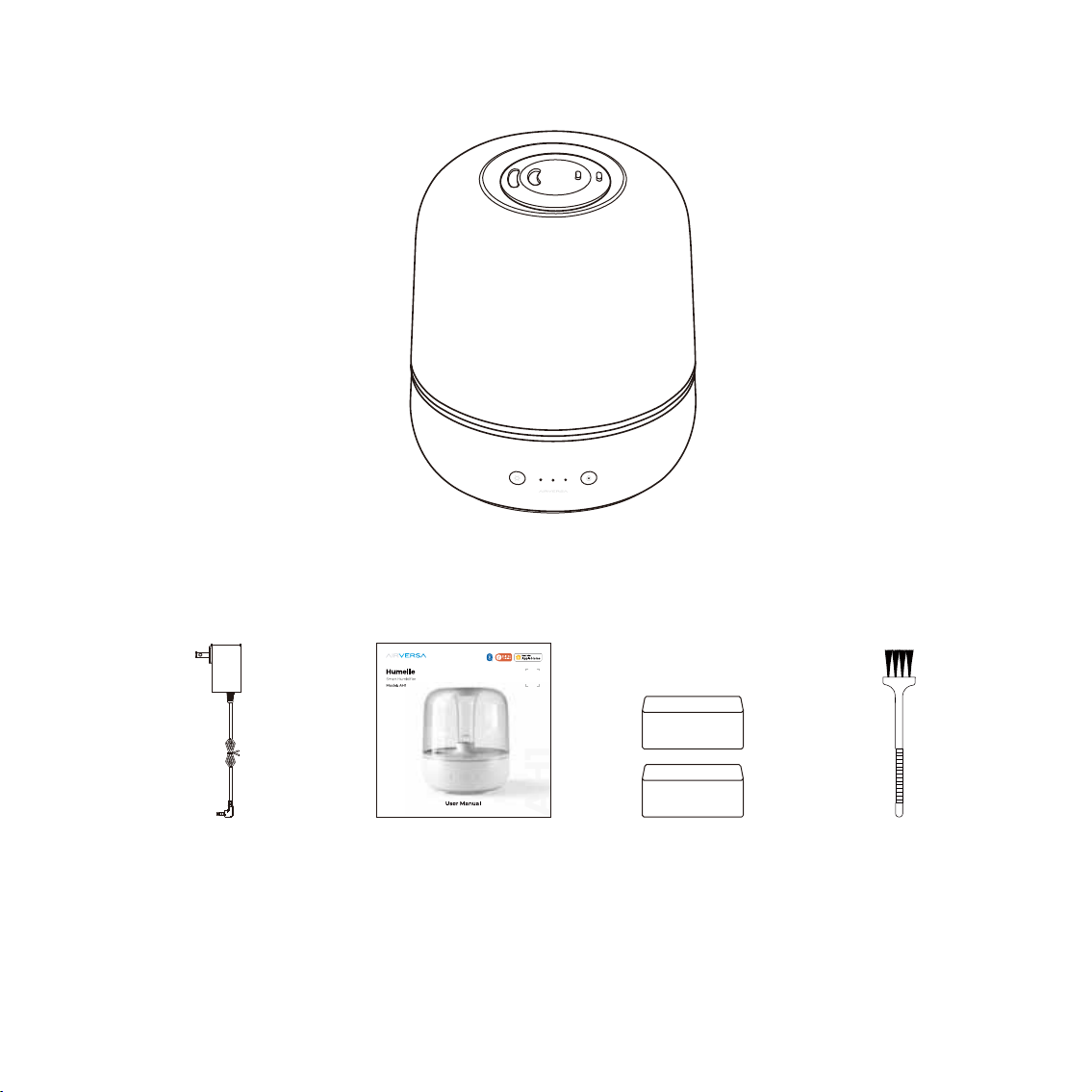
WHAT’S IN THE BOX
Cleaning Brush
*Power Adapter
*The image shown here is indicative only. If there is inconsistency between the image
and the actual product, the actual product shall govern.
*The plug type of the power adapter varies depending on the region where this device is purchased.
Aroma Pad
Humelle Smart Humidifier
User Manual
6
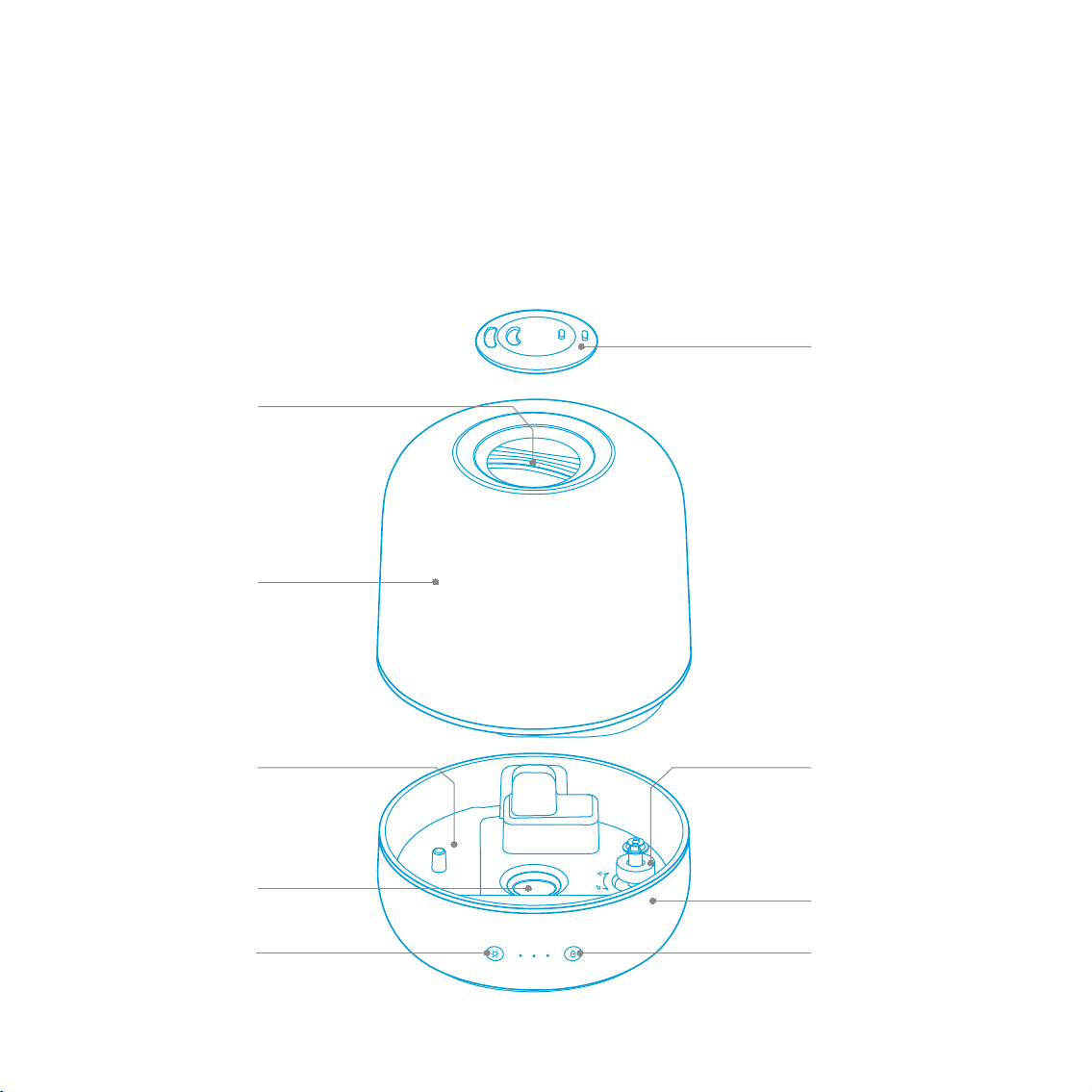
HOW IT WORKS
Water is released from the Water Tank into the Base Water Chamber. A Nebulizer vibrates at
ultrasonic frequency, breaking the water into a fine mist. The mist is quietly propelled by a fan up
a vertical Mist Tube to the Mist Nozzle where the cool, visible mist enters the room. This humidifier
will automatically shut off when the water level is low or when the Water Tank is removed from
the Base.
Lifting Handle
Power Button
(Detachable for cleaning purpose)
Water Level Sensor
Water Tank
Mist Nozzle
Base Water Chamber
Nebulizer Base
Light Button
Table des matières


