
AIC SB303-LB Manuel utilisateur

UM_SB303-LB_v3.1_120716
SB303-LB
Storage Server Barebone
User's Manual

contents
CONTENTS
PREFACE........................................................................................... i
SAFETY INSTRUCTIONS.................................................................... ii
Chapter 1. Prodcut Introduction ................................................1
1.1 Box Content ........................................................................................1
6SHFLÀFDWLRQV .....................................................................................2
1.3 General Information...........................................................................3
Chapter 2. Hardware Installation...............................................6
2.1 Central Processing Unit (CPU)...........................................................6
2.2 System Memory................................................................................14
2.3 Removing and Installing Top Cover ...............................................18
2.4 Installing/ Removing a Hard Disk Drive..........................................19
2.5 Removing and Installing a PSU Module .........................................21
2.6 Removing and Installing a Fan Module .........................................22
2.7 Removing and Installing the HDD backplane Module................25
2.8 Removing and Installing a PCIe Card............................................26
&RQÀJXUHWKH6$66LJQDO/LQNVHWWLQJ .............................................29
&RQÀJXUHWKH([SDQGHU-%2'(QFORVXUHVHWWLQJ ........................30
5HPRYLQJDQG,QVWDOOLQJD5-0RGXOH......................................31
2.12 Tool-less Blade Slide Installation Instruction ................................34
Chapter 3. Motherboard Settings.............................................37
3.1 Motherboard block diagram..........................................................37
3.2 Motherboard block diagram..........................................................38
3.3 Motherboard Content List................................................................39
,QWHUQDO&RQQHFWRUV-XPSHUV ........................................................40
3.5 LEDs...................................................................................................50
&KDSWHU%,26&RQÀJXUDWLRQDQG6HWWLQJV ...........................53
4.1 Updating BIOS...................................................................................55
Chapter 5. ..................................................................................57
%0&&RQÀJXUDWLRQDQG6HWWLQJV ..............................................57

contents
5.1 Method 1 (Use the BIOS setup) .......................................................57
5.2 Method 2 (Use a Dos tool - Syscheck)...........................................60
5.3 Connect to BMC...............................................................................62
5.4 Web UI ...............................................................................................63
5.4 Updating BMC Firmware..................................................................70
Chapter 6. Hardware Introduction...........................................71
6.1 HARDWARE DESIGN SPECIFICATION ...............................................71
6.2 HARDWARE DESIGN SPECIFICATION ...............................................73
6.3 Drive Slot Map...................................................................................77
Chapter 7. Technical Support...................................................78

Copyright © 2016 AIC, Inc. All Rights Reserved.
This document contains proprietary information about
AIC products and is not to be disclosed or used except in
accordance with applicable agreements.

i
PREFACE
• Copyright
No part of this publication may be reproduced, stored in a retrieval system,
or transmitted in any form or by any means, electronic, mechanical, photo-
static, recording or otherwise, without the prior written consent of the
manufacturer.
• Trademarks
All products and trade names used in this document are trademarks or
registered trademarks of their respective holders.
• Changes
The material in this document is for information purposes only and is subject
to change without notice.
• Warning
1. A shielded-type power cord is required in order to meet FCC emission
limits and also to prevent interference to the nearby radio and television
reception. It is essential that only the supplied power cord be used.
2. Use only shielded cables to connect I/O devices to this equipment.
3. <RXDUHFDXWLRQHGWKDWFKDQJHVRUPRGLÀFDWLRQVQRWH[SUHVVO\DSSURYHG
by the party responsible for compliance could void your authority to
operate the equipment.
• Disclaimer
AIC shall not be liable for technical or editorial errors or omissions
contained herein. The information provided is provided "as is" without
warranty of any kind. To the extent permitted by law, neither AIC or its
affiliates, subcontractors or suppliers will be liable for incidental, special or
consequential damages including downtime cost; lost profits; damages
relating to the procurement of substitute products or services; or damages
for loss of data, or software restoration. The information in this document is
subject to change without notice.

ii
SAFETY INSTRUCTIONS
• Before getting started, please read the following important cautions:
• All cautions and warnings on the equipment or in the manuals should be
noted.
• Most electronic components are sensitive to electrical static discharge.
Therefore, be sure to ground yourself at all times when installing the
internal components.
• Use a grounding wrist strap and place all electronic components in
static-shielded devices. Grounding wrist straps can be purchased in any
electronic supply store.
• Be sure to turn off the power and then disconnect the power cords from
your system before performing any installation or servicing. A sudden
surge of power could damage sensitive electronic components.
• Do not open the system’s top cover. If opening the cover for
maintenance is a must, only a trained technician should do so.
Integrated circuits on computer boards are sensitive to static electricity.
Before handling a board or integrated circuit, touch an unpainted
portion of the system unit chassis for a few seconds. This will help to
discharge any static electricity on your body.
• Place this equipment on a stable surface when install. A drop or fall
could cause injury.
• Please keep this equipment away from humidity.
• Carefully mount the equipment into the rack, in such manner, that it
won’t be hazardous due to uneven mechanical loading.
• This equipment is to be installed for operation in an environment with
maximum ambient temperature below 35°C.
• The openings on the enclosure are for air convection to protect the
equipment from overheating. DO NOT COVER THE OPENINGS.
• 1HYHUSRXUDQ\OLTXLGLQWRYHQWLODWLRQRSHQLQJV7KLVFRXOGFDXVHÀUHRU
electrical shock.
• Make sure the voltage of the power source is within the specification
on the label when connecting the equipment to the power outlet. The
FXUUHQWORDGDQGRXWSXWSRZHURIORDGVVKDOOEHZLWKLQWKHVSHFLÀFDWLRQ
• This equipment must be connected to reliable grounding before using.
Pay special attention to power supplied other than direct connections,
e.g. using of power strips.
• Place the power cord out of the way of foot traffic. Do not place
anything over the power cord. The power cord must be rated for the

iii
• product, voltage and current marked on the product’s electrical ratings
label. The voltage and current rating of the cord should be greater than the
voltage and current rating marked on the product.
• If the equipment is not used for a long time, disconnect the equipment from
mains to avoid being damaged by transient over-voltage.
• Never open the equipment. For safety reasons, only qualified service
personnel should open the equipment.
• If one of the following situations arise, the equipment should be checked by
service personnel:
1. The power cord or plug is damaged.
2. Liquid has penetrated the equipment.
3. The equipment has been exposed to moisture.
4. The equipment does not work well or will not work according to its user
manual.
5. The equipment has been dropped and/or damaged.
6. The equipment has obvious signs of breakage.
7. Please disconnect this equipment from the AC outlet before cleaning.
Do not use liquid or detergent for cleaning. The use of a moisture sheet or
cloth is recommended for cleaning.
• Module and drive bays must not be empty! They must have a dummy cover.
3URGXFWIHDWXUHVDQGVSHFLÀFDWLRQVDUHVXEMHFWWRFKDQJHZLWKRXWQRWLFH
CAUTION :
risk of explosion if battery is replaced by an incorrect type.
dispose of used batteries according to the instructions.
After performing any installation or servicing, make sure the
enclosure are lock and screw in position, turn on the power.

1
Chapter 1 Product Introduction
SB303-LB User's Manual
Chapter 1. Prodcut Introduction
1.1 Box Content
Before removing the subsystem from the shipping carton, visually inspect the
physical condition of the shipping carton. Exterior damage to the shipping
carton may indicate that the contents of the carton are damaged. If any
damage is found, do not remove the components; contact the dealer where
WKHVXEV\VWHPZDVSXUFKDVHGIRUIXUWKHULQVWUXFWLRQV%HIRUHFRQWLQXLQJÀUVW
unpack the subsystem and verify that the contents of the shipping carton are
all there and in good condition.
• Enclosure( Power supply, fan, 32 x 3.5'' HDD tray included)
• Power cord • Screws kit x 1pcs
• (Include console
serial cable)
• Slide rail x 1set
ʕPACKAGE CONTENT MAY VARY PER REGION.
• 3.5’’ HDD Tray

2
SB303-LB User's Manual
Chapter 1 Product Introduction
6SHFLÀFDWLRQV

3
Chapter 1 Product Introduction
SB303-LB User's Manual
1.3 General Information
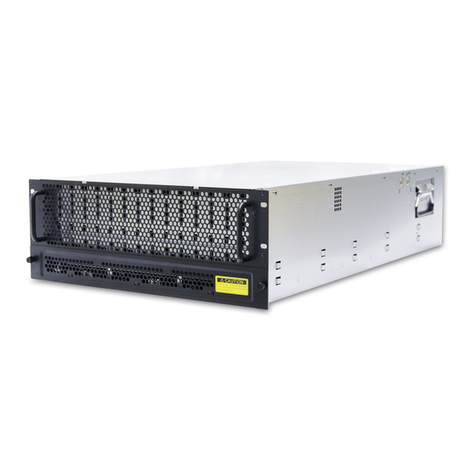
SB303-LB is a 3U rackmount chassis with 32 x 3.5”HDD hot swap Bays at Top
and single 12G expander on HDD Backplane which is a high performance
server storage product.
• Front Panel
nSystem Reset button oLAN1 Power LED
pLAN2 Power LED qSystem HDD Activity LED
rPower System LED sPower On/Off Button
System power on/off and system reset
4 drawers, each loads 8 x 3.5” drives
Table des matières
Autres manuels AIC Serveur

AIC
AIC HA401-VG Manuel utilisateur

AIC
AIC SB202-LB Manuel utilisateur

AIC
AIC SB405-PV Manuel utilisateur

AIC
AIC SB201-LB Manuel utilisateur

AIC
AIC SB201-VG Manuel utilisateur

AIC
AIC SB102-VG Manuel utilisateur

AIC
AIC FB201-LX Manuel utilisateur

AIC
AIC GB207A-CT Manuel utilisateur

AIC
AIC SB405-PV Mode d'emploi

AIC
AIC Rack Venus Manuel utilisateur

AIC
AIC FB127-LX Manuel utilisateur

AIC
AIC SB402-VG Manuel utilisateur

AIC
AIC SB101-LB Manuel utilisateur
AIC
AIC JBOD Series Manuel utilisateur

AIC
AIC J4078-01 Manuel utilisateur

AIC
AIC SB401-VG Manuel utilisateur

AIC
AIC TB101-HA Manuel utilisateur

AIC
AIC SB303-GE Manuel utilisateur

AIC
AIC HA202-PH Manuel utilisateur

AIC
AIC TB116-AN Manuel utilisateur


