
AGD 343 Manuel utilisateur
✓
PRODUCT MANUAL
© AGD Systems Limited 2019 Doc. Ref 343 PM ISS1
AGD 343
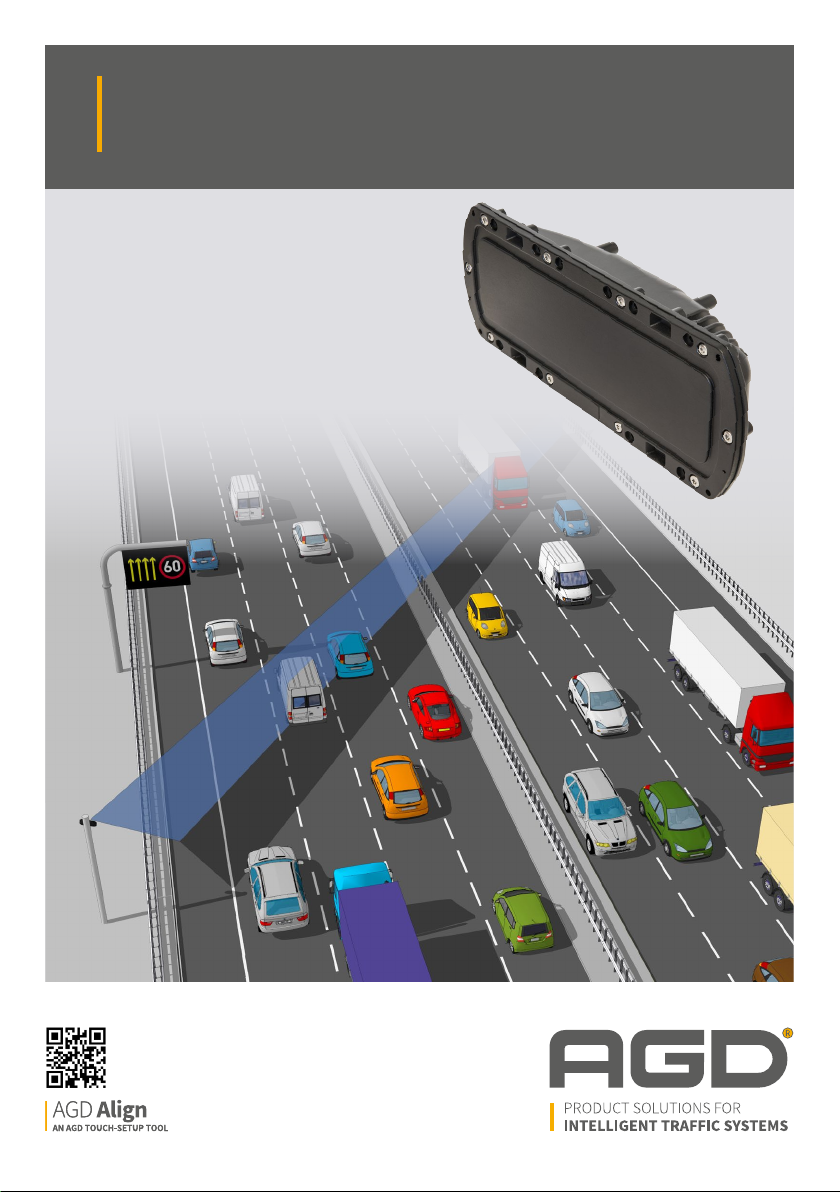
HIGHWAYS MONITORING RADAR
AGD 343
HIGHWAYS MONITORING RADAR
AGD 343
HIGHWAYS MONITORING RADAR
AGD 343
HIGHWAYS MONITORING RADAR

2
AGD 343
HIGHWAYS MONITORING RADAR
AGD 343
HIGHWAYS MONITORING RADAR
AGD 343
HIGHWAYS MONITORING RADAR
AGD 343
HIGHWAYS MONITORING RADAR
INTRODUCTION 2
Product and Technology 3
Key Features 3
Typical Applications 4
Product Overview 5
INSTALLATION 6
Installation Information 6
Mounting Location 7
Physical Installation 8 - 10
Electrical Installation 11
Power and Communications 12 - 21
INSTALLATION AND COMMISSIONING 22
Camera Connection 22 - 23
WiFi Connection 23
AGD Align Set-Up Tool 24 - 37
Radar Command Overview 38
MESSAGE FORMATS 42
Radar Event Messages - Heart Beat 42
Radar Event Messages - ES, EP, EE 43
Radar Event Messages - Examples 44
User Event Messages 45 - 46
Data Record Messages 47
Data Record Messages - Examples 48
TROUBLE SHOOTING 49
Physical Installation 49
Electrical Installation 49
Connecting / Commissioning 49
RADAR CHARACTERISTICS 50
Operating Frequency Band and Power 50
TECHNICAL SPECIFICATIONS 51
Product Dimensions 51
CERTIFICATION 52
END OF LIFE - DISPOSAL INSTRUCTIONS (EOL) 53
IMPORTANT SAFETY INFORMATION 54
Safety precautions 54
Low power non-ionising radio transmission
and safety 55
DISCLAIMER 60
Warranty 60
Contact Details 60
Table of Contents
safer, greener, more eicient

3
AGD 343
HIGHWAYS MONITORING RADAR
AGD 343
HIGHWAYS MONITORING RADAR
AGD 343
HIGHWAYS MONITORING RADAR
AGD 343
HIGHWAYS MONITORING RADAR
Introduction
PRODUCT & TECHNOLOGY
KEY FEATURES
• Flow monitoring solution for multi-lane real-time data
• Traffic Profiling and Incident Detection
• Ten lane highway capability
• Enforcement grade radar & techniques
• Identifies, tracks & measures speed, length, lane/direction of individual targets
• Multi-level incident detection mode
• Non-intrusive loop replacement
• Mounts on existing infrastructure
• Simple to install, setup and configure using AGD Align
The AGD 343 Highways Monitoring Radar is an easy-to-
integrate traic ow monitoring solution that provides
real-time data on multi-lane highways. Designed for traic
proling and incident detection, the 343 dramatically
enhances highways safety, capability and eiciency.
AGD’s 343 employs proven enforcement-grade radar &
measurement techniques to quantify speed, range and
length of passing vehicles. Detailed traic information
- such as, ‘is traic free-moving, slowing or starting-to-
queue?’ - is available in all weather conditions to inform
control rooms and allow instant decision making.
AGD radar can replace intrusive high-maintenance loops,
mounting on existing roadside poles or gantries where
it ‘looks’ across the road at 30 degrees. The additional
capability to operate at a ≥ 2-metre oset, while
maintaining a 6-metre plus mounting height, ensures
reliable operation in managed motorway scenarios and
ALR (All Lanes Running) schemes. The 343 has been
designed to cope with the many diiculties
facing international road network installations.

4
AGD 343
HIGHWAYS MONITORING RADAR
AGD 343
HIGHWAYS MONITORING RADAR
AGD 343
HIGHWAYS MONITORING RADAR
AGD 343
HIGHWAYS MONITORING RADAR
Introduction
TYPICAL APPLICATIONS
Multi-Lane Highways Monitoring Radar - Dedicated Infrastructure Mounted
MS4 Mounted Gantry Mounted

5
Flange Mounting
Points
AGD 343
HIGHWAYS MONITORING RADAR
AGD 343
HIGHWAYS MONITORING RADAR
AGD 343
HIGHWAYS MONITORING RADAR
AGD 343
HIGHWAYS MONITORING RADAR
PRODUCT OVERVIEW
Power/RS422 Cable
Connector Port
Bracket Fixing
Points
Introduction
safer, greener, more eicient

6
AGD 343
HIGHWAYS MONITORING RADAR
AGD 343
HIGHWAYS MONITORING RADAR
AGD 343
HIGHWAYS MONITORING RADAR
AGD 343
HIGHWAYS MONITORING RADAR
INSTALLATION INFORMATION
The radar is designed to be mounted to various structures such as a dedicated column, gantry or sign.
To install the radar, the following parts will be required:
To provide power and communication interfaces the following parts will assist in detector integration:
Installation
No. Part No Description Notes
1 343-500-000 AGD 343 Highways Monitoring Radar
2 MS-246 343 Mounting Bracket Kit
3 CA-310 343 Power/RS422 Cable Assembly
4 MK343-05 Camera Setup Tool (this is removed after setup)
No. Part No Description Notes
5 MK343-01 343 Interface Enclosure
6 MK343-03 343 Interface Enclosure (c/w 24Vdc PSU)
1
4
2
5
3
6

7
AGD 343
HIGHWAYS MONITORING RADAR
AGD 343
HIGHWAYS MONITORING RADAR
AGD 343
HIGHWAYS MONITORING RADAR
AGD 343
HIGHWAYS MONITORING RADAR
MOUNTING LOCATION
The AGD 343 has been designed to be mounted on a variety of structures, where it looks across the carriageway
The detector must be mounted at a minimum height of 6m above the carriageway and at an angle of
30 degrees. The AGD Align set-up tool assists in accurate set up of the angle.
Mounting Location Considerations
Avoid where possible:
retaining walls)
Installation
Offset Recommended Mounting Height Acceptable Mounting Height
2m 6m 6m
Oset: 2 metres
Height: 6 metres
Setup: AGD Align Visual
& Histogram
2 m
30º
CONFIGURATION:
6 m
Oset: 2 metres
Height: 6 metres
Setup: AGD Align Visual
& Histogram
2 m
30º
CONFIGURATION:
6 m

8
s
DIRECTION OF TRAVEL
s
DIRECTION OF TRAVEL
Pole
Pole
AGD 343
HIGHWAYS MONITORING RADAR
AGD 343
HIGHWAYS MONITORING RADAR
AGD 343
HIGHWAYS MONITORING RADAR
AGD 343
HIGHWAYS MONITORING RADAR
PHYSICAL INSTALLATION
343 Mounting Bracket Kit
The AGD 343 bracket mounting kit (part number MS-246
hardware.
BR-270 is the component of the bracket kit that BR-271 is the component of the bracket kit that
Fixing hardware consists of:
7no. M5 x 10mm Torx T20 A2 Stainless Screws
7no. M5 External Shakeproof A2 Stainless Washers
Step 1 – Mount bracket to the pole
Installation
Attach BR-270 to the structure you are mounting too
using mounting straps (AGD recommends stainless
steel sign banding ½” thick).
The position of the bracket should be parallel to the
the bracket as shown in the right hand image.

9
AGD 343
HIGHWAYS MONITORING RADAR
AGD 343
HIGHWAYS MONITORING RADAR
AGD 343
HIGHWAYS MONITORING RADAR
AGD 343
HIGHWAYS MONITORING RADAR
30º Mark
PHYSICAL INSTALLATION
Step 2 – Mount bracket to the radar
Fit the six torx screws and washers and
tighten to a torque of 1.2Nm.
with the cable entry port of the radar
pointed downward and the bracket not
obscuring it.
Step 3 – Mount radar to the pole
Insert the M10 Mounting Bolt through
the hole in the bracket on the pole,
loosely tighten the M10 Nyloc Nut.
Install the M5 locking nut in the slot
as shown adjacent to the M10 captive
bolt.
Position the radar at roughly
30 degrees to the road, the etched
marks on top of the bracket will help
with alignment.
Installation

10
AGD 343
HIGHWAYS MONITORING RADAR
AGD 343
HIGHWAYS MONITORING RADAR
AGD 343
HIGHWAYS MONITORING RADAR
AGD 343
HIGHWAYS MONITORING RADAR
PHYSICAL INSTALLATION
Step 4 – Install cable
Install the cable in a suitable manner
down through the pole by drilling and
always inserting the cable through a
suitable grommet.
Connect the cable to the cable entry
port on the bottom of the radar.
Step 5 – Install MK343-03 Interface
Enclosure (c/w 24Vdc PSU)
Using the same method that was used
to mount the radar bracket to the pole,
mount the interface enclosure using
stainless steel banding.
The box has an IP56 rating.
Installation
ss
Autres manuels pour 343
1
Table des matières
Autres manuels AGD Radar


Manuels Radar populaires d'autres marques

SAW D2L
SAW D2L Valentine One Gen2 Manuel utilisateur

Raymarine
Raymarine Raytheon R20X Manuel utilisateur

Simrad
Simrad CA34 Manuel utilisateur

Endress+Hauser
Endress+Hauser Micropilot FMR67B Caractéristiques techniques

Endress+Hauser
Endress+Hauser Levelflex M FMP45 Manuel utilisateur

ECHOMAX
ECHOMAX Active-X-Band Manuel utilisateur


Endress+Hauser
Endress+Hauser Levelflex FMP56 Caractéristiques techniques

TERMA
TERMA SCANTER 5102 Manuel utilisateur

GSSI
GSSI UtilityScan Manuel utilisateur

Acconeer
Acconeer A111 Manuel utilisateur

Crosley
Crosley CR37 Manuel utilisateur

Endress+Hauser
Endress+Hauser Levelflex FMP53 FOUNDATION Fieldbus Caractéristiques techniques