Advent ADV350B Manuel utilisateur

128-7248A
1 of 37
128-7248A
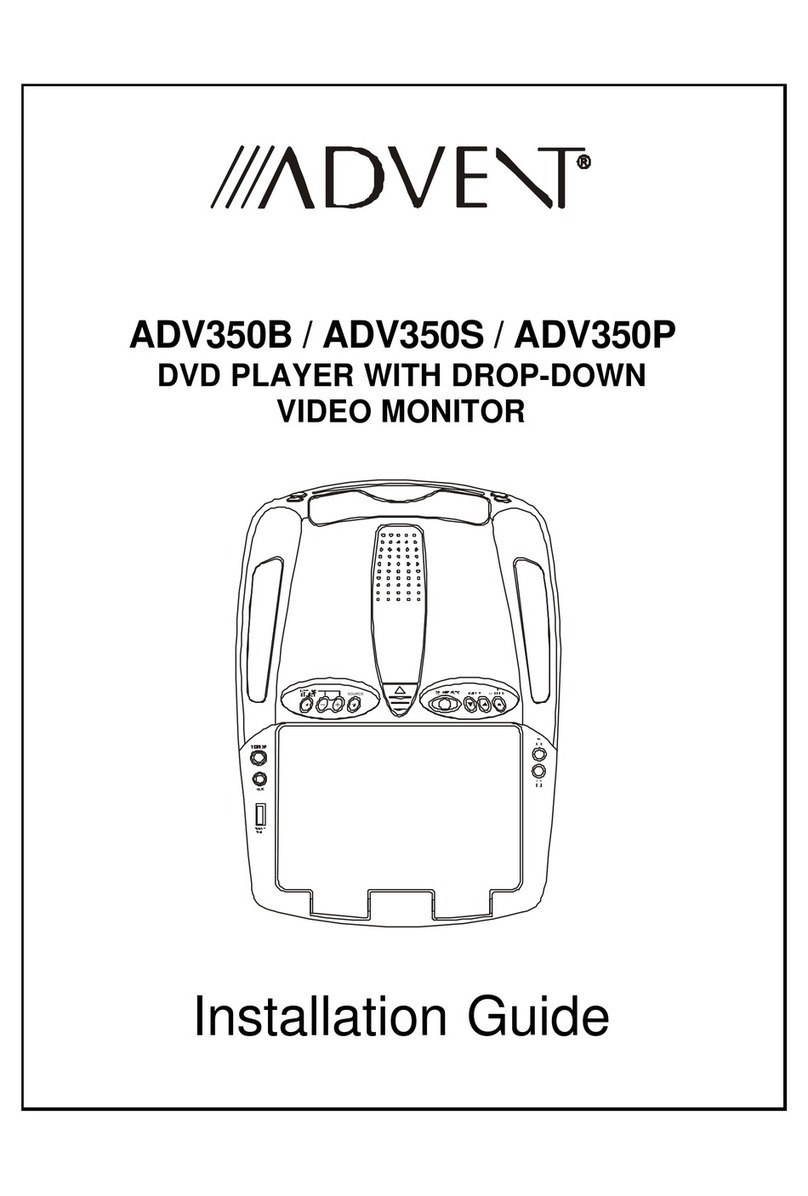
ADV350B/
ADV350S/
ADV350P
DVD PLAYER
WITH
DROP-DOWN
VIDEO
MONITOR
SOURCE

128-7248A
2 of 37
-2-
Important Notice
An LCD panel and/or video monitor may be installed in a motor vehicle and visible to the driver if the LCD panel or video monitor is used
for vehicle information, system control, rear or side observation or navigation. If the LCD panel or video monitor is used for television
reception, video or DVD play, the LCD panel or video monitor must be installed so that these features will only function when the vehicle
is in “park” or when the vehicle’s parking brake is applied.
An LCD panel or video monitor used for television reception, video or DVD play that operates when the vehicle is in gear or when the
parking brake is not applied must be installed to the rear of the driver’s seat where it will not be visible, directly or indirectly, to the
operator of the motor vehicle.
Warnings
Do not use any solvents or cleaning materials when cleaning the video monitor.
Do not use any abrasive cleaners, they may scratch the screen. Use only a lightly dampened lint free cloth to wipe the screen if it is dirty.
Lock the LCD screen in the fully closed position when not in use.
Before putting on headphones always adjust the volume setting to the lowest position.
Remember to leave the dome light switch in the off or auto positions when the vehicle is unattended, as the dome lights, if left on, can drain
the vehicle’s battery.
Do not put pressure on the screen.
Caution children to avoid touching or scratching the screen, as it may become dirty or damaged.
Television Reception
This entertainment system is designed primarily for viewing prerecorded movies or playing video games. Television reception in a moving
vehicle will be limited and in some areas will not be possible due to weak and variable signal strength. Television viewing in a stationary
vehicle will result in an improvement, but may still be marginal due to signal strength. The quality of the picture will not be consistent with
home TV reception. Reception may be affected by weather and distance from TV station. A weak signal may cause the picture to roll, be
snowy, or cause some color loss.
Licensedunderoneormoreofthefollowingpatents,
PatentNOS. 5,775,762 and 5,927,784

128-7248A
3 of 37
-3-
Congratulationson your purchaseof the AudiovoxADV350 DVD
Player with Drop-Down Video /Monitor. The ADV350 has been
designed to give you and your family many years of video
entertainment in the mobile environment. Please read the
directions that follow to familiarize yourself with the product to
ensure that you obtain the best results from your equipment.
Please note: Installationoptionsvary, seethe individual owner’s
manuals for each component in your system to obtain a full
understanding of each component’s operation.
Safety Precaution
For safety reasons, when changing video media it is
recommended that the vehicle is not in motion, and that you do
not allow children to unfasten seat-belts to change video media
or make any adjustments to the system. System adjustments
can be accomplished using the remote control, while seat-
belts remain fastened. Enjoy your Audiovox entertainment
system but remember the safety of all passengers remains the
number one priority.
Features
••
••
•10.2 Inch TFT (Thin Film Transistor) Active Matrix LCD
(LiquidCrystal Display) Monitor
••
••
•On Screen Display
••
••
•Optional TV Tuner*
••
••
•Full Function Remote Control
••
••
•Infrared Transmitter for IR Wireless Headphones.
••
••
•Two Audio / Video Inputs (AV1/AUX)
••
••
•Built-in DVD Player
••
••
•Two Headphone Jacks
••
••
•Built-in Five Frequency Wireless FM Modulator
(**Optional Relay Box)
••
••
•AV Line Out
••
••
•Forward and Side Remote Sensor
••
••
•Dome Lights with Switch
••
••
•Backlit Controls for Low Light Operation
••
••
•Last Position Memory for DVD
••
••
•Game Port
Options
* Audiovox P/N PODTVT
** Audiovox P/N SIRSWB

128-7248A
4 of 37
-4-
1
2
3
1
6
8
9
10
11
12
13
14
4
5
7
8
21
18
19
20
17
16
15
SOURCE
22
Controls and Indicators Diagram

128-7248A
5 of 37
-5-
Control Function Descriptions
1. Disc insertion slot – ForloadingDisc.
2. POWERButton –Used toturn thesystemON/OFF. Bright
red when system is on, dim when off.
3. EJECT ( ) Button – For ejecting discs from the disc
compartment.
4. PLAY ( ) Button – This button is used to start playback
of a disc.
5. STOP ( ) Button – To stop playback.
6. Infrared Transmitter and Sensor – Use to transmitaudio
tothe wirelessheadphones. Also allowstheremotecontrol
tooperate the ADV350 andtocontrol other accessoriesin
the system.
7. ADV350 Ventilation Opening.
8. Dome Lights –Provideadditional interior illumination.
9. SOURCE Select –Used to selectone ofthethree sources
(DVD,AV1,AUX/GAME,*TV Optional).
10. ( – ) Button – Used to decrease levels in the picture
adjustmentmode.
11. PICTURE SELECT Button –Allowsthe user enterthe
pictureadjustment mode.
12. ( + ) Button – Used to increase levels in the picture adjust
mode.
13. Side Remote Sensor Eye – Allows the remote control to
operate the ADV350, control volume to wired headphone
jacks and control the other accessories.
14. AUX Input (use with supplied AV adaptor)
••
••
•AuxiliaryAudio Right Input.
••
••
•AuxiliaryAudio Left Input.
••
••
•AuxiliaryVideo Input.
15. Drop Down LCD Panel.
16. Headphone Jacks – Allow the use of wired headphones
witha 1/8” plug forlisteningto the video programaudio.
17. Screen release–Moves indirection ofthe arrowtorelease
thedrop down screen.
18. VOLUME( )Button–Usethisbutton toraise thevolume
levelof the headphonejacks.
*Consult the PODTVTInstallation/Owner’s Manual foroptional
TVtunerinstructions.

128-7248A
6 of 37
-6-
19. FM Select Button –When this buttonis pressed it willturn
on the wireless FM Modulator and then cycle through the
available FMfrequencies (Channel 1, 88.3MHz; Channel
2, 88.7MHz; Channel 3, 89.1MHz; Channel 4, 89.5MHz;
Channel5, 89.9MHz andOFF).
20. VOLUME ( ) Button – Use this button to decrease the
volumelevel oftheheadphone jacks.
Note:These buttons will not affect the volume of wireless
headphones or the wireless FM modulator. When using
thesedevicesthevolumemust beadjustedwiththewireless
headphonevolumecontrolorwithyourradio’svolumecontrol
(seepage 16, Wireless Headphones,or page 17, Wireless
FMModulator).
21. Three position Dome Light Switch
• Auto – Automatically switches on the dome lights in
conjunctionwith the vehicle’s interiorillumination.
• Off – The dome lights will not turn on in this position.
• On – Turns on the dome lights.
22. Game Port – Connect the supplied game controller to this
inputto play a variety ofvideogames.
Note:When usingthe GameController,theAUXinputmust
beremoved.
Note : Audiovox recommends the use of the Audiovox HP275
Headphoneswhen usingwired headphones.

128-7248A
7 of 37
-7-
Battery Installation
Before attempting to operate your Remote Control, install the
batteriesas described below.
1)Turnthe Remote Controlfacedown. Using a fingernail,
liftthe battery cover off.
2)Install two “AAA” batteries as shown. Make sure that
properpolarity (+ or -)is observed.
3)Align the cover tabs with the remote control and press
down until the cover clicks.
Theremote controlwill operate theADV350 andmost Audiovox
VCP’s. It is not a universal remote control and will not control
equipmentfrom othermanufacturers.
Remote Control Operation
BATTERY COVER
146) 146*
1
2
3
4
5
7
6
8
9
10
11
12
13
14
15
16
17
18
19
20
21 23
22
24
25
26
27
28
29
30
31
32
34
33
35
36
37
38
39
40
41
42

128-7248A
8 of 37
-8-
Remote Control Function Descriptions
* Function control is available on the unit and the remote control.
** Not used in this model
*** TheTV Option will onlybedisplayed and theTVcontrol functions areonlyavailable if the optionalTV Tuner (P/N PODTVT)is
installed.
1. POWER Button*
Press this button to turn the ADV350 on. Press the button again to turn the ADV350 off.
2. SOURCE Button*
Each time the button is pressed, the audio / video source will change: DVD, AV1, AUX/GAME and TV***.
3. AUTO MEMORY Button(AUTO PROGRAMButton)***
When the AUTO MEMORY button is pressed, all channels are searched and channels that are detected with signals of
sufficentlevels are automatically stored.
4. SKIP/SEARCH Button***
Thisbutton selectsbetweeenSKIP andSEARCHmode. In“SKIP mode” theTV tunerwilltune andstop on channelsthat are
programmed into memory when the CHANNEL UP/DOWN buttons are used. When the SKIP mode is disabled, the TV will
stop on all active channels.
5. ERASE/WRITE Button***
Whiletuned to achannel, pressing thisbuttonwill storeorerase the channelfrom memory.Thestored channel numbersare
displayedin “GREEN” and theerased channel numbers aredisplayedin “RED”.
6. Channel Up ( ) Button
Usethisbutton to increase the channel number*** tothedesired channel and to scroll upward in menuoptions.

128-7248A
9 of 37
-9-
7. MUTE Button
Press this button to mute the audio.
Pressing the button again restores the sound to the previously set level.
8. ENTER Button
Used to implement a selected setting or menu option.
9. LEFT ( ) Button
Allows the user to shift left in the menu options.
10. MENUButton
Allows the user to access the DVD (DVD MODE) main menu and monitor menu (TV MODE).
11. RETURNButton**
12. TV Mode Select Button***
Switches certain function keys on the remote control for TV functions.
13. DVD Mode Select button
Switchescertainfunction keys on the remotecontrolfor DVD functions.

128-7248A
10 of 37
-10-
14. DISPLAYButton
Presstodisplay DVD Disc current information.
Press DISPLAY button DVDPlayerPerform
Once DisplaycurrentTITLE ,CHAPTER &elapsedtime
Twice DisplaycurrentSUBTITLE
3 times DisplaycurrentAUDIOlanguage &channel
4 times Displaycurrentsurround mode
5 times Display currentANGLE
6 times DisplayA-B repeatstatus
7 times Display REPEAT status
8 times Displayoff
ForSubtitle,Audio, Surround,Angle,A - B&Repeat, pressEnterkey repeatedlytochange the options.Theseoptions may
varyfrom discto disc.
15. FM TRANSMITTER ON/OFF Button
Turns the wirelessFMModulator power on/off.
16. AUDIOButton
Press this button to display and select the desired AUDIO language. Each time the button is pressed, the language or track
changes.
NOTE: The languages & tracks you can select are vary from disc to disc.
Autres manuels pour ADV350B
2
Ce manuel convient aux modèles suivants
2
Table des matières
Autres manuels Advent Lecteur DVD