
aci AGRI-COVER Manuel utilisateur
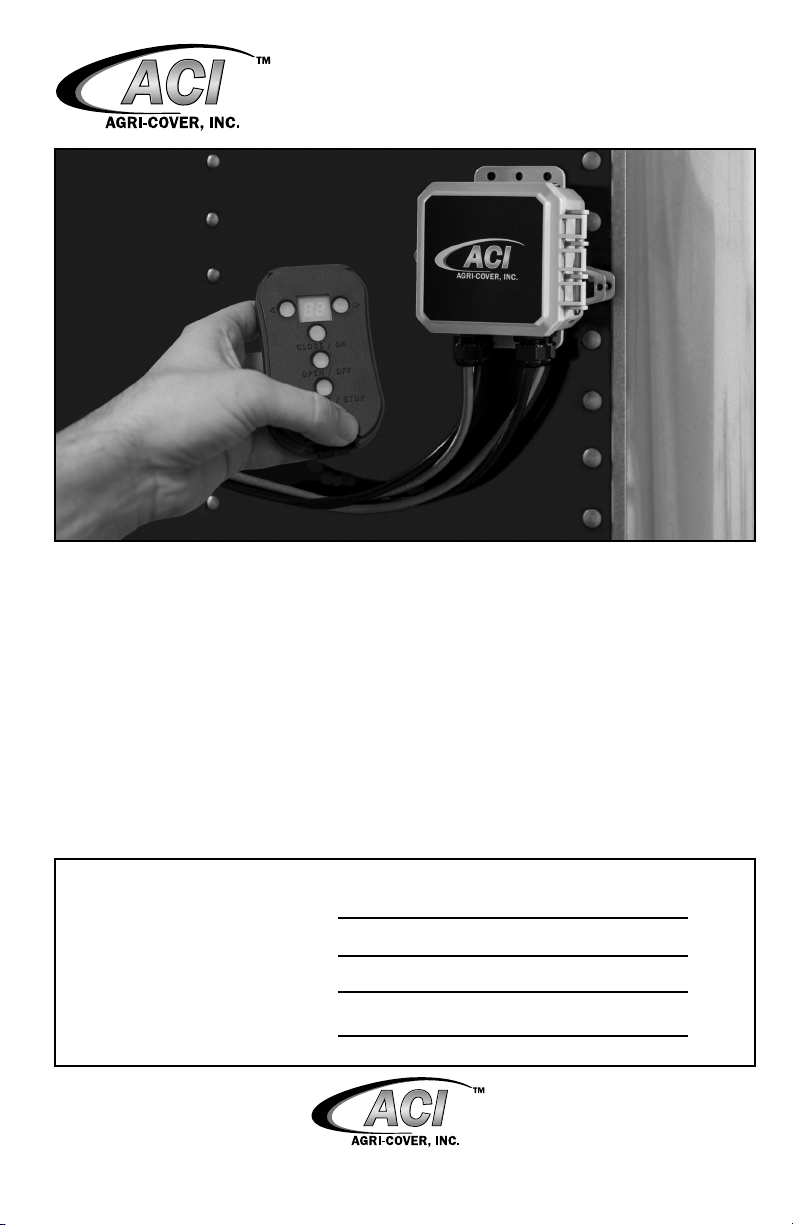
Use these instructions to install and operate remote control with AGRI-COVERTM
Switch Control. Read and follow these instructions along with the installation instructions
carefully before using the Switch Control.
NOTICE TO INSTALLER: Even if familiar with hardware, read instructions prior to
installation as improvements may be made without notice. Always handle components
with care. If you have questions or problems call customer service. When done, these
instructions must be given to the consumer.
NOTICE TO CONSUMER: Before using AGRI-COVERTM Switch and Remote Control,
read operating and safety sections. Save these instructions for future reference.
FOR YOUR RECORDS
DATE PURCHASED:
WHERE PURCHASED:
SERIAL NUMBER 1:
SERIAL NUMBER 2:
(Located inside Switch Control cover)
AGRI-COVERTM REMOTE CONTROL INSTRUCTIONS
Questions? 800-233-4655
agricover.com
(Located on back of Remote Control)

2
PREPARATION
Follow standard installation instructions before performing these instructions.
COMPONENTS
• (1) AGRI-COVERTM Switch Control
• (1) Remote Control
TOOLS NEEDED
• Protective eyewear
• Slotted screwdriver
SAFETY INFORMATION
• Always use caution when operating tarp.
• Disconnect power before servicing system or electrical components.
• Do not directly spray the electric motor and electrical connections with a pressure
washer.
• Service or program Switch Control in a controlled environment.
• Do not operate tarp with box hoisted in elevated position.
• Ensure tarp system is fully open or fully closed before operating vehicle at highway
speeds.
• End caps must be free from commodity that may be piled on them. Commodity
should not be piled higher than end caps.
• Ensure tarp is fully open before unloading or loading.
• Ensure people are clear of tarp system before and during operation.
• If tarp is covered with snow, remove before operating.
• Instruct everyone who will operate this tarp on the proper procedures.
• Lockout the electric system when you are not operating the system to avoid
unintended operation.
• Lockout control box when not conguring wireless mode or remote controls.
• Never allow children to operate or play with remote system.
• Only operate the tarp when completely visible.
REMOTE CONTROL SPECIFICATIONS
SPECIFICATION DESCRIPTION
Battery A23, 12V
Battery Life Up to 6 months
Channels 99
Display 2 digits
Operating frequency 340 MHz band
Operating range 100 feet

2 3
I
H
REMOTE CONTROL DIAGRAM
The following diagram identies the remote control components.
ID COMPONENT DESCRIPTION
A < (Channel
Decrease)
Decreases the channel number. Press the button to
decrease once or hold button to decrease rapidly.
B Display Displays the currently selected channel.
C > (Channel
Increase)
Increases the channel number. Press the button to
increase once or hold button to increase rapidly.
D Close/On Press and hold to close tarp.
EOpen/O Opens the tarp. Depending on mode, either: press and
hold or press once. Also, used during the remote control
programming process.
F Activate/Stop Stops opening or closing tarp. Also, if inactive for three
minutes, press button for 3 seconds to turn on remote
control's communication hardware.
G Lanyard hole Provides a slot to install the included lanyard.
H Label/Serial
Number
Provides brief instructions, a short channel list and
serial number.
I Battery door Provides access to the battery.
BACK
CA
D
E
F
G
B
FRONT

4
OVERVIEW
After the Switch Control (receiver) is installed, the remote control may be setup. The
remote control provides wireless push-button control. The remote is simple to use and
provides convenient, reliable operation and is suitable for a wide variety of applications.
NOTE: Only Switch Controls with rotary switches are compatible with wireless remote
controls, Switch Controls without rotary switches are incompatible with wireless remote
controls.
1. SET WIRELESS OPERATING MODE
A rotary switch inside the Switch Control congures the operating mode (how the
Remote and Switch Control operate the tarp).
!CAUTION: Setting operating mode
requires turning a rotary switch inside the
Switch Control near power wires. Avoid
touching power wires.
A. Open Switch Control and locate rotary
switch. Turn the switch to the desired setting:
Switch setting 4 (latching mode): Pressing
and releasing Open/O or Close/On on the
remote control causes the tarp to fully open
or close. Or pressing and releasing the switch
on the control box causes the tarp to open or
close.
Switch setting 7 (momentary mode):
Pressing and holding Open/O or Close/On
on the remote control causes the tarp to open
or close. Or pressing and holding the switch
on the control box causes the tarp to open or
close.
Rotary switch
NOTE: The switch's at slot indicates which
switch position is enabled.
B. Disconnect power cables from the battery.
C. Reconnect power cables to the battery.
Program
LED
Rotary
switch

4 5
2. PROGRAM A REMOTE CONTROL
Your Switch and Remote Control come pre-programmed to each other. If reprogramming
is required or you desire to use a dierent channel, follow the procedures below.
CLEAR RECEIVER
!CAUTION: This step involves pressing
a button near power cables. Avoid
touching power wires.
A. Open Switch Control and locate the
Program button.
B. Press and hold the Program button, the
LED activates. Release the Program button.
C. Within 5 seconds, press and hold
Program again, the LED ashes.
Program
LED
D. Continue to hold Program, the LED
ashes faster.
E. The LED extinguishes when the receiver
is cleared. Release the Program button.

6
2. PROGRAM A REMOTE CONTROL (Continued)
PROGRAM REMOTE TO RECEIVER
A. Use < and > to select the desired remote
channel.
NOTE:There are 99 selectable channels.
B. Open Switch Control and locate the
Program button.
C. In the control box, press and hold
Program, the LED activates. Release the
Program button.
D. Within 5 seconds press and hold Open/O
on the remote control. The LED ashes once
when remote button is initially pressed.
E. Continue to hold Open/O on the remote
control, the LED ashes.
F. The LED extinguishes when the receiver is
programmed, release the Open/O button. Program
LED
G. Press and hold Activate/Stop for three
seconds to activate the remote control
communication hardware and connect to
receiver.
H. Test the operation.
I. Repeat steps A through H to program an
additional remote to the receiver or program
same remote to a dierent receiver with a
new channel.
IMPORTANT: After control box and
remote control are congured, lockout
control box with user supplied lock or
included cable tie.
Lockout
slot
Included
cable tie

6 7
3. CONNECTING REMOTE TO RECEIVER
NOTE: After 3 minutes of inactivity, the
remote control times out and deactivates its
communication hardware.
A. To activate the remote control
communication hardware and connect
to receiver, press Activate/Stop for
approximately 3 seconds.
NOTE: The LED inside the Switch Control
activates when remote control is connected.
4. OPERATING INSTRUCTIONS
There are two methods for opening and closing the tarp with the remote. The method
depends on which operating mode is congured.
A. If inactive for 3 minutes, connect remote to
receiver as described in step 3.
B. Press < or > to choose the desired
channel.
C. Depending on operating mode, perform
one of the following:
Latching mode (switch setting 4): Press
and release Open/O to roll tarp fully open.
Press and release Close/On to roll tarp
closed.
Momentary mode (switch setting 7): Press
and hold Open/O to roll tarp fully open.
Press and hold Close/On to roll tarp closed.
D. (Optional) To halt the open or close
process during Latching mode, press the
toggle switch, tethered switch or one of the
remote control operation buttons (not channel
buttons).
NOTE: If motor controller senses a fault 2 times consecutively in the same direction,
the tarp direction must be reversed before trying again.

8
5. REMOTE BATTERY REPLACEMENT
NOTE: If remote becomes unresponsive or
channel numbers do not appear on display,
replace battery.
A. Remove battery door.
B. Remove battery.
+-
C. Insert new A23 battery. Only use new A23
batteries.
NOTE: Ensure battery polarity matches the
battery slot polarity indicators. In addition, a
spring is attached to the negative terminal.
D. Reinstall battery door.
NOTE: Remote may need to be
reprogrammed after battery is changed.
+
+
-
-

8 9
GENERAL TROUBLESHOOTING
If system has a battery cuto switch,
ensure it is turned to “ON” position.
Check all wiring components. A. Check positive (+) and negative (-) wire
connections on vehicle battery.
B. Retighten and re-crimp loose
connections.
C. Replace any corroded connections.
D. Check all wires for worn or bare spots.
E. Verify 12 volts or more come into the
Switch Control while system is operating.
Check power sources. A. Check vehicle battery and charge,
replace if required.
Check for physical damage to any
equipment.
A. Repair or replace if required.

10
TROUBLESHOOTING REMOTE CONTROL
PROBLEM SOLUTION
Remote transmitter does not work. None
of the lights turn on when remote is turned
on.
A. Check remote for dead batteries. If
batteries are dead, replace with new,
quality, high capacity batteries. Ensure
batteries are loaded correctly in remote
and terminals are clean. If replacing
batteries does not work, problem may be
in remote.
Remote does not work, batteries are good
and lights are working. System operates
with toggle switch but not with remote.
Remote not communicating with receiver.
A. Hold Activate/Stop for three seconds to
activate the remote control and connect to
receiver. Ensure remote is set to correct
channel and try again. If no change,
reprogramming is needed (see Step 1 on
page 4 ).
B. Ensure to be within several feet
of receiver and try again. If remote
transmitter works at short range but not
long range, replace batteries. If that does
not work, problem may be in remote.
Tarp system will not operate with remote. A. If motor controller senses a fault or
error 2 times consecutively in the same
direction, the direction must be reversed
before trying again.
10
Table des matières
Autres manuels aci Télécommande

Manuels Télécommande populaires d'autres marques

Panasonic
Panasonic EUR7622KB0 Manuel utilisateur

Bang & Olufsen
Bang & Olufsen Beo4 Manuel utilisateur

Sunwave Tech.
Sunwave Tech. RemoteComm SRC-7000 Manuel utilisateur

Multiplex
Multiplex PROFI TX 9 Manuel utilisateur

One Remote
One Remote RMB4 Manuel utilisateur

FUTABA
FUTABA 9ZAP - PART2 Manuel utilisateur


